Why Deceptive Messaging Target Our Students Today
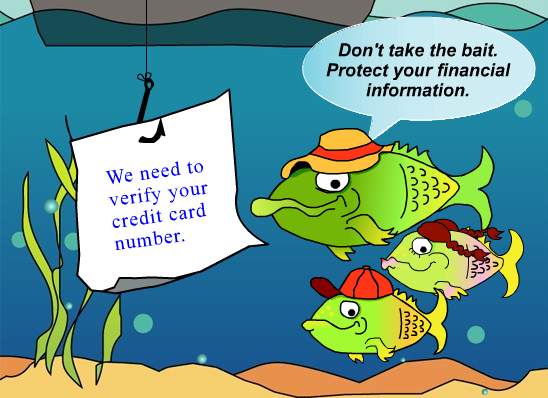
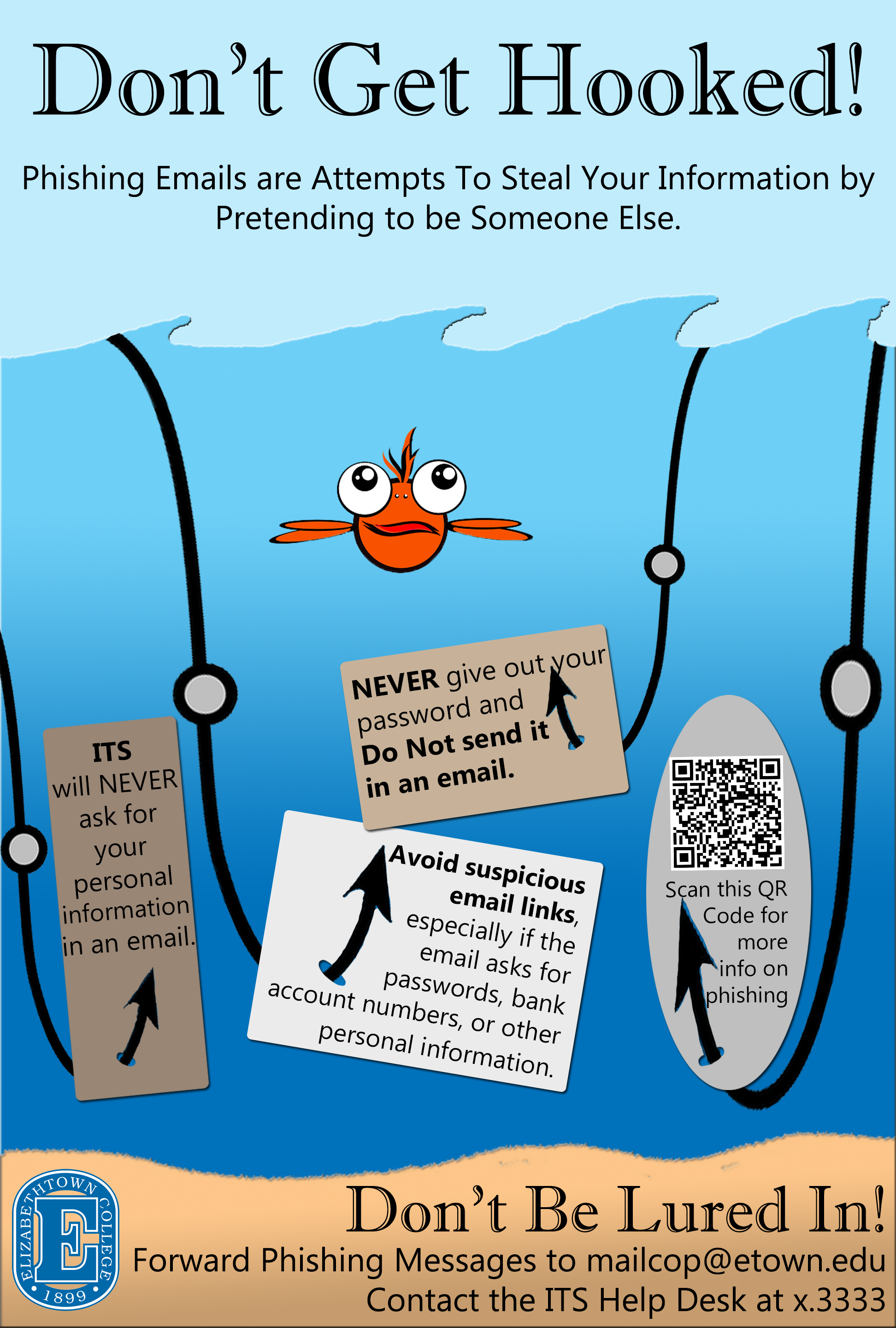
Modern digital classrooms have unlocked incredible avenues for learning, but they also expose young minds to sophisticated online deception. When examining a typical phishing example kids encounter today, we rarely see the clumsy, misspelled Nigerian prince emails of the past. Instead, threat actors deploy hyper-realistic social engineering tactics tailored specifically to youth interests. Cybercriminals craft fake notifications masquerading as popular gaming platforms, streaming services, or school-issued portal logins. According to guidance from the Cybersecurity and Infrastructure Security Agency and ConnectSafely, children and teens are frequently targeted because they view the internet as a trusted social space rather than a hostile frontier. As educators and parents at SafeWiredSchools.org, our goal is to bridge the gap between classroom technology policies and everyday digital habits so students learn to spot manipulation before clicking.
💡 Educational Key Takeaways:
- Core Skill: Structured Phishing Example Kids focused on developing pencil grip, stroke control, and early literacy/math confidence.
- Target Scope: Suited for homeschoolers, preschool, kindergarten, and elementary learners.
- Best Recommendation: Practice 10–15 minutes daily with ergonomic writing tools to reinforce muscle memory without hand fatigue.
Recognizing Risk Signals and Building Preventive Guardrails
Protecting students requires a dual approach that combines age-appropriate device controls with sharp critical thinking. Adults must understand where children are most vulnerable across different device environments, whether they are using a personal tablet at home or a school-managed Chromebook in the classroom. Reviewing a concrete phishing example kids might stumble upon during free time helps demystify these threats and establishes clear baseline rules for digital behavior. Related guide: What Is Internet Safety Important Points For Students.
| Setting / Context | Common Vulnerability | Practical Safeguard |
|---|---|---|
| Home Devices & Tablets | Fake pop-ups offering free in-game currency or rare skins for popular video games. | Enabling strict app store purchase permissions and utilizing household Internet and Digital Safety tools to block unverified external links. |
| School Chromebooks & LMS | Spoofed password reset alerts mimicking Google Workspace or Canvas notification banners. | Teaching students to navigate directly to bookmarks rather than clicking email alerts, paired with school-wide domain authentication. |
| Social Media & Chat Apps | Direct messages from compromised friend accounts asking to verify voting contests or social polls. | Establishing a verified alternative communication channel to confirm strange requests before engaging with any shared links. |
Actionable Guardrails and Communication Routines for Families and Schools
Building long-term digital resilience means moving away from fear-based warnings and focusing on practical routines. When a student encounters a sketchy link, their immediate reaction should be curiosity combined with caution, rather than panic about getting in trouble. Schools can reinforce this by establishing shame-free reporting workflows where students can bring suspicious messages to teachers or media specialists without fear of device confiscation. At home, families should establish central charging stations in common living areas to curb late-night device use when impulse control is lower. Parents can also explore structured Worksheets and interactive discussion prompts to practice spotting red flags together. Incorporating two-factor authentication on all personal and school accounts adds a vital layer of defense, ensuring that even if a credential is mistakenly entered, unauthorized access is successfully blocked.
Overly restrictive internet filters and blanket bans often backfire by driving curious students to find hidden workarounds behind adult backs. When children discover that legitimate resources or benign gaming sites are blocked, they may attempt to bypass security controls using unverified proxy servers, which frequently host malicious tracking scripts and credential-harvesting pages. Instead of relying solely on heavy-handed technical blocks, educators and parents must pair filtering software with transparent conversations explaining *why* certain sites present security hazards. By validating a child’s natural frustration with blocked content while firmly maintaining boundaries around account security, adults foster a collaborative environment where kids feel comfortable asking for help when something online looks suspicious or too good to be true.
Common Questions About Youth Digital Deception and Online Literacy
What is the most common phishing example kids encounter on gaming platforms?
Gamers frequently encounter fraudulent direct messages or pop-up windows promising free premium currency, rare cosmetic items, or early access to unreleased game updates. These prompts direct users to fake login portals designed to steal username and password combinations.
How young should children be when we start teaching them about internet scams?
Basic digital literacy concepts can begin as early as kindergarten through foundational lessons on keeping personal information private. By upper elementary and middle school, educators can introduce formal lessons on social engineering, email headers, and URL verification.
What should a child do immediately if they accidentally type their password into a fake site?
A child should immediately inform a trusted adult, change their password on a secure, known device, and check account recovery settings. If the compromised account is managed by the school district, the student should notify their technology department right away.
Explore More Digital Citizenship Resources
Equipping the next generation with strong digital literacy skills is an ongoing journey that requires collaboration between parents, teachers, and school administrators. We invite you to continue exploring our library of expert guides, practical tools, and educational materials designed to keep students secure across every digital landscape by visiting SafeWiredSchools.org.
Visual Reference Gallery