Introduction
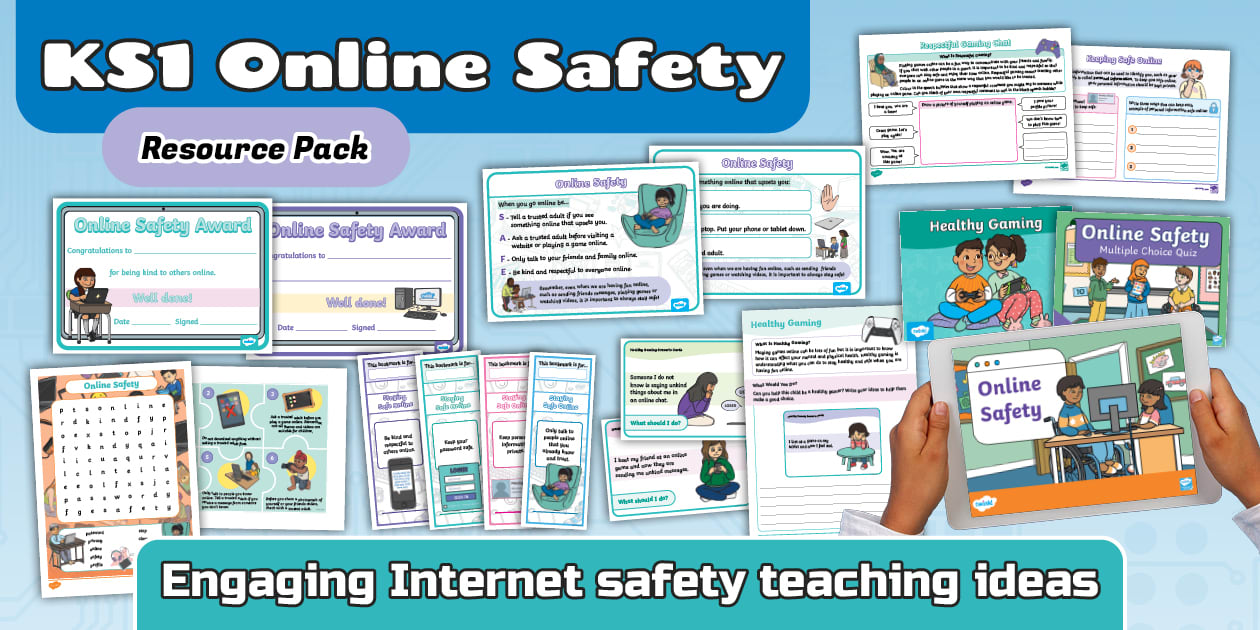
Six-year-old learners navigate screens long before reading chapter books independently. Shared family tablets, household gaming consoles, and streaming video platforms fill the modern childhood landscape. Children encounter digital spaces naturally, often treating virtual worlds as an extension of the living room playground. Yet, understanding the invisible boundaries of the internet requires concrete, gentle guidance. Adults often struggle to introduce digital literacy without causing fear. A thoughtful approach frames internet safety not as a list of scary prohibitions, but as a toolkit for positive digital citizenship. The free printable grade 1 story on online safety provides an accessible entry point for young learners. This resource bridges foundational reading skills with essential protective habits. Related guide: Cctv Introduction Lesson For Grade 4.
💡 Educational Key Takeaways:
- Core Skill: Structured Grade 1 Story On Online Safety focused on developing pencil grip, stroke control, and early literacy/math confidence.
- Target Scope: Suited for homeschoolers, preschool, kindergarten, and elementary learners.
- Best Recommendation: Practice 10–15 minutes daily with ergonomic writing tools to reinforce muscle memory without hand fatigue.
What This Printable Covers
Visual storytelling remains one of the most effective methods for teaching young children complex concepts. The narrative centers on a relatable animal character navigating a familiar digital dilemma, such as encountering a pop-up window or deciding whether to share a favorite toy virtually. It sounds simple, and that is the exact point. First graders process information best through narrative structures that mirror their daily experiences. The text explicitly teaches the importance of keeping personal information private, recognizing tricky situations, and pausing before clicking. Furthermore, the narrative reinforces the golden rule of digital life: young users are never in trouble for reporting something uncomfortable to a trusted adult. According to Common Sense Media, children engage with digital media at increasingly early ages, making early habit-building vital for healthy technology use.
Key Learning Outcomes
Reading comprehension meets digital citizenship within every single page of this educational tool. Learners practice early literacy skills while absorbing critical safety lessons that prevent accidental data sharing or exposure to inappropriate content. Children learn to identify trusted adults in their homes and schools who can help when a screen does something unexpected. The material also introduces the concept of digital footprints through age-appropriate metaphors, helping students understand that actions online have real-world implications. Educators and caregivers can pair these narrative lessons with hands-on exercises found across various printable classroom activities to reinforce the core message. Building these protective instincts early ensures children approach screens with both confidence and caution.
How to Use This Printable
Effective implementation relies heavily on guided discussion rather than independent reading alone. Adults should read the story aloud, pausing frequently to ask open-ended questions about the characters’ choices. What should the bear do next? Who can help if the screen freezes with a strange message? These prompts encourage critical thinking and allow children to voice their own assumptions about technology. Integrating these discussions into regular literacy blocks or cozy bedtime routines normalizes conversations about internet safety. It transforms a potentially intimidating topic into an ongoing, collaborative dialogue between children and the significant adults in their lives. Exploring additional resources within comprehensive internet safety collections helps families maintain consistency across different learning environments.
Practical Tips for Parents and Teachers
Creating a low-pressure environment is essential when discussing online boundaries with young minds. Caregivers should focus on curiosity rather than interrogation, validating children’s natural digital curiosity while establishing clear household rules. Role-playing scenarios provide a concrete way to practice responses, such as walking away from an unusual pop-up and immediately finding a teacher or parent. Educators can display key vocabulary words from the story on classroom word walls to reinforce learning throughout the school day. Consistency between home and school expectations helps solidify these protective habits in developing brains. Every conversation strengthens the child’s internal compass for navigating digital spaces safely.
Age-Appropriate Recommendations
First-grade learners require concrete rules and simple, unambiguous language. Abstract concepts like data privacy or cyberbullying mean very little to a six-year-old without tangible anchors. Aligning instruction with the ISTE Standards for Students helps educators design developmentally appropriate digital citizenship lessons that emphasize empowered, safe technology use. Children at this stage benefit from short, repetitive reminders about device etiquette and physical safety boundaries. According to the Federal Trade Commission, equipping young children with clear reporting scripts helps them respond effectively when encountering unexpected digital content. Keeping lessons brief, visual, and reassuring ensures maximum retention without inducing anxiety.
Equipping young children with clear reporting scripts helps them respond effectively when encountering unexpected digital content. — Federal Trade Commission (FTC)
Frequently Asked Questions
Accessing educational support materials should be straightforward for busy educators and parents. The following answers address common inquiries regarding the implementation and accessibility of digital citizenship printables. Clear guidance ensures that adults feel fully prepared to introduce these important concepts into their homes and classrooms. Navigating digital safety becomes much simpler when adults have immediate access to reliable instructional answers. Exploring further materials through dedicated online safety guides offers even more ways to support young learners.
Explore More Free Kids Online Safety Printables
Extending digital citizenship education requires a diverse mix of creative tools and ongoing practice. Children thrive when safety themes appear naturally across different subjects, from reading comprehension to art projects. Caregivers and educators can incorporate creative coloring pages to help reinforce positive technology habits through visual and tactile engagement. Combining stories, coloring sheets, and interactive discussions creates a robust foundation for lifelong digital wellness. Every shared conversation brings children one step closer to becoming confident, smart, and safe digital citizens.
Developmental Milestone & Activity Table
| Development Stage | Recommended Daily Duration | Primary Learning Objective |
|---|---|---|
| Preschool & Pre-K | 10 – 15 Minutes | Pencil grip development & basic pre-stroke lines |
| Kindergarten | 15 – 20 Minutes | Letter/number formation & spatial line awareness |
| Early Elementary (Grade 1–2) | 20 – 30 Minutes | Fluency, sentence construction & neatness |
Images References