Introduction
Children encounter digital environments long before they possess the fully developed impulse control required to navigate them safely. Modern households and classrooms rarely rely on a single desktop computer tucked away in a study. Instead, young learners tap through shared tablets at the kitchen table, trade messages through in-game chat features during weekend gaming sessions, and stream educational video platforms on classroom laptops. These digital spaces offer immense educational value, yet they also introduce unexpected social and technical hurdles. Establishing foundational habits early helps transform reactive anxiety into proactive competence. Rather than viewing digital engagement as a minefield of potential dangers, educators and caregivers can approach technology as a vehicle for building essential life skills. Safety is not an innate instinct; it is a muscle that strengthens through consistent practice, open dialogue, and clear, memorable boundaries. Grounding digital citizenship in structured routines makes the online world manageable for elementary-aged learners. To assist with this mission, the free printable “what are the basic cyber rules for kids” provides a reliable starting point for classrooms, counseling sessions, and living room discussions. Exploring further educational assets becomes easier when browsing internet and digital safety resources designed specifically for young minds.
💡 Educational Key Takeaways:
- Core Skill: Structured What Are The Basic Cyber Rules For Kids focused on developing pencil grip, stroke control, and early literacy/math confidence.
- Target Scope: Suited for homeschoolers, preschool, kindergarten, and elementary learners.
- Best Recommendation: Practice 10–15 minutes daily with ergonomic writing tools to reinforce muscle memory without hand fatigue.
What This Printable Covers
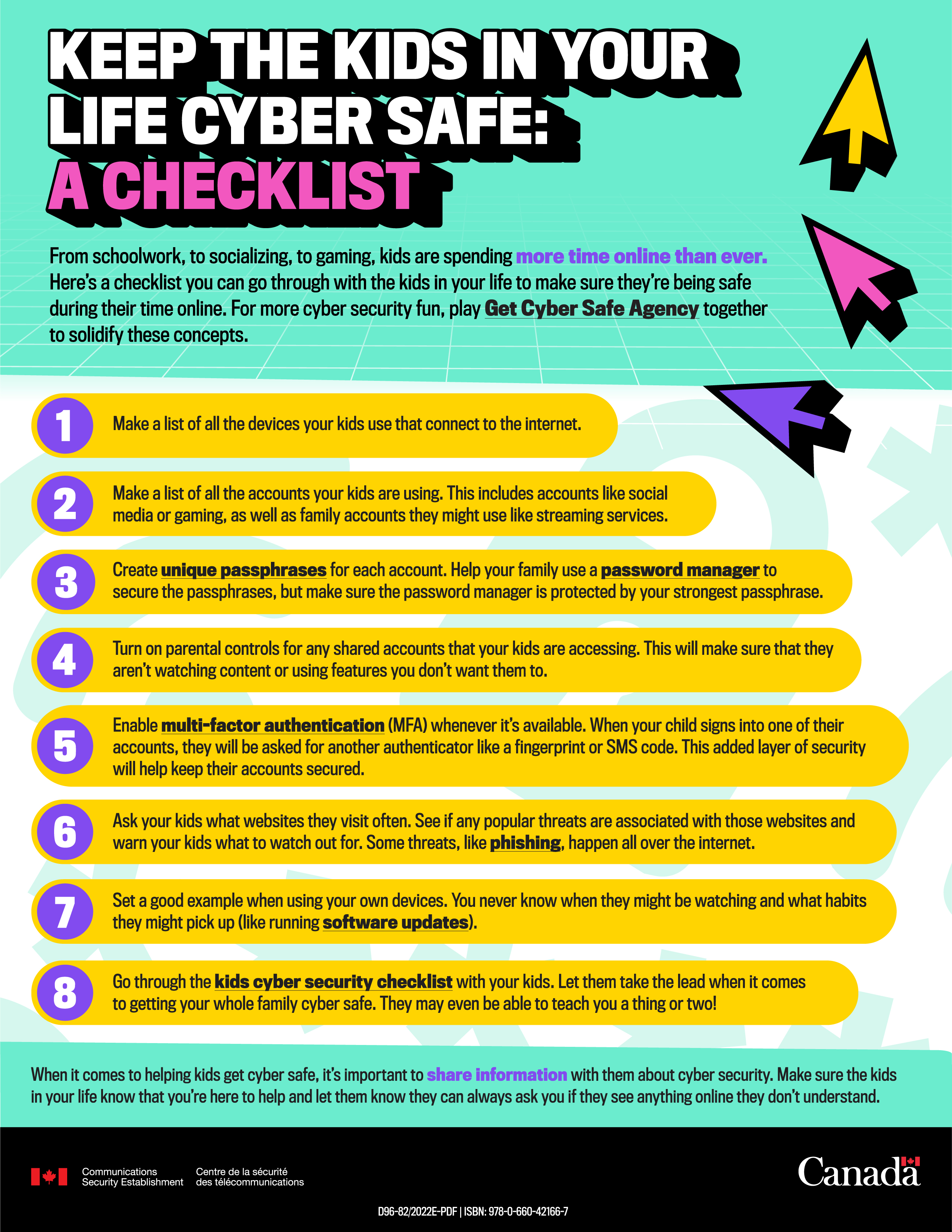
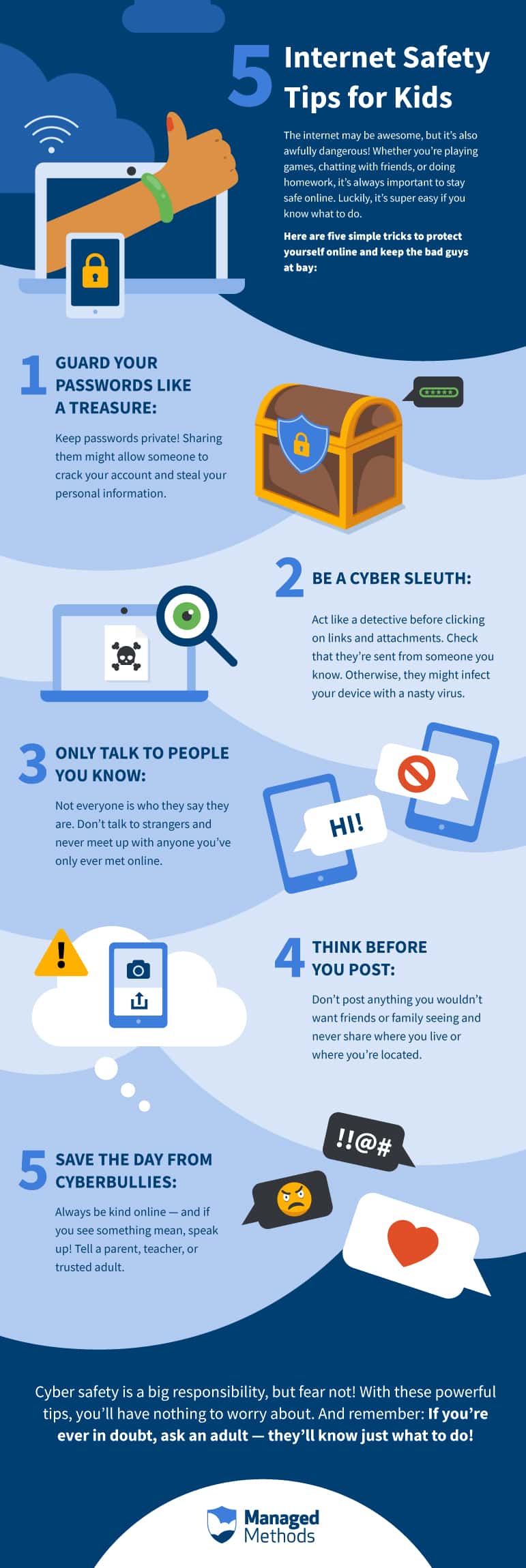
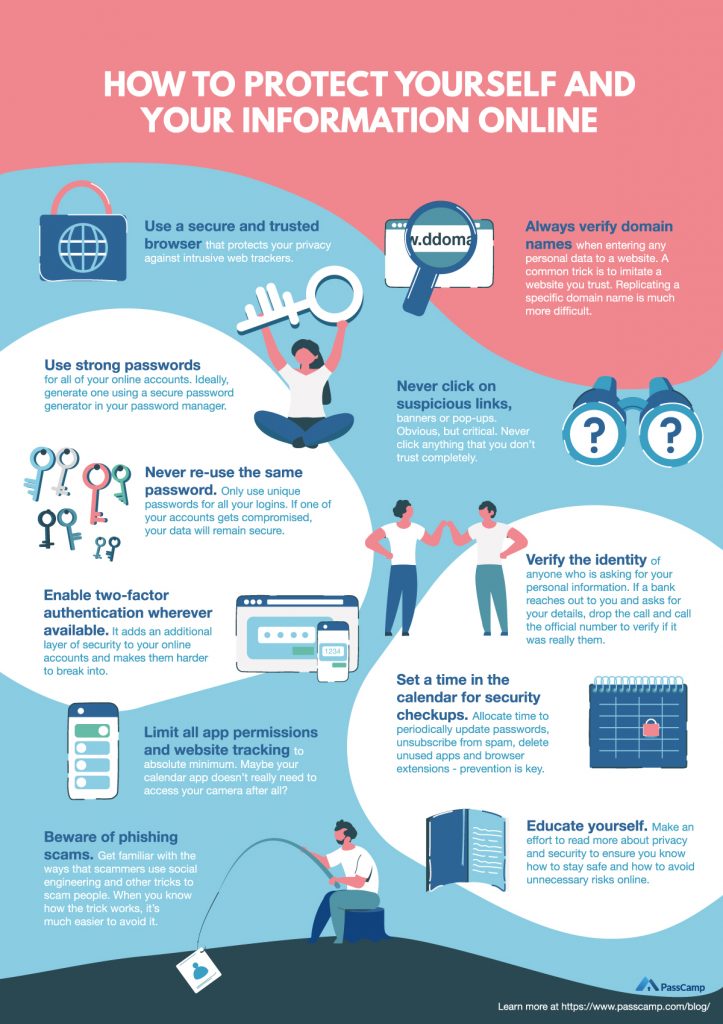
The free printable focuses on core protective habits that every child needs to understand before exploring digital realms independently. It breaks down complex cybersecurity concepts into digestible, kid-friendly guidelines. Children learn the importance of keeping personal information completely private, recognizing that home addresses, full names, and school titles belong only to trusted circles. Another vital pillar centers on password security, teaching young users why keys to online accounts remain secret even from close peers. The material also emphasizes the golden rule of digital communication: pausing before clicking, posting, or responding to peer messages. Most importantly, the guide reinforces the reality that children are never in trouble for reporting something uncomfortable, confusing, or mean online. According to the Federal Trade Commission, children frequently encounter inappropriate content or manipulative marketing tactics while gaming or watching videos, making early guidance indispensable. Digital safety rules act as an invisible safety net, allowing children to explore with confidence while knowing an adult stands ready to help. Related guide: Cctv Introduction Lesson For Grade 4.
Key Learning Outcomes
Working through this worksheet helps children internalize specific actions they can take the moment something feels off on a screen. Learners develop the vocabulary to articulate uncomfortable interactions rather than hiding them out of fear of losing device privileges. Furthermore, the activity strengthens critical thinking by prompting children to ask whether a piece of shared information is safe before entering it into a form or chat box. Educators often notice that pairing visual worksheets with hands-on practice leads to higher retention rates among primary students. It sounds simple, and that’s the point. Clear, repeatable rules reduce cognitive overload and help young users make smart choices in fast-paced digital environments.
How to Use This Printable
Integrating the activity into an existing lesson plan or family routine requires minimal preparation and zero specialized technology. Teachers can distribute the sheets during morning meeting rotations to introduce discussions about responsible device usage, while parents can review the material during a calm weekend afternoon. The true value of the handout lies in its ability to spark natural conversation. Adults can ask open-ended questions about what characters in the scenarios might do next, encouraging children to problem-solve collaboratively. Children often face tricky situations in casual in-game chat rooms where boundaries blur between gaming friends and actual trusted acquaintances. Discussing these scenarios away from the screen provides a low-pressure environment to rehearse proper responses. Additional tools and supportive materials are readily available within specialized worksheets collections created for elementary educators.
Practical Tips for Parents and Teachers
Adults guiding young learners benefit from maintaining a calm, approachable demeanor when digital missteps occur. Blame and punitive reactions often drive children underground, making them hesitant to report genuine online threats or cyberbullying. Establishing a predictable routine for reviewing digital habits ensures that internet safety remains a regular topic rather than a reaction to a crisis. Displaying the completed rules near shared family devices or classroom charging stations serves as a helpful visual reminder throughout the school day. Consistency between home expectations and school guidelines reinforces the message until safe digital behavior becomes second nature.
Age-Appropriate Recommendations
Children aged five through seven require concrete, highly visual reminders focusing on basic device boundaries, such as asking an adult before downloading an application or visiting a new website. Moving into the eight-to-twelve age bracket, learners can engage with more nuanced concepts regarding digital footprints, privacy settings, and respectful peer communication. Aligning these lessons with the Common Sense Education Digital Citizenship Curriculum provides educators with a structured scope and sequence tailored to developmental milestones. Younger children thrive on role-playing and storytelling, while older elementary students benefit from analyzing realistic scenarios involving peer pressure and online gaming etiquette. Tailoring the conversation to the child’s specific developmental stage ensures the messaging lands effectively without causing unnecessary alarm or confusion.
Young children frequently encounter unexpected risks through shared household devices and popular in-game chat platforms — Pew Research Center
Frequently Asked Questions
Clear answers to common questions help adults maximize the impact of digital safety materials. How does this specific handout aid comprehension? The worksheet uses guided prompts and relatable scenarios to transform abstract internet rules into concrete daily habits. Can anyone download and print the file easily? Yes, the resource is completely free to access, download, and print for unlimited classroom or household use. What do safety organizations recommend regarding reporting? According to the National Center for Missing & Exploited Children, keeping communication lines open between children and trusted adults is the single most effective deterrent against online exploitation.
Explore More Free Kids Online Safety Printables
Expanding a digital citizenship curriculum involves utilizing diverse formats that cater to different learning styles and classroom environments. Creative learners often respond exceptionally well to artistic approaches, making resources found in coloring pages wonderful additions to an introductory safety unit. Coloring helps reinforce positive digital habits while providing a relaxing space to discuss rules without pressure. For broader coverage across multiple devices and platforms, exploring comprehensive online and digital safety hubs equips educators and parents with continuous inspiration. Building a safer digital future happens one intentional conversation at a time.
Developmental Milestone & Activity Table
| Development Stage | Recommended Daily Duration | Primary Learning Objective |
|---|---|---|
| Preschool & Pre-K | 10 – 15 Minutes | Pencil grip development & basic pre-stroke lines |
| Kindergarten | 15 – 20 Minutes | Letter/number formation & spatial line awareness |
| Early Elementary (Grade 1–2) | 20 – 30 Minutes | Fluency, sentence construction & neatness |
Images References