Introduction
Fifth graders navigate screens with a growing sense of independence, often moving beyond walled-garden apps into multiplayer gaming chat boxes, shared school devices, and video streaming comments. It sounds simple, and that’s the point: a quick text or a shared username feels harmless to a ten-year-old. Yet these everyday interactions require a new layer of critical thinking. Adults guiding this age group need practical tools that bridge the gap between abstract rules and real-world digital choices. The free printable digital citizenship components for grade 5 bridges that exact gap by turning digital habits into concrete skills. Safety at this developmental stage is not about instilling fear or locking down every device. Instead, building these protective habits empowers children to manage their digital lives with confidence, resilience, and open communication. Related guide: Review Game For Responsible Technology Use.
💡 Educational Key Takeaways:
- Core Skill: Structured Digital Citizenship Components For Grade 5 focused on developing pencil grip, stroke control, and early literacy/math confidence.
- Target Scope: Suited for homeschoolers, preschool, kindergarten, and elementary learners.
- Best Recommendation: Practice 10–15 minutes daily with ergonomic writing tools to reinforce muscle memory without hand fatigue.
What This Printable Covers
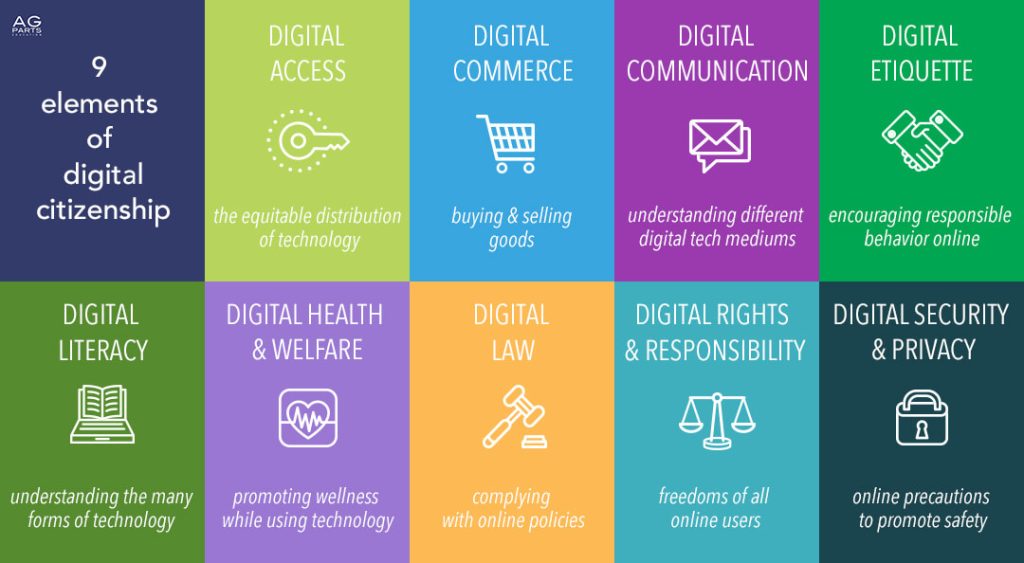
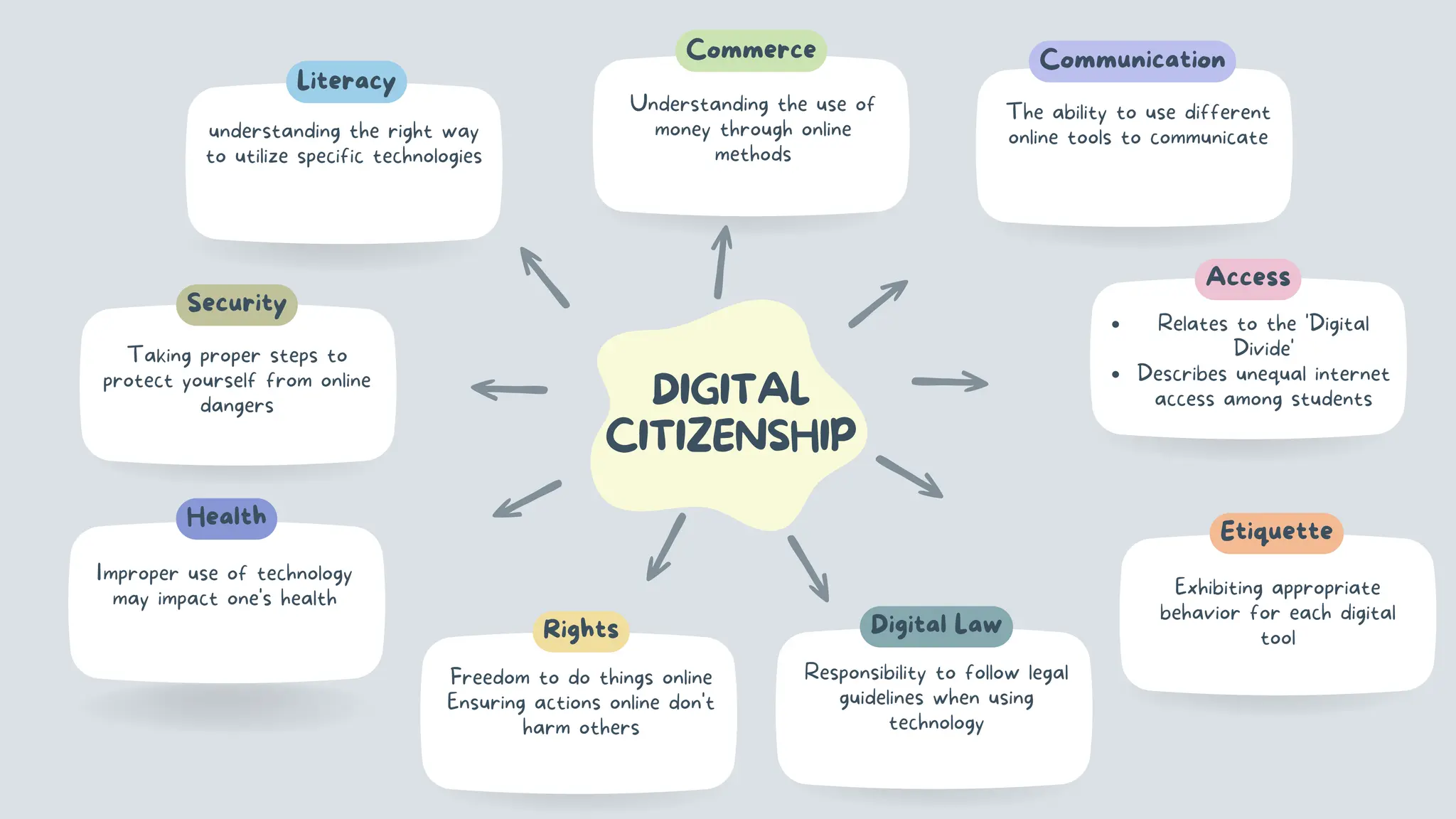
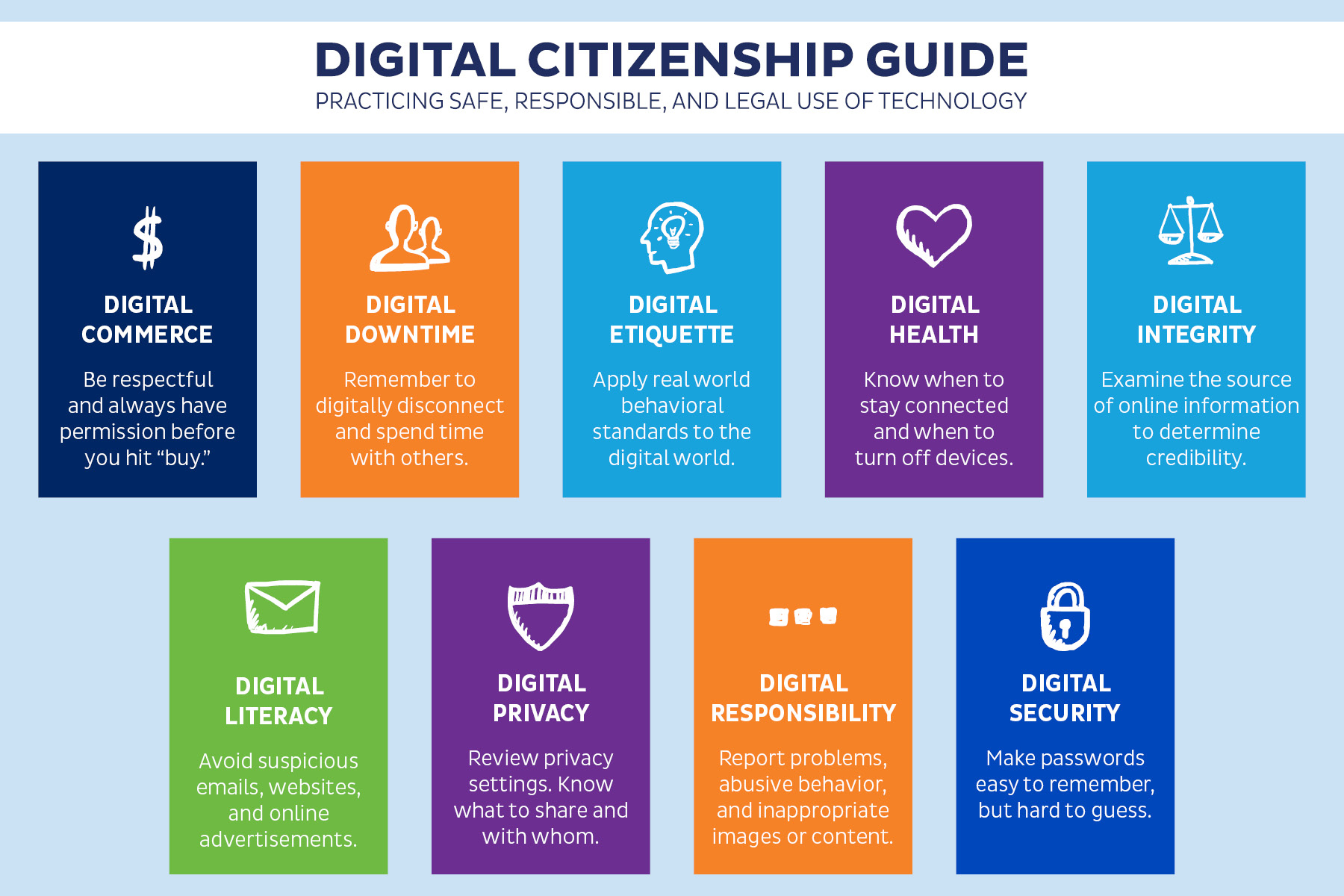
This structured worksheet focuses on the core pillars of healthy technology use tailored specifically for fifth-grade cognitive development. Rather than relying on vague warnings, the resource breaks digital citizenship down into actionable focus areas: recognizing private information, evaluating online credibility, practicing positive digital empathy, and establishing secure passwords. Children often encounter risks during unstructured screen time, such as in-game chat features where strangers attempt to gather personal details or video platforms featuring unverified content. The printable guides learners through these scenarios using relatable prompts and scenario-based exercises. Each section stresses the importance of keeping personal information private and reinforces the golden rule that children are never in trouble for reporting something uncomfortable to a trusted adult.
Key Learning Outcomes
Working through these exercises helps students identify the difference between public sharing and private data, such as full names, school locations, and home addresses. Learners practice analyzing digital scenarios to determine the appropriate response when encountering unkind behavior or unfamiliar friend requests. The activity sheet also highlights the value of thinking before sharing, reminding students that digital footprints persist long after a device is turned off. Through guided reflection, children learn to pause, evaluate potential consequences, and choose respectful communication online just as they would face-to-face. These targeted lessons reinforce broader classroom worksheets designed to foster mindful technology habits across multiple subjects.
How to Use This Printable
Implementation requires zero preparation, making the resource ideal for classroom morning meetings, advisory periods, computer lab sessions, or kitchen table discussions at home. Adults can distribute the sheet as an independent warm-up before launching a research project, or use it as a collaborative small-group discussion starter. Here’s what makes this resource different: it relies on guided inquiry rather than strict lecturing, inviting children to explain their reasoning behind specific digital choices. When a student pauses over a scenario about sharing a password with a friend, that hesitation becomes a natural opening for meaningful dialogue about personal security and digital boundaries.
Practical Tips for Parents and Teachers
Facilitating these conversations works best when adults approach the material with curiosity rather than interrogation. Asking open-ended questions like what stood out during the activity helps uncover misconceptions about online interactions. Educators and parents should normalize the reality that stumbling across uncomfortable content happens to everyone, emphasizing that immediate reporting is a sign of maturity rather than a rule violation. Integrating these lessons into regular routines turns Internet and Digital Safety from a specialized lecture into an ongoing family and classroom value.
Age-Appropriate Recommendations
Fifth graders sit at a developmental crossroads, possessing advanced reading and technical skills while still lacking the emotional maturity to navigate complex social manipulation online. Aligning instruction with the Common Sense Education Digital Citizenship Curriculum ensures that fifth-grade expectations match age-appropriate milestones in media balance, privacy, and cyberbullying prevention. According to Common Sense Media, children at this age increasingly rely on personal devices and peer-to-peer communication platforms, making early guidance on digital footprint management essential for long-term well-being. Adults must scaffold these lessons gently, ensuring that rules grow alongside the child’s expanding digital freedom without ever breeding anxiety or secrecy.
Children in late elementary school experience a significant expansion in independent device use and peer messaging platforms, requiring structured digital citizenship guidance. — Common Sense Media
Frequently Asked Questions
Navigating digital citizenship education brings up common questions regarding implementation and accessibility. The structured Q and A below provides quick clarity for educators and caregivers looking to maximize this resource.
Explore More Free Kids Online Safety Printables
Expanding a digital citizenship toolkit helps reinforce these crucial lessons across different formats and age groups. Educators can explore comprehensive resources covering broader Online and Digital Safety topics to support ongoing classroom discussions. Pairing text-based activities with creative Coloring Pages also provides younger learners with accessible entry points into essential online safety concepts.
Developmental Milestone & Activity Table
| Development Stage | Recommended Daily Duration | Primary Learning Objective |
|---|---|---|
| Preschool & Pre-K | 10 – 15 Minutes | Pencil grip development & basic pre-stroke lines |
| Kindergarten | 15 – 20 Minutes | Letter/number formation & spatial line awareness |
| Early Elementary (Grade 1–2) | 20 – 30 Minutes | Fluency, sentence construction & neatness |
Images References