Introduction
Digital spaces function as modern playgrounds, virtual study halls, and neighborhood hangouts all rolled into one. Children step into these environments long before mastering complex social cues, encountering open chat boxes in video games and shared family tablets during quiet afternoons. Preparing young minds for the digital world requires proactive tools rather than reactive restrictions. The free printable pre college internet safety resource available on {site_name} bridges the gap between everyday screen time and foundational digital literacy. This hands-on material provides clear rules and structured frameworks, turning abstract online concepts into concrete, manageable habits for elementary and middle school students. Related guide: Digital Safety Topic.
💡 Educational Key Takeaways:
- Core Skill: Structured Pre College Internet Safety focused on developing pencil grip, stroke control, and early literacy/math confidence.
- Target Scope: Suited for homeschoolers, preschool, kindergarten, and elementary learners.
- Best Recommendation: Practice 10–15 minutes daily with ergonomic writing tools to reinforce muscle memory without hand fatigue.
What This Printable Covers
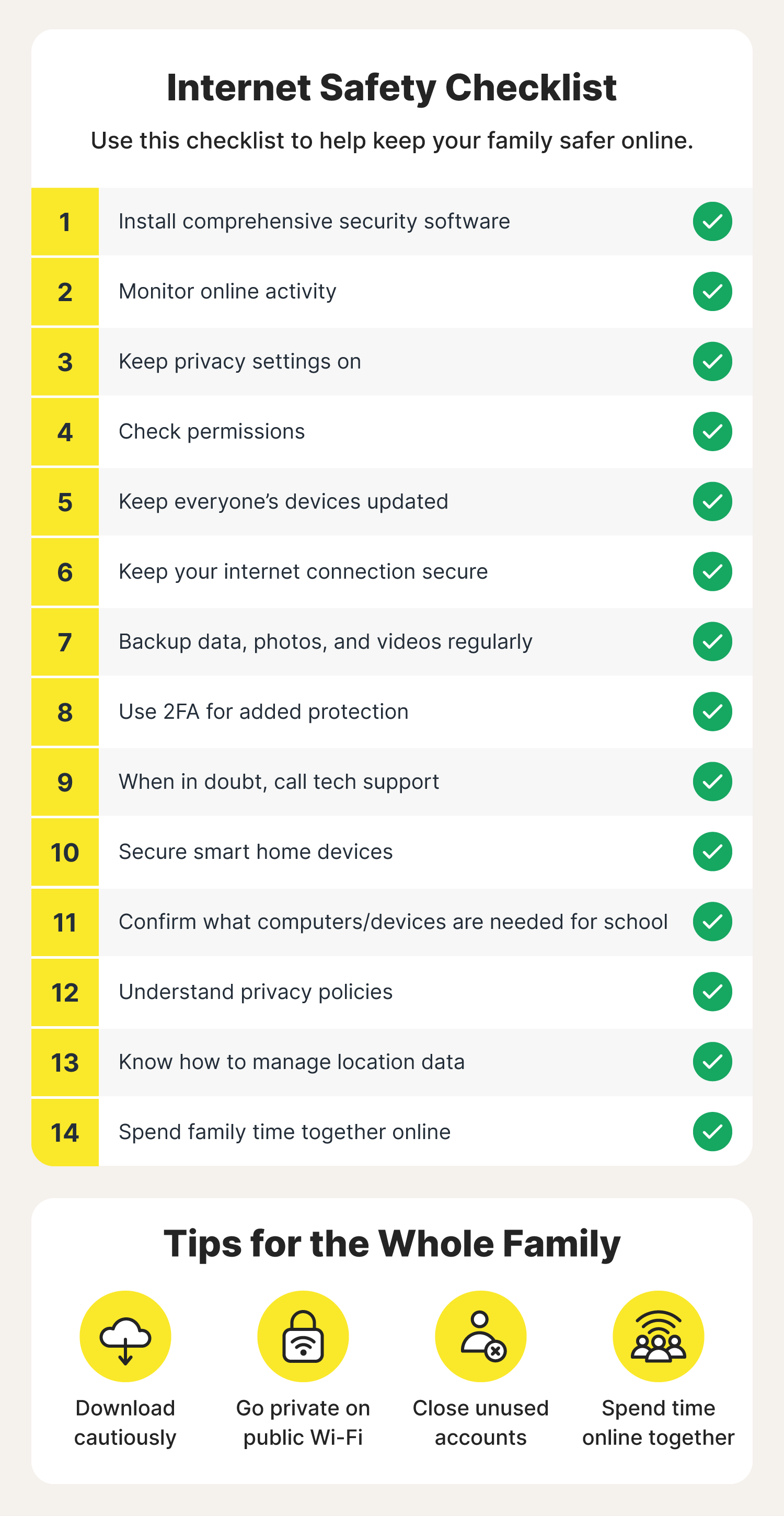
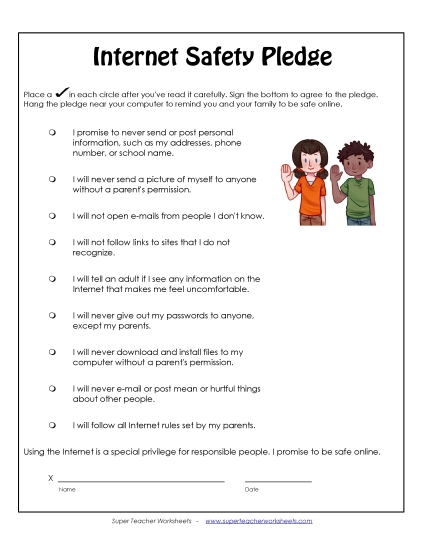
Children rarely stumble into online risks through elaborate schemes; instead, vulnerabilities usually arise in plain sight through in-game chat features, comment sections on favorite video platforms, or casual exchanges on shared household devices. The printable guide outlines core safety protocols through actionable checklists and discussion prompts. Rather than relying on fear, the material highlights protective habits: keeping personal information strictly private, understanding the importance of strong passwords, and pausing to think before sharing content. A central pillar of the guide reinforces the message that children are never in trouble for reporting something uncomfortable, establishing a crucial safety net of trust between youth and the adults in their lives.
Key Learning Outcomes
Working through the provided checklists and discussion activities helps students internalize critical digital citizenship skills. Learners identify the difference between public and private information, recognizing why home addresses and full names do not belong on public profiles. The activities prompt children to evaluate online interactions critically, asking whether a message or request feels safe before responding. Furthermore, students practice identifying trusted adults to turn to when something online feels confusing, strange, or upsetting. It sounds simple, and that’s the point. Clear, repetitive messaging builds the mental muscle memory children need to navigate everyday digital bumps successfully.
How to Use This Printable Guide
Clear rules and consistent home or classroom implementation turn static pages into dynamic learning opportunities. Educators can integrate the guide into morning meetings or computer lab orientation sessions, while parents can review the checklist during a weekend screen-time agreement discussion. Reading through the prompts together encourages dialogue rather than interrogation. Here’s what makes this resource different: it actively invites children into the safety conversation instead of dictating rules from above. When adults and children examine these scenarios side by side, digital safety transforms from a restrictive mandate into a shared community standard.
Practical Tips for Parents and Teachers
Consistency remains the bedrock of effective digital citizenship education. Adults should anchor the printed concepts to real-world device use, such as setting up a new profile or downloading a family-friendly application. Educators frequently find success by pairing the material with interactive Worksheets that challenge students to solve hypothetical online dilemmas. Keeping the tone calm and empowering ensures children view safety as a lifelong skill to build rather than a threat to dread. Adults must model healthy digital habits themselves, demonstrating open communication and thoughtful sharing practices whenever screens are active.
Age-Appropriate Recommendations
Tailoring the delivery of digital safety concepts ensures maximum retention across different developmental stages. Younger elementary students thrive on concrete rules, such as never typing a real name into a game avatar box. Older children benefit from deeper discussions regarding digital footprints and peer interactions across Internet and Digital Safety modules. Aligning these lessons with the Common Sense Education Digital Citizenship Curriculum provides a structured progression that meets children exactly where they are developmentally. Educators can also explore Online and Digital Safety collections for supplementary material designed to reinforce these exact milestones.
According to Common Sense Media, the vast majority of children access mobile devices before entering kindergarten, making early foundational digital literacy essential for safe exploration. — Common Sense Media
Frequently Asked Questions
Navigating digital citizenship resources raises common questions for educators and families alike. Clear answers help streamline implementation whether working in a bustling classroom or setting up a home computer station. Reviewing these details ensures the printable material serves its intended purpose as a bridge for open family and student dialogue. The following responses address downloading procedures, learning objectives, and institutional guidelines designed to keep young digital explorers secure.
Explore More Free Kids Online Safety Printables
Expanding a digital citizenship library opens up new avenues for ongoing family conversations. Alongside the featured guide, educators and parents can utilize complementary Coloring Pages to engage younger learners through creative expression that reinforces essential safety messages. Consistent, low-stress reinforcement across multiple formats prepares children to make sound choices whenever they log on.
Developmental Milestone & Activity Table
| Development Stage | Recommended Daily Duration | Primary Learning Objective |
|---|---|---|
| Preschool & Pre-K | 10 – 15 Minutes | Pencil grip development & basic pre-stroke lines |
| Kindergarten | 15 – 20 Minutes | Letter/number formation & spatial line awareness |
| Early Elementary (Grade 1–2) | 20 – 30 Minutes | Fluency, sentence construction & neatness |
Images References