Why Visual Reminders Shape Positive Digital Habits
In a world where children navigate tablets, school Chromebooks, and smartphones daily, maintaining secure online behaviors requires constant reinforcement. Digital citizenship guidelines can easily blend into background noise for busy students, but striking visual cues placed in hallways, libraries, and family rooms bridge the gap. By turning abstract concepts like data privacy into memorable artwork, internet safety posters ideas give young learners tangible anchor points. Drawing inspiration from frameworks provided by organizations like ConnectSafely and the Cybersecurity and Infrastructure Security Agency, educators and parents can design displays that transform passive rules into active, everyday defensive habits. Related guide: Teachers Of Grades 9–12 Should Expand Internet Safety Instruction To Include Which Of The Following Topics?.
💡 Educational Key Takeaways:
- Core Skill: Structured Internet Safety Posters Ideas focused on developing pencil grip, stroke control, and early literacy/math confidence.
- Target Scope: Suited for homeschoolers, preschool, kindergarten, and elementary learners.
- Best Recommendation: Practice 10–15 minutes daily with ergonomic writing tools to reinforce muscle memory without hand fatigue.
Balancing Visibility and Vulnerability: A Policy Matrix
Visual aids are only as effective as the technical and behavioral guardrails supporting them. When designing or deploying safety displays, adults must align the messaging with actual device settings and supervision protocols across home and school environments.
| Setting / Context | Common Vulnerability | Practical Safeguard |
|---|---|---|
| Home Personal Devices | Unfiltered late-night browsing and unchecked app downloads | Establish a centralized overnight charging station and enable strict parental controls via operating system settings. |
| School Laptops & Tablets | Bypassing web filters or accessing unapproved chat features during class | Pair classroom management software with clear visual reminders about responsible network usage. |
| Social Apps & Messaging | Oversharing personal data or interacting with unverified strangers | Educate students on locking down profile privacy settings and utilizing built-in platform blocking tools. |
Transforming Concepts into Classroom and Household Routines
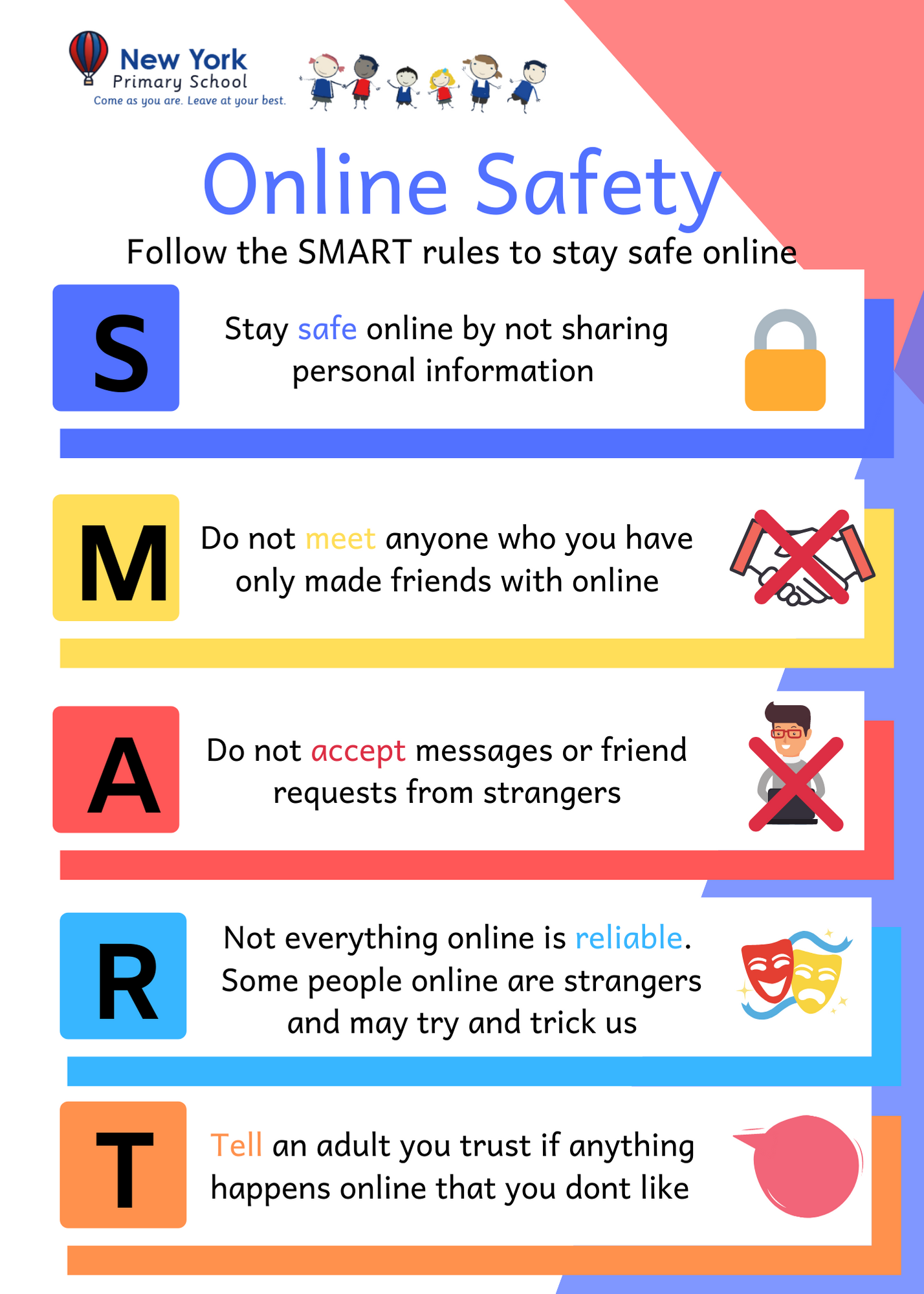
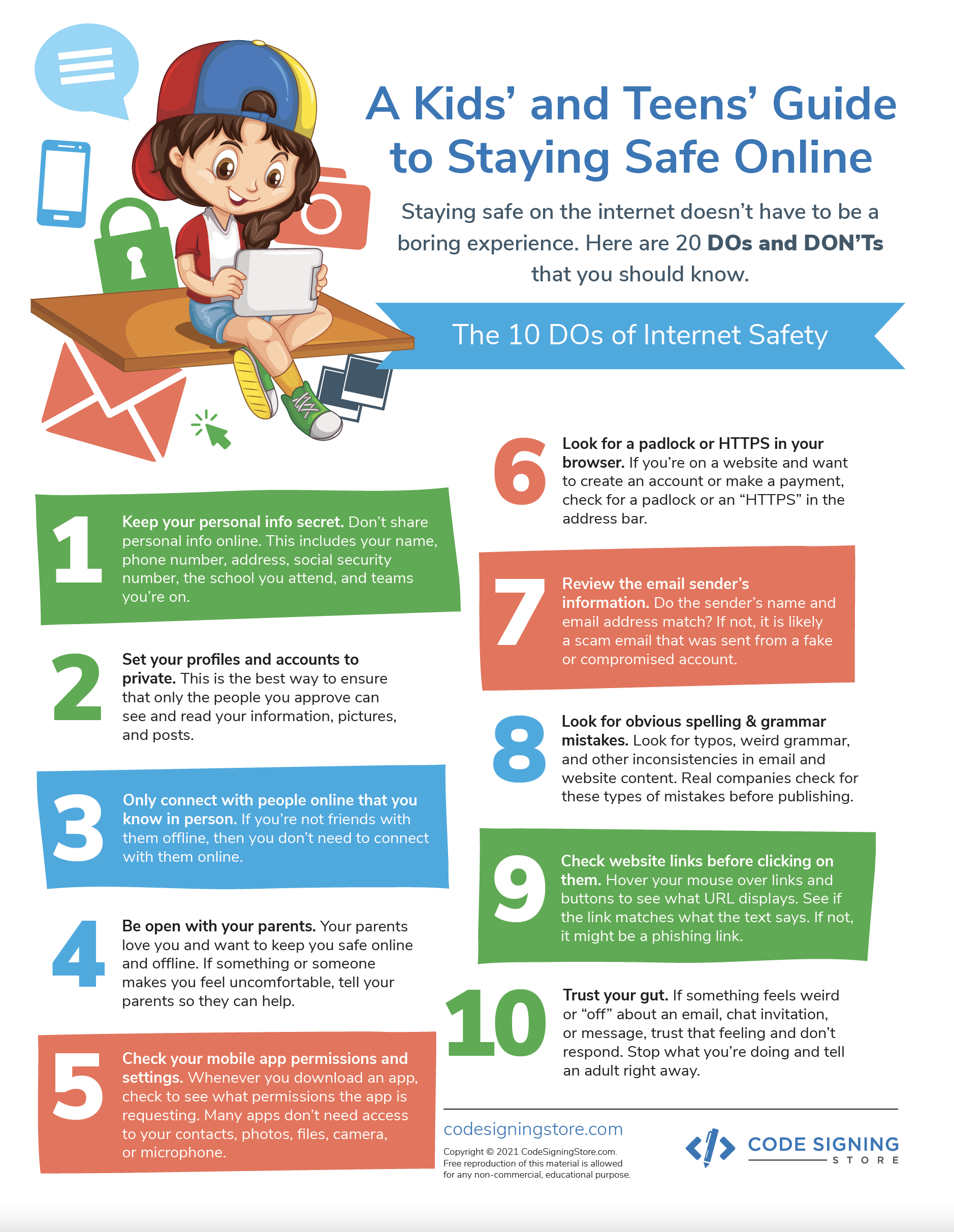
To maximize the impact of visual aids, the messaging must translate directly into daily routines. Schools and families can reinforce internet safety posters ideas by pairing graphics with actionable steps. For younger children, this might involve learning what information constitutes personally identifiable data before typing it into a form. For older students, posters can highlight the mechanics of two-factor authentication or model how to respond if they encounter cyberbullying. When paired with Worksheets that prompt group discussion, students actively process digital dilemmas rather than just glancing at a wall decoration.
A common pitfall in digital safety education is relying solely on fear-based messaging or absolute device bans. When adults post warning signs that focus exclusively on scary threats, students often respond by hiding their online mistakes out of fear of losing device privileges. Effective visual design strikes a balance by prioritizing empowerment, critical thinking, and transparent reporting channels. If a student stumbles upon inappropriate content or experiences online harassment, your school policies and home guidelines should make it safe to seek help immediately without facing immediate shame or harsh tech confiscation.
Frequently Asked Questions About Visual Safety Campaigns
What age group benefits most from visual digital safety reminders?
Students of all ages benefit, but the approach shifts significantly. Elementary students respond best to color-coded rules about screen time and private information, while middle and high schoolers engage more with nuanced topics like digital footprints, screen fatigue, and source verification.
How can teachers incorporate these concepts without adding to curriculum bloat?
You can seamlessly integrate digital wellness topics into media arts classes, advisory periods, or computer lab rotations. Many educators combine visual art projects with Internet and Digital Safety lessons, allowing students to design the very safety infographics that decorate their learning spaces.
Are there printable templates available for immediate classroom use?
Yes, leveraging ready-to-print materials saves valuable prep time for busy educators and parents. For supplementary activities that extend beyond classroom walls, explore our collection of Online and Digital Safety resources to support continuous learning.
Explore More Digital Citizenship Resources
Empowering children to become resilient, thoughtful digital citizens requires a collaborative effort between dedicated teachers and supportive families. Discover more expert-voted guides, printable tools, and educational strategies by visiting SafeWiredSchools.org today.
Visual Reference Gallery