Introduction
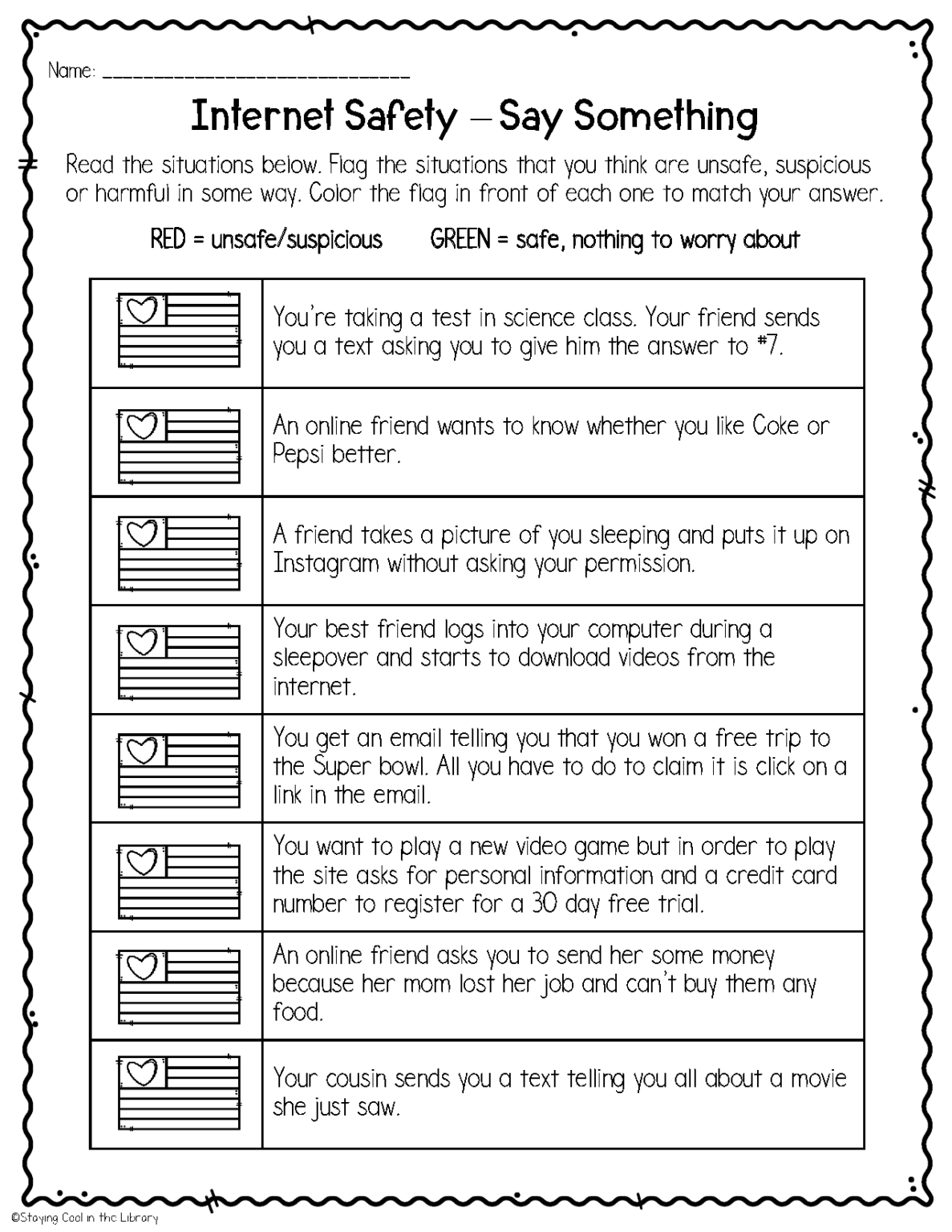
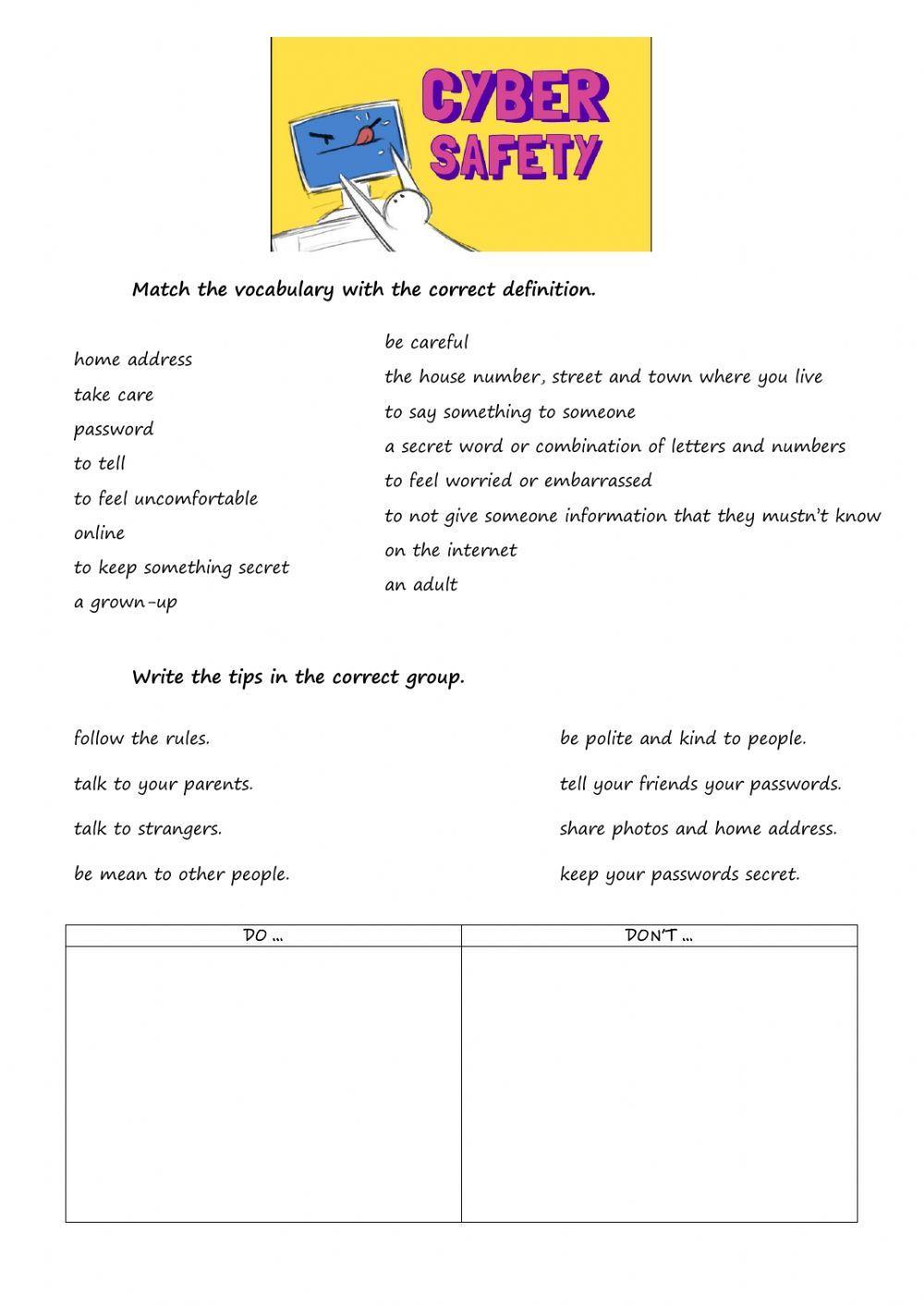
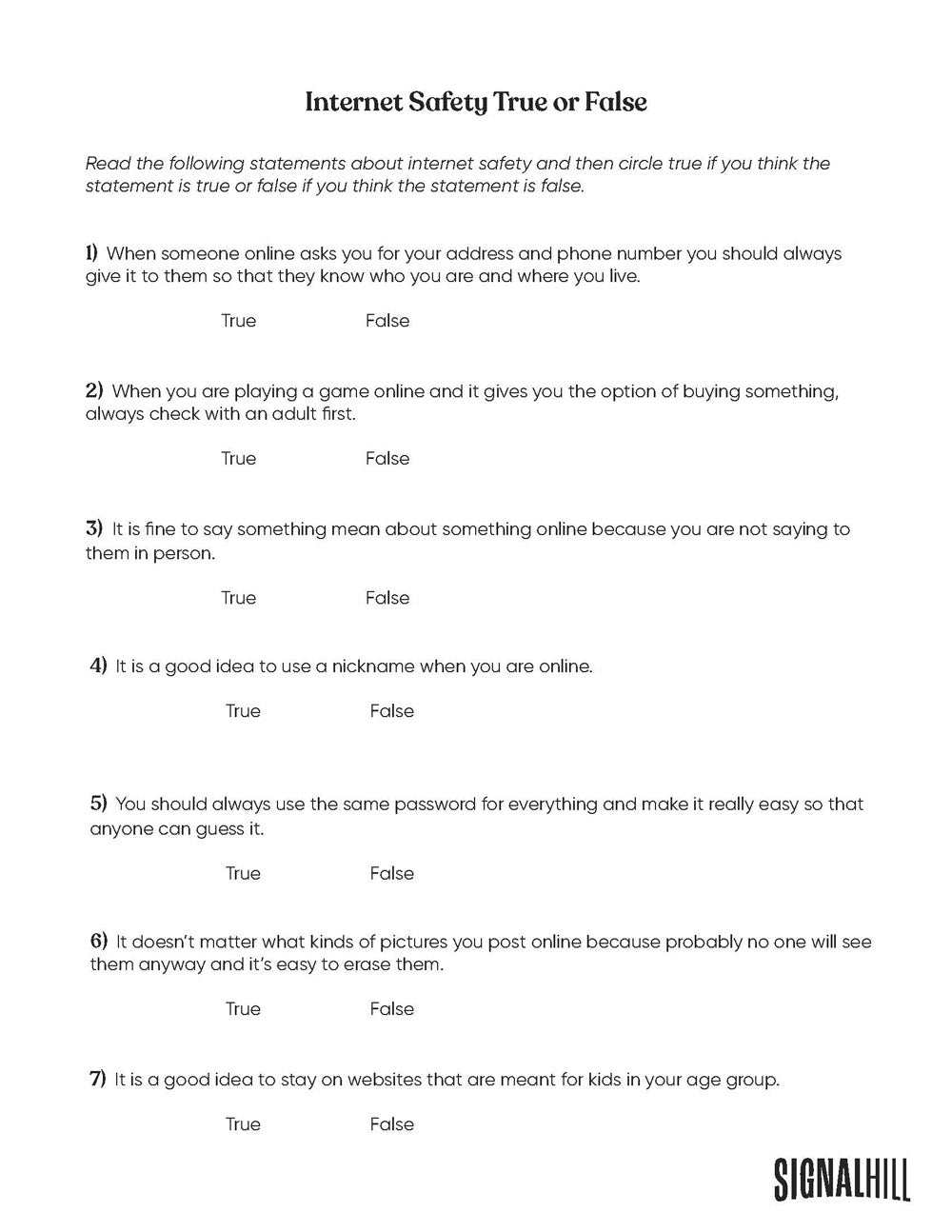
Navigating the digital landscape with young learners requires proactive guidance, much like teaching bicycle safety or street awareness. Children encounter digital environments long before reaching secondary education, often stumbling into complex online interactions through shared household devices, in-game chat rooms on gaming consoles, or algorithm-driven video platforms. Educators and caregivers frequently search for structured educational materials, including the internet safety ks3 work sheets pdf free, to introduce foundational digital citizenship concepts. These printable exercises provide structured opportunities to discuss online boundaries without provoking fear or anxiety. Building these protective habits early transforms abstract rules into practical, everyday skills that children can easily remember and apply. Related guide: Teachers Of Grades 9–12 Should Expand Internet Safety Instruction To Include Which Of The Following Topics?.
💡 Educational Key Takeaways:
- Core Skill: Structured Internet Safety Ks3 Work Sheets Pdf Free focused on developing pencil grip, stroke control, and early literacy/math confidence.
- Target Scope: Suited for homeschoolers, preschool, kindergarten, and elementary learners.
- Best Recommendation: Practice 10–15 minutes daily with ergonomic writing tools to reinforce muscle memory without hand fatigue.
What This Printable Covers
The downloaded activity sheets focus on core protective behaviors, emphasizing that young users are never in trouble for reporting something uncomfortable. Content revolves around essential topics such as identifying personal information, recognizing strong passwords, understanding digital footprints, and learning whom to approach when encountering strange content. Rather than relying on technical jargon, the material breaks down complex privacy concepts into relatable scenarios suited for classroom discussions or kitchen-table conversations. It sounds simple, and that’s the point. Clear, straightforward messaging helps children internalize the difference between public sharing and private details, laying the groundwork for more advanced learning found within Internet and Digital Safety curricula.
Key Learning Outcomes
Working through these printable exercises helps students articulate why certain details, such as home addresses and full names, must remain private. Learners practice evaluating online scenarios, determining whether a specific action represents a safe choice or a red flag that requires adult intervention. According to Common Sense Media, children benefit immensely from structured dialogue that bridges the gap between entertainment media use and critical thinking skills. Furthermore, the activities reinforce the golden rule of digital communication: pausing before posting or sharing anything online. These lessons support the development of self-regulation, ensuring students recognize that words and actions carry weight in virtual spaces just as they do on the playground.
How to Use This Printable
Classroom teachers and homeschooling parents can integrate these printables into media literacy units, morning meeting discussions, or computer lab orientation sessions. Group settings allow children to brainstorm solutions together, fostering peer-to-peer learning through guided dialogue. It is vital to view these documents as conversation starters rather than independent quizzes. When adults sit alongside learners to work through the prompts, the dynamic shifts from compliance to active mentorship. Exploring these concepts through targeted Worksheets gives educators a tangible way to assess student understanding while building trust so children feel confident seeking help when problems arise.
Practical Tips for Parents and Teachers
Consistency remains the cornerstone of effective digital citizenship education. Adults can maximize the impact of the printed materials by connecting the worksheet scenarios to real-world routines, such as managing tablet time or navigating family media agreements. Keeping the tone calm and empowering ensures children remain receptive rather than defensive. Instead of demanding perfection, celebrate critical thinking when a student correctly identifies a tricky online situation. Establishing an open-door policy ensures that if a child encounters something unsettling on a video platform or multiplayer game, reporting the incident brings support rather than punishment.
Age-Appropriate Recommendations
Aligning digital lessons with developmental stages ensures the content resonates properly with the intended audience. Younger elementary students thrive on basic recognition tasks, whereas older learners benefit from critical analysis aligned with frameworks like the Common Sense Education Digital Citizenship Curriculum. According to the Pew Research Center, a vast majority of children access internet-connected devices at increasingly early ages, making foundational safety education a necessity across primary and lower secondary grade levels. Tailoring the complexity of the printed prompts to match the cognitive readiness of the group prevents cognitive overload and fosters genuine engagement with the material.
The vast majority of children interact with digital devices daily, highlighting the urgent need for structured guidance on privacy and respectful online communication. — Pew Research Center
Frequently Asked Questions
Parents and educators frequently wonder how best to implement these resources effectively. Clear answers help streamline the integration of digital safety concepts into daily routines, ensuring both home and school environments remain supportive and educational.
Explore More Free Kids Online Safety Printables
Expanding the digital citizenship toolkit involves utilizing a variety of instructional media. Beyond standard print exercises, educators can incorporate creative elements found in Coloring Pages to engage tactile learners. Combining diverse activity formats ensures every child internalizes these vital lessons. For further educational strategies and downloadable materials, explore additional resources dedicated to Online and Digital Safety to keep building a resilient community of young digital citizens.
Developmental Milestone & Activity Table
| Development Stage | Recommended Daily Duration | Primary Learning Objective |
|---|---|---|
| Preschool & Pre-K | 10 – 15 Minutes | Pencil grip development & basic pre-stroke lines |
| Kindergarten | 15 – 20 Minutes | Letter/number formation & spatial line awareness |
| Early Elementary (Grade 1–2) | 20 – 30 Minutes | Fluency, sentence construction & neatness |
Images References