Introduction
Children encounter digital environments much earlier than previous generations, often navigating shared family tablets or typing messages into in-game chat windows before they can tie their shoes. Online interactions bring wonderful opportunities for learning and connection, yet they also introduce unfamiliar vocabulary that can confuse young minds. Adults often wonder how to explain sophisticated internet deception to primary school students without causing unnecessary anxiety or fear. Introducing foundational internet literacy requires approachable tools that translate complex concepts into kid-friendly language. This free printable resource on phishing meaning ks2 bridges the gap between abstract online threats and tangible, everyday habits. It transforms a daunting tech term into an engaging learning moment for classrooms and living rooms alike. Related guide: 5 Cyber Safety Tips Symbols That Can Be Read By The Grede 7 Students.
💡 Educational Key Takeaways:
- Core Skill: Structured Phishing Meaning Ks2 focused on developing pencil grip, stroke control, and early literacy/math confidence.
- Target Scope: Suited for homeschoolers, preschool, kindergarten, and elementary learners.
- Best Recommendation: Practice 10–15 minutes daily with ergonomic writing tools to reinforce muscle memory without hand fatigue.
What This Printable Covers
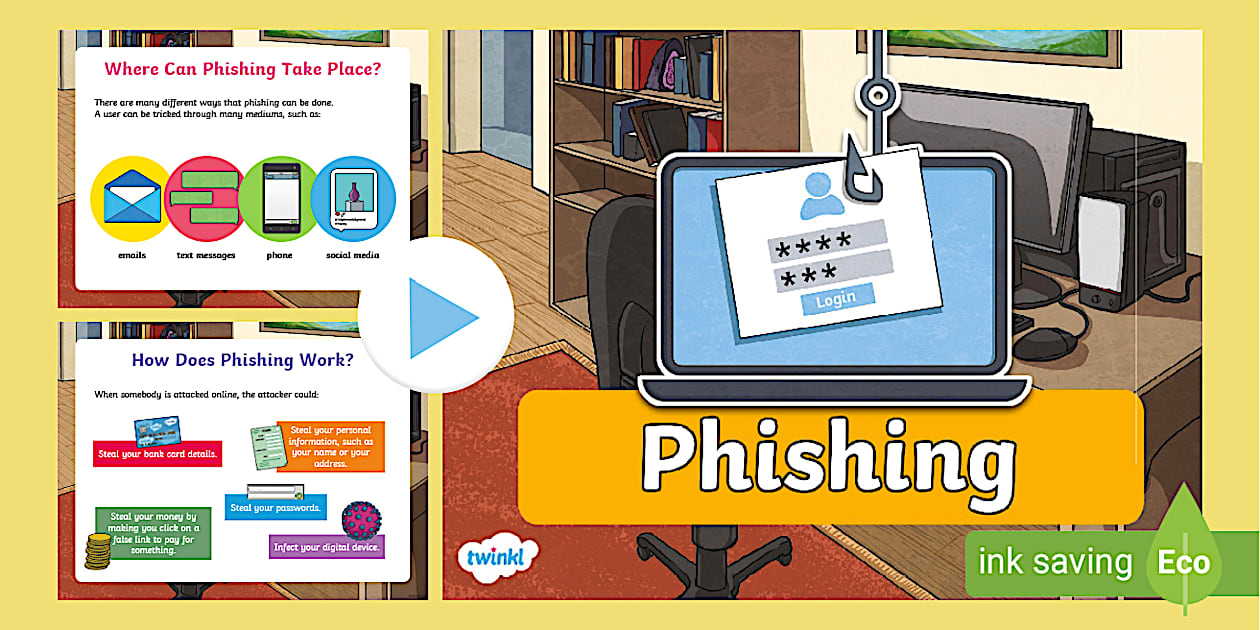
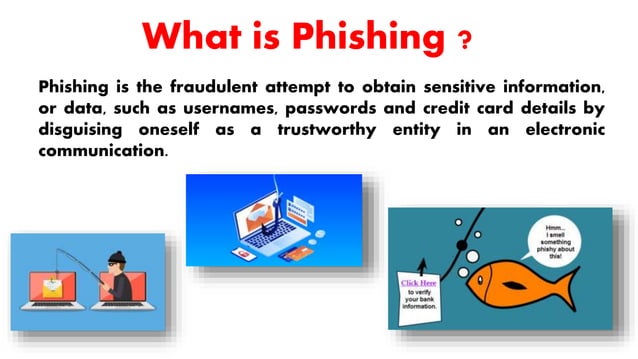
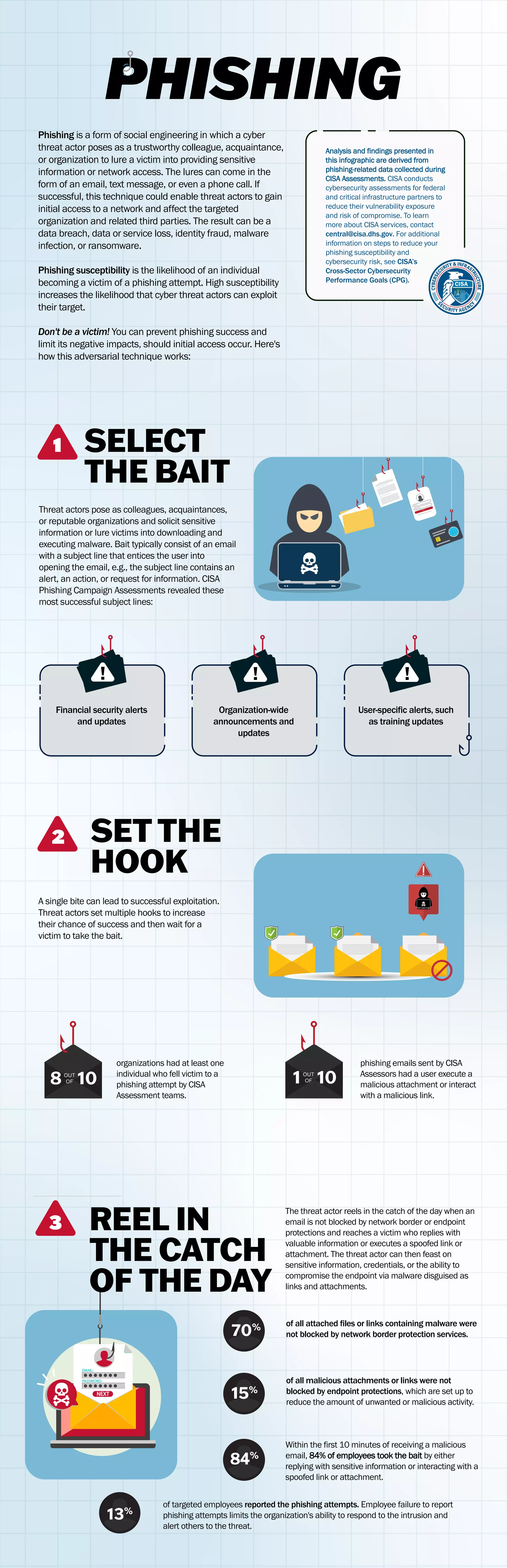
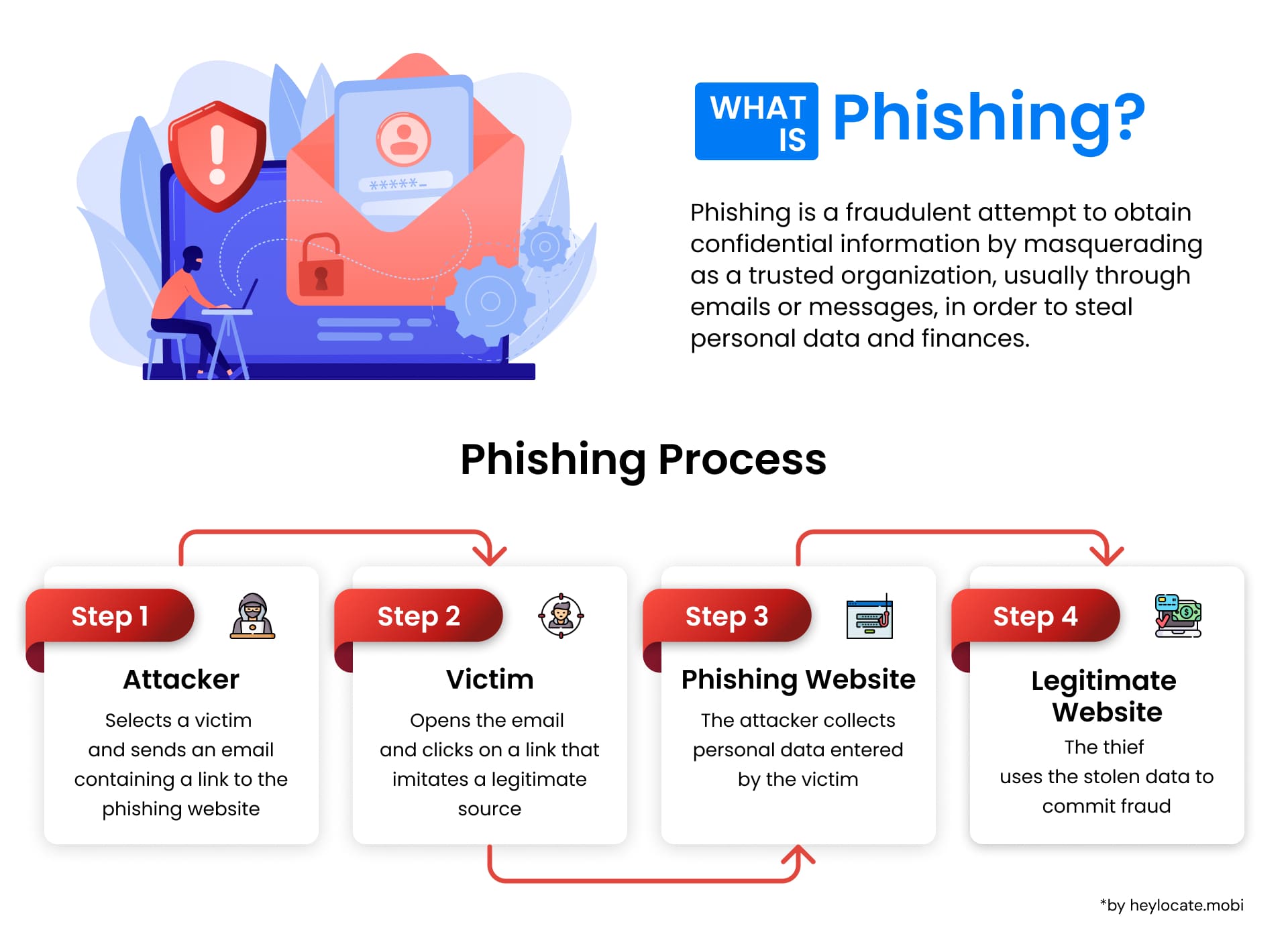
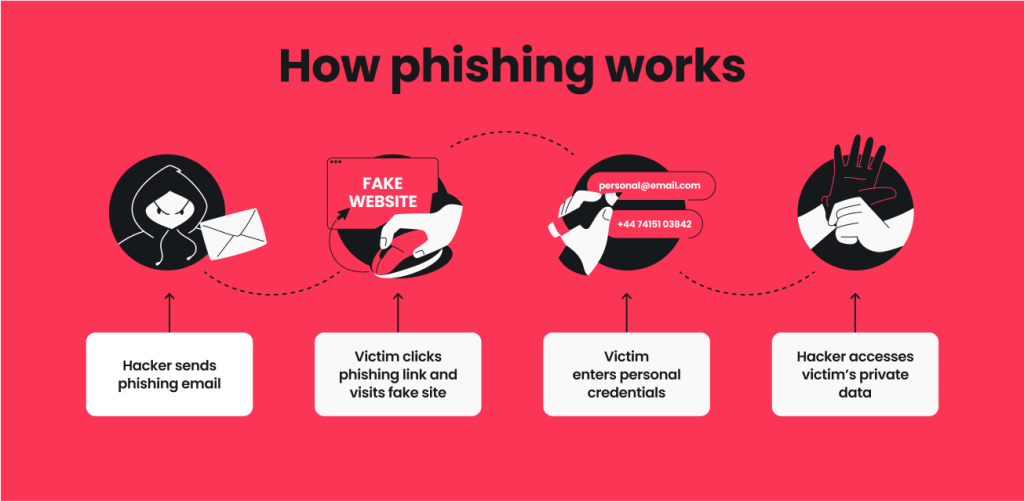
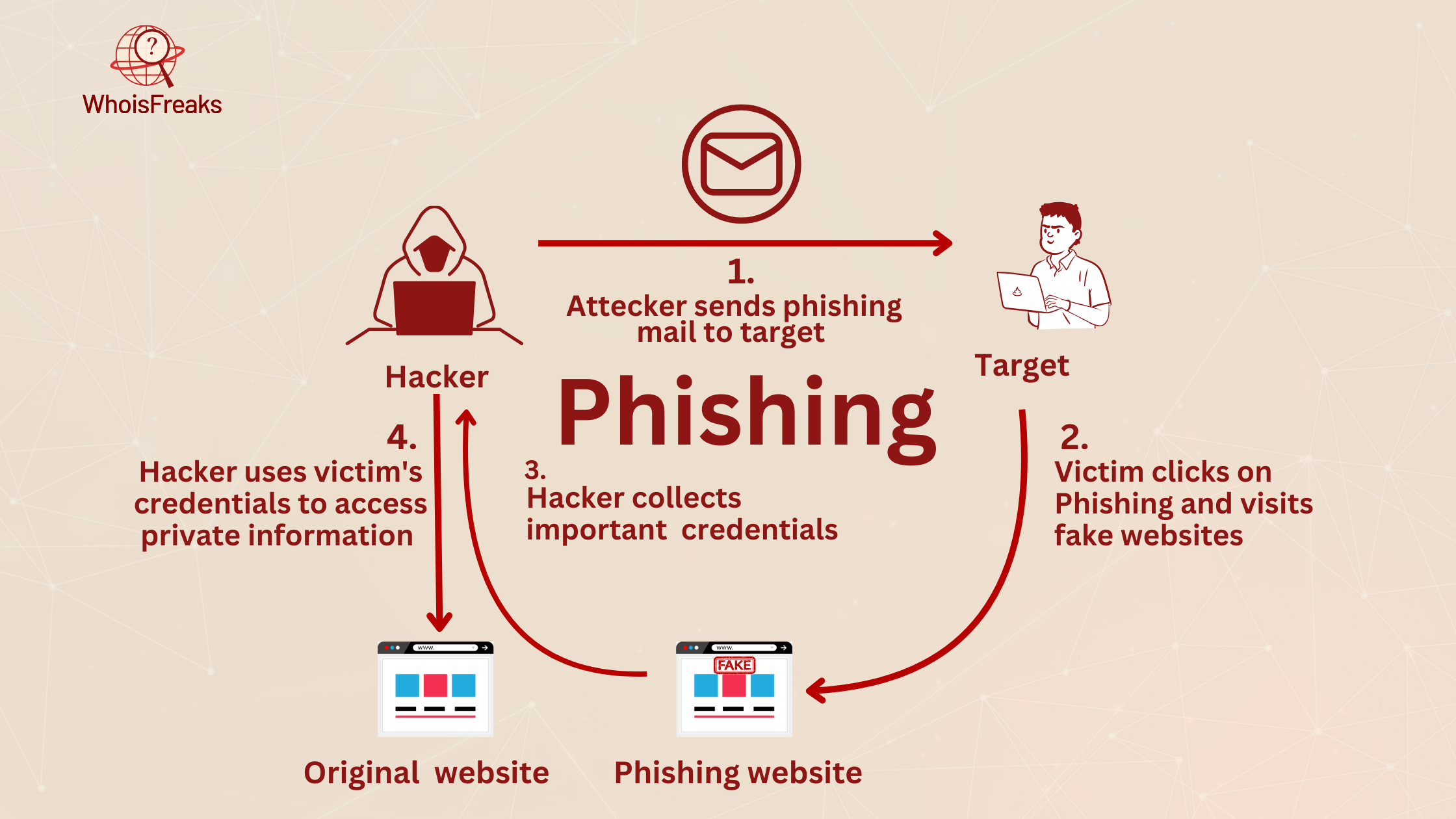
Educational materials designed for Key Stage 2 learners need to simplify deception tactics into recognizable scenarios. This structured printable activity introduces children to the concept of digital trickery through relatable examples, such as fake winning pop-ups or messages pretending to be a favorite game character asking for a password. Rather than focusing on scary outcomes, the text and exercises emphasize the mechanics of how online messages can disguise themselves. Students practice spotting red flags like urgent language, unusual sender addresses, or requests for private details. This resource supports foundational skill-building across broader topics found in Internet and Digital Safety curriculums.
Key Learning Outcomes
Working through these pages equips young learners with specific, actionable habits for daily device use. Children learn to pause before clicking on unfamiliar links, recognize when a message asks for too much personal information, and identify who qualifies as a trusted adult to consult when something feels strange. According to the Federal Trade Commission, consumer education that targets digital trickery early helps young people develop lifelong skepticism toward unsolicited online requests. Most importantly, every exercise reinforces the core reassurance that children are never in trouble for reporting an uncomfortable interaction or an accidental click.
How to Use This Printable
Educators and caregivers can integrate these pages into morning advisory periods, computer lab preparation, or quiet afternoon routines at the kitchen table. The layout is designed to spark open-ended dialogue rather than serve as a strict test. Adults should read through the prompts alongside children, discussing real-world scenarios where messages might look friendly on the surface but hide deceptive intentions. It sounds simple, and that’s the point: consistent, low-stress conversations build lasting digital resilience. Educators looking to expand their toolkit often pair these sheets with creative approaches found in Coloring Pages to engage tactile learners.
Practical Tips for Parents and Teachers
Facilitating a productive conversation about online deception works best when adults maintain a calm, curious tone. Avoid lecturing about what not to do; instead, ask children what they notice about the examples on the page and why a fictional character might send a tricky message. Role-playing different scenarios helps solidify the concepts in a memorable way. Establish a household or classroom rule where reporting a suspicious pop-up is always met with praise rather than punishment. When children feel safe coming forward, adults gain valuable visibility into their digital worlds.
Age-Appropriate Recommendations
Tailoring digital citizenship lessons to developmental stages ensures the material resonates without overwhelming young learners. For younger Key Stage 2 students, focus heavily on the rule of never sharing names, passwords, or locations without checking first. Older primary students can analyze the subtle psychological tricks behind deceptive messaging. This approach aligns directly with the Common Sense Education Digital Citizenship Curriculum, which emphasizes progressive skill acquisition across grade bands. Educators can explore further resources dedicated to Online and Digital Safety to scaffold these lessons throughout the academic year.
According to Common Sense Media research, a significant percentage of school-age children encounter confusing or deceptive messages while playing online multiplayer games or using shared family devices. — Common Sense Media
Frequently Asked Questions
Explore More Free Kids Online Safety Printables
Building robust digital citizenship habits is an ongoing journey that benefits from a diverse collection of educational materials. Caregivers and educators are encouraged to explore supplementary printable activities, discussion guides, and visual aids designed to keep online safety engaging and positive. By maintaining open lines of communication and utilizing reliable teaching tools, adults can empower the next generation to navigate digital spaces with confidence, caution, and critical thinking.
Developmental Milestone & Activity Table
| Development Stage | Recommended Daily Duration | Primary Learning Objective |
|---|---|---|
| Preschool & Pre-K | 10 – 15 Minutes | Pencil grip development & basic pre-stroke lines |
| Kindergarten | 15 – 20 Minutes | Letter/number formation & spatial line awareness |
| Early Elementary (Grade 1–2) | 20 – 30 Minutes | Fluency, sentence construction & neatness |
Images References