Introduction
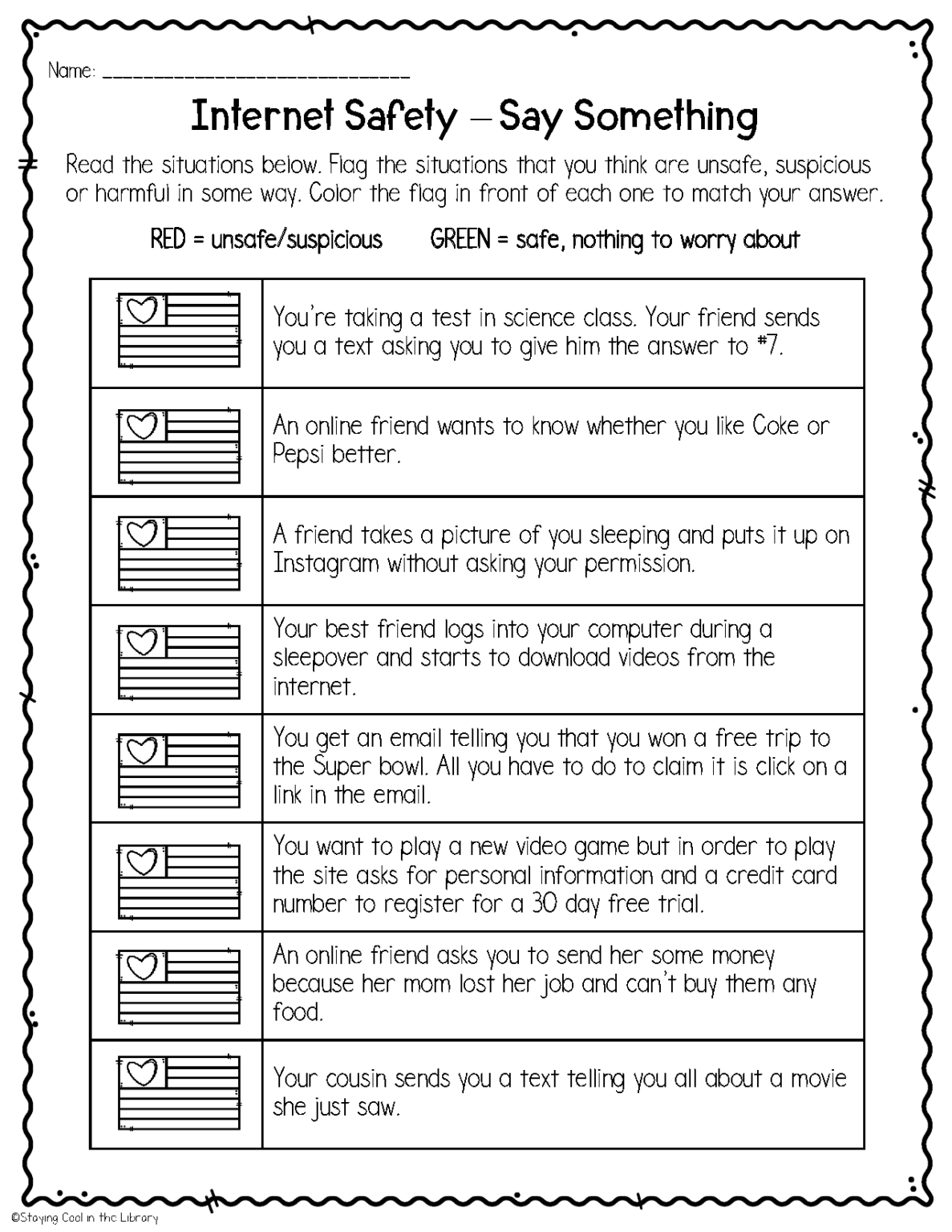
Navigating the digital landscape often begins long before a child receives a personal device, frequently starting on shared household tablets or through school-issued laptops. Children regularly encounter interactive digital environments through video streaming platforms, educational apps, and in-game chat features where boundaries blur between play and public communication. Equipping young learners with the critical thinking skills needed to handle these spaces requires proactive, positive guidance rather than fear-based restrictions. Accessing structured learning tools, such as an internet safety ks3 work sheets pdf, provides educators and caregivers with a tangible medium to introduce essential digital concepts. These physical handouts turn abstract rules about passwords and sharing into concrete discussion points that students can actively process. Related guide: Toolkit.
💡 Educational Key Takeaways:
- Core Skill: Structured Internet Safety Ks3 Work Sheets Pdf focused on developing pencil grip, stroke control, and early literacy/math confidence.
- Target Scope: Suited for homeschoolers, preschool, kindergarten, and elementary learners.
- Best Recommendation: Practice 10–15 minutes daily with ergonomic writing tools to reinforce muscle memory without hand fatigue.
What This Printable Covers
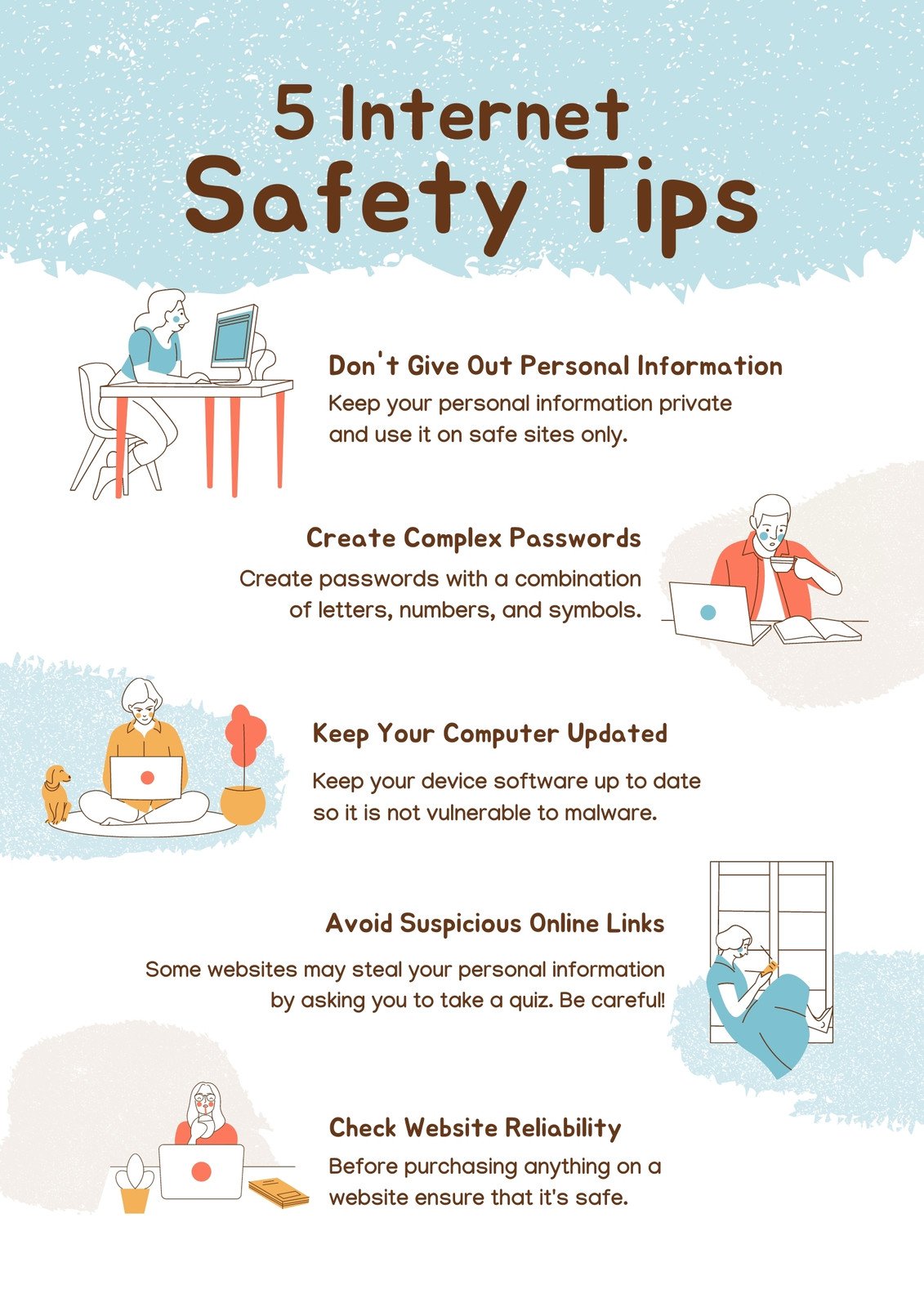
Printed exercises bridge the gap between theoretical rules and everyday digital habits by focusing on core protective measures. The structured layout guides learners through scenarios involving personal data privacy, creating strong passwords, and recognizing the difference between public and private information. It sounds simple, and that’s the point. By breaking complex cybersecurity concepts into manageable, age-appropriate prompts, children learn to pause before clicking or typing. Furthermore, these materials reinforce the golden rule of digital citizenship: never sharing home addresses, full names, or school affiliations in open forums. Every scenario is designed to cultivate awareness without inducing anxiety, framing safety as a superpower rather than a restriction.
Key Learning Outcomes
Working through these exercises helps students identify reliable adults to approach when something online feels confusing, weird, or uncomfortable. According to the National Center for Missing & Exploited Children, open communication channels between youth and trusted adults remain one of the most effective safeguards against online risks. The activities emphasize that children are never in trouble for reporting an uncomfortable interaction, dismantling the fear of losing device privileges. Participants practice spotting red flags in hypothetical messages, distinguishing between friendly interaction and manipulation. These practiced responses build muscle memory, ensuring children know precisely what to do when faced with unexpected digital situations.
How to Use This Printable
Classrooms and homes function best as collaborative learning laboratories when adults use printed materials to spark dialogue rather than test compliance. Here’s what makes this resource different: it treats mistakes as learning opportunities instead of punishable offenses. Adults can read through the scenarios aloud, pausing to ask open-ended questions about how characters should respond to tricky online prompts. This collaborative approach transforms a solitary worksheet into a dynamic conversation about digital ethics. Pairing these lessons with broader discussions on Internet and Digital Safety ensures consistency between what children learn at school and practice at home.
Practical Tips for Parents and Teachers
Implementation succeeds when the tone remains calm, empowering, and supportive throughout the exercise. Begin by establishing a relaxed environment where children feel safe sharing their actual online experiences, including gaming blunders or accidental clicks. Educators and caregivers can use the specific skill practiced on the page—such as identifying secure links or evaluating friend requests—to establish family digital agreements. Pinning completed pages to a refrigerator or bulletin board serves as a daily visual reminder of positive digital habits. Exploring additional Worksheets provides supplementary reinforcement for concepts that require extra practice.
Age-Appropriate Recommendations
Tailoring digital citizenship instruction to developmental stages ensures the content resonates meaningfully with young minds. According to Common Sense Media, children benefit most when digital literacy frameworks align with their cognitive ability to comprehend abstract consequences. Younger children require concrete instructions regarding personal information, while older students can analyze the social nuances of digital footprints and respectful communication. Aligning these lessons with the Common Sense Education Digital Citizenship Curriculum provides a structured pathway for progressive skill-building across grade levels. Keeping expectations realistic prevents overwhelm and fosters a lifelong healthy relationship with technology.
Children who maintain open communication channels with trusted adults navigate online challenges with greater resilience and lower anxiety. — National Center for Missing & Exploited Children
Frequently Asked Questions
Understanding how to access, implement, and maximize educational printables empowers adults to guide children effectively. The following answers address common inquiries regarding digital citizenship materials and their practical application in daily routines.
Routine dialogue about digital habits significantly improves a child’s ability to recognize and avoid online pitfalls. — Pew Research Center
Explore More Free Kids Online Safety Printables
Expanding a digital safety toolkit involves incorporating diverse resources that cater to various learning styles and age groups. Supplementing written exercises with creative activities found across Coloring Pages helps reinforce core messages for visual and kinesthetic learners. Maintaining a consistent dialogue supported by quality materials ensures children grow into confident, mindful, and secure digital citizens. For comprehensive strategies on protecting young learners, browse additional guides under Online and Digital Safety.
Developmental Milestone & Activity Table
| Development Stage | Recommended Daily Duration | Primary Learning Objective |
|---|---|---|
| Preschool & Pre-K | 10 – 15 Minutes | Pencil grip development & basic pre-stroke lines |
| Kindergarten | 15 – 20 Minutes | Letter/number formation & spatial line awareness |
| Early Elementary (Grade 1–2) | 20 – 30 Minutes | Fluency, sentence construction & neatness |
Images References