Why Guiding Students Toward Dependable Information Sources Matters Today
In a digital ecosystem flooded with unverified content, helping children find reliable information is a cornerstone of modern digital citizenship. When students search for homework answers or general knowledge, they often land on ad-driven blogs, AI-generated trivia sites, or biased forums that masquerade as factual authorities. Organizations like ConnectSafely and the Federal Trade Commission emphasize that media literacy is a vital element of youth online safety. By teaching kids how to evaluate what they read online, educators and parents protect them from misinformation, predatory commercial tracking, and inappropriate content. Establishing these critical evaluation habits early helps kids build resilient online safety boundaries across school networks and home devices.
💡 Educational Key Takeaways:
- Core Skill: Structured What Are Some Reliable Sources For Kids focused on developing pencil grip, stroke control, and early literacy/math confidence.
- Target Scope: Suited for homeschoolers, preschool, kindergarten, and elementary learners.
- Best Recommendation: Practice 10–15 minutes daily with ergonomic writing tools to reinforce muscle memory without hand fatigue.
Comparing Digital Environments: Where Misinformation Hides
Different digital platforms present distinct risks when kids search for information. School-issued Chromebooks use domain-level filters to block explicit material, but general search engines can still surface low-quality results or sponsored content that mimics real news. Understanding these technical gaps allows adults to apply targeted guardrails. Review the breakdown below to see how common environments create vulnerability and how to counter them. Related guide: Teachers Of Grades 9–12 Should Expand Internet Safety Instruction To Include Which Of The Following Topics?.
| Setting / Context | Common Vulnerability | Practical Safeguard |
|---|---|---|
| Home Tablets & Laptops | Unfiltered search engines exposing kids to clickbait and unverified data sources. | Configure safe search settings, install age-appropriate browsers, and use Internet and Digital Safety strategies to block tracking ads. |
| School Chromebooks & Devices | Students bypassing strict extensions via proxy tools or unsecured browser tabs. | Partner with school IT to audit device logs regularly and discuss why school networks prioritize safe browsing. |
| Social Media & Video Feeds | Algorithmic presentation of viral misinformation disguised as educational trivia. | Teach students to cross-reference video claims with vetted library databases or established reference sites. |
Actionable Workflows for Teaching Verification Skills
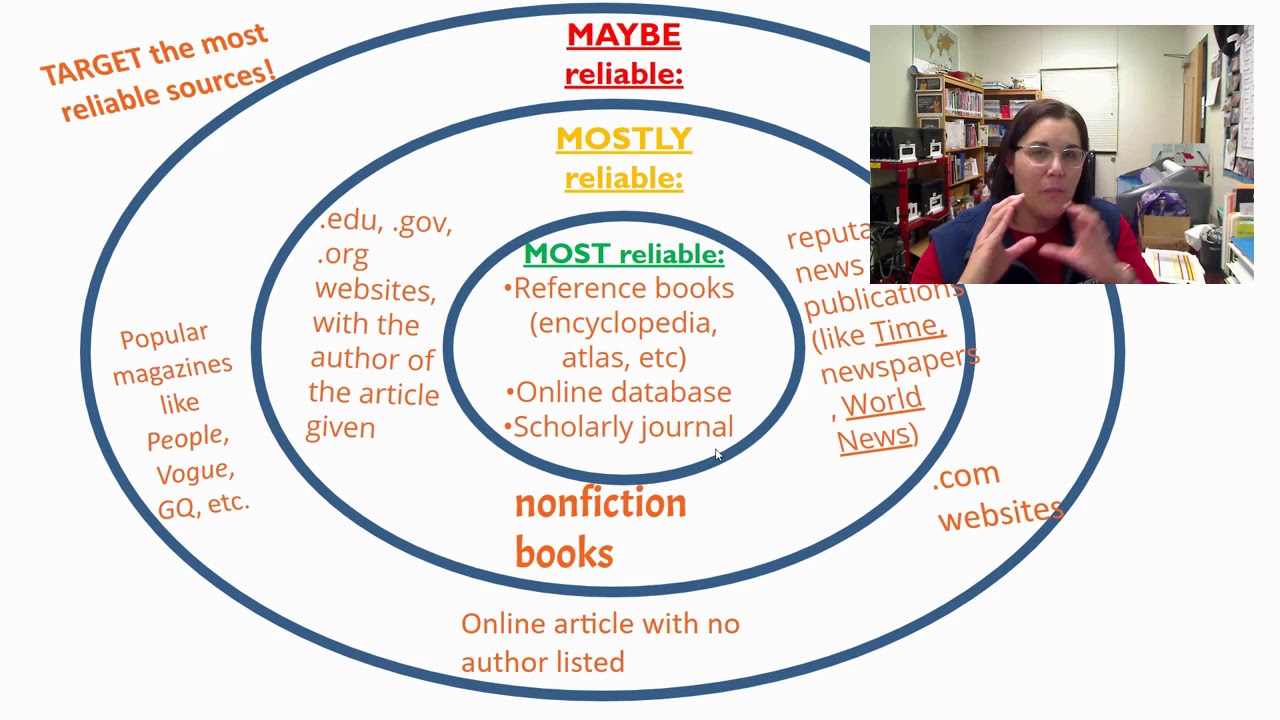
Protecting children online requires more than technical filters; it demands practical, repeatable routines. Educators and parents should collaborate on consistent verification workflows that turn passive consumption into active critical thinking. Start by incorporating structured media literacy activities into daily routines. For example, when students need research material for assignments, guide them toward kid-friendly encyclopedias, library databases, and interactive tools found in our Online and Digital Safety hub. Additionally, pair these research guidelines with hands-on practice sheets; you can integrate resources from our Worksheets collection to help children analyze URLs, check publication dates, and identify author credentials without feeling overwhelmed.
Addressing Student Workarounds and Algorithmic Pushback
Children are remarkably resourceful when trying to find quick answers, often bypassing secure search engines to use faster, unverified platforms. When adults rely solely on heavy-handed bans, kids often figure out workarounds or hide their browsing habits. Instead of reacting with immediate punishment, frame blocked content as a teachable moment about online safety and data privacy. Organizations like CISA recommend keeping lines of communication open so students feel comfortable reporting strange pop-ups, broken links, or suspicious websites. Pair your technical controls with calm, regular check-ins about what apps and research tools they enjoy using most.
Frequently Asked Questions About Finding Safe Digital Content
How do I know if a website is appropriate for my elementary school student?
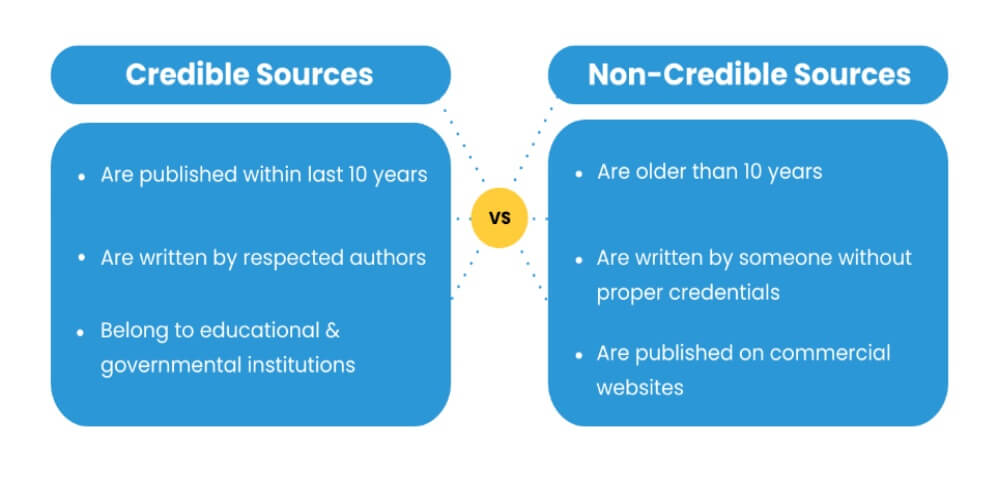
Look for sites with clear editorial boards, educational domain extensions like .edu or .org, and an absence of aggressive commercial advertising. Many child-friendly search engines curate their indexes specifically for young learners.
Are AI chatbots reliable sources for children completing homework?
Generative AI tools can hallucinate facts and present incorrect information with high confidence. Children should be taught to treat AI outputs as a starting point that always requires verification through trusted reference sites.
What should a teacher do when a student accesses unverified content at school?
Use the moment to calmly discuss the source’s credibility markers, such as missing authors or biased language, rather than shaming the student. Remind the class of approved school databases designed for safe research.
Explore More Digital Citizenship Resources
Equipping children with the skills to navigate the digital world safely is an ongoing partnership between home and school. Explore expert guides, practical tips, and downloadable materials by visiting SafeWiredSchools.org today.
Visual Reference Gallery