Introduction
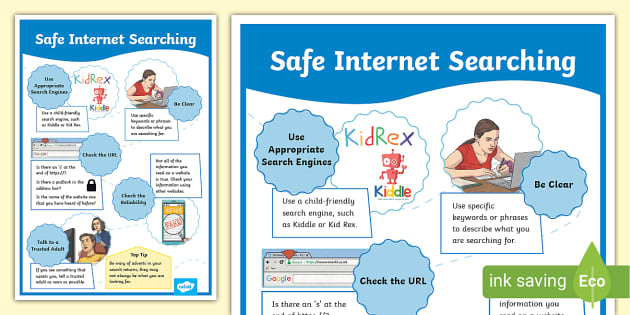
Navigating the digital landscape often begins long before a child receives a personal smartphone. Young learners frequently encounter online environments through shared family tablets, multiplayer gaming chat rooms, and streaming video platforms. These spaces offer wonderful opportunities for creativity and connection, yet they also introduce unexpected content and questions. Adults frequently search for practical tools to anchor these early digital experiences in reality. Teaching children how to evaluate information online remains a cornerstone of modern digital citizenship. The free printable “10 reliable sources that kids would know” for {site_name} bridges the gap between abstract internet safety concepts and recognizable everyday brands. It sounds simple, and that’s the point. Grounding digital literacy in familiar territory helps young minds grasp how information flows across screens. Related guide: Digital Bullying Prevention Activities For Young Children.
💡 Educational Key Takeaways:
- Core Skill: Structured 10 Reliable Sources That Kids Would Know focused on developing pencil grip, stroke control, and early literacy/math confidence.
- Target Scope: Suited for homeschoolers, preschool, kindergarten, and elementary learners.
- Best Recommendation: Practice 10–15 minutes daily with ergonomic writing tools to reinforce muscle memory without hand fatigue.
What This Printable Covers
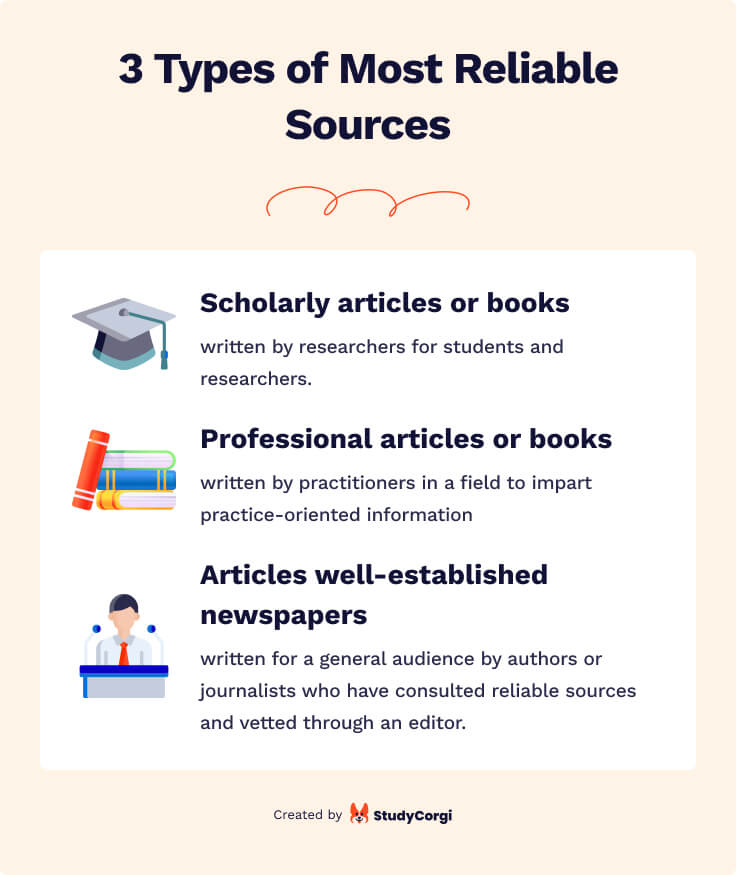
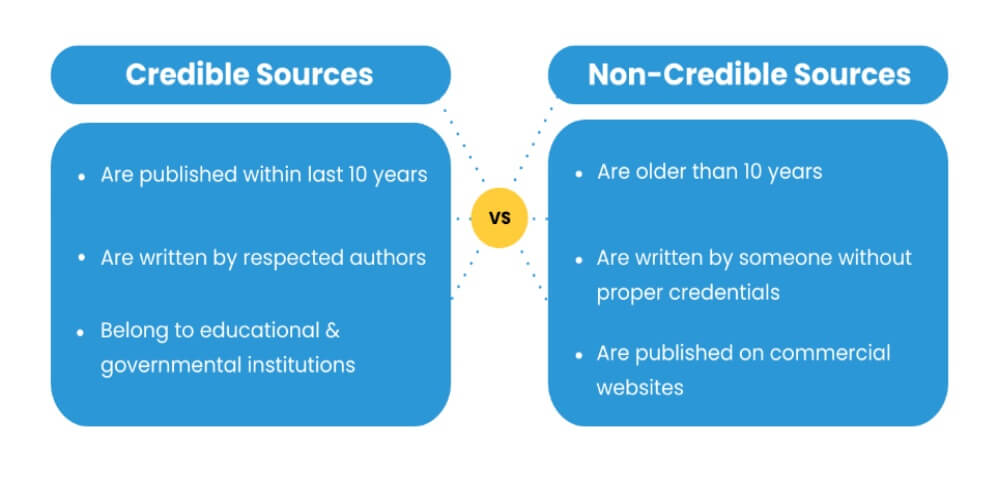
Children rarely encounter raw data repositories or academic journals during their daily screen time. Instead, they interact with kid-friendly websites, educational television networks, and popular gaming hubs. This targeted worksheet highlights ten trusted entities that elementary students already recognize from their daily routines, translating casual familiarity into intentional critical thinking. The activity encourages learners to examine why certain places on the internet earn trust while others require caution. Educators often find that children possess an intuitive sense of reliability if given the right vocabulary to express it. Here’s what makes this resource different: it shifts the focus away from fear-based restrictions and toward positive recognition of quality content. Building these foundational habits early supports long-term safe exploration across the broader Internet and Digital Safety landscape.
Key Learning Outcomes
Working through this printable fosters several essential cognitive and behavioral skills. Children learn to identify trusted brand markers, understand the difference between entertainment and verified facts, and recognize the importance of keeping personal information private while browsing. Furthermore, the exercise reinforces the vital rule that asking a trusted adult when something feels confusing is always the correct choice. Children are never in trouble for reporting something uncomfortable on a screen. Confidence grows when young learners realize they have a reliable protocol for handling unexpected online discoveries. This structured approach aligns seamlessly with broader classroom lessons found within resources dedicated to interactive student activities.
How to Use This Printable
Implementation requires minimal preparation, making the material ideal for busy classrooms, homeschool environments, and kitchen tables alike. Adults can begin by asking children to name their favorite websites or apps before introducing the printed sheet. Matching personal screen habits against the ten listed sources sparks organic dialogue about how information travels. Collaborative discussion turns a standard worksheet into an engaging conversation starter rather than a traditional quiz. Adults can guide the dialogue by asking probing questions about why a particular cartoon network or learning site deserves trust over a random pop-up advertisement.
Practical Tips for Parents and Teachers
Creating a calm, empowering atmosphere ensures that children remain open during safety discussions. Avoid overwhelming young learners with complex cyber security jargon. Instead, focus on relatable habits like thinking before clicking, using strong passwords for personal accounts, and checking with a grown-up before downloading new applications. Educators recommend revisiting these concepts periodically as children grow and gain access to more advanced devices. Consistency between home expectations and school rules reinforces these protective habits effectively.
Age-Appropriate Recommendations
Tailoring the conversation to a child’s developmental stage prevents unnecessary anxiety while building essential capabilities. For younger children ages five through eight, keep discussions focused on shared family devices and asking an adult before clicking unfamiliar links. Older elementary students ages nine through twelve can explore deeper nuances of digital footprints, respectful communication in in-game chat, and recognizing sponsored content. This developmental progression supports the framework outlined in the Common Sense Education Digital Citizenship Curriculum, which emphasizes empowering students to think critically about their digital lives. Additional strategies for fostering these competencies are available through targeted guides on Online and Digital Safety.
According to Pew Research Center, a vast majority of parents with children under the age of twelve report that their children interact with digital devices regularly, highlighting the urgent need for early digital literacy tools. — Pew Research Center
Frequently Asked Questions
Families and educators often wonder how to integrate printables into busy schedules without adding stress. The answers below address common logistical and pedagogical questions regarding the resource. Clear guidance ensures that every adult feels equipped to foster positive digital habits.
Explore More Free Kids Online Safety Printables
Expanding a digital citizenship library requires access to diverse, high-quality materials that resonate with young learners. Complement this resource by exploring creative options within the Coloring Pages collection, where artistic expression reinforces vital protection messages. Continuous reinforcement transforms everyday digital habits into second nature, empowering children to explore the online world safely and confidently.
Developmental Milestone & Activity Table
| Development Stage | Recommended Daily Duration | Primary Learning Objective |
|---|---|---|
| Preschool & Pre-K | 10 – 15 Minutes | Pencil grip development & basic pre-stroke lines |
| Kindergarten | 15 – 20 Minutes | Letter/number formation & spatial line awareness |
| Early Elementary (Grade 1–2) | 20 – 30 Minutes | Fluency, sentence construction & neatness |
Images References