Introduction
Eight-year-olds navigate digital spaces with an impressive, sometimes alarming dexterity. Long before children master long division, they swipe through tablet interfaces, join multiplayer gaming servers, and stream videos independently. Modern childhood unfolds across shared household devices and virtual lobbies where text and voice chat connect peers instantly. Yet, this digital fluency frequently outpaces the emotional maturity needed to handle unexpected online bumps. Adults often wait for a crisis to discuss digital boundaries, missing the window for proactive habit-building. Bridging that gap requires practical tools that spark natural, low-pressure conversations about how to navigate the virtual world safely. The free printable 60 internet safety grade 3 resource provides a structured way to introduce these vital concepts in classrooms and living rooms alike. Related guide: Teachers Of Grades 9–12 Should Expand Internet Safety Instruction To Include Which Of The Following Topics?.
💡 Educational Key Takeaways:
- Core Skill: Structured 60 Internet Safety Grade 3 focused on developing pencil grip, stroke control, and early literacy/math confidence.
- Target Scope: Suited for homeschoolers, preschool, kindergarten, and elementary learners.
- Best Recommendation: Practice 10–15 minutes daily with ergonomic writing tools to reinforce muscle memory without hand fatigue.
What This Printable Covers
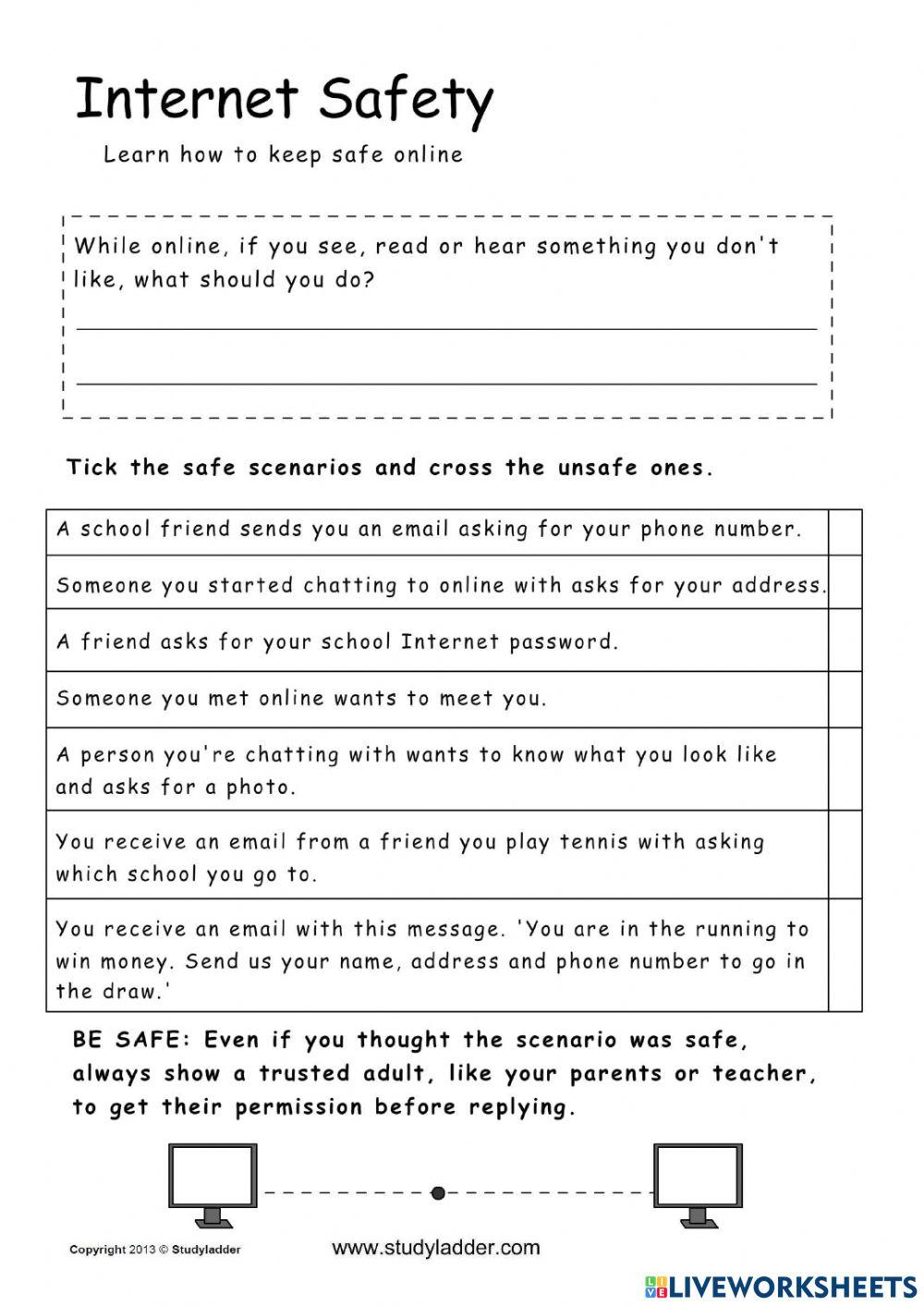
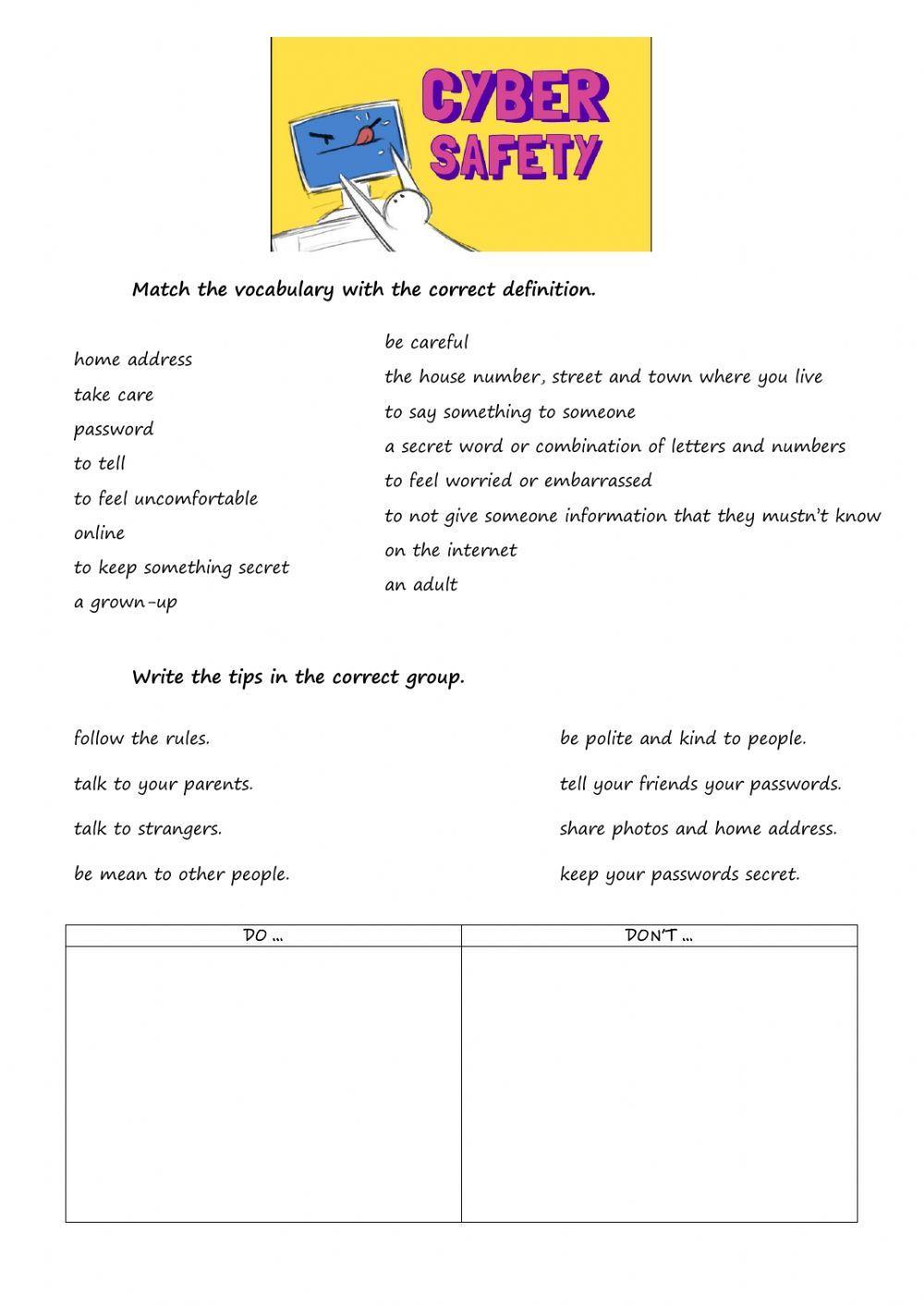
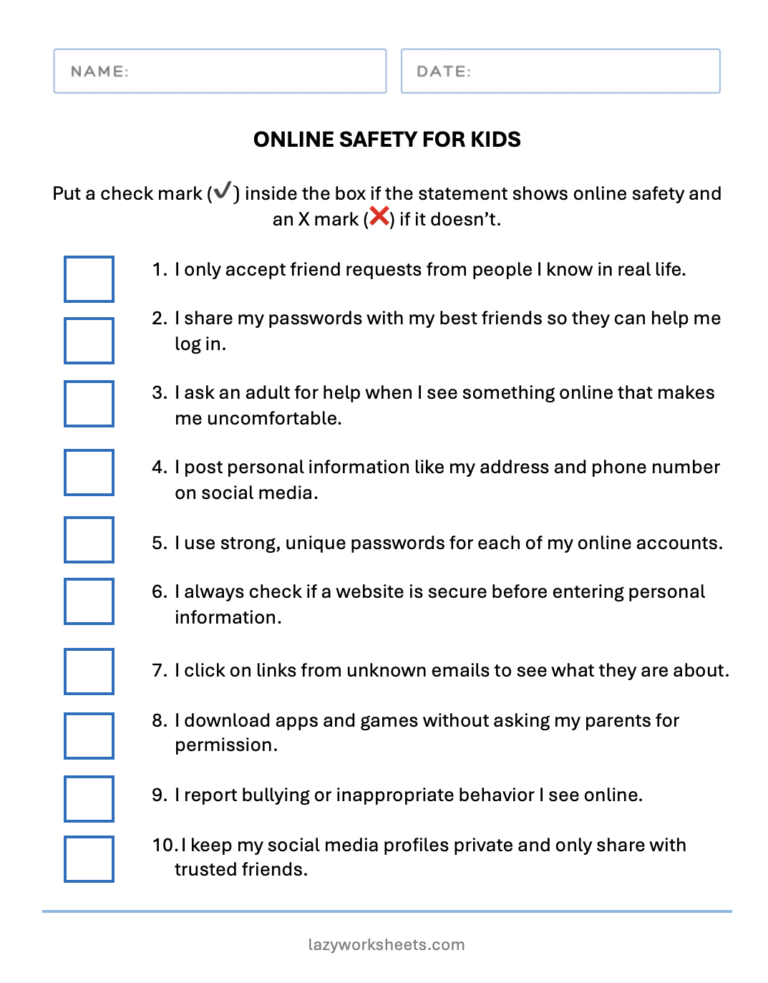
Third-grade learners thrive on concrete rules paired with visual cues. This worksheet addresses fundamental digital citizenship pillars through targeted exercises designed to cement positive routines. Instead of relying on abstract warnings, the material focuses on actionable protective habits. Children explore scenarios involving private information, secure passwords, and respectful digital communication. They learn the difference between public sharing and private messaging. Crucially, the exercises reinforce the message that young users are never in trouble for reporting something uncomfortable to a trusted adult. It sounds simple, and that’s the point. Safety at this age is not about instilling fear; it is about building competence and confidence.
Key Learning Outcomes
Working through these guided activities helps third graders internalize specific behavioral boundaries. Participants practice identifying what constitutes personal data, such as full names, home addresses, and school names. Another major focus area involves recognizing the value of pausing before clicking, sharing, or downloading unfamiliar content. Children also explore strategies for handling uncomfortable in-game chat interactions by stepping away and seeking adult help. Mastering these skills transforms passive screen time into an opportunity for mindful engagement. For broader instructional support, educators often pair these exercises with activities found in printable classroom activities designed for primary grades.
How to Use This Printable
Flexibility defines effective educational materials, and this resource fits seamlessly into various daily routines. Teachers can integrate the pages into morning meeting discussions, computer lab orientation sessions, or weekly digital citizenship units. Homeschoolers find the structured prompts helpful for launching family tech agreements and establishing household expectations. Implementation works best when adults treat the pages as conversation starters rather than independent testing tools. Sitting side-by-side with a child while they complete the prompts opens the door for authentic dialogue about real-world scenarios they might encounter on video platforms or shared family tablets.
Practical Tips for Parents and Teachers
Maximizing the impact of any educational printout depends heavily on delivery. Keep the tone curious and encouraging rather than punitive or restrictive. Ask open-ended questions like what the child would do if a pop-up promised a free prize in a favorite game. Emphasize that reporting a strange message or accidental click is always the right choice, ensuring children feel safe seeking guidance. Consistency matters immensely when reinforcing these lessons across home and school environments. To explore further approaches for fostering digital well-being, reviewing resources on core digital safety concepts offers additional inspiration for guiding young learners.
Age-Appropriate Recommendations
Child development experts understand that eight- and nine-year-olds process abstract concepts differently than adolescents do. Third graders respond best to clear, explicit boundaries supported by repeated practice and positive reinforcement. Aligning instruction with frameworks like the Common Sense Education Digital Citizenship Curriculum ensures that lessons match the cognitive and social readiness of the target age group. According to Common Sense Media, children benefit greatly when adults establish clear family media rules early, setting expectations before independent device use becomes routine. Framing safety as an ongoing skill rather than a one-time lecture helps third graders develop long-lasting digital resilience.
Children benefit significantly when adults establish clear family media rules early, setting expectations before independent device use becomes routine. — Common Sense Media
Frequently Asked Questions
Navigating digital citizenship education brings up common questions for educators and families alike. Clear answers help streamline implementation whether used in a traditional classroom or a home learning environment. According to the National Center for Missing & Exploited Children (NCMEC), empowering children with open lines of communication is one of the most effective ways to keep them secure online. Reviewing these frequently asked questions provides quick guidance for getting started with the materials.
Explore More Free Kids Online Safety Printables
Expanding a digital citizenship curriculum requires a diverse mix of engaging instructional materials. Educators and parents can discover complementary resources by browsing supplemental online safety modules that build upon foundational concepts. Combining multiple formats creates a comprehensive approach to teaching modern technology habits. Every conversation and completed activity brings children one step closer to becoming thoughtful, self-reliant digital citizens.
Developmental Milestone & Activity Table
| Development Stage | Recommended Daily Duration | Primary Learning Objective |
|---|---|---|
| Preschool & Pre-K | 10 – 15 Minutes | Pencil grip development & basic pre-stroke lines |
| Kindergarten | 15 – 20 Minutes | Letter/number formation & spatial line awareness |
| Early Elementary (Grade 1–2) | 20 – 30 Minutes | Fluency, sentence construction & neatness |
Images References