Introduction
Children today navigate a vibrant digital landscape long before they reach middle school. Shared family tablets, in-game chat features within multiplayer titles, and endless video streaming platforms form the backdrop of modern childhood. These virtual spaces offer remarkable opportunities for learning and play, yet they also introduce abstract concepts regarding personal information and digital footprints. Adults often struggle to explain data privacy to young learners using words alone. Visual tools bridge that comprehension gap by transforming invisible concepts like data sharing into concrete ideas. The free printable internet safety data visual with images and graphs on {site_name} provides educators and families with an accessible anchor for meaningful conversations about digital well-being. Related guide: Teachers Of Grades 9–12 Should Expand Internet Safety Instruction To Include Which Of The Following Topics?.
💡 Educational Key Takeaways:
- Core Skill: Structured Internet Safety Data Viaual With Images And Graphs focused on developing pencil grip, stroke control, and early literacy/math confidence.
- Target Scope: Suited for homeschoolers, preschool, kindergarten, and elementary learners.
- Best Recommendation: Practice 10–15 minutes daily with ergonomic writing tools to reinforce muscle memory without hand fatigue.
What This Printable Covers
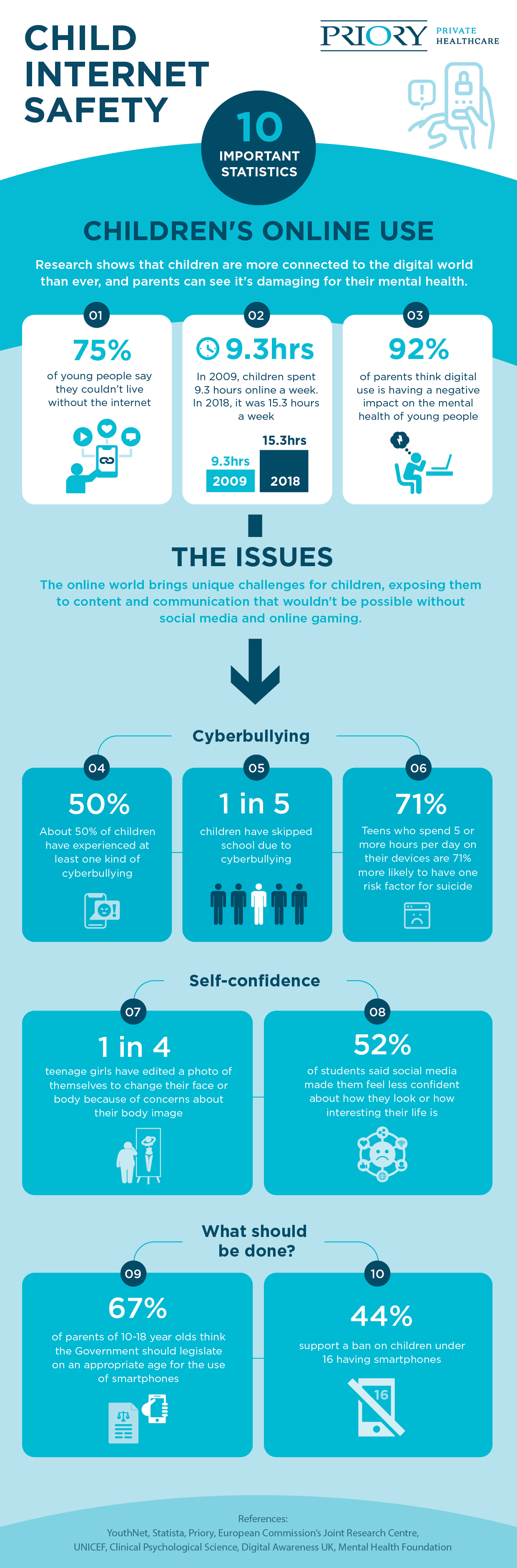
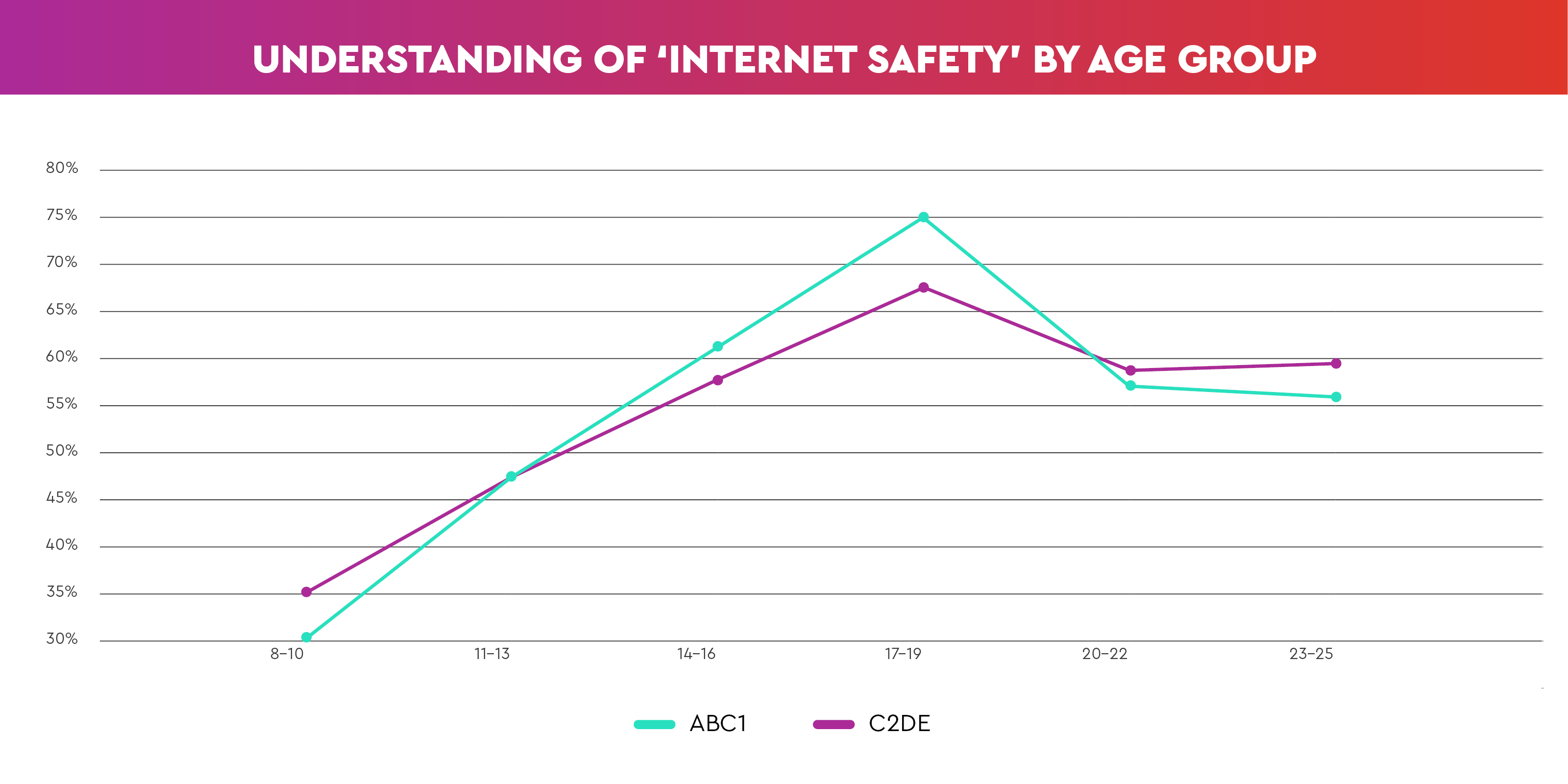
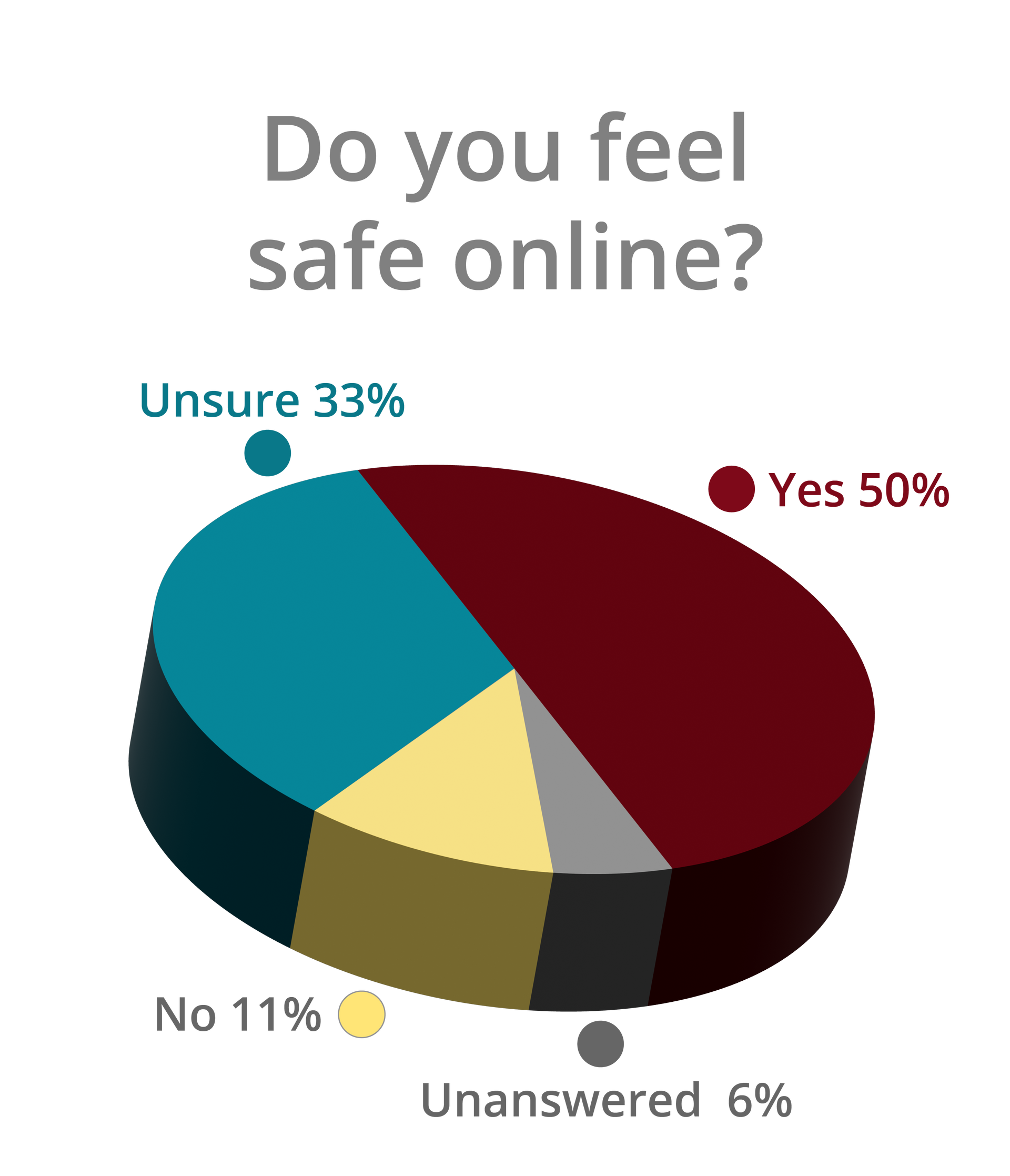
Complex terms like digital footprints, passwords, and private data can easily overwhelm an elementary student. This educational resource breaks down information sharing through bar graphs, pie charts, and friendly illustrations that children readily understand. Young learners examine how bits of information, such as home addresses or favorite hobbies, travel across the internet. By visualizing these patterns, children grasp why certain details must stay private. The material emphasizes protective habits rather than instilling fear, positioning safety as an empowering skill to build over time.
Key Learning Outcomes
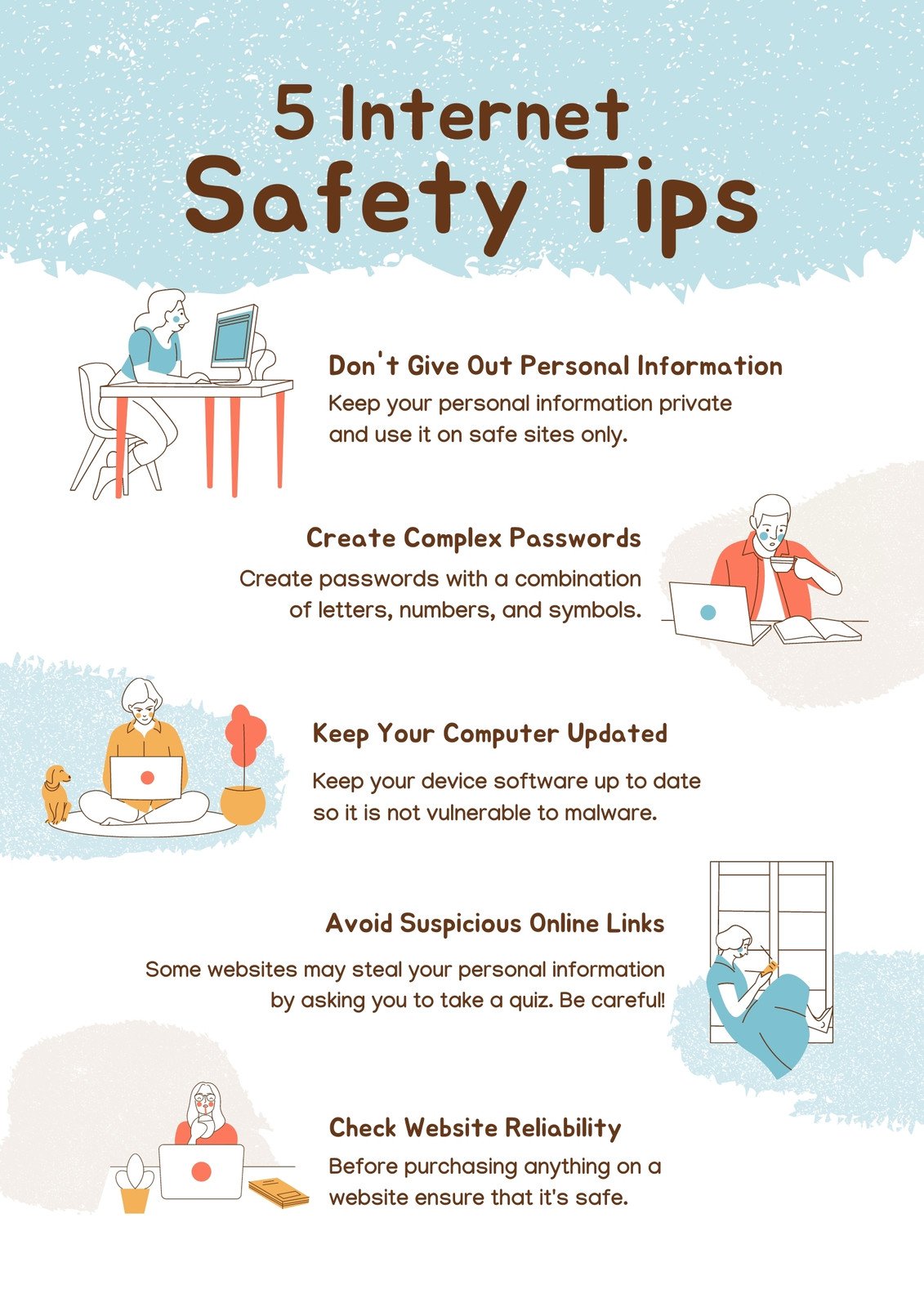
Specific skills practiced during this activity include identifying safe versus unsafe information to share online. Students learn the importance of creating strong passwords and recognizing the value of telling a trusted adult whenever something online feels uncomfortable or confusing. Crucially, the resource reinforces a foundational safety rule: children are never in trouble for reporting a mistake or an unsettling interaction. Understanding this safety net encourages open communication between kids and the adults in their lives, ensuring minor digital hiccups never turn into hidden secrets.
How to Use This Printable
Classrooms and homes function best when digital safety rules are practiced collaboratively rather than dictated from above. This worksheet or activity serves as a springboard for guided discussions during morning meetings, technology lab sessions, or evening family check-ins. Adults can project the data visual onto a screen or distribute individual copies for close inspection. Asking open-ended questions about the graphs helps children articulate their own online experiences. It sounds simple, and that’s the point. Consistent, low-pressure dialogue builds the critical thinking required to navigate shared family devices and multiplayer gaming chats safely.
Practical Tips for Parents and Teachers
Facilitators should review the visual aid independently before introducing it to young learners. Pairing the activity with hands-on practice, such as brainstorming a list of trusted adults, deepens comprehension. Educators seeking related materials often explore the collection of Worksheets for additional skill-building exercises. Meanwhile, keeping the tone calm and encouraging ensures children remain engaged instead of feeling scolded. Remind learners that everyone makes mistakes in digital spaces, and asking for help is always the right choice.
Age-Appropriate Recommendations
Adapting safety lessons to match developmental stages is essential for lasting impact. Kindergarten and first-grade students benefit most from focusing on basic concepts like keeping last names off public profiles. Older elementary students in fourth or fifth grade can analyze the graphs more deeply, discussing peer pressure, digital citizenship, and how data collection works on popular websites. Aligning these lessons with the Common Sense Education Digital Citizenship Curriculum provides a structured pathway that grows alongside the student, ensuring digital literacy evolves naturally from early exploration to advanced online awareness.
According to Common Sense Media, the majority of children begin using mobile devices before age five, making early, visual digital literacy tools vital for establishing healthy habits. — Common Sense Media
Frequently Asked Questions
Navigating digital citizenship resources brings up common questions for educators and families. Clear answers help maximize the impact of every printed page. For deeper insights into safeguarding young users, browse additional resources covering Internet and Digital Safety.
Explore More Free Kids Online Safety Printables
Building robust digital citizenship habits requires a diverse toolkit of engaging materials. Beyond standard data visuals, expanding lessons into creative formats helps reinforce core protective messages. For more options that combine art with digital literacy, explore the selection of Coloring Pages. Additional guidance for safeguarding youth across platforms is also available through the comprehensive resources found in Online and Digital Safety.
Developmental Milestone & Activity Table
| Development Stage | Recommended Daily Duration | Primary Learning Objective |
|---|---|---|
| Preschool & Pre-K | 10 – 15 Minutes | Pencil grip development & basic pre-stroke lines |
| Kindergarten | 15 – 20 Minutes | Letter/number formation & spatial line awareness |
| Early Elementary (Grade 1–2) | 20 – 30 Minutes | Fluency, sentence construction & neatness |
Images References