Introduction
Digital literacy starts long before children navigate complex software independently. Years of classroom observation show that young learners encounter internet connectivity through shared family tablets, classroom laptops, and connected gaming consoles. Navigating these tools requires clear instruction. Integrating professional resources into regular newsletters helps bridge the gap between school expectations and home habits. Children often stumble into digital safety challenges simply out of curiosity, clicking through pop-ups or engaging with open in-game text chats. Providing actionable guidance empowers families to build healthy online habits together without relying on fear. Related guide: 5 Cyber Safety Tips Symbols That Can Be Read By The Grede 7 Students.
💡 Educational Key Takeaways:
- Core Skill: Structured How To Provide Parents With Internet Safety Guide Professional In A Newsletter focused on developing pencil grip, stroke control, and early literacy/math confidence.
- Target Scope: Suited for homeschoolers, preschool, kindergarten, and elementary learners.
- Best Recommendation: Practice 10–15 minutes daily with ergonomic writing tools to reinforce muscle memory without hand fatigue.
What This Printable Covers
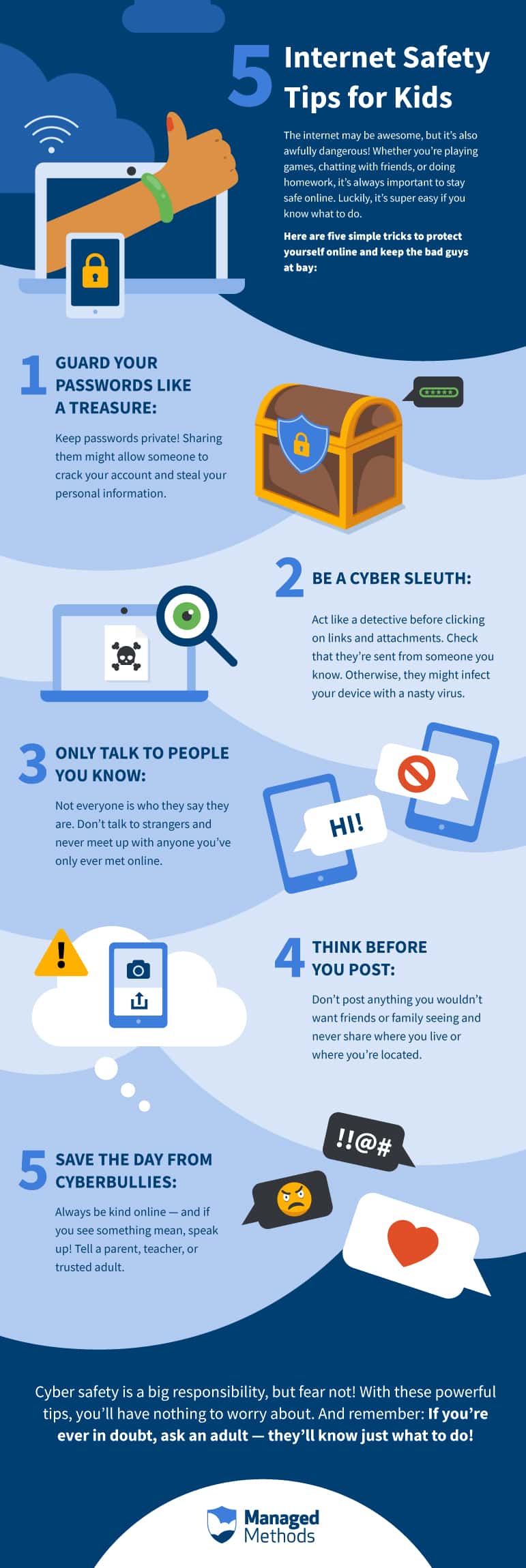
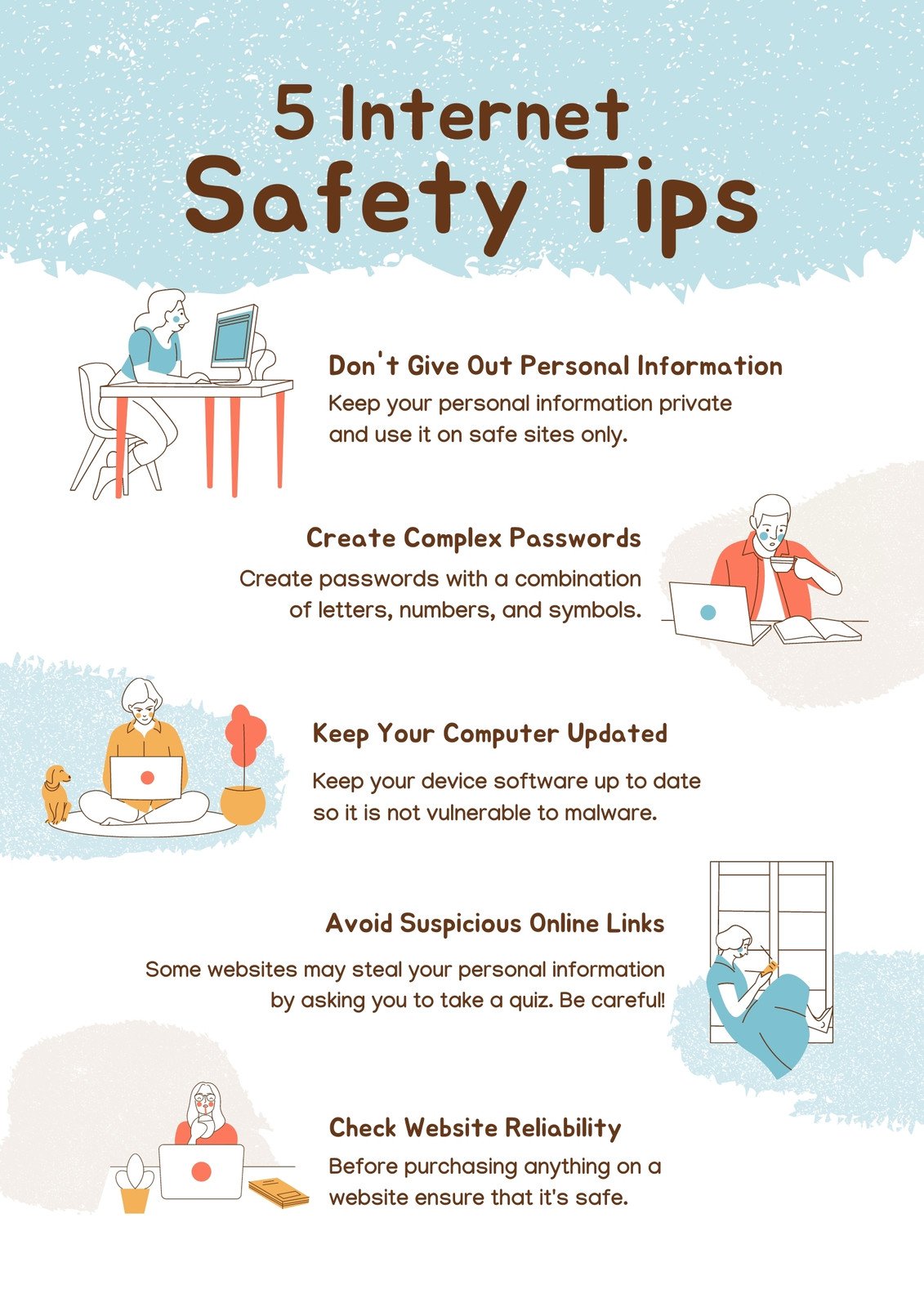
This comprehensive resource outlines clear, professional steps for communicating internet safety rules to families through school or community newsletters. It breaks down complex cybersecurity concepts into approachable language suitable for elementary-aged children and the adults who guide them. Readers will find structured advice on password hygiene, private information protection, and establishing open communication channels. It sounds simple, and that’s the point. Clear, repeatable phrases transform abstract rules into memorable daily practices. Adults receive ready-to-copy text that saves hours of preparation while elevating the quality of digital citizenship messaging.
Key Learning Outcomes
Educators and parents utilizing these newsletter templates notice a marked improvement in how children understand digital boundaries. Students learn to recognize what constitutes private personal information, such as home addresses and full names. They discover the importance of thinking before sharing images or comments online. Crucially, the resource reinforces the vital message that children are never in trouble for reporting something uncomfortable. This reassurance ensures transparency when unexpected content or confusing interactions occur on a shared device.
How to Use This Printable
Distributing professional guidance requires a thoughtful rollout strategy. School counselors and teachers can copy the curated sections directly into weekly email updates, printed Friday folders, or monthly parent association packets. Homeschool co-ops benefit from utilizing these exact talking points during community meetings to ensure alignment across different learning environments. Educators can pair these newsletter inserts with interactive classroom student activity worksheets to reinforce the core concepts discussed at home. Consistent reinforcement across both settings turns sporadic internet rules into lasting behavioral habits.
Practical Tips for Parents and Teachers
Bridging the gap between a written newsletter and real-world behavior takes patience and proactive dialogue. Adults should review the guide before publication to tailor specific examples to their particular group of children. Establishing regular check-ins about favorite online games and video platforms normalizes digital conversations. Instead of hovering over screens, adults can use everyday moments to ask what characters students encountered or what levels they explored. Building this rapport ensures children feel comfortable speaking up immediately if an online situation feels confusing or overwhelming.
Age-Appropriate Recommendations
Developing digital citizenship requires scaffolding that matches developmental stages from kindergarten through upper elementary. Younger children aged five to eight benefit from concrete rules like asking an adult before downloading anything new. Older children aged nine to twelve can explore nuanced concepts like digital footprints and respectful online communication. According to the Common Sense Education Digital Citizenship Curriculum, progressive instruction helps students internalize responsible tech use over time. Educators can align newsletter content with these developmental milestones to ensure messaging remains relevant and engaging.
According to Common Sense Media, the vast majority of children access mobile devices before entering kindergarten, making early foundational guidance essential for safe technology habits. — Common Sense Media
Frequently Asked Questions
Finding clear answers to common questions about digital communication helps educators and families implement safety measures smoothly. The answers below address formatting, educational value, and institutional recommendations. For additional inspiration on keeping students secure online, explore our dedicated internet safety strategies and related resources.
Explore More Free Kids Online Safety Printables
Expanding a digital citizenship library ensures children receive continuous reinforcement throughout the academic year. Educators and families can explore a wide variety of printable tools designed to make technology education engaging and practical. Integrating creative exercises like themed digital safety coloring sheets helps younger children process important boundaries through art. Combining diverse formats keeps the conversation fresh, supportive, and accessible for every learning style.
Developmental Milestone & Activity Table
| Development Stage | Recommended Daily Duration | Primary Learning Objective |
|---|---|---|
| Preschool & Pre-K | 10 – 15 Minutes | Pencil grip development & basic pre-stroke lines |
| Kindergarten | 15 – 20 Minutes | Letter/number formation & spatial line awareness |
| Early Elementary (Grade 1–2) | 20 – 30 Minutes | Fluency, sentence construction & neatness |
Images References