Introduction
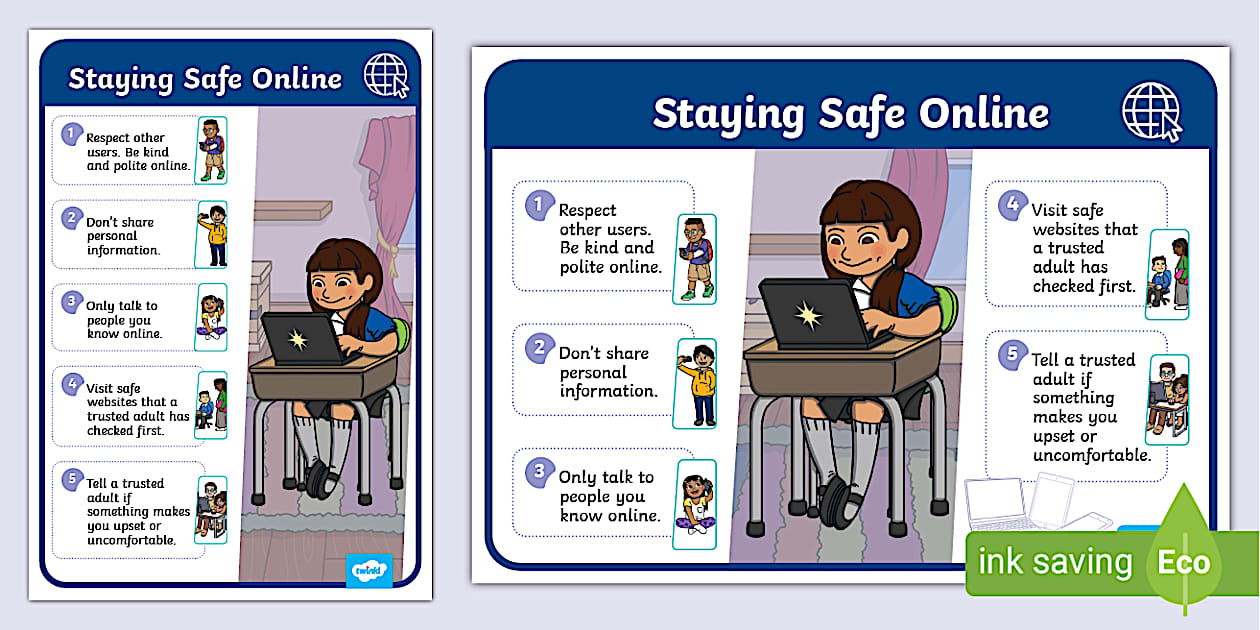
Seven-year-olds rarely encounter the internet through solitary hacking sessions in dark rooms. Instead, digital exploration usually happens on a shared living room tablet during the weekend, inside a collaborative building game where text boxes pop up unexpectedly, or while watching autoplay videos on a streaming platform. Second graders possess an impressive curiosity that outpaces their understanding of digital boundaries. Teaching them protective online habits requires tools that meet them at their developmental level. Coloring activities on online safety for grade 2 bridge this exact gap by transforming abstract digital concepts into tangible, creative exercises. Here’s what makes this resource different: it anchors technical discussions in hands-on art, making the rules accessible without inducing panic or confusion. Related guide: Two Factor Authentication Coloring Page Kids.
💡 Activity Key Takeaways:
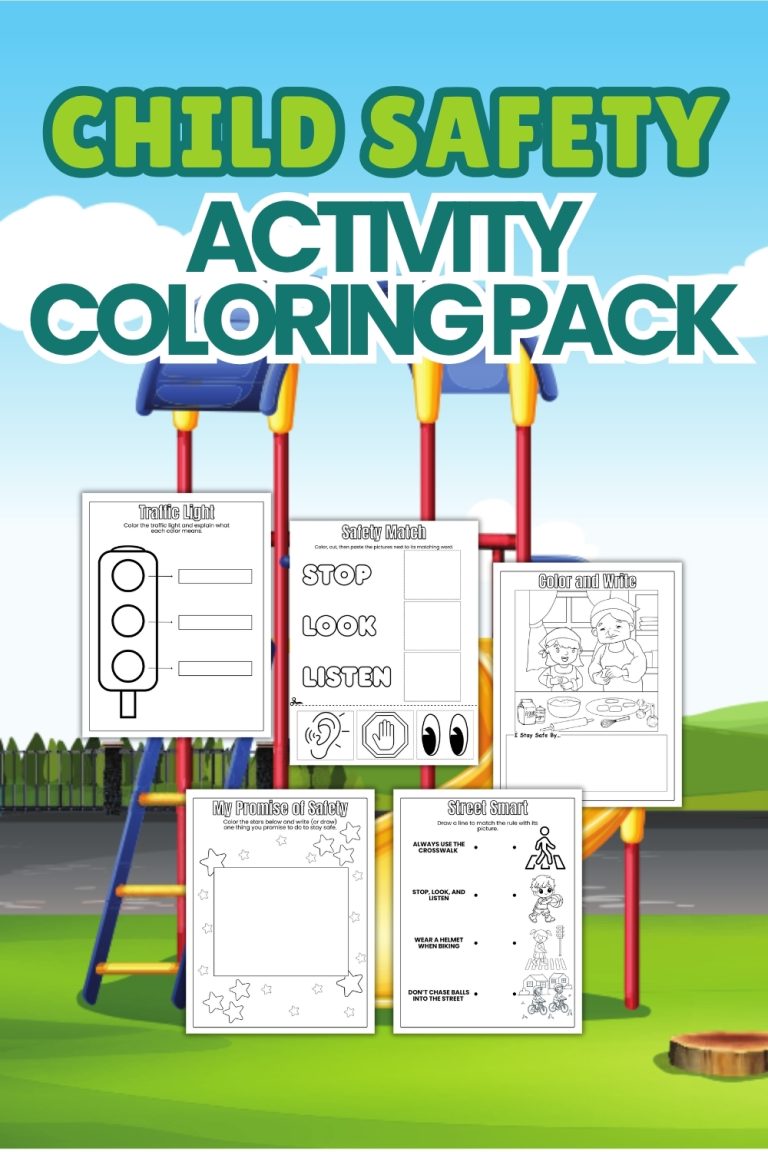
- Core Focus: Printable Coloring Activities On Online Safety For Grade 2 designed for creative expression and fine-motor coordination.
- Target Scope: Ideal for toddlers, preschool, kindergarten, and classroom art activities.
- Best Recommendation: Use standard heavy printer paper (24–28 lb) or cardstock for vibrant results with crayons, colored pencils, or washable markers.
What This Printable Covers
This free resource focuses entirely on foundational digital citizenship concepts tailored for seven and eight-year-old learners. The pages guide children through recognizing private information, understanding why passwords should remain secret, and identifying the difference between safe and unsafe sharing habits. Real risks often appear innocently, such as a friendly avatar asking for a real name inside an online game or an unexpected pop-up window offering a prize. By addressing these scenarios through structured imagery, the material teaches children to pause before clicking. Educators and caregivers can pair these lessons with broader Internet and Digital Safety strategies to establish a consistent household or classroom vocabulary.
Key Learning Outcomes
Working through these creative sheets reinforces specific behavioral goals rather than rote memorization. Children learn that usernames protect their real identities, and that home addresses, telephone numbers, and full names belong in the private category. Another vital outcome involves building a trusting reporting habit. The materials explicitly teach that young internet users are never in trouble for reporting something uncomfortable or confusing they encounter on a screen. When a child accidentally clicks an unfamiliar link or sees a strange message, the immediate response should involve talking to a trusted adult. This focus on open communication turns digital mishaps into valuable teachable moments rather than sources of secretive fear.
How to Use This Printable
Coloring reinforces safety messages naturally because the physical act of coloring slows down cognitive processing, allowing children to absorb complex ideas at their own pace. Adults can sit beside the child with crayons and markers, using the illustrations as natural conversation starters. Instead of lecturing about screen time rules, adults might ask what the character on the page is deciding to do. According to the Federal Trade Commission, family discussions about digital habits work best when integrated into daily routines rather than treated as formal lectures. These printables fit easily into morning work bins, literacy centers, or quiet afternoon routines at the kitchen table.
Practical Tips for Parents and Teachers
Success with this resource relies heavily on maintaining a calm, empowering tone. Safety is a skill to build over time, never a threat to dread. Adults should encourage children to talk about their favorite apps and games while coloring, listening without immediate judgment to how the child navigates digital spaces. If a second grader mentions talking to strangers in a multiplayer game, use that opening to explain the coloring page’s lesson on keeping personal details hidden. Furthermore, exploring related Coloring Pages can help sustain engagement across multiple sessions, ensuring the digital citizenship message sticks.
Age-Appropriate Recommendations
Second graders are transitioning from purely imaginative play into rule-following games, making this age ideal for introducing structured digital boundaries. Grounding these lessons in established educational frameworks helps maximize their effectiveness. The Common Sense Education Digital Citizenship Curriculum emphasizes teaching young students how to balance media use, protect their private information, and build positive online relationships. Printables designed for this specific age group avoid complex jargon, relying instead on relatable animal characters, clear visual cues, and simple prompts that seven-year-olds can read independently or with minimal assistance.
Young children frequently encounter digital environments through shared household devices and interactive gaming platforms, making early habit-building essential for safe navigation. — Pew Research Center
Frequently Asked Questions
Caregivers and educators frequently have questions about implementing digital safety materials with young learners. Clear answers help streamline preparation and ensure the activities have maximum impact both at home and inside the classroom environment.
Explore More Free Kids Online Safety Printables
Continuing digital citizenship education requires a steady supply of fresh, engaging materials. Educators and parents can expand their teaching toolkit by browsing supplementary Worksheets that challenge children to solve age-appropriate digital dilemmas. Combining artistic activities with guided discussions ensures that children develop resilient, healthy habits for the modern digital world. For comprehensive approaches to safeguarding student and child experiences, additional resources are always available within the broader Online and Digital Safety hub.
Key Specifications & Age-Group Overview
| Age / Grade Group | Target Skill Focus | Recommended Medium |
|---|---|---|
| Toddlers (Ages 2–4) | Hand-eye coordination & broad motor grasp | Jumbo crayons & washable finger paints |
| Early Elementary (Ages 5–7) | Line boundaries & fine pencil control | Standard colored pencils & fine-tip markers |
| Intermediate (Ages 8+) | Color blending, shading & artistic patience | Watercolor pencils, gel pens & dual-brush markers |
Images References