Introduction
Children encounter digital environments long before they fully understand the social dynamics hidden behind screens. Modern kids frequently meet online risks through shared household tablets, casual in-game chat features during multiplayer sessions, and automated video recommendation feeds. These everyday touchpoints can suddenly display unexpected alerts, prompt messages, or unusual notification pop-ups that demand immediate attention. Equipping young learners to pause, evaluate, and respond properly to these unexpected interruptions is a fundamental component of modern digital citizenship. Rather than relying on restriction alone, educators and parents need proactive tools that build critical thinking. This free printable activity about seeing if people will check concerning notifications because of safety offers a structured way to practice mindful responses before real-world uncertainty strikes. Related guide: Cctv Introduction Lesson For Grade 4.
💡 Educational Key Takeaways:
- Core Skill: Structured Activity About Seeing If People Will Check Concerning Notifications Because Of Safety focused on developing pencil grip, stroke control, and early literacy/math confidence.
- Target Scope: Suited for homeschoolers, preschool, kindergarten, and elementary learners.
- Best Recommendation: Practice 10–15 minutes daily with ergonomic writing tools to reinforce muscle memory without hand fatigue.
WhatThis Printable Covers
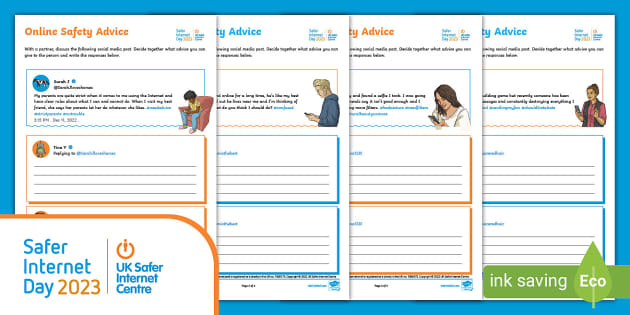
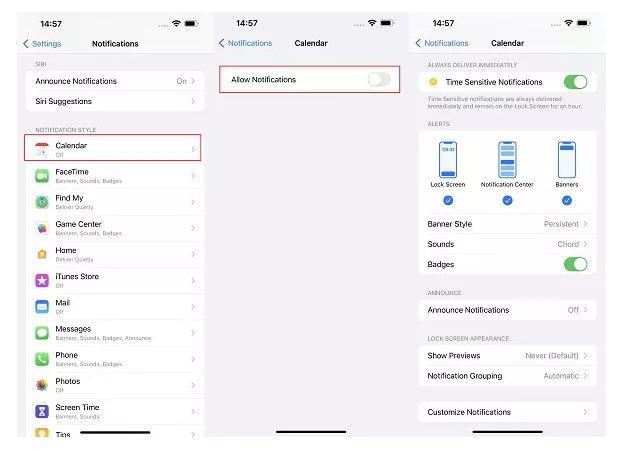
This targeted educational resource focuses on teaching children how to recognize unusual alerts and evaluate whether a digital prompt requires adult assistance. It sounds simple, and that is the point. Young minds often feel compelled to click every button, dismiss every warning, or respond to unfamiliar pop-ups out of curiosity or anxiety. The activity guides learners through scenarios where a device receives a strange alert or an unexpected notification while playing a game or watching a video. By examining these fictional moments on paper, students learn to identify red flags without the pressure of an active screen distraction. Exploring these concepts alongside related topics found within Internet and Digital Safety helps reinforce that sudden digital interruptions should always be shared with a grown-up.
Key Learning Outcomes
Working through the printable helps children build specific, actionable habits for everyday device use. Participants practice identifying which alerts are standard system messages versus ones that feel confusing, weird, or uncomfortable. The exercise reinforces the core rule that children are never in trouble for reporting something unexpected on a screen. Furthermore, the worksheet demonstrates how to pause rather than react impulsively. Developing this pause-and-check mentality transforms passive device consumers into cautious, observant digital citizens who value personal security and open communication with trusted adults.
How to Use This Printable
Implementation requires nothing more than a printer, a writing utensil, and a willingness to talk through real-world scenarios together. Educators can easily incorporate the document into morning advisory meetings, technology lab sessions, or computer literacy units. Families find success using the resource during a kitchen table conversation or a device-free weekend afternoon. Adults should read through the scenarios alongside the child, pausing to ask open-ended questions about how the characters in the story might feel. This collaborative approach turns a standard worksheet into an engaging discussion starter. Educators looking for additional formats will find complementary resources by browsing the collection of downloadable Worksheets designed for elementary settings.
Practical Tips for Parents and Teachers
Creating a calm, non-judgmental atmosphere is essential when discussing device safety with young learners. Begin by validating curiosity, acknowledging that unexpected pop-ups can look convincing or exciting to anyone. Remind children that curiosity is a wonderful trait, but digital spaces sometimes contain traps designed to trick that exact impulse. Establish clear household or classroom rules regarding what constitutes a concerning notification, such as unfamiliar links, demands for personal information, or strange alerts asking for passwords. When children understand that reporting a weird alert leads to praise rather than punishment, they are significantly more likely to speak up immediately.
Age-Appropriate Recommendations
Younger elementary students, particularly ages five through eight, benefit from highly visual, narrative-driven approaches where adults read the scenarios aloud and help act out the correct response. Older elementary children, ages nine through twelve, can analyze the scenarios independently before debating the best course of action in small groups or family discussions. Aligning these lessons with the Common Sense Education Digital Citizenship Curriculum ensures that media literacy concepts match the developmental stage of the audience. Educators should focus heavily on foundational habits like keeping personal information private and recognizing trusted adults, while gradually introducing more nuanced conversations about strong passwords and critical thinking as children mature.
According to research by the Federal Trade Commission, children frequently encounter misleading digital prompts, pop-ups, and interactive traps embedded within apps and games designed for young audiences. — Federal Trade Commission (FTC)
Frequently Asked Questions
Navigating digital safety education often brings up practical questions for supervising adults. Reviewing these common inquiries provides clear guidance on downloading materials, reinforcing protective habits, and understanding current research findings regarding kids and technology use. Additional instructional materials tailored for home and classroom environments can be discovered by exploring Online and Digital Safety resources.
Studies from Common Sense Media indicate that a majority of school-aged children regularly use shared family media devices long before they fully grasp the mechanics of online advertising and deceptive alerts. — Common Sense Media
Explore More Free Kids Online Safety Printables
Expanding a digital citizenship curriculum requires a diverse mix of engaging, hands-on instructional materials. Beyond scenario-based practice sheets, educators and families can incorporate visual learning tools that appeal to younger students. For instance, pairing writing exercises with creative tasks such as those found in Coloring Pages helps reinforce positive habits through artistic expression and relaxed dialogue. Continuous, low-stress reinforcement transforms digital safety from a daunting abstract rule into a natural, everyday habit.
Developmental Milestone & Activity Table
| Development Stage | Recommended Daily Duration | Primary Learning Objective |
|---|---|---|
| Preschool & Pre-K | 10 – 15 Minutes | Pencil grip development & basic pre-stroke lines |
| Kindergarten | 15 – 20 Minutes | Letter/number formation & spatial line awareness |
| Early Elementary (Grade 1–2) | 20 – 30 Minutes | Fluency, sentence construction & neatness |
Images References