Introduction
Fourth-grade classrooms sound very different than they did a decade ago. Students swap Chromebook passwords during morning arrival, compare achievements in shared multiplayer worlds at recess, and stream tutorials on school-issued tablets. Children encounter digital environments not through distant computer labs, but through fluid, everyday access on shared devices, in-game chat features, and video platforms. Navigating these spaces successfully requires more than rigid filters or panicked warnings. It demands deliberate habit-building. Educators and families looking to anchor these habits often turn to resources found within the Internet and Digital Safety hub on {site_name}. By framing digital literacy as an empowering skill rather than a source of fear, adults can help nine- and ten-year-olds build the critical thinking necessary to thrive online.
💡 Educational Key Takeaways:
- Core Skill: Structured Grade 4 Internet And Safety Rules Notes focused on developing pencil grip, stroke control, and early literacy/math confidence.
- Target Scope: Suited for homeschoolers, preschool, kindergarten, and elementary learners.
- Best Recommendation: Practice 10–15 minutes daily with ergonomic writing tools to reinforce muscle memory without hand fatigue.
What This Printable Covers
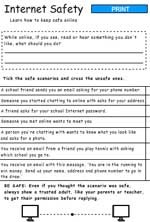
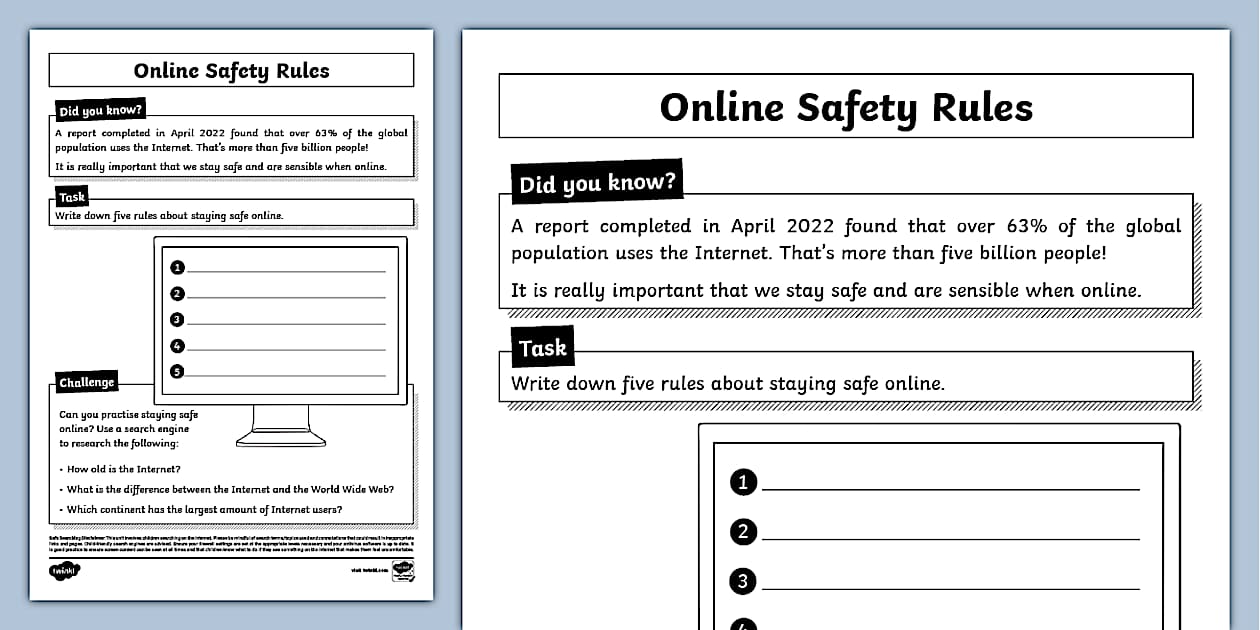
The free printable grade 4 internet and safety rules notes translate complex cybersecurity concepts into tangible, kid-friendly takeaways tailored for upper-elementary minds. Fourth graders are stepping into a stage of digital independence where they join chat-enabled gaming platforms and communicate via school messaging tools. This resource outlines essential guardrails: keeping personal information private, creating resilient passwords, pausing before sharing media, and understanding that reporting an uncomfortable interaction will never land a child in trouble. It sounds simple, and that is the point. Clarity reduces anxiety and gives children memorable anchors to rely on when faced with unexpected digital dilemmas. Related guide: Cctv Introduction Lesson For Grade 4.
Key Learning Outcomes
Working through these notes helps students articulate why keeping home addresses, full names, and school titles offline matters for personal security. Children learn to identify trusted adults—both at home and in the classroom—who can assist when digital experiences feel confusing or overwhelming. Another crucial outcome involves decoding the permanence of digital footprints. Fourth graders begin to grasp that text, images, and video shared in virtual spaces rarely vanish entirely. Furthermore, students practice evaluating online content for reliability and kindness, supporting broader lessons found across various Worksheets designed for school and home settings.
How to Use This Printable
Classroom teachers can integrate these notes into morning meetings, technology orientation units, or media literacy centers. Homeschoolers and parents might tape a copy near the family charging station or slide it inside a homework binder as a quick reference sheet. Reading through the points together opens the door to organic, low-pressure conversations about daily screen time habits. Instead of treating digital rules as an abstract decree handed down from authority figures, children explore the logic behind each guideline. This participatory approach transforms passive listeners into active, mindful digital citizens.
Practical Tips for Parents and Teachers
Adults achieve the best results by tying the printed rules to real-world scenarios rather than hypothetical dangers. Ask open-ended questions like what a character in a favorite game should do if an unfamiliar player asks for personal details. Reinforce the absolute rule that children are never in trouble for reporting an uncomfortable popup, message, or interaction. Consistency matters immensely between school and home environments. When educators and families echo the same expectations, children internalize safety habits much faster, treating digital spaces with the same mindfulness they apply to physical neighborhoods.
Age-Appropriate Recommendations
Child development experts recognize that fourth graders are rapidly developing abstract reasoning skills, making this an ideal window to discuss digital ethics. Aligning instruction with the ISTE Standards for Students ensures that children learn to manage their digital identities and operate as ethical participants in networked communities. At age nine or ten, students can grasp why strong passwords protect accounts against unauthorized access. They are also ready to understand that online personas do not always match reality. Keeping discussions grounded in empathy, respect, and self-protection prevents the topic from becoming overwhelming while building lasting resilience.
According to Common Sense Media research, a significant majority of children gain access to mobile devices and online messaging features by the time they reach upper elementary school, making early digital citizenship guidance essential. — Common Sense Media
Frequently Asked Questions
Clear answers to common questions help adults maximize the impact of digital safety printables. Families and educators frequently ask about file compatibility, pedagogical strategies, and foundational research supporting these safety frameworks. Reviewing these details ensures seamless implementation across diverse learning environments, whether supporting a single child at a kitchen table or managing a room full of twenty-five digital learners.
Explore More Free Kids Online Safety Printables
Expanding a child’s digital literacy toolkit requires a variety of engaging formats beyond standard notes and handouts. Visual learners often benefit from creative activities found within the Coloring Pages collection, where artistic expression reinforces critical thinking. Combining multiple resource types creates a comprehensive, well-rounded approach to online safety education. Adults can continue building safe habits by exploring additional guides and tools housed under Online and Digital Safety to keep pace with evolving technology.
Developmental Milestone & Activity Table
| Development Stage | Recommended Daily Duration | Primary Learning Objective |
|---|---|---|
| Preschool & Pre-K | 10 – 15 Minutes | Pencil grip development & basic pre-stroke lines |
| Kindergarten | 15 – 20 Minutes | Letter/number formation & spatial line awareness |
| Early Elementary (Grade 1–2) | 20 – 30 Minutes | Fluency, sentence construction & neatness |
Images References