Introduction
Digital spaces are as familiar to elementary students as school hallways and neighborhood playgrounds. Children navigate shared household tablets, jump into cooperative video game lobbies, and watch video platforms long before graduating to middle school. That early access brings wonderful opportunities for learning and connection, yet it also introduces unexpected corners where boundaries blur. Adults often struggle to find ways to talk about digital habits without causing anxiety or shutting down communication entirely. Fortunately, structured educational tools can bridge this gap naturally. A free printable featuring fun facts about online safety for kids provides an accessible entry point for adults seeking to build protective habits without fear-based lectures. It sounds simple, and that’s the point. When children encounter safety concepts through engaging formats rather than stern warnings, they absorb the lessons more deeply and retain them longer. Related guide: Weekly Screen Time Report.
💡 Educational Key Takeaways:
- Core Skill: Structured Fun Facts About Online Safety For Kids focused on developing pencil grip, stroke control, and early literacy/math confidence.
- Target Scope: Suited for homeschoolers, preschool, kindergarten, and elementary learners.
- Best Recommendation: Practice 10–15 minutes daily with ergonomic writing tools to reinforce muscle memory without hand fatigue.
What This Printable Covers
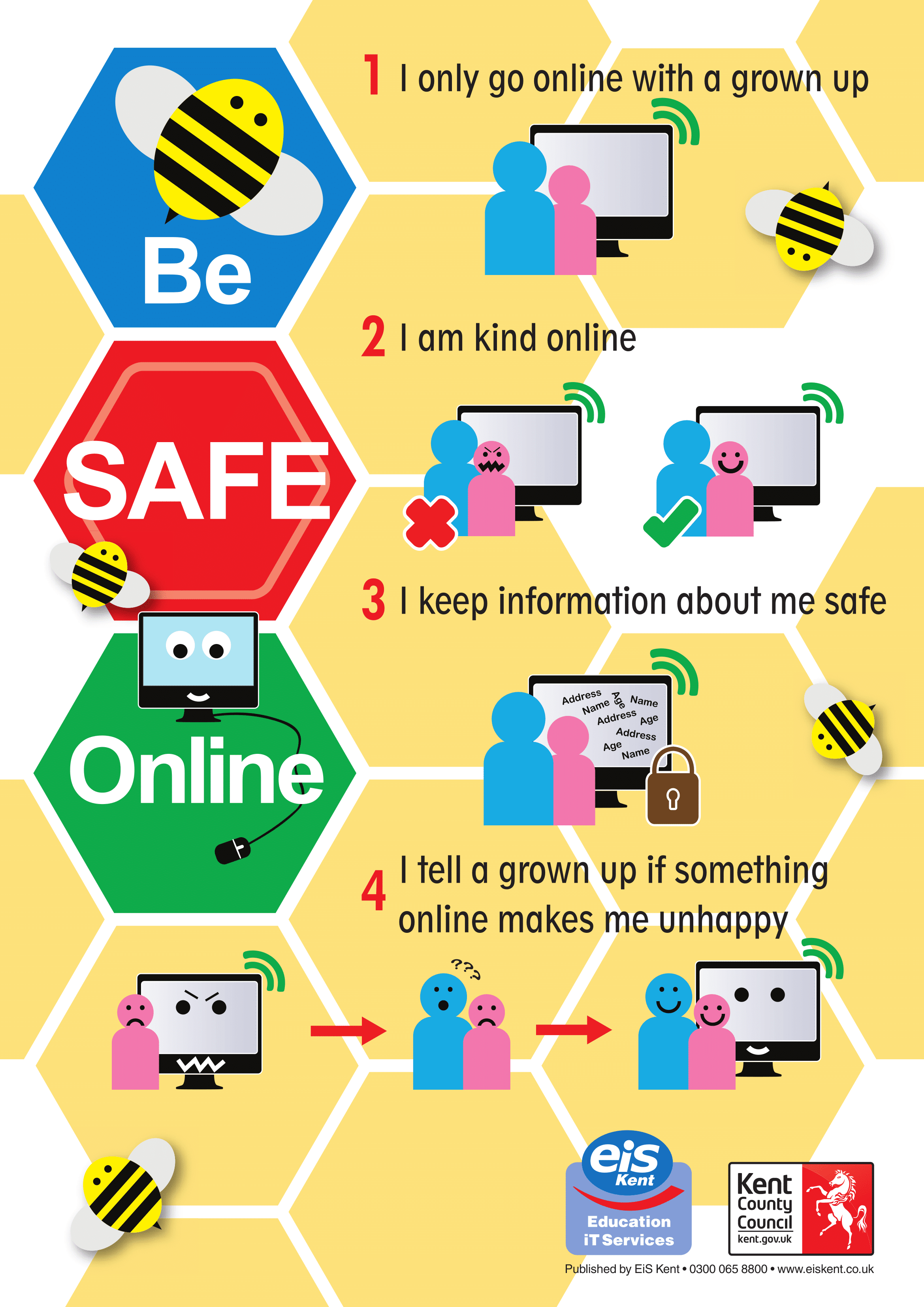
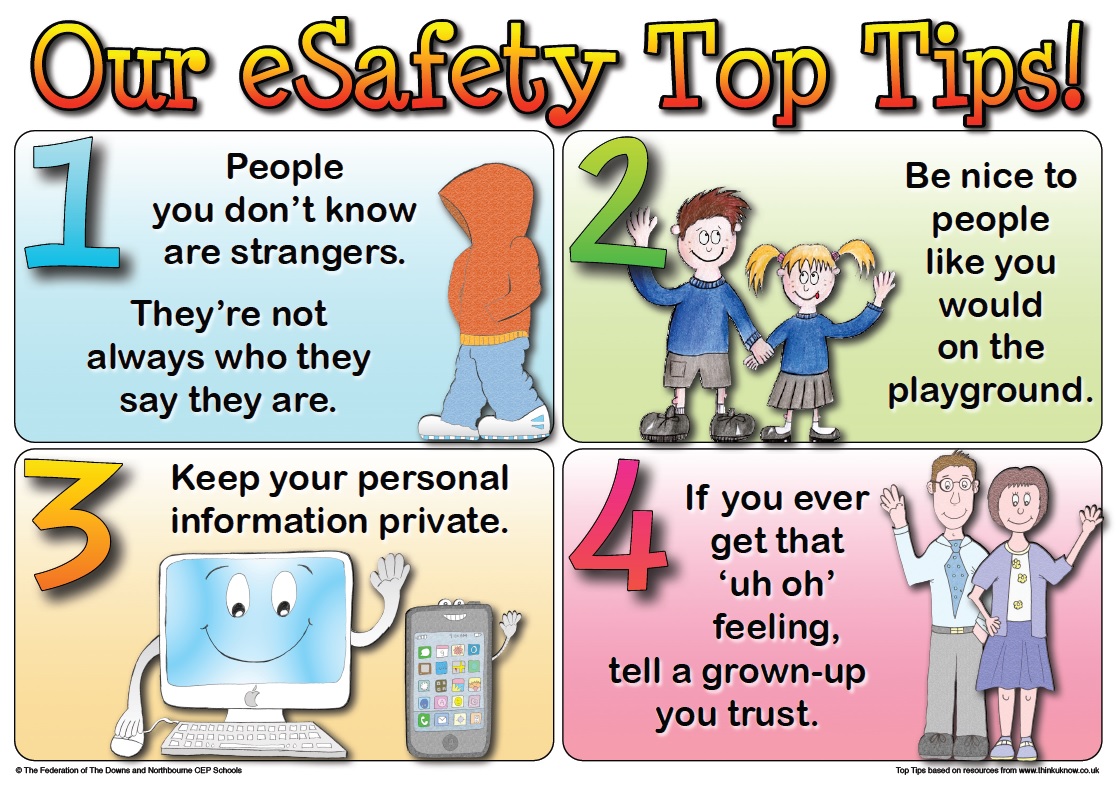
The resource breaks down vast digital citizenship concepts into bite-sized, highly readable facts designed specifically for young minds. Instead of overwhelming learners with complex rules about servers and encryption, the sheet focuses on actionable, everyday behaviors. Children learn what constitutes private information, why strong passwords matter, and how to pause before clicking or sharing. It also emphasizes the golden rule of digital life: telling a trusted adult immediately if anything feels confusing, strange, or uncomfortable. Crucially, the material reinforces the message that children are never in trouble for reporting an unsettling online encounter. Many young learners hide mistakes out of fear that devices will be confiscated. This printable replaces that fear with reassurance, framing digital hiccups as learning opportunities rather than disciplinary offenses. Exploring further resources within Internet and Digital Safety helps reinforce these core concepts across different learning environments.
Key Learning Outcomes
Working through these fun facts helps children build a robust internal compass for navigating virtual spaces independently. Learners discover the difference between public details like a favorite color and private details like a home address or school name. They practice identifying safe adults both at home and at school who can help when unexpected pop-ups or unkind messages appear. Another vital outcome involves developing the habit of critical pause, encouraging kids to think about who might see a photo or comment before hitting publish. According to Common Sense Media, children benefit immensely when adults pair media use with open-ended dialogue rather than strict blanket restrictions. Building these foundational skills early ensures children develop self-regulation long before they gain unsupervised access to social media.
How to Use This Printable
Flexibility defines the best educational materials, and this handout adapts effortlessly to morning meetings, counseling sessions, or kitchen table chats. Educators can project the sheet onto a smartboard to spark a whole-group discussion about what to do when a game chat turns unfriendly. Parents might place the page on the refrigerator to prompt casual conversations while packing lunches or preparing dinner. Reading through the facts together creates a low-pressure environment where children feel comfortable asking questions about their favorite apps and games. It is an instructional supplement, not a fortress wall; the real value lies in the conversations the sheet initiates between generations. Teachers looking for hands-on companion materials often pair these discussion starters with creative exercises found in Worksheets to solidify comprehension through drawing and writing.
Practical Tips for Parents and Teachers
Adults guiding children through digital literacy should focus on curiosity rather than interrogation. Ask open-ended questions like what game levels feel the trickiest to navigate safely or which characters are fun to chat with on shared devices. Acknowledge that mistakes happen, such as accidentally sharing too much in a multiplayer lobby, and practice responses together through role-playing. Consistency matters immensely, so revisit these safety facts every few months as children grow older and encounter new platforms. Keeping the tone empowering shifts the perspective from restriction to resilience, reminding young learners that they hold the power to make smart choices online.
Age-Appropriate Recommendations
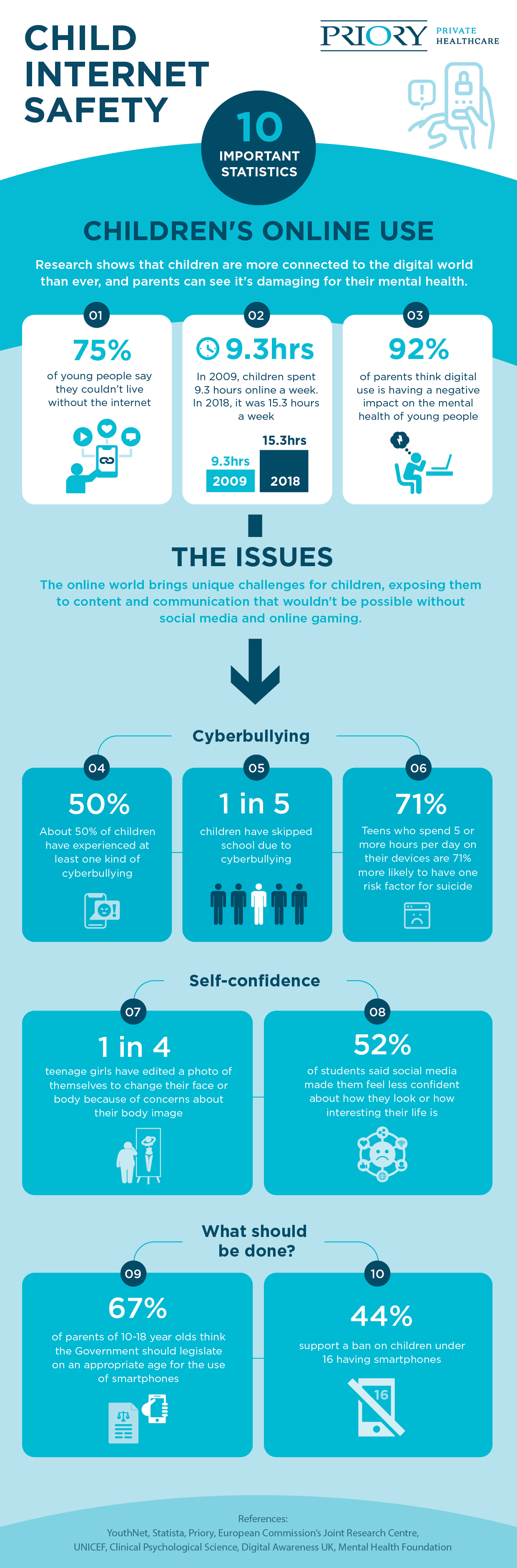
Tailoring digital citizenship instruction to developmental stages ensures the message resonates without inducing unnecessary worry. For five-to-eight-year-olds, instruction should center on physical boundaries and immediate adult supervision, aligning with the foundational goals of the Common Sense Education Digital Citizenship Curriculum. Children in this age bracket frequently encounter risks through shared family tablets and unvetted video recommendations. Older elementary students aged nine to twelve are ready for nuanced discussions regarding digital footprints, peer pressure in group chats, and the permanence of online content. Aligning the conversation with the specific digital landscape children inhabit makes the safety facts practical and immediately relevant to their daily routines.
According to Pew Research Center, a vast majority of parents express concern about their young children’s digital exposure, highlighting the urgent need for accessible, conversation-starting tools in homes and classrooms. — Pew Research Center
Frequently Asked Questions
How can this printable be accessed and printed for a classroom or home setting? The resource downloads instantly as a standard PDF file, making it simple to print multiple copies on regular letter paper for individual or group use.
Does this activity actually improve online safety awareness for young learners? While no single page guarantees protection, this resource actively supports habit-building by sparking vital conversations about privacy, trusting adults, and smart digital choices.
According to the National Center for Missing & Exploited Children, what is a primary recommendation for keeping kids safe online? The National Center for Missing & Exploited Children emphasizes maintaining open communication so children always feel safe telling a trusted adult about uncomfortable digital encounters.
Explore More Free Kids Online Safety Printables
Expanding a digital citizenship toolkit keeps learning fresh and engaging throughout the school year. Educators and families can browse additional educational assets, including creative coloring sheets available via Coloring Pages, which allow younger students to process digital wellness concepts through art. Delving deeper into comprehensive resources located in Online and Digital Safety ensures that every child develops the confidence and resilience needed to thrive in an interconnected world.
Developmental Milestone & Activity Table
| Development Stage | Recommended Daily Duration | Primary Learning Objective |
|---|---|---|
| Preschool & Pre-K | 10 – 15 Minutes | Pencil grip development & basic pre-stroke lines |
| Kindergarten | 15 – 20 Minutes | Letter/number formation & spatial line awareness |
| Early Elementary (Grade 1–2) | 20 – 30 Minutes | Fluency, sentence construction & neatness |
Images References