Building a Unified Digital Shield Between Classroom and Living Room
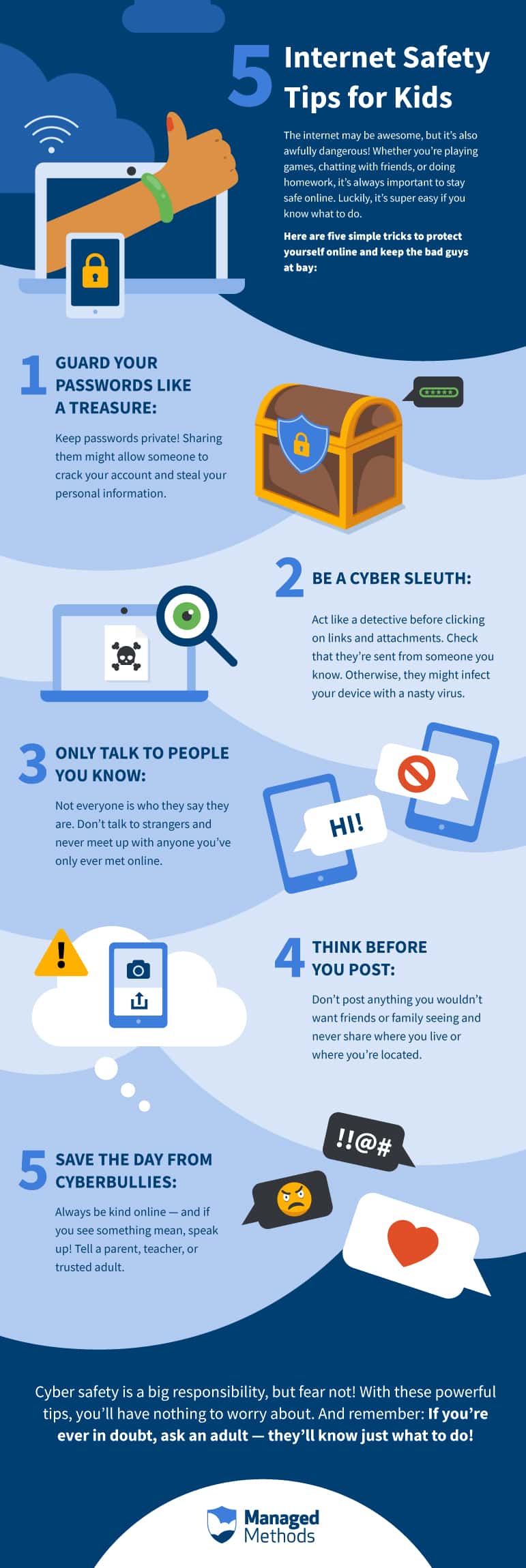
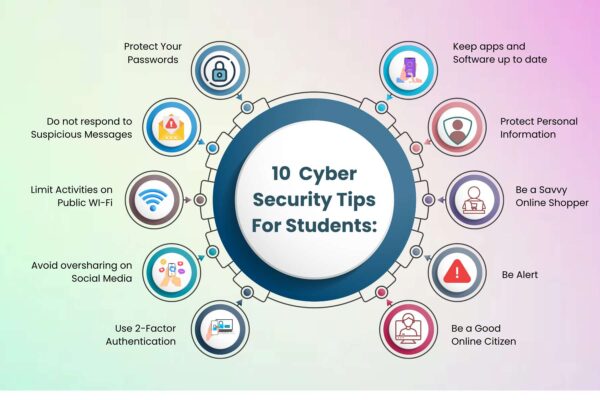
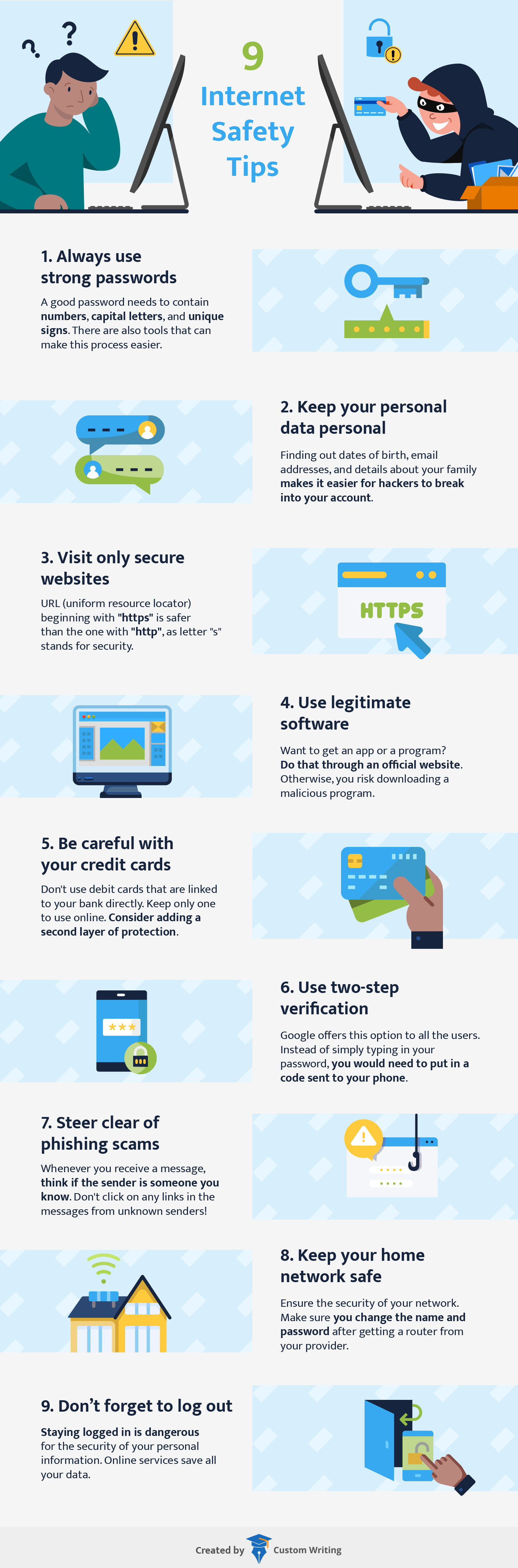
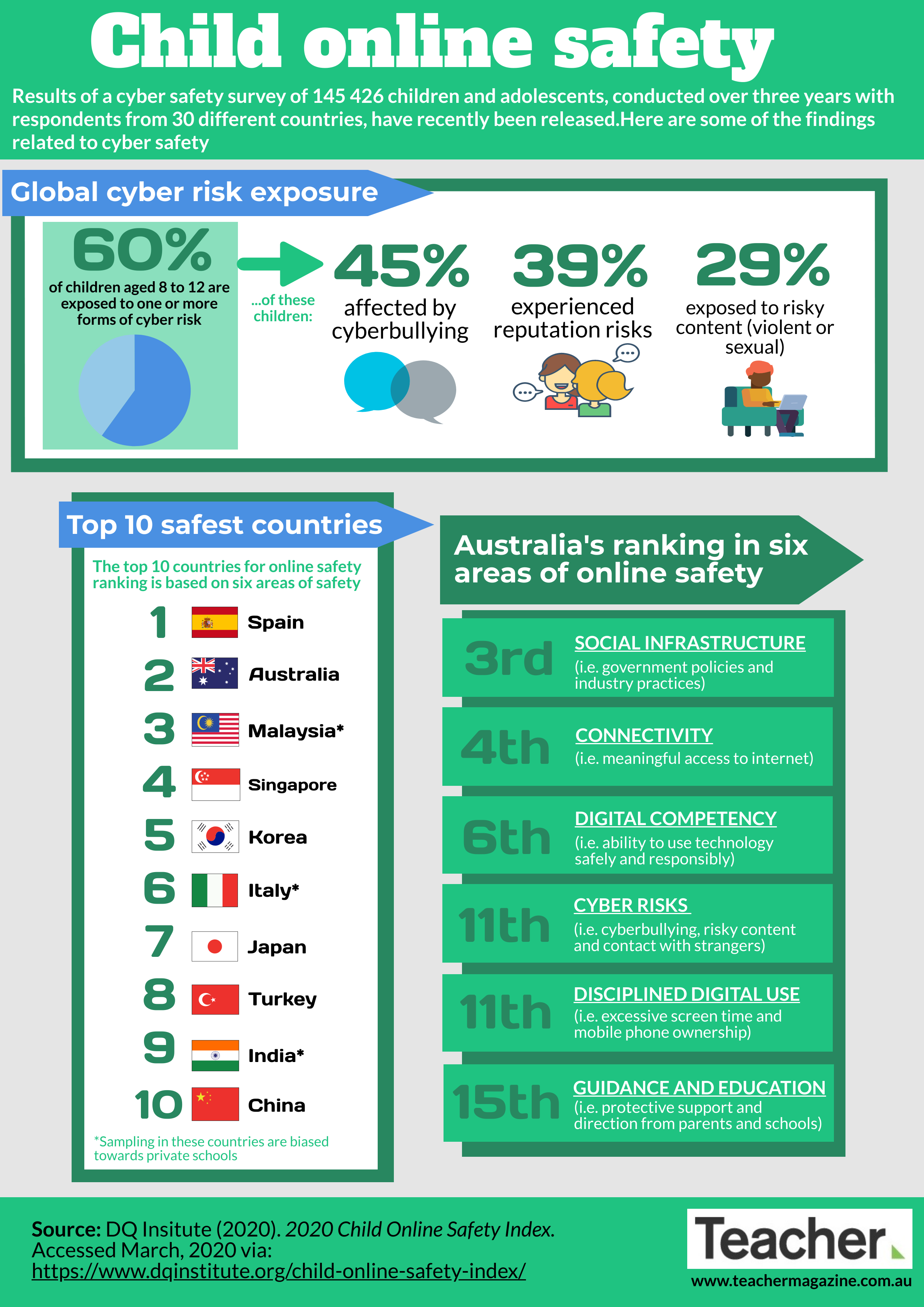
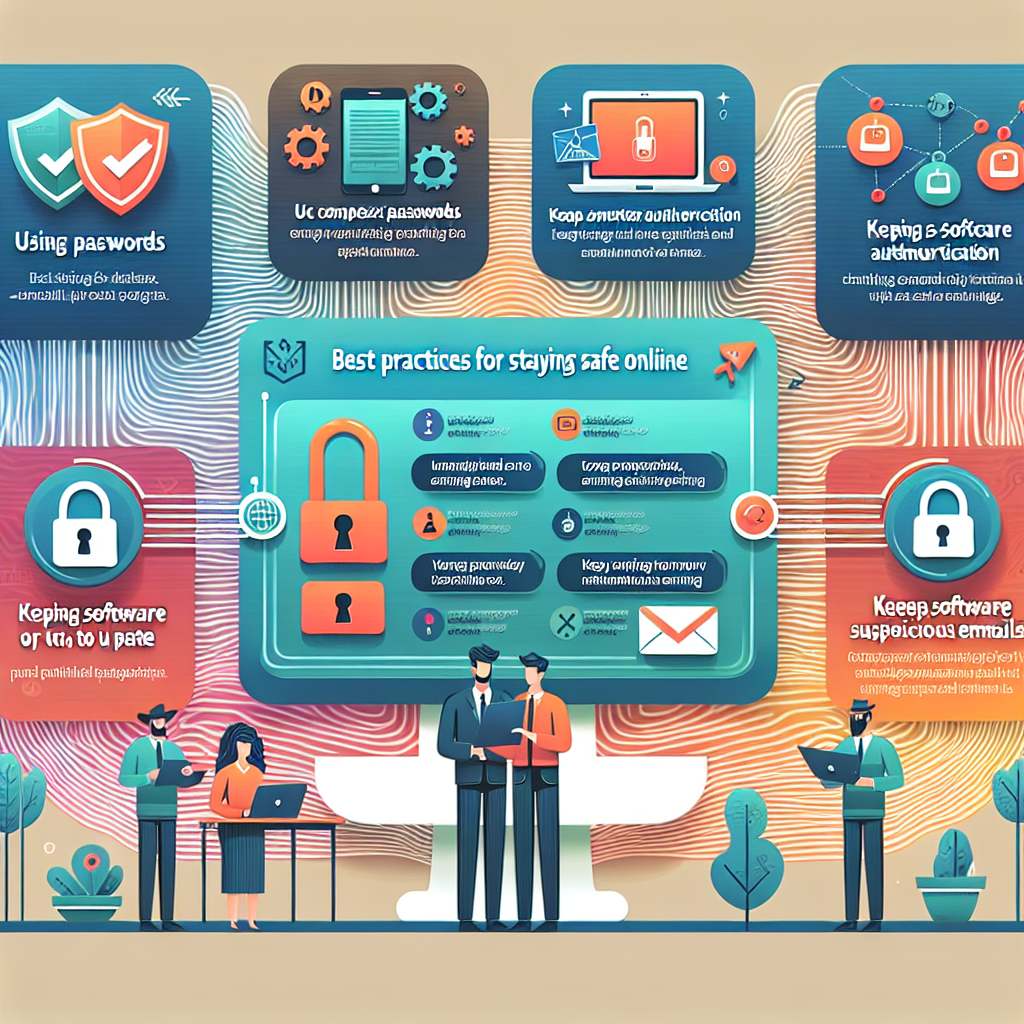
Navigating student internet use requires a coordinated approach that bridges the gap between school networks and home devices. As highlighted by cybersecurity frameworks from agencies like CISA and youth safety guidance from ConnectSafely, protecting K-12 students demands more than passive filtering. Implementing a robust online safety and cybersecurity initiative in schools requires educators and parents to utilize clear visual infographics, age-appropriate device controls, and collaborative classroom guides that transform abstract digital threats into understandable, actionable daily habits for kids of all ages.
💡 Educational Key Takeaways:
- Core Skill: Structured Images, Diagrams, Charts, Screenshots, Or Infographics Of The Online Safety And Cybersecurity Initiative In Schools focused on developing pencil grip, stroke control, and early literacy/math confidence.
- Target Scope: Suited for homeschoolers, preschool, kindergarten, and elementary learners.
- Best Recommendation: Practice 10–15 minutes daily with ergonomic writing tools to reinforce muscle memory without hand fatigue.
Mapping Common Vulnerabilities to Practical Preventive Guardrails
Understanding where student digital routines break down helps adults intervene before minor missteps escalate into privacy leaks or security breaches. The breakdown table below outlines key technical environments, typical vulnerabilities, and straightforward safeguards aligned with current youth privacy frameworks. Related guide: 5 Cyber Safety Tips Symbols That Can Be Read By The Grede 7 Students.
| Setting / Context | Common Vulnerability | Practical Safeguard |
|---|---|---|
| School Chromebooks and Tablets | Leaving accounts logged in on shared carts or failing to lock screens between classes. | Enforce auto-logout timers and teach students to manually sign out of browser profiles after every session. |
| Home Mobile Devices and Tablets | Unfiltered app store downloads and unmonitored in-app messaging features. | Require parental password approval for new downloads and review privacy settings together. |
| Classroom Collaboration Apps | Sharing personal details or passwords in public chat rooms and breakout spaces. | Establish strict communication rules using resources from our Internet and Digital Safety archive. |
Establishing Consistent Routines Across Home and School Environments
Consistency is the cornerstone of effective digital citizenship. Schools and families can reinforce core cybersecurity habits by pairing visual infographics with physical routines. Designate a central, public household charging station where all phones and tablets live overnight to curb late-night screen scrolling and unauthorized messaging. Educators can integrate printable materials found in our Worksheets section to help students map out strong passwords and recognize phishing attempts. Additionally, enable two-factor authentication on all student portals and teach children a simple reporting workflow: if something online looks suspicious, upsetting, or too good to be true, they should pause, take a screenshot, and report it to a trusted adult immediately without fear of losing their device privileges.
Overcoming Student Workarounds Through Collaborative Dialogue
Overly restrictive network bans often backfire, driving students to find clever workarounds like proxy sites or unauthorized hotspot sharing. Instead of relying solely on lock-down measures, pair technical filters with calm, stigma-free check-ins. When students feel that adults are approachable rather than punitive, they are far more likely to speak up when they encounter cyberbullying, malicious links, or accidental data exposure. Frame cybersecurity as a vital life skill rather than a list of arbitrary restrictions.
Frequently Asked Questions for Educators and Parents
How can infographics improve student comprehension of cybersecurity concepts?
Visual aids simplify complex topics like encryption, two-factor authentication, and digital footprints into digestible, colorful steps. Displaying these graphics in classrooms and hallways helps reinforce memory and sparks organic conversations among peers.
What is the best way to handle accidental policy violations by younger students?
Treat minor digital mishaps as teachable moments rather than immediate disciplinary infractions. Walk the child through why the action triggered a security alert and collaborate on how to handle the situation correctly next time.
How do we encourage kids to report online threats without fear?
Establish a clear reporting path that separates device safety from routine privileges. Reinforce that asking for help when encountering online strangers or strange pop-ups keeps everyone safe and earns adult trust.
Explore More Digital Citizenship Resources
Empowering the next generation of digital citizens requires ongoing education, collaborative tools, and practical teaching aids. Explore our complete collection of articles, guides, and educational materials by visiting SafeWiredSchools.org to keep your school community informed and secure.
Wiring Diagram Schematics & Details