Introduction
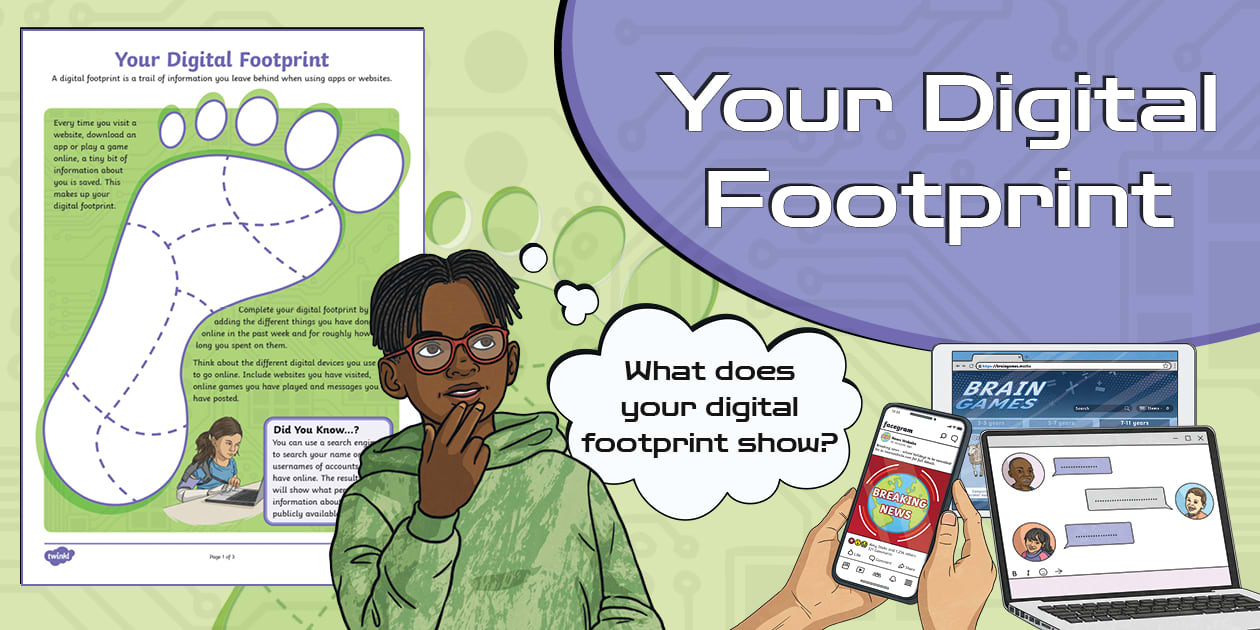
Fifth-grade classrooms buzz with digital energy, where students navigate shared school tablets, multiplayer gaming lobbies, and video platforms long before the bell rings. Children at age ten live in a world where every click leaves a trail, yet the concept of a permanent digital footprint remains largely invisible to developing minds. Educators and families often struggle to explain abstract internet concepts to concrete thinkers who view online spaces merely as playgrounds. Building healthy digital habits requires structured, hands-on tools that turn invisible online actions into tangible learning moments. This free printable “digital footprint for class 5” bridges that gap by offering a guided exercise designed for upper elementary learners. It sounds simple, and that is the point: making complex privacy concepts approachable without overwhelming young minds. Safety is a skill built through consistent practice rather than fear, and proactive conversations lay the foundation for lifelong digital citizenship. Related guide: 5 Cyber Safety Tips Symbols That Can Be Read By The Grede 7 Students.
💡 Educational Key Takeaways:
- Core Skill: Structured Digital Footprint For Class 5 focused on developing pencil grip, stroke control, and early literacy/math confidence.
- Target Scope: Suited for homeschoolers, preschool, kindergarten, and elementary learners.
- Best Recommendation: Practice 10–15 minutes daily with ergonomic writing tools to reinforce muscle memory without hand fatigue.
WhatThis Printable Covers
The resource centers on specific skills needed for intermediate elementary students, focusing on the permanence of online actions, the distinction between private and personal information, and the importance of thinking before posting. Children frequently encounter online risks not through malicious strangers, but through casual oversharing in in-game chat features or uploading photos on shared family devices without permission. This worksheet guides learners through scenarios that mirror real daily experiences, asking them to evaluate what information stays online forever and what should remain offline. According to the Pew Research Center, a substantial majority of parents report that their young children interact with digital devices regularly, making early guidance on footprints essential. The activity prompts students to pause, reflect, and categorize different online behaviors into safe habits and risky choices. By examining these choices on paper, students gain the mental space needed to make better decisions when they sit in front of a real screen.
Key Learning Outcomes
Completing this activity helps students identify the components that make up a positive online reputation. Learners discover that comments, images, and gaming usernames combine to form a permanent record that teachers, future schools, and eventually employers might see. Another critical focus involves establishing strong passwords and understanding that children are never in trouble for reporting something uncomfortable to a trusted adult. When children understand that reporting an awkward pop-up or a mean message keeps them safe rather than causing trouble, they communicate openly. Here is what makes this resource different: it frames digital footprints as a canvas for building a positive online legacy rather than a list of terrifying don’ts. Students learn to ask themselves simple guiding questions before sharing content, reinforcing the habit of digital mindfulness.
Howto UseThis Printable
Implementing this resource requires minimal preparation, making it flexible for both bustling classrooms and quiet kitchen tables. Teachers can integrate the activity into a standard computer lab session or media literacy lesson, using the scenarios as prompts for small group discussions. Homeschoolers find the layout ideal for one-on-one guided reflection, allowing time to explore deeper questions about online kindness and boundary-setting. Educators often pair these exercises with foundational lessons found within Worksheets to reinforce concepts through varied formats. Children absorb lessons more effectively when adults approach the material with curiosity instead of lecturing. Asking open-ended questions like what a specific scenario makes the child think about opens the door to authentic dialogue. The goal remains empowering children to take ownership of their online choices while knowing support is always available.
Practical Tips for Parents and Teachers
Adults guiding fifth graders through digital citizenship benefit from keeping conversations grounded in everyday realities. Shared family devices often serve as the primary testing ground where kids experiment with online platforms, making living room discussions vital. Rather than hovering over every keystroke, adults can use the printable to establish clear, collaborative rules about screen time, private data, and respectful communication. Educators striving to expand their instructional toolkit can explore additional resources via Internet and Digital Safety collections for comprehensive guidance. Setting a calm tone transforms digital safety from a source of anxiety into a normal life skill, much like crossing the street or swimming in a pool. Children respond best when rules have clear, logical reasons behind them, such as protecting personal privacy and maintaining community trust.
Age-Appropriate Recommendations
Fifth-grade students possess the cognitive development required to grasp abstract consequences, though they still benefit from concrete visual aids. Aligning with the International Society for Technology in Education Standards for Students, this resource encourages learners to cultivate a positive self-image and manage their digital identities responsibly. Educators and parents should tailor the discussion depth to match the specific maturity level of the child, focusing heavily on empathy, respect, and critical thinking. According to Common Sense Media research, children’s media consumption and digital independence increase significantly during the upper elementary years, highlighting the need for timely, targeted interventions. Introducing these concepts before middle school ensures that foundational safety habits are deeply ingrained before peer pressure and complex social platforms enter the picture. Providing clear pathways for help ensures children feel secure as they expand their digital horizons.
Substantial increases in children’s independent digital media use occur during the upper elementary years, necessitating proactive guidance on digital footprints and privacy. — Common Sense Media
Frequently Asked Questions
Clear answers to common questions help educators and families implement digital citizenship tools with complete confidence. The following section addresses download procedures, learning objectives, and alignment with organizational standards for online safety education.
Explore More Free Kids Online Safety Printables
Expanding a digital citizenship curriculum requires a diverse array of engaging materials that capture student interest. Educators can find creative ways to reinforce safety rules by browsing thematic Coloring Pages that suit younger elementary grades. Pairing visual art with reflective writing solidifies safety concepts across different learning styles and developmental stages. For broader lesson planning, exploring specialized modules available under Online and Digital Safety provides continuous support for teaching responsible technology use throughout the school year. Consistent reinforcement helps children build strong, healthy digital habits that last a lifetime.
Developmental Milestone & Activity Table
| Development Stage | Recommended Daily Duration | Primary Learning Objective |
|---|---|---|
| Preschool & Pre-K | 10 – 15 Minutes | Pencil grip development & basic pre-stroke lines |
| Kindergarten | 15 – 20 Minutes | Letter/number formation & spatial line awareness |
| Early Elementary (Grade 1–2) | 20 – 30 Minutes | Fluency, sentence construction & neatness |
Images References