Introduction
Digital spaces form a natural extension of modern childhood learning, playing, and socializing. Children routinely encounter connected environments through shared household tablets, collaborative in-game chat features, and educational video platforms long before reaching middle school. Introducing foundational security concepts early helps build lasting habits. Understanding how accounts stay secure transforms abstract technical ideas into concrete life skills. Safety education works best when framed as a toolkit for independence rather than a list of restrictions. Educators and caregivers frequently seek engaging materials that make technical topics accessible for young learners. The free printable “what is two-factor authentication (2fa), and how does it improve security? for kids” bridges the gap between complex backend technology and elementary-level comprehension. It sounds simple, and that is the exact point. Related guide: 5 Cyber Safety Tips Symbols That Can Be Read By The Grede 7 Students.
💡 Educational Key Takeaways:
- Core Skill: Structured What Is Two-Factor Authentication (2Fa), And How Does It Improve Security? For Kids focused on developing pencil grip, stroke control, and early literacy/math confidence.
- Target Scope: Suited for homeschoolers, preschool, kindergarten, and elementary learners.
- Best Recommendation: Practice 10–15 minutes daily with ergonomic writing tools to reinforce muscle memory without hand fatigue.
What This Printable Covers
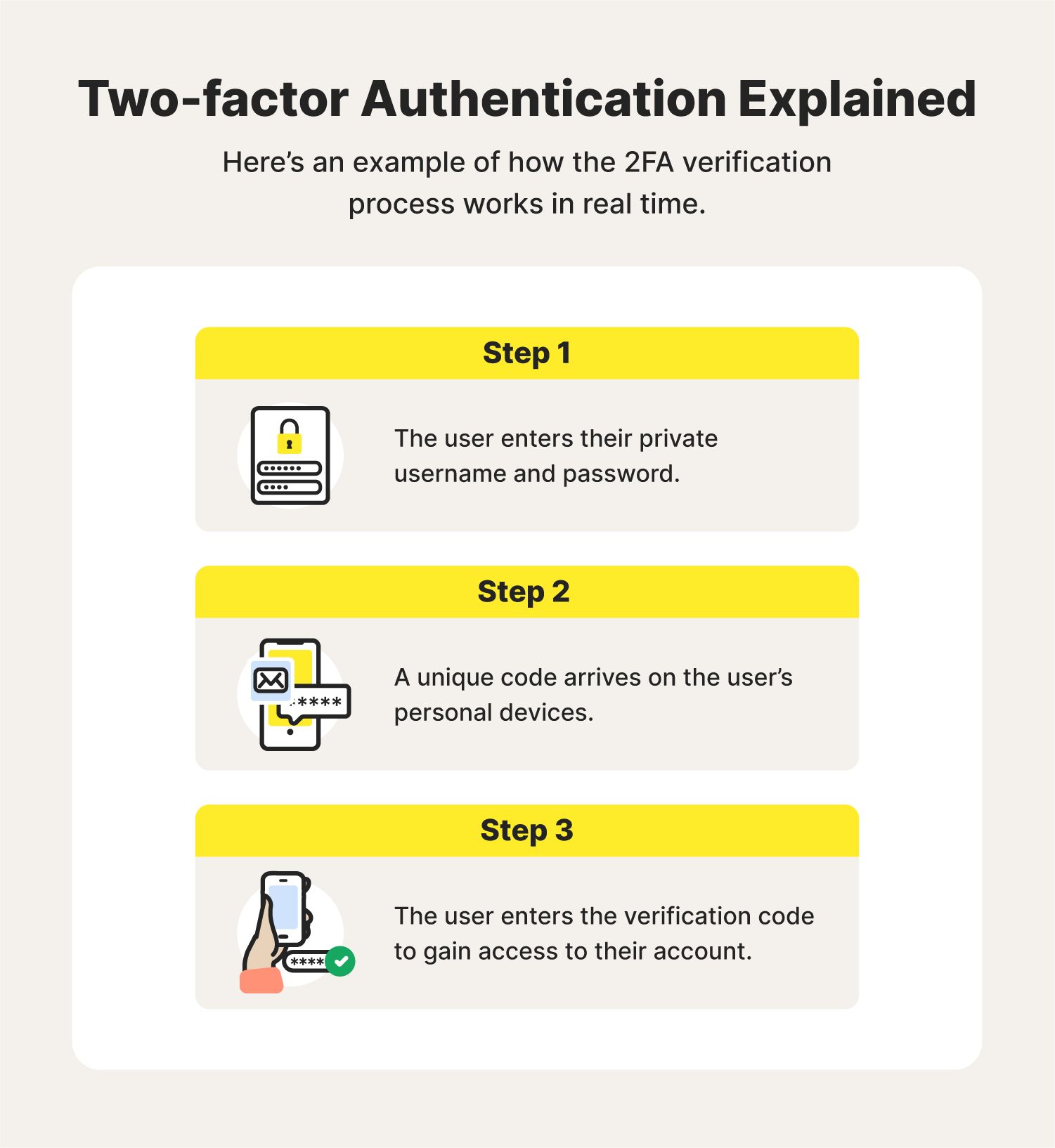
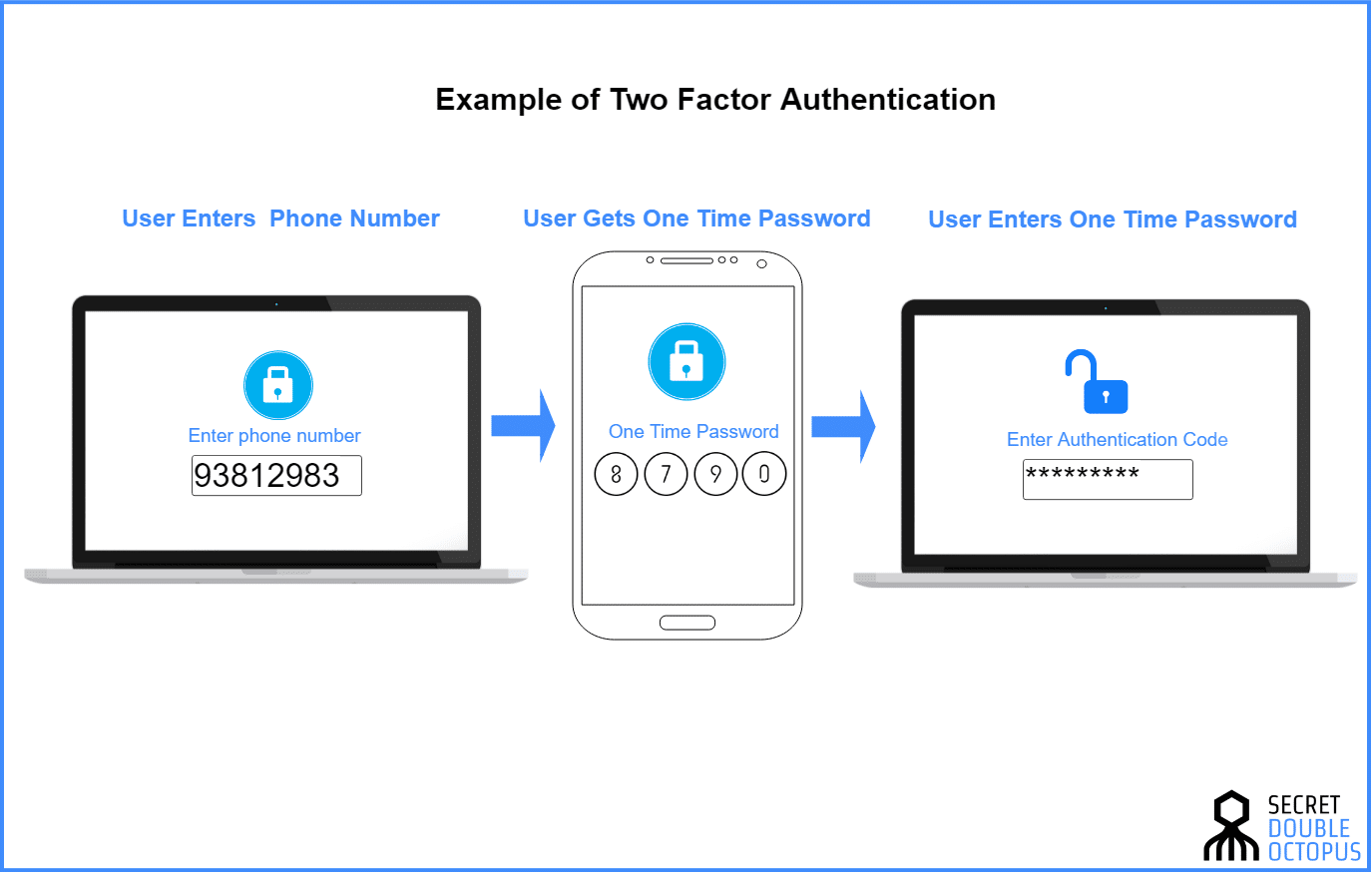
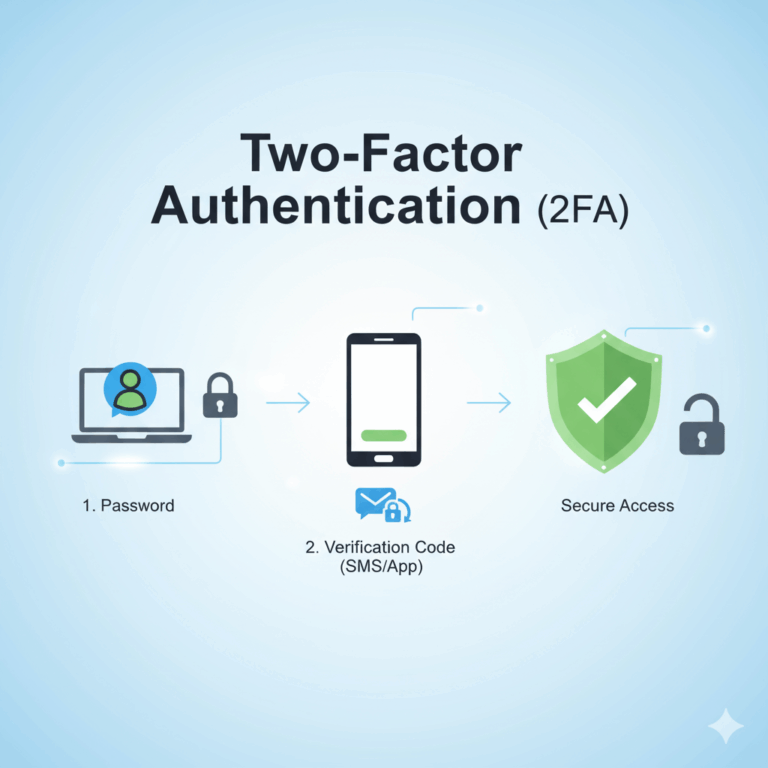
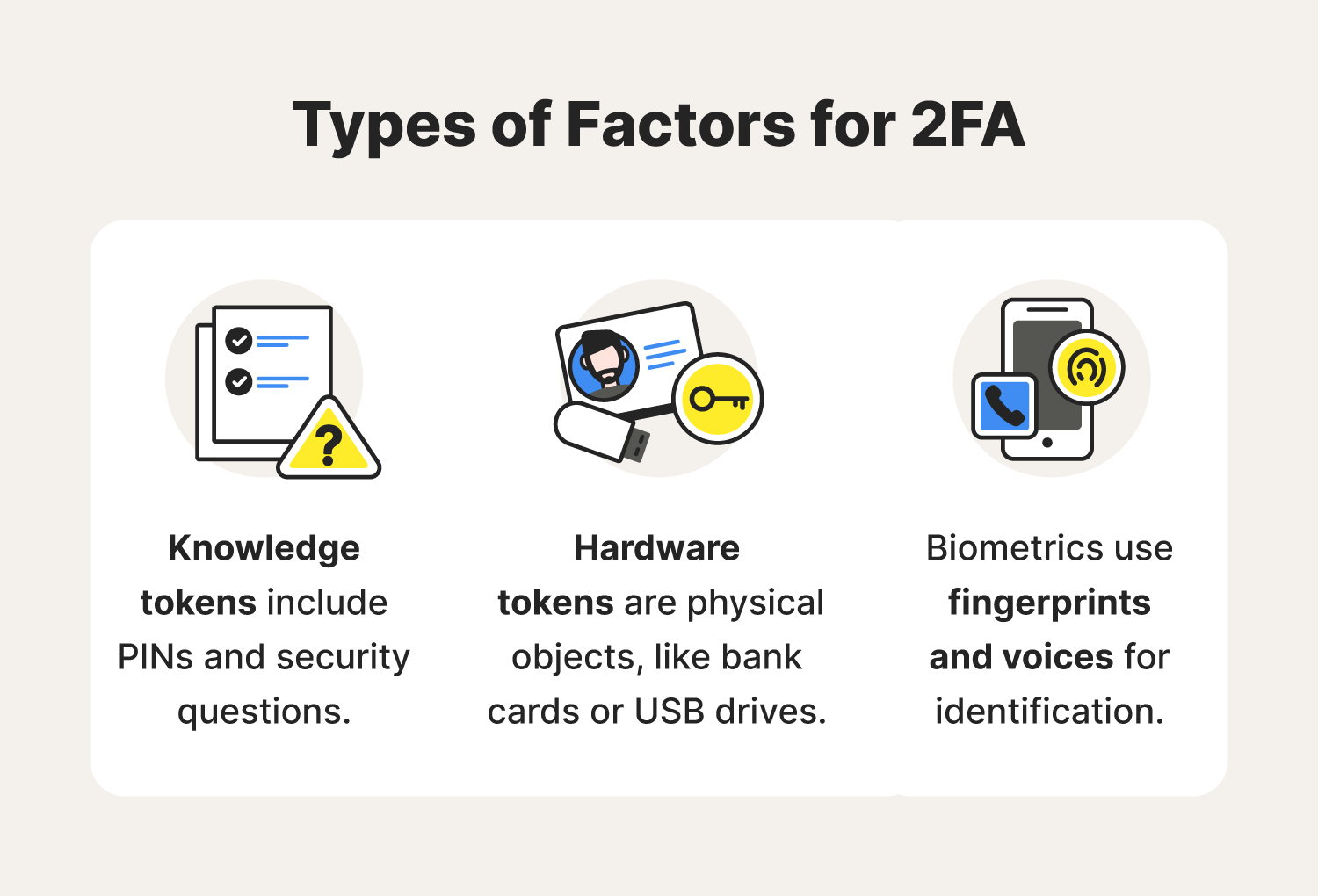
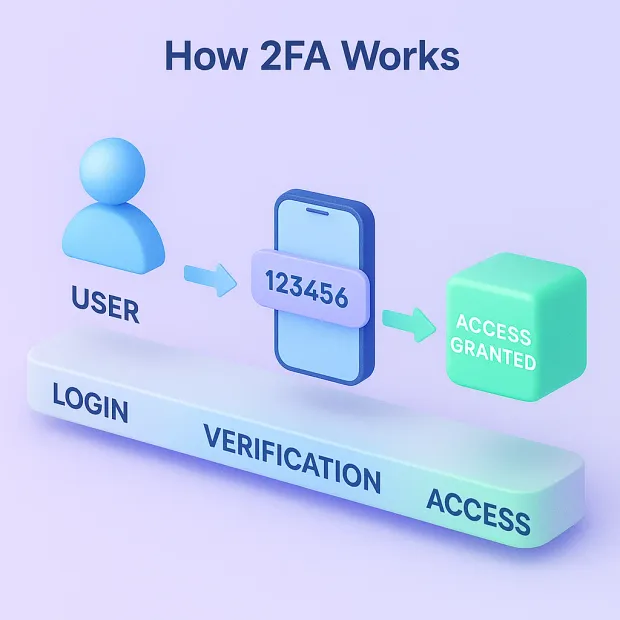
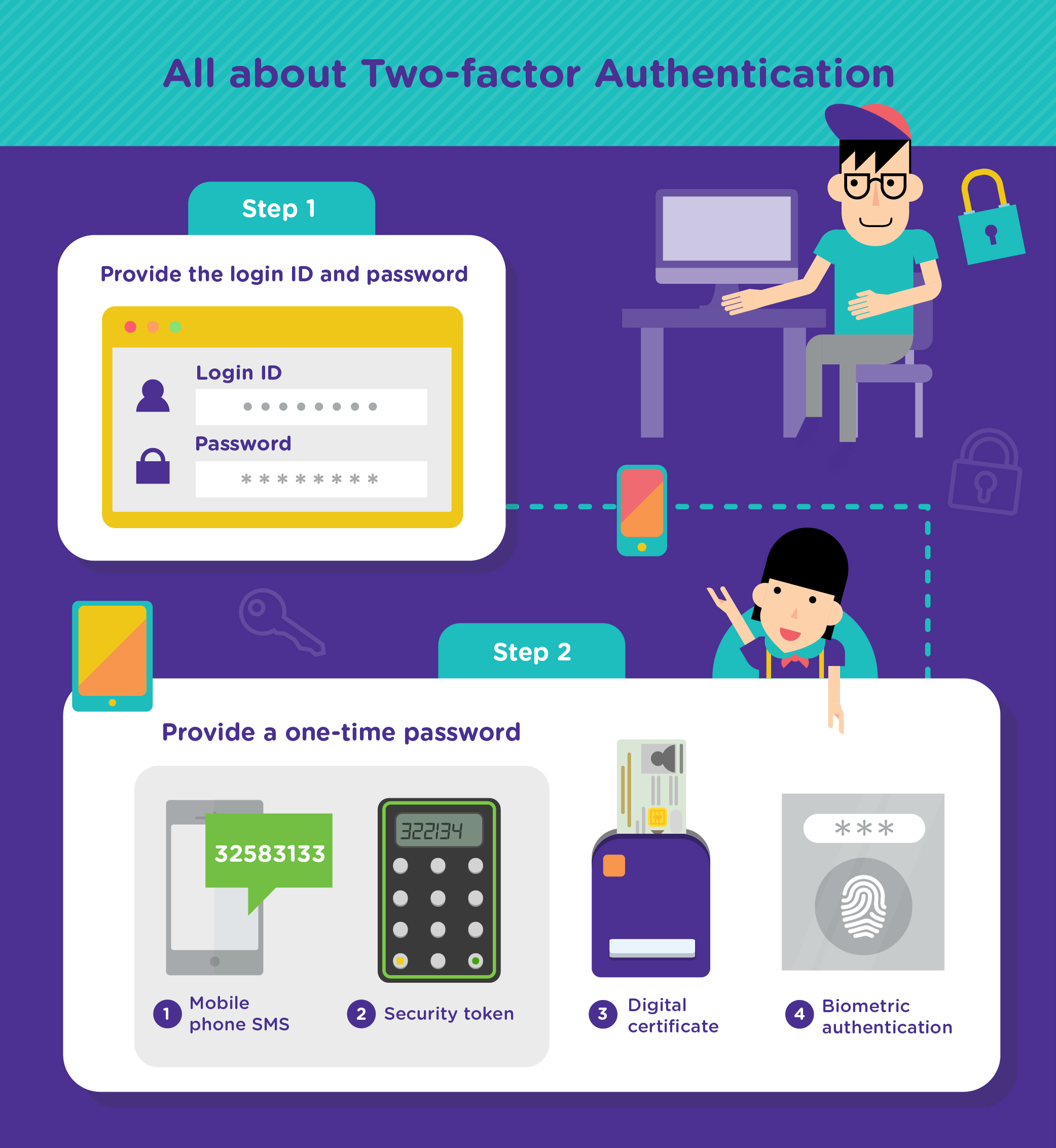
This educational guide breaks down multi-step verification into relatable, real-world analogies that elementary students grasp instantly. Rather than diving into complex code or confusing jargon, the content uses familiar comparisons, such as needing both a key and a secret password to open a magical clubhouse door. Children learn that passwords alone can sometimes be guessed or discovered, making a second check necessary. The pages illustrate how a temporary code sent to a trusted device acts like a security guard verifying identity before granting entry. This resource fits seamlessly alongside broader lessons found in Internet and Digital Safety curriculums used in classrooms and homeschool settings worldwide.
Key Learning Outcomes
Working through these exercises strengthens critical thinking around personal data protection. Students discover why convenience should never trump security when handling account credentials. According to the Federal Trade Commission, teaching children the value of account safeguards early creates resilient digital citizens who recognize the importance of keeping personal information private. Learners practice identifying trusted adults to consult whenever a security prompt appears unexpectedly. Furthermore, the material reinforces the comforting truth that children are never in trouble for reporting something confusing or uncomfortable online.
How to Use This Printable
Delivering this content effectively requires active participation and guided conversation. As children complete the targeted exercises found in standard Worksheets, adults should facilitate low-pressure discussions about digital routines. Here’s what makes this resource different: it transforms a boring backend security protocol into a collaborative storytelling exercise. Grown-ups can pause during the activity to ask open-ended questions about accounts shared among siblings or classmates. Making the learning process interactive ensures retention and reduces anxiety surrounding online rules.
Practical Tips for Parents and Teachers
Setting the right tone makes all the difference when teaching digital citizenship. Begin by exploring the printouts during a calm time of day, completely separate from screen-time conflicts. Relate the concept of multi-step verification to physical routines children already know, like locking the front door and setting a house alarm. Celebrate curiosity when young learners ask questions about how apps protect their favorite games. Reinforce positive habits by praising thoughtful decision-making whenever passwords or account settings arise organically during daily device use.
Age-Appropriate Recommendations
Tailoring the delivery to specific developmental stages keeps frustration at bay. For younger children around ages five to eight, focus purely on the concept of having two layers of protection for favorite things. Older elementary students between ages nine and twelve can explore how codes travel securely to trusted devices and why sharing these codes with peers compromises safety. Grounding these lessons in the Common Sense Education Digital Citizenship Curriculum provides structured pathways that align with modern classroom standards. Educators can easily scale the complexity of the discussion based on the group’s prior tech exposure.
According to Common Sense Media research, the vast majority of children access digital devices and interactive platforms before finishing elementary school, making early and supportive security education essential for healthy habit formation. — Common Sense Media
Frequently Asked Questions
Clear answers help caregivers navigate technical hurdles smoothly. The FAQ section below addresses common implementation questions using concise, snippet-optimized guidance.
According to the Pew Research Center, families increasingly rely on shared household technology, highlighting the need for multi-layer account security education across all age groups. — Pew Research Center
Explore More Free Kids Online Safety Printables
Expanding the digital citizenship toolkit helps reinforce these concepts over time. Educators and parents can discover additional resources by browsing through curated Coloring Pages designed to spark joyful, creative dialogue. Exploring topics related to Online and Digital Safety ensures children develop a well-rounded, confident approach to navigating connected environments safely and responsibly.
Developmental Milestone & Activity Table
| Development Stage | Recommended Daily Duration | Primary Learning Objective |
|---|---|---|
| Preschool & Pre-K | 10 – 15 Minutes | Pencil grip development & basic pre-stroke lines |
| Kindergarten | 15 – 20 Minutes | Letter/number formation & spatial line awareness |
| Early Elementary (Grade 1–2) | 20 – 30 Minutes | Fluency, sentence construction & neatness |
Images References