Introduction
Finding practical tools to guide young children through the digital world often feels overwhelming for educators and families alike. Modern children navigate shared household tablets, jump into in-game chat rooms during multiplayer sessions, and explore video platforms long before they reach middle school. These everyday digital experiences happen quickly, usually without an adult hovering directly over the shoulder. When searching for reliable materials using terms like free printable is internet safety rules for kids worth near me, adults seek accessible ways to establish protective habits without causing unnecessary panic. Digital citizenship is not about installing fear; it is about building lifelong skills. A well-designed guide or checklist offers clear rules that translate smoothly into daily home or classroom implementation, giving adults a reliable starting point for meaningful conversations. Related guide: Internet Safety Hunt For Students.
💡 Educational Key Takeaways:
- Core Skill: Structured Is Internet Safety Rules For Kids Worth Near Me focused on developing pencil grip, stroke control, and early literacy/math confidence.
- Target Scope: Suited for homeschoolers, preschool, kindergarten, and elementary learners.
- Best Recommendation: Practice 10–15 minutes daily with ergonomic writing tools to reinforce muscle memory without hand fatigue.
What This Printable Covers
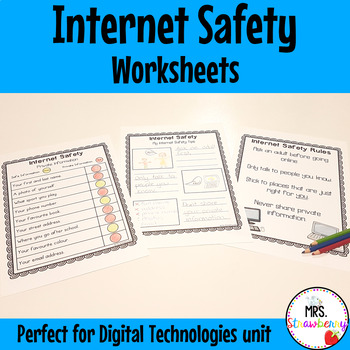
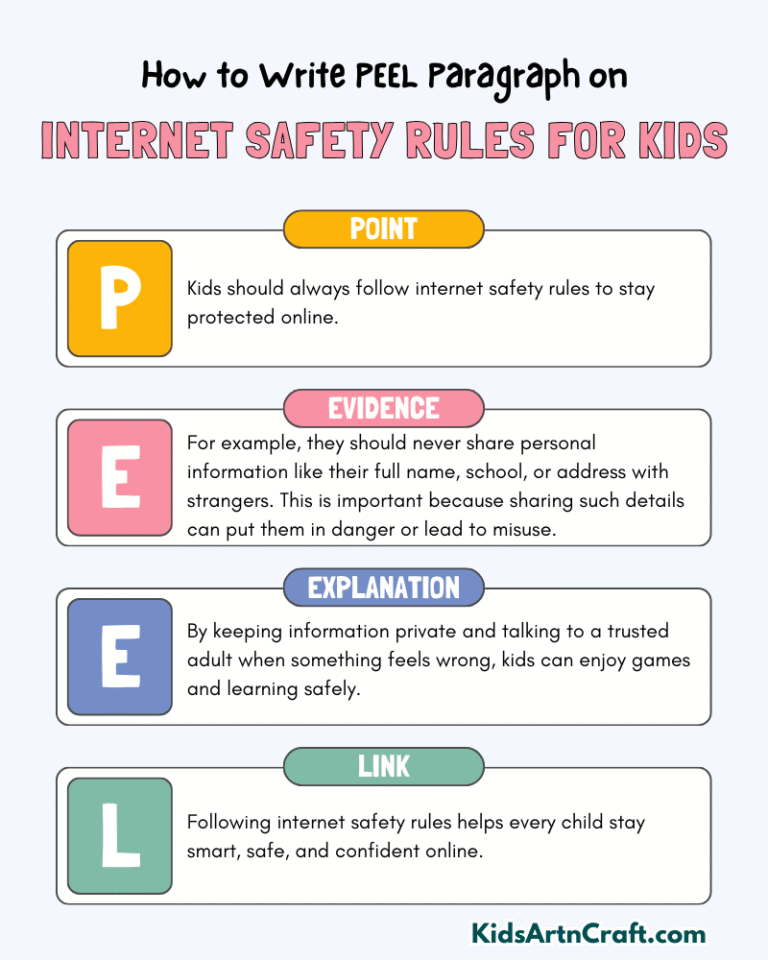
Effective safety materials focus on foundational digital habits that children can easily understand and apply. This resource centers on keeping personal information private, creating strong passwords, thinking critically before sharing, and recognizing when to pause. It sounds simple, and that’s the point. Children absorb rules much faster when concepts break down into manageable, everyday actions rather than abstract warnings. Every section of the checklist or guide reinforces the golden rule of digital life: telling a trusted adult immediately whenever something feels uncomfortable or confusing. Crucially, the material instills the absolute certainty that children are never in trouble for reporting a strange online encounter.
Key Learning Outcomes
Using structured safety reminders helps children identify what constitutes private data, such as home addresses, full names, and school titles. Learners begin to understand that digital footprints remain permanent, shaping how others perceive them online and offline. By reviewing these guidelines, students practice pausing before clicking links, downloading files, or interacting with unfamiliar accounts. Here’s what makes this resource different: it treats safety as an ongoing practice rather than a one-time lecture. Adults using these tools often notice a shift in how children approach shared devices, transforming passive screen time into mindful digital engagement.
How to Use This Printable
Implementing a checklist or guide works best when integrated into regular routines rather than treated as a punitive lecture. Print multiple copies to keep near home computer stations, classroom media centers, or tablet charging docks where children can see them daily. Educators frequently pair these documents with hands-on Worksheets to reinforce concepts through interactive problem-solving scenarios. Adults can read through the checkpoints together with children, asking open-ended questions about favorite apps and games to bridge the gap between abstract rules and real-world digital habits.
Practical Tips for Parents and Teachers
Consistency remains the bedrock of effective digital citizenship education. Start by reviewing the checklist points one by one, allowing children to explain the rules in their own words to check for true comprehension. Role-playing different scenarios—such as what to do when a pop-up promises a free game prize—builds muscle memory for actual online encounters. Exploring broader Internet and Digital Safety strategies helps adults stay informed about emerging trends while keeping messaging aligned across home and school environments.
Age-Appropriate Recommendations
Tailoring digital safety discussions to a child’s developmental stage ensures the lessons actually land. For younger elementary students ages five through eight, keep rules concrete, focusing on device sharing and asking permission before opening new apps. Older children ages nine through twelve can handle nuanced discussions about digital footprints, peer pressure in chat rooms, and critical evaluation of online sources. Integrating the Common Sense Education Digital Citizenship Curriculum provides a structured framework for scaffolding these lessons as children mature, ensuring expectations grow right alongside their expanding digital autonomy.
According to Common Sense Media research, a significant percentage of children begin using mobile devices and engaging with online platforms before entering kindergarten, making early foundational safety habits more essential than ever. — Common Sense Media
Frequently Asked Questions
How do adults access and print this resource? Downloading the printable is fast and simple; just click the link, save the PDF file to any computer or mobile device, and send it directly to a home or classroom printer.
How does this printable support online safety learning? The resource provides clear, actionable checkpoints that prompt children and adults to discuss healthy digital habits, turning passive screen time into an active learning opportunity.
What do safety experts recommend regarding children’s digital habits? According to the National Center for Missing & Exploited Children (NCMEC), establishing open lines of communication where children feel safe reporting uncomfortable online interactions is one of the most effective protective measures adults can implement.
Explore More Free Kids Online Safety Printables
Expanding a digital citizenship toolkit requires access to diverse resources tailored to different learning styles. Adults can browse additional materials, including creative Coloring Pages that make discussing digital boundaries engaging for younger learners. Maintaining open dialogue alongside structured guidance ensures children feel confident, supported, and well-equipped as they navigate the modern connected world.
Developmental Milestone & Activity Table
| Development Stage | Recommended Daily Duration | Primary Learning Objective |
|---|---|---|
| Preschool & Pre-K | 10 – 15 Minutes | Pencil grip development & basic pre-stroke lines |
| Kindergarten | 15 – 20 Minutes | Letter/number formation & spatial line awareness |
| Early Elementary (Grade 1–2) | 20 – 30 Minutes | Fluency, sentence construction & neatness |
Images References