Introduction
Children step into digital spaces long before they learn how to cross a busy street safely. Tablets, shared family laptops, and school-issued devices become portals for learning, gaming, and connecting with friends. Yet, the physical cues that help kids navigate the offline world do not exist on the screen. Modern children often encounter online risks through casual avenues like in-game chat features, video recommendation algorithms, and shared household devices. Establishing healthy digital habits early requires patience, clear boundaries, and consistent reinforcement. It sounds simple, and that’s the point. Safety is not an innate trait; it is a learned skill built through regular, low-stakes conversations between trusted adults and children. Utilizing a free printable guide on internet safety rules for {site_name} provides a tangible starting point for these essential discussions at home or in the classroom. Related guide: 5 Cyber Safety Tips Symbols That Can Be Read By The Grede 7 Students.
💡 Educational Key Takeaways:
- Core Skill: Structured Internet Safety Rules For Kids Near Me focused on developing pencil grip, stroke control, and early literacy/math confidence.
- Target Scope: Suited for homeschoolers, preschool, kindergarten, and elementary learners.
- Best Recommendation: Practice 10–15 minutes daily with ergonomic writing tools to reinforce muscle memory without hand fatigue.
What This Printable Covers
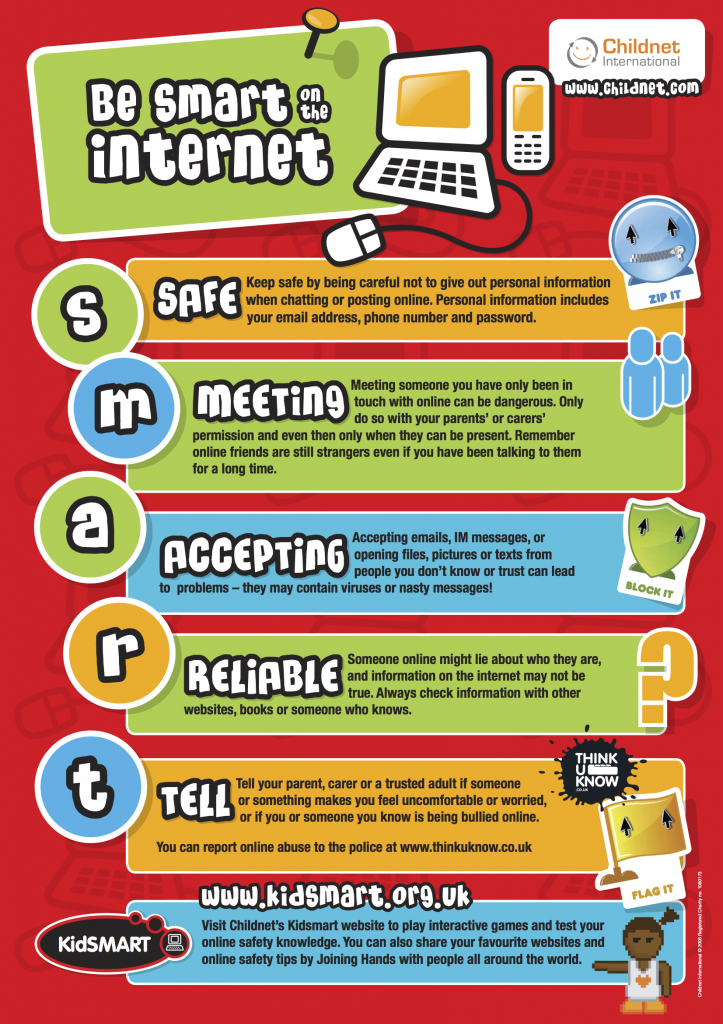
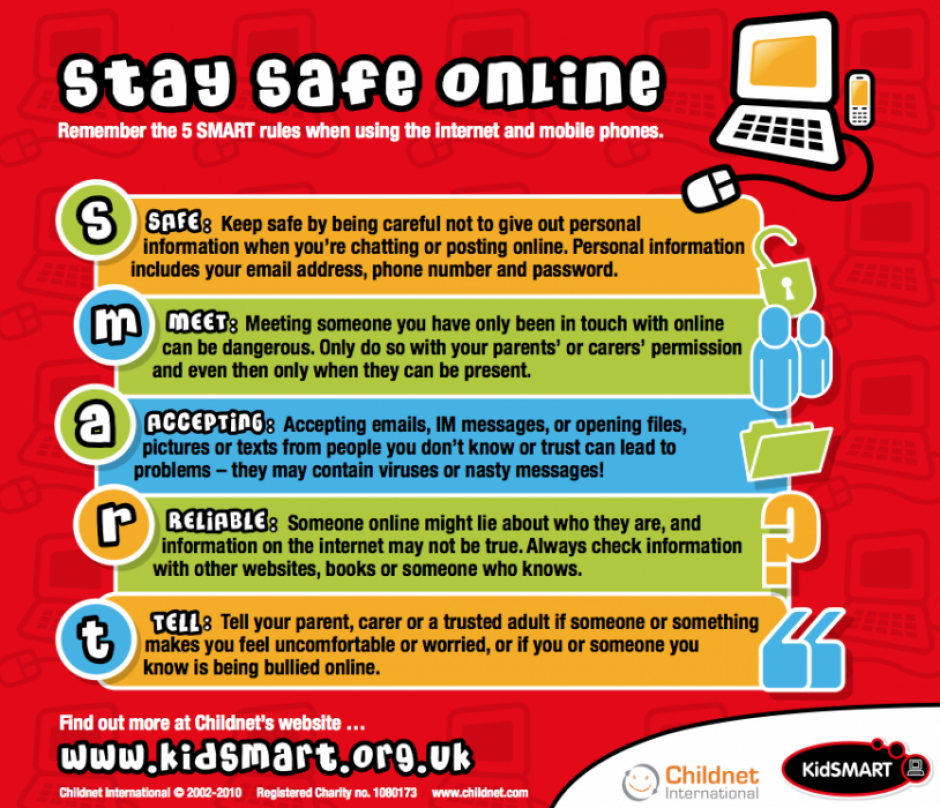
Effective digital citizenship education focuses on empowerment rather than restriction. This resource outlines foundational protective habits that keep young learners grounded while exploring the web. Core principles include keeping personal information strictly private, recognizing the importance of strong passwords, and pausing to think before sharing photos or comments. Children learn that digital footprints are permanent and that kindness matters just as much behind a keyboard as it does on the playground. Furthermore, the material emphasizes the single most critical safety net: knowing who to tell when something feels confusing, weird, or uncomfortable. Crucially, the guidance reassures learners that children are never in trouble for reporting an unsettling digital encounter. Browsing through various internet safety lessons helps reinforce these exact themes.
Key Learning Outcomes
Working through these established rules helps elementary students internalize practical digital boundaries. Learners begin to identify what constitutes private data, such as home addresses, full names, and school names. They also practice critical thinking by evaluating online situations before clicking links or downloading content. Educators and parents often notice a shift in how children approach shared tech environments after reviewing these concepts. According to Common Sense Media, the majority of kids use mobile devices daily, making proactive habit-building an absolute necessity for modern households and classrooms. Building these competencies transforms passive screen time into an opportunity for mindful digital citizenship.
How to Use This Printable
Implementation works best when treated as a collaborative exercise rather than a lecture. Adults can print out the pages and sit alongside children to read through each rule together, inviting questions and real-world examples. Here’s what makes this resource different: it relies on visual clarity and positive reinforcement to make abstract internet rules concrete for young minds. Teachers can incorporate the material into morning meetings or computer lab orientation sessions, while families can post the finished sheet near the family charging station. Exploring additional interactive digital citizenship worksheets provides even more ways to test comprehension through engaging scenarios.
Practical Tips for Parents and Teachers
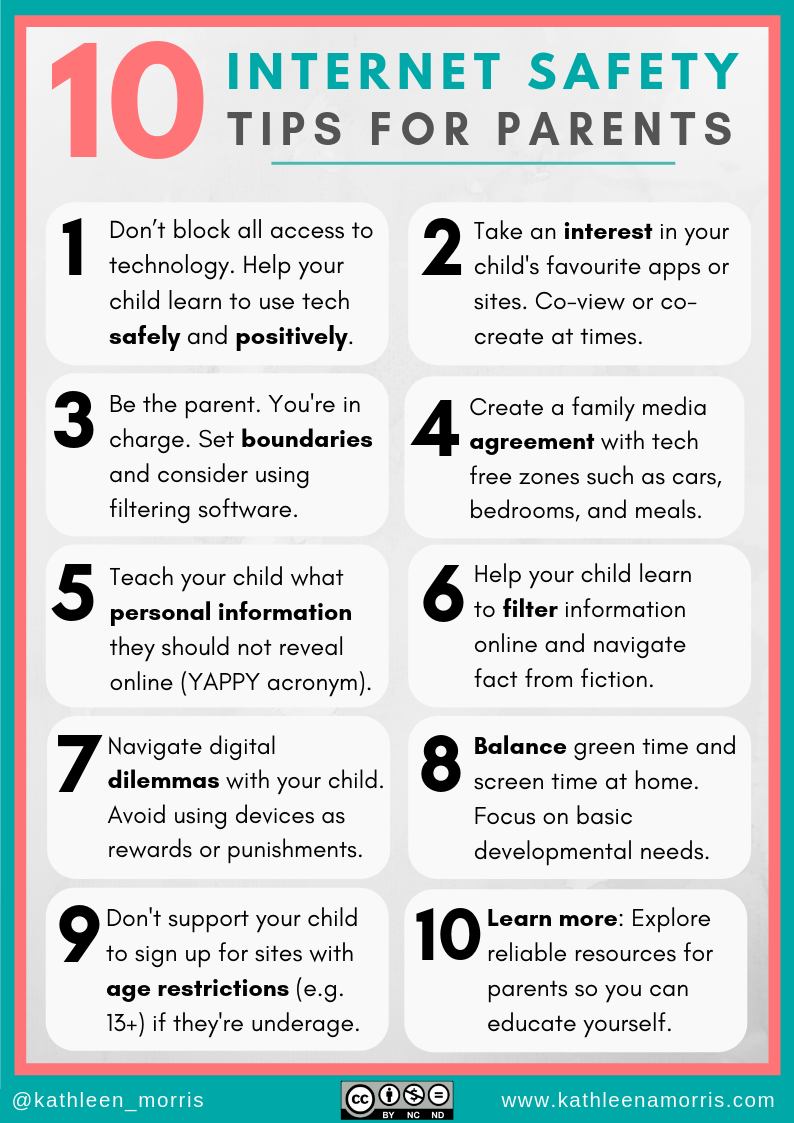
Consistency remains the secret ingredient to successful digital literacy education. Adults should revisit the printed rules periodically, especially when children receive a new device or gain access to a new application. Role-playing different scenarios—such as what to do if a pop-up window appears or if an online player asks too many questions—prepares children to react calmly in real time. Keeping the tone encouraging ensures that kids feel comfortable asking for help instead of hiding mistakes out of fear. Open communication beats technological blocks every single time.
Age-Appropriate Recommendations
Children between ages five and twelve process abstract concepts at vastly different developmental stages. Kindergartners and first graders need simple, concrete reminders about keeping device passwords secret and asking an adult before clicking anything new. Upper elementary students, conversely, navigate complex social dynamics within multiplayer video games and messaging apps, requiring deeper discussions about online etiquette and digital footprints. Grounding this instruction in the Common Sense Education Digital Citizenship Curriculum ensures that lessons align with cognitive milestones. Tailoring the conversation to the child’s exact age bracket prevents overwhelm and maximizes comprehension.
According to Pew Research Center, a substantial majority of parents express concern about their young children’s screen time and digital exposure, highlighting the urgent need for structured, accessible guidance at home and in schools. — Pew Research Center
Frequently Asked Questions
Finding the right approach to digital safety often brings up practical questions for educators and caregivers. Clear answers help streamline the process of downloading, printing, and teaching these vital concepts. Reviewing common inquiries ensures that adults feel fully equipped to guide their students or children toward safer online habits without unnecessary stress.
Explore More Free Kids Online Safety Printables
Expanding a digital safety toolkit helps maintain engagement throughout the school year. Educators and parents can discover additional resources, including creative coloring sheets for young learners and comprehensive guides covering online and digital safety best practices. Every downloaded activity adds another layer of confidence for children exploring the digital world.
Developmental Milestone & Activity Table
| Development Stage | Recommended Daily Duration | Primary Learning Objective |
|---|---|---|
| Preschool & Pre-K | 10 – 15 Minutes | Pencil grip development & basic pre-stroke lines |
| Kindergarten | 15 – 20 Minutes | Letter/number formation & spatial line awareness |
| Early Elementary (Grade 1–2) | 20 – 30 Minutes | Fluency, sentence construction & neatness |
Images References