Why Visual Learning is Essential for Early Elementary Digital Citizenship
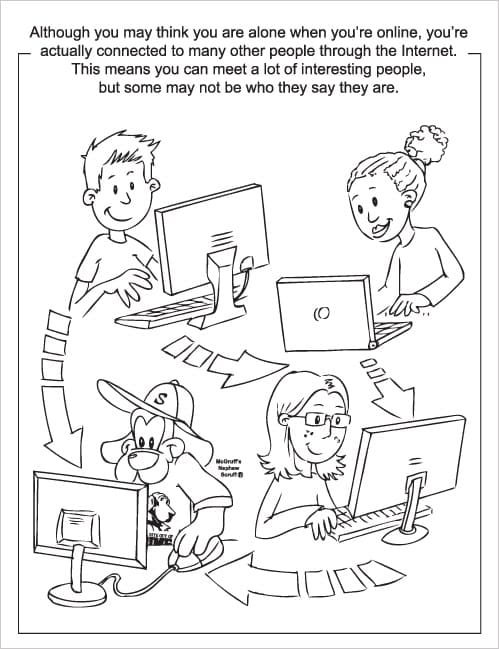
Teaching seven-year-olds about digital boundaries requires approaches tailored to their developmental stage. According to youth privacy guidance from organizations like ConnectSafely, young children process abstract concepts much faster when they are paired with tactile, creative activities. Utilizing an internet safety poster grade two dont share name personal info coloring page bridges the gap between complex digital rules and concrete understanding. When students color characters guarding their private details, they build mental associations that protect them long before they ever navigate independent social apps or open-chat multiplayer games. Related guide: Please Provide Free 8.5″X11″ Digital Safety Coloring Pages For K-2 Grade.
💡 Activity Key Takeaways:
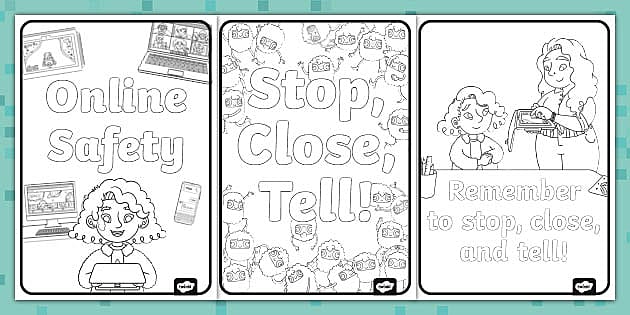
- Core Focus: Printable Internet Safety Poster Grade Two Dont Share Name Persoanl Info Coloring Page designed for creative expression and fine-motor coordination.
- Target Scope: Ideal for toddlers, preschool, kindergarten, and classroom art activities.
- Best Recommendation: Use standard heavy printer paper (24–28 lb) or cardstock for vibrant results with crayons, colored pencils, or washable markers.
Digital Vulnerabilities and Preventive Guardrails for Young Learners
Second graders frequently encounter shared school devices, interactive learning apps, and family tablets where personal data can easily be typed into the wrong field. Adults must balance filtering software with active observation. The breakdown below outlines common vulnerabilities across different digital environments and the practical safeguards educators and families should implement together.
| Setting / Context | Common Vulnerability | Practical Safeguard |
|---|---|---|
| School Tablets & Chromebooks | Accidentally typing full legal names into public profile fields or avatar creators. | Establish a classroom rule to consult a teacher before creating any account username. |
| Home Devices & Educational Apps | Unintended microphone access or location sharing requested by game pop-ups. | Configure device system settings to restrict geolocation permissions by default. |
| Creative & Interactive Coloring Platforms | Typing personal data into public galleries or comment sections. | Utilize offline Coloring Pages that teach privacy concepts without live internet exposure. |
Building Safe Habits at Home and in the Classroom
Consistency between school policies and home routines is the cornerstone of effective digital citizenship. Educators can introduce core concepts through structured Worksheets that reinforce why first names, home addresses, and favorite schools must stay private. Meanwhile, parents can support these lessons by setting up central charging stations in common family areas rather than behind closed bedroom doors. When an adult sits down to color alongside a child, it opens a natural, stress-free dialogue about what information belongs exclusively to the family.
Addressing Mistakes Without Creating Shame or Fear
Children will inevitably make mistakes, such as typing a full name where a nickname belongs or clicking a pop-up button without reading it. Overly punitive reactions often drive children to hide their digital mishaps out of fear of losing device privileges. Organizations like the FTC emphasize open reporting channels where children feel safe disclosing accidental clicks. Treat every slip-up as a teachable moment, validating their honesty while gently recalibrating device boundaries together.
Frequently Asked Questions About Early Digital Privacy
How early should children learn about online privacy and personal data?
Introduction should begin as soon as children interact with screens—typically in kindergarten or first grade. Simple concepts like keeping your name safe online lay the foundation for advanced Online and Digital Safety habits later in elementary school.
Are coloring pages actually effective for teaching data privacy?
Yes, tactile art activates fine motor skills and creative focus, helping young brains anchor abstract rules like data privacy into memorable visual cues they can recall later.
Teach your child to find an adult immediately without fear of punishment. Emphasize that grown-ups are there to help fix digital mistakes safely and calmly.
Explore More Digital Citizenship Resources
Equipping children for a connected world requires ongoing collaboration between teachers, school administrators, and families. Discover more expert-vetted lesson plans, activity sheets, and safety guides by visiting SafeWiredSchools.org to keep your students protected both online and offline.
Printable Coloring Page Previews