Introduction
Navigating the digital world requires steady guidance, much like learning to ride a bicycle or cross a busy street. High school students encounter complex online environments daily, often moving between shared household devices, fast-paced in-game chats, and video platforms where social boundaries blur. Setting clear expectations for teenagers helps bridge the gap between independent exploration and responsible behavior. Educators and caregivers often search for reliable guidelines to structure these digital boundaries effectively. Finding the right tools can transform abstract internet safety instructions for 9th through 12th graders should include what into actionable daily habits. Building these competencies early creates resilient digital citizens who can independently manage their online reputations, privacy settings, and interactions. Related guide: Teachers Of Grades 9–12 Should Expand Internet Safety Instruction To Include Which Of The Following Topics?.
💡 Educational Key Takeaways:
- Core Skill: Structured Internet Safety Instructions For 9Th Through 12Th Graders Should Include What focused on developing pencil grip, stroke control, and early literacy/math confidence.
- Target Scope: Suited for homeschoolers, preschool, kindergarten, and elementary learners.
- Best Recommendation: Practice 10–15 minutes daily with ergonomic writing tools to reinforce muscle memory without hand fatigue.
What This Printable Covers
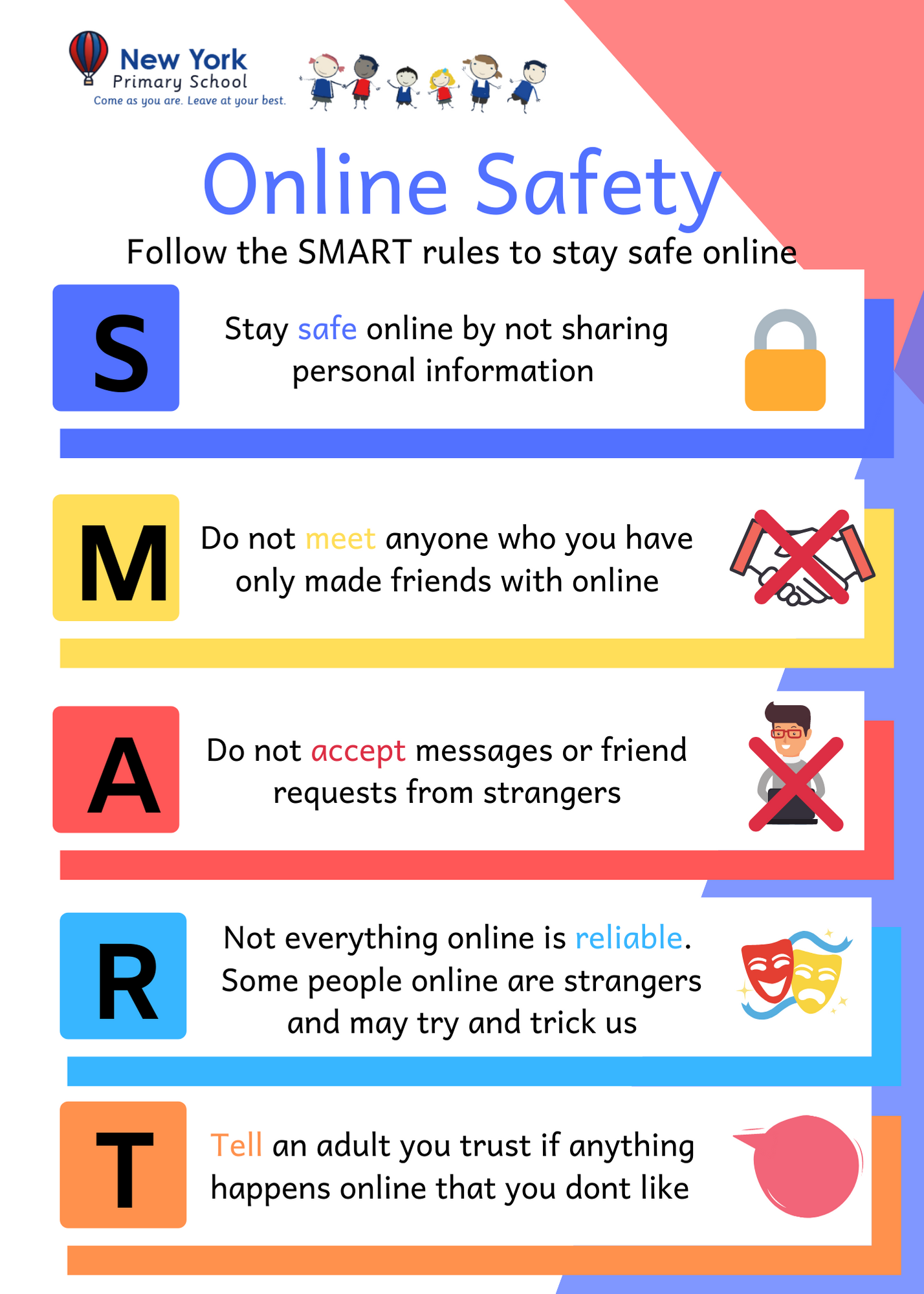
This free printable resource addresses the specific realities faced by adolescents navigating high school digital landscapes. It outlines essential parameters for managing personal data, recognizing digital footprints, and handling peer communication with integrity. Rather than relying on restriction or fear, the guide highlights the mechanics of strong passwords, two-factor authentication, and critical thinking regarding shared content. It serves as a structured checklist for home or classroom implementation, offering clear rules that teenagers can easily digest. Educators frequently utilize these materials within broader Internet and Digital Safety curricula to foster open dialogues about online ethics. The content emphasizes that reporting uncomfortable encounters never results in punitive action, reinforcing an open-door policy for trusted adults.
Key Learning Outcomes
Working through this guide enables students to evaluate online risks independently and make informed choices. Learners develop the specific skill of pausing before sharing, allowing them to assess how temporary posts impact future academic and professional opportunities. According to Common Sense Media, adolescents benefit immensely from explicit instruction regarding digital footprint management and privacy literacy. The printable reinforces these concepts through reflective prompts that prompt students to consider the permanence of online content. Furthermore, participants learn the practical importance of keeping personal identifiable information private, regardless of how secure a messaging app or platform appears to be.
How to Use This Printable
Integrating this resource into daily routines requires a collaborative approach between home and school environments. School counselors and teachers can distribute the checklists during advisory periods, sparking meaningful discussions about online boundary-setting. Parents find success by reviewing the document alongside teenagers, framing the rules as collaborative agreements rather than unilateral commands. It sounds simple, and that’s the point. Clear, accessible guidelines remove ambiguity and provide a concrete vocabulary for discussing digital dilemmas. For additional reinforcement, educators often pair these resources with engaging Worksheets designed to test critical thinking through real-world scenarios.
Practical Tips for Parents and Teachers
Consistency remains the cornerstone of effective digital citizenship education. Adults should revisit these guidelines periodically, adapting the conversation as older students transition toward college applications, employment searches, and independent living. Here’s what makes this resource different: it shifts the focus from policing behavior to empowering students with self-regulation tools. Establish a non-judgmental environment where teenagers feel safe disclosing digital mistakes or concerning interactions without fear of losing device privileges. Modeling healthy technology habits in the classroom and at home provides a powerful template for adolescent behavior.
Age-Appropriate Recommendations
High school students require nuanced frameworks that respect their growing autonomy while establishing firm safety nets. Grounded in the Common Sense Education Digital Citizenship Curriculum, this approach aligns with developmental milestones for youth aged fourteen through eighteen. Older teens grapple with complex social dynamics, making it vital to address topics like cyberbullying intervention, consent in digital media sharing, and recognizing misinformation. Keeping expectations tailored to developmental stages ensures that students remain engaged rather than dismissive of safety protocols.
Teens navigate complex digital environments daily, requiring guidance that balances independence with structured privacy safeguards — Pew Research Center
Frequently Asked Questions
Accessing and implementing educational safety tools should be straightforward for educators and families alike. The following answers address common inquiries regarding downloading, utilization, and institutional recommendations for these foundational digital citizenship materials.
Explore More Free Kids Online Safety Printables
Expanding a digital citizenship toolkit enhances a student’s ability to navigate virtual spaces safely and confidently. Educators and families can explore diverse resources dedicated to Online and Digital Safety to reinforce core messaging across multiple grade levels. Combining printable checklists, interactive modules, and guided discussions creates a robust foundation for lifelong digital wellness. Continuing this educational journey ensures young people remain equipped for the ever-evolving technological landscape.
Developmental Milestone & Activity Table
| Development Stage | Recommended Daily Duration | Primary Learning Objective |
|---|---|---|
| Preschool & Pre-K | 10 – 15 Minutes | Pencil grip development & basic pre-stroke lines |
| Kindergarten | 15 – 20 Minutes | Letter/number formation & spatial line awareness |
| Early Elementary (Grade 1–2) | 20 – 30 Minutes | Fluency, sentence construction & neatness |
Images References