
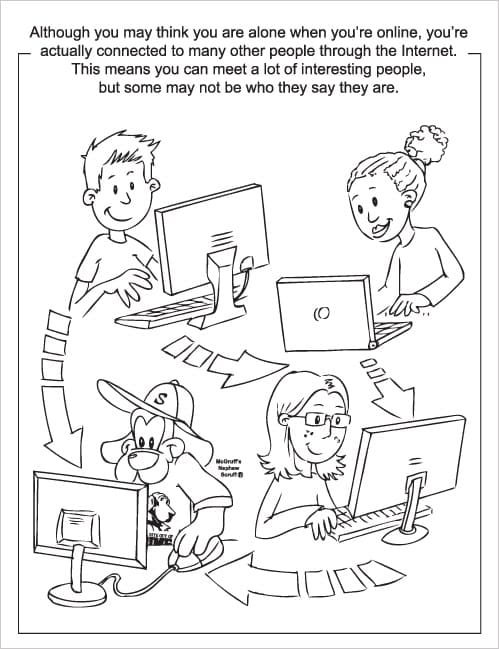
Why Foundational Digital Citizenship Starts Early with Internet Safety Coloring Page Kindergarten
Introducing foundational technology rules to five-year-olds requires approaches that match their developmental stage. Young children interact with touchscreens, streaming video portals, and smart home devices long before they can decode complex cybersecurity manuals or comprehend privacy policies. Integrating an internet safety coloring page kindergarten activity into classroom centers or living room tables bridges this gap, turning abstract network concepts into tangible, visual lessons. Organizations like ConnectSafely and the Family Online Safety Institute emphasize that early, low-stakes conversations build the cognitive scaffolding children need as they grow into more autonomous device users. By coloring characters practicing safe online habits—such as asking a trusted adult before clicking or keeping passwords private—kindergarteners internalize vital digital boundaries through creative play. Related guide: Please Provide Free 8.5″X11″ Digital Safety Coloring Pages For K-2 Grade.
💡 Activity Key Takeaways:
- Core Focus: Printable Internet Safety Coloring Page Kindergarten designed for creative expression and fine-motor coordination.
- Target Scope: Ideal for toddlers, preschool, kindergarten, and classroom art activities.
- Best Recommendation: Use standard heavy printer paper (24–28 lb) or cardstock for vibrant results with crayons, colored pencils, or washable markers.
Early Childhood Technology Risks and Practical Guardrails
Even at age five, children encounter unexpected risks ranging from accidental in-app purchases and predatory pop-up ads to stumbling upon age-inappropriate video content via autoplay features. Adults must look past the friendly, cartoonish interfaces of modern apps and establish robust technical and environmental protections. Reviewing common vulnerability signals helps parents and school staff secure devices before a minor incident occurs.
| Setting / Context | Common Vulnerability | Practical Safeguard |
|---|---|---|
| Home Tablets & Phones | Unmonitored app store access leading to accidental purchases or downloads. | Enable strict biometric purchasing locks and hide app stores from the main home screen. |
| School Chromebooks & Tablets | Children wandering away from walled-garden educational portals to open search engines. | Configure DNS-level content filters and restrict browser access to pre-approved school bookmarks. |
| Interactive Voice & Chat Toys | Accidental voice-activated sharing of personal details or home locations to third-party servers. | Disable microphone permissions on unmonitored apps and turn off smart assistant features in children’s play areas. |
Establishing Healthy Screen Routines and Classroom Safety Habits
Technology rules are most effective when they are consistent, predictable, and free from intimidation. Educators and parents should collaborate to create a seamless bridge between school device policies and home internet usage. Start by utilizing resources from our collection of Coloring Pages to introduce concepts like screen-free mealtimes and device bedtimes. Establish a central family charging station in a common area like the kitchen rather than allowing tablets inside bedrooms overnight. When teaching young learners, focus on the “ask first” rule: whenever a pop-up appears, a game asks for a name, or something on the screen feels confusing or scary, the child’s immediate reaction should be to pause and fetch an adult. Reinforce this workflow without shame so children feel confident coming forward if they encounter something unexpected online. For more structured offline activities, pair your visual lessons with printable exercises found in our Worksheets section.
Young children are naturally curious, and forbidding technology entirely often backfires by making hidden screens more alluring. If a child finds a way to bypass parental controls or discovers an unblocked game on a shared family laptop, avoid harsh punitive reactions. Sudden anger teaches children to hide their digital mistakes rather than seeking help. Instead, treat accidental rule-breaking as a teachable moment. Acknowledge their clever problem-solving skills while firmly resetting the physical and digital boundaries. Pair your technical filters with ongoing dialogue, ensuring that children understand *why* certain sites are blocked—explaining simply that the internet has digital strangers and tricky places, just like the real world, and adults are there to help them navigate safely. For deeper guidance on structuring these conversations, explore our comprehensive articles on Online and Digital Safety.
Frequently Asked Questions About Early Digital Literacy
Are five-year-olds really old enough to learn about internet safety?
Yes, though the curriculum must look entirely different from traditional cybersecurity training. Instead of teaching encryption or complex password rules, kindergarten lessons focus on trusted adults, asking permission before clicking, and recognizing when a screen makes them feel uncomfortable or scared.
How can teachers incorporate digital citizenship without adding more screen time?
Hands-on activities like coloring sheets, storytelling, puppetry, and dramatic play allow children to explore digital concepts entirely offline. These tactile methods reinforce good habits without exposing young eyes to extra monitor glare.
What should I do if my kindergartener accidentally sees inappropriate content?
Stay calm, reassure the child that they did nothing wrong, and immediately close the window or device. Validate their feelings if they look scared, and gently remind them of the rule to walk away and find an adult right away whenever something unexpected appears.
Explore More Digital Citizenship Resources
Building lifelong digital resilience begins with small, positive steps in early childhood. By combining creative offline tools like safety-themed coloring sheets with robust device controls, adults can create a secure environment where young children thrive. Visit SafeWiredSchools.org to discover more lesson plans, printable activities, and expert guidance for parents and educators.
Printable Coloring Page Previews








