Introduction
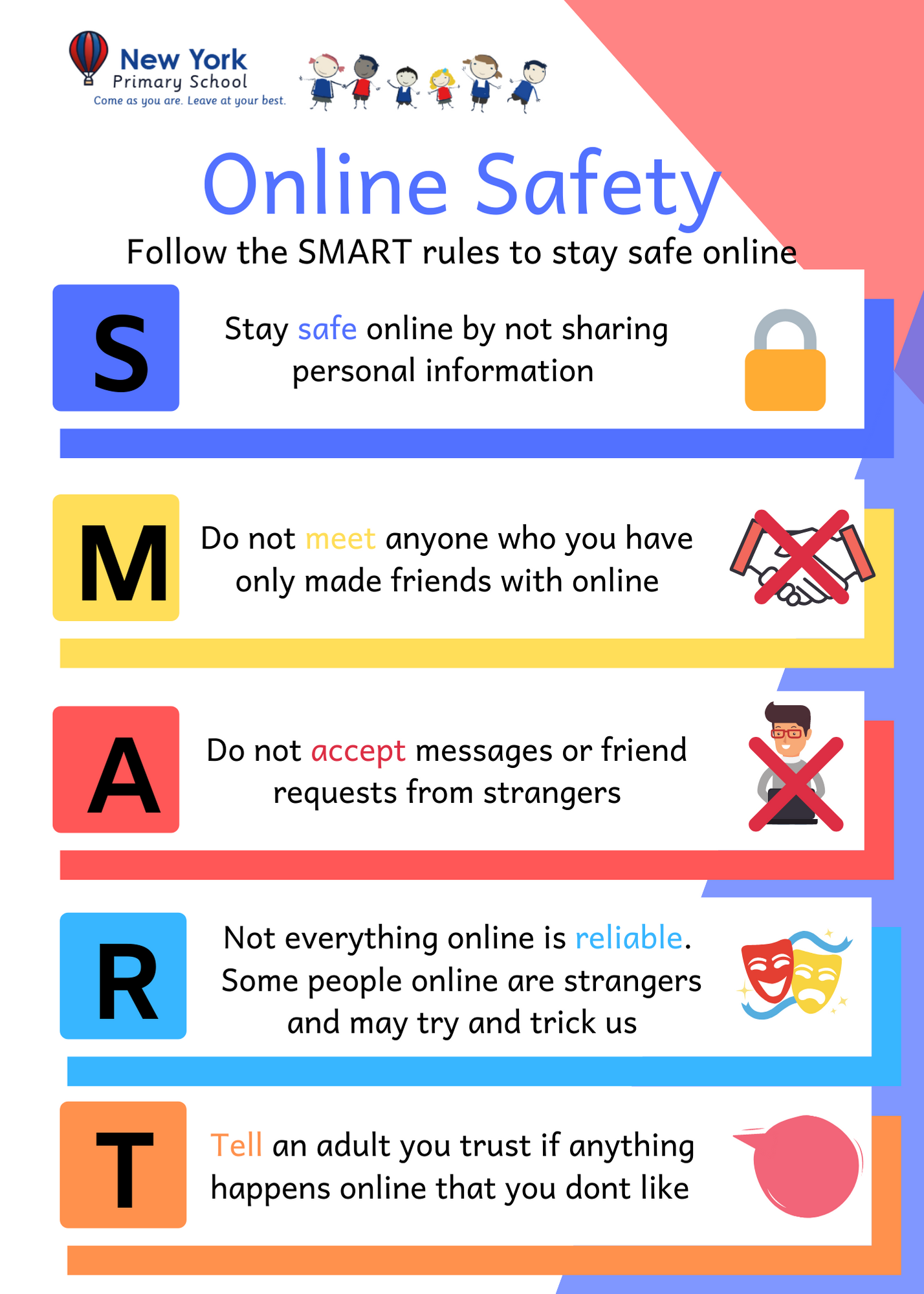
Children encounter the digital world long before they fully grasp the mechanics behind screen-based communication. Shared household tablets, multiplayer in-game chat windows, and video streaming platforms place complex technology directly into young hands. Guiding older elementary students requires moving beyond basic rules into teaching foundational digital literacy. Building these protective habits early transforms abstract digital risks into manageable, everyday concepts. For educators and families seeking practical tools, exploring the Internet and Digital Safety category provides targeted resources designed for young learners. Safety is never a static rule to memorize, but an ongoing skill set developed through supportive conversations.
💡 Educational Key Takeaways:
- Core Skill: Structured Forolderchildren Complex Concepts Identifying Phishing Emails Understanding Two-Factor focused on developing pencil grip, stroke control, and early literacy/math confidence.
- Target Scope: Suited for homeschoolers, preschool, kindergarten, and elementary learners.
- Best Recommendation: Practice 10–15 minutes daily with ergonomic writing tools to reinforce muscle memory without hand fatigue.
What This Printable Covers
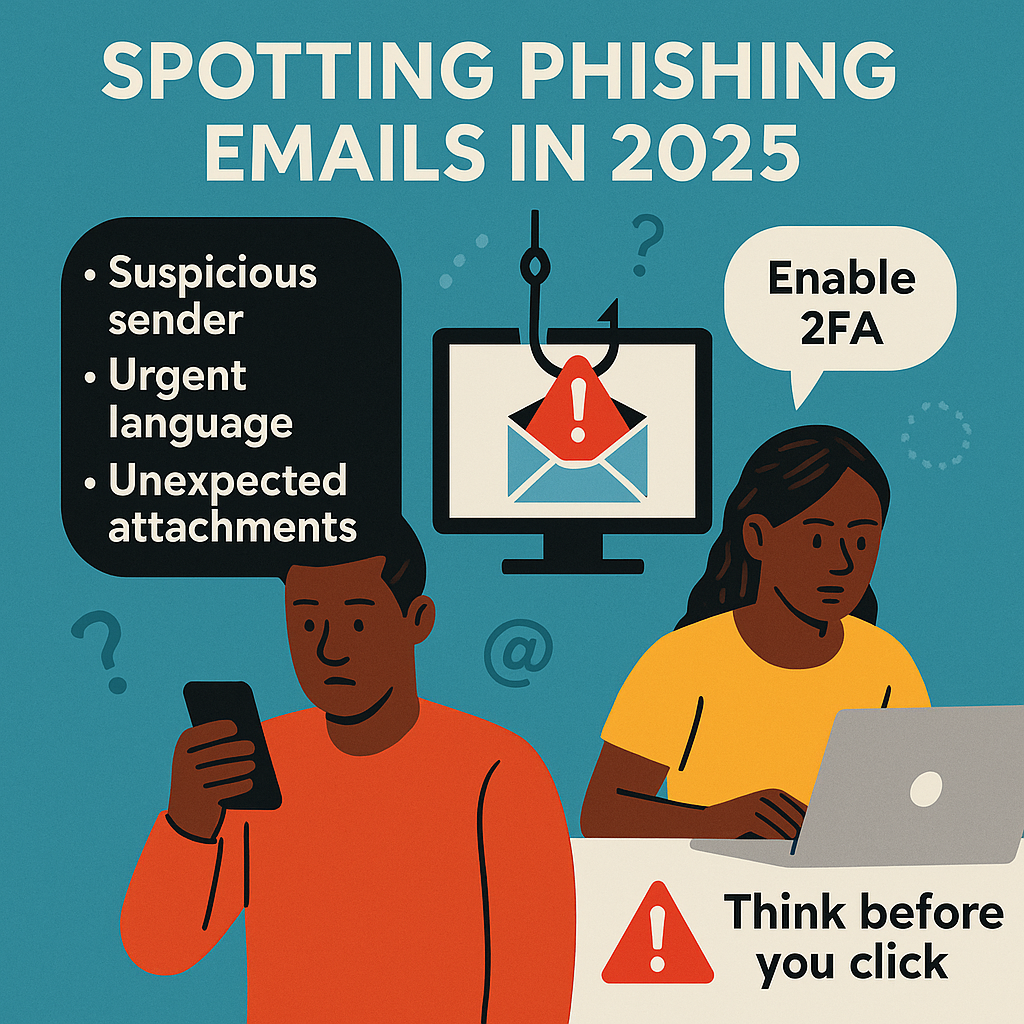
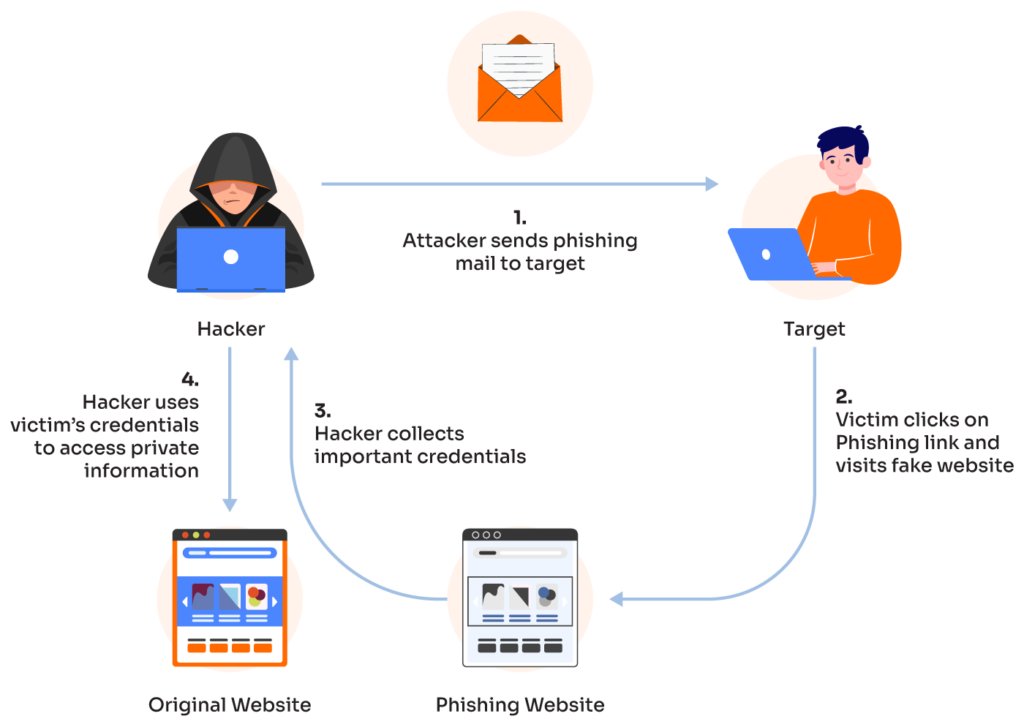
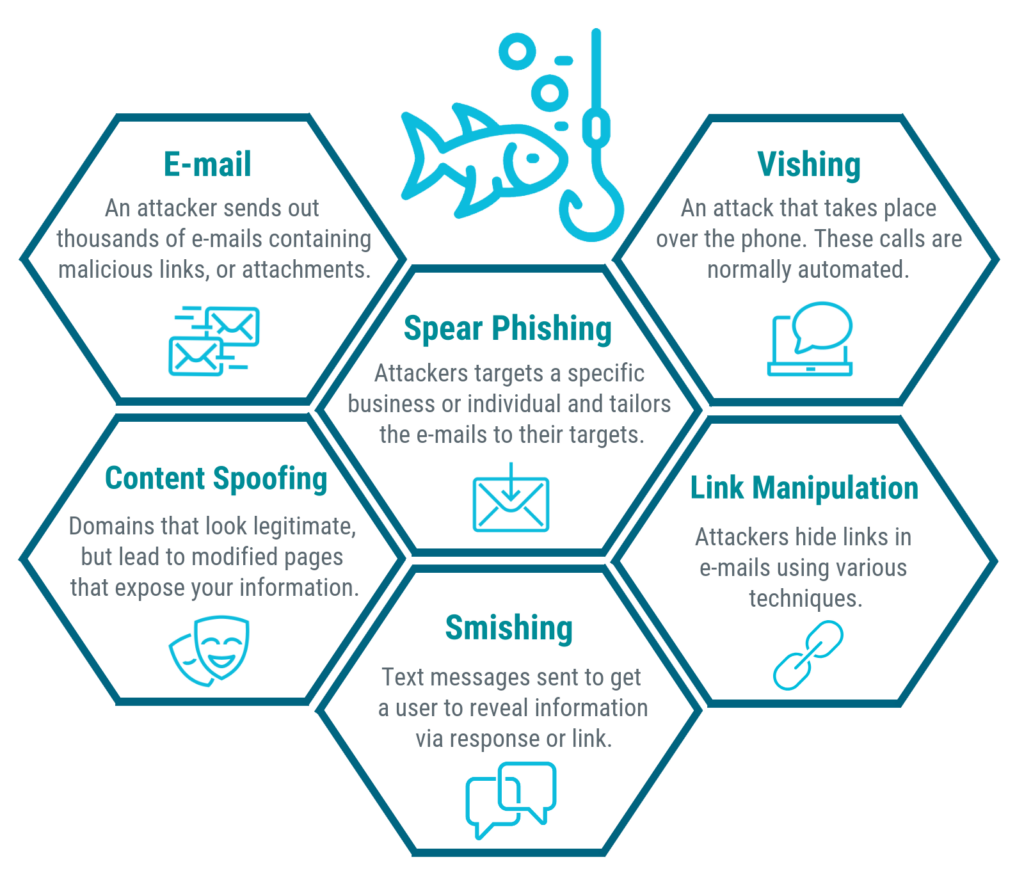
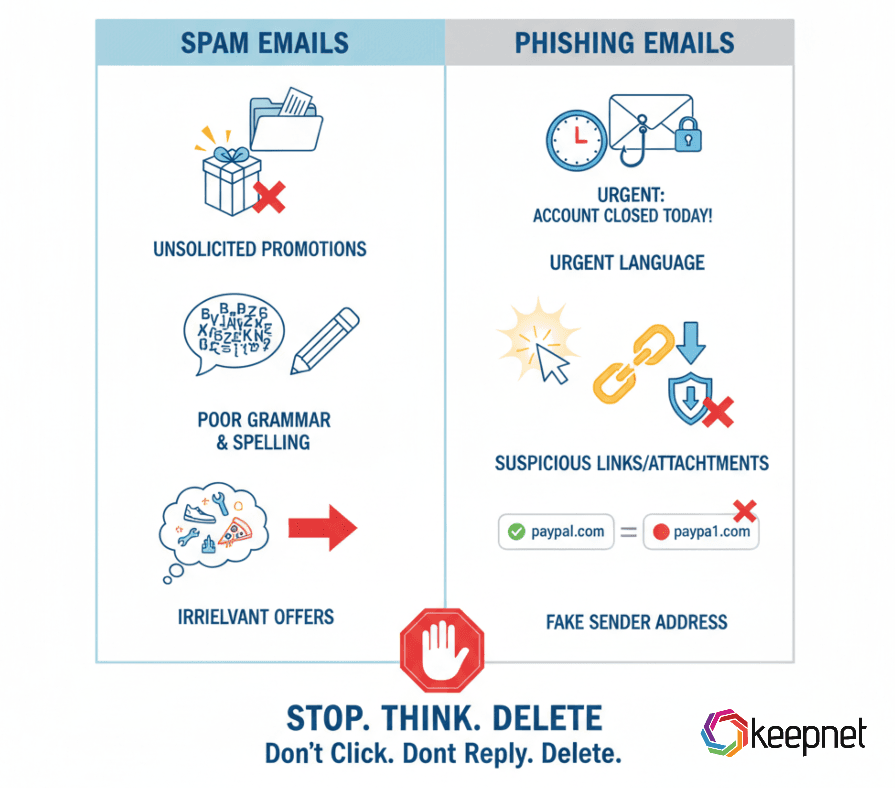
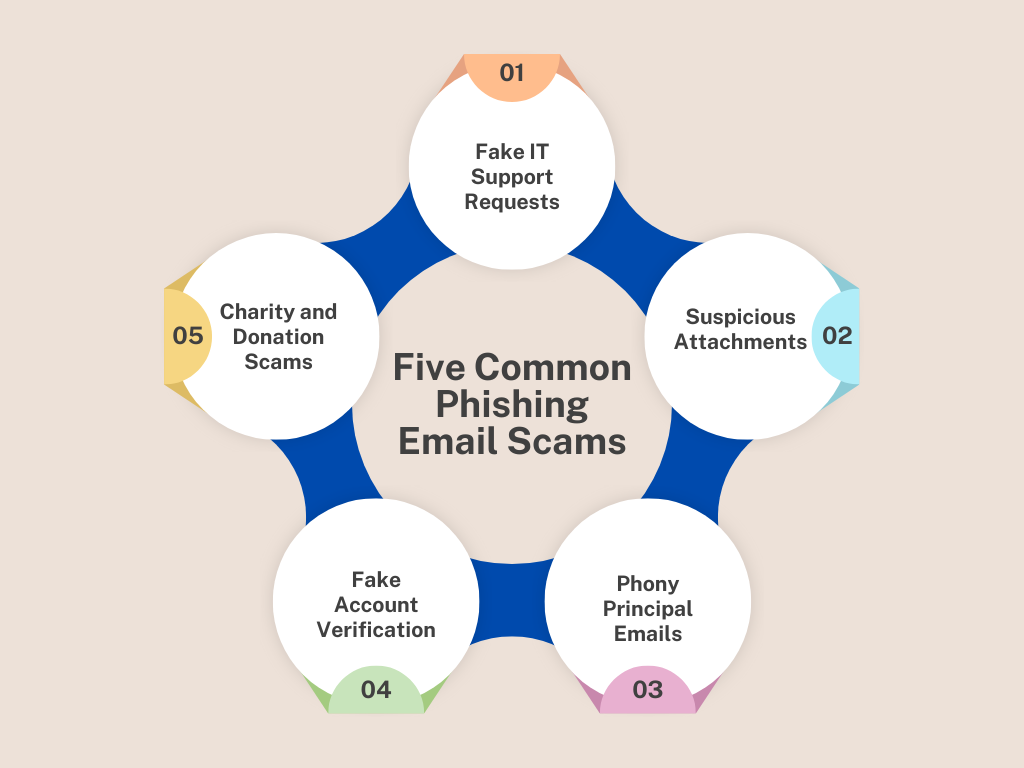
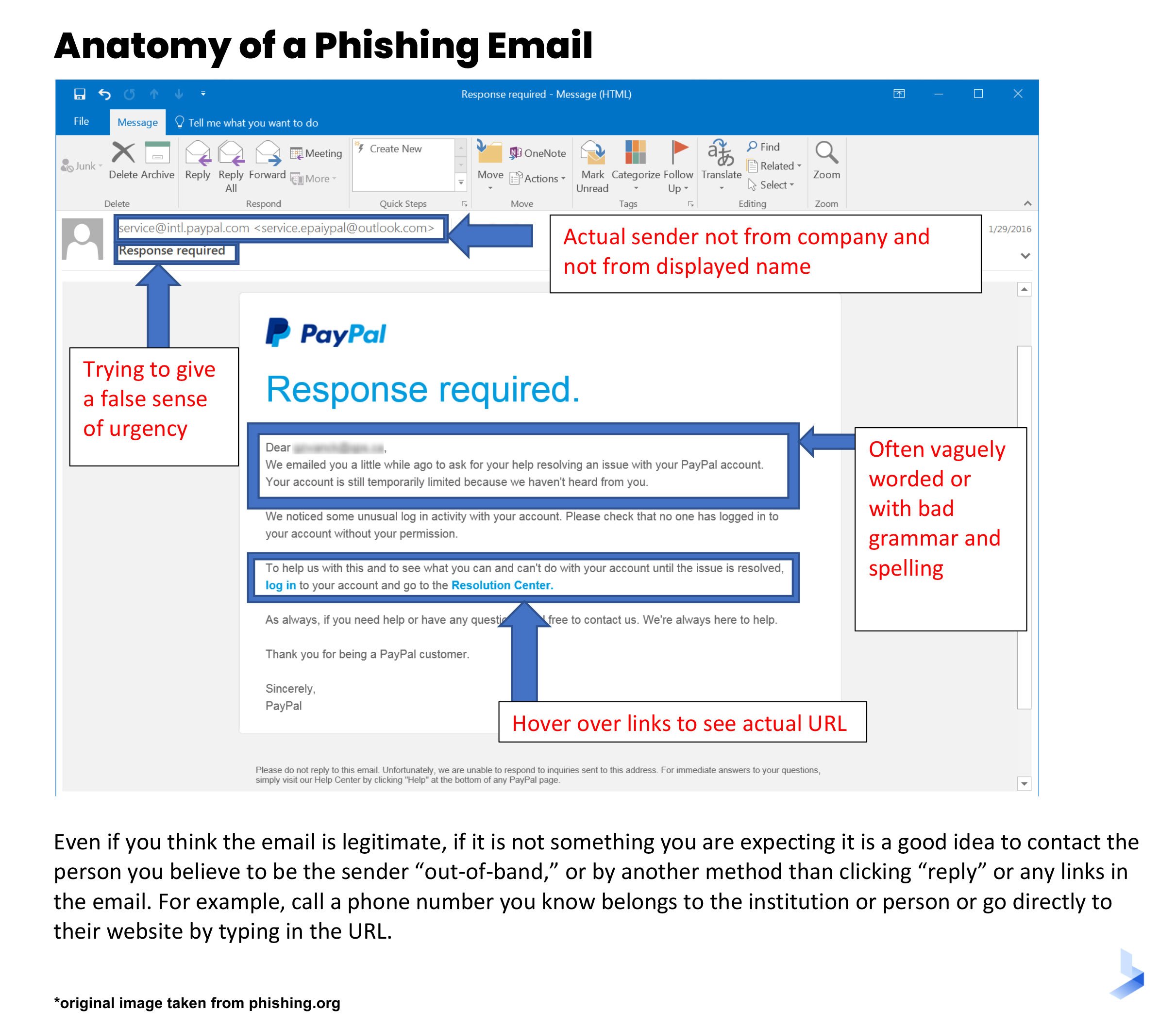
The free printable focusing on complex concepts like identifying phishing emails and understanding two-factor authentication bridges the gap between everyday tech use and digital discernment. Children frequently encounter misleading messages disguised as game rewards, character upgrades, or urgent system alerts. This structured activity breaks down these digital traps into relatable scenarios. Instead of inducing fear, the material empowers students to spot red flags independently. It sounds simple, and that’s the point: teaching kids to pause before clicking creates a vital mental speed bump in fast-paced digital environments. Related guide: Teachers Of Grades 9–12 Should Expand Internet Safety Instruction To Include Which Of The Following Topics?.
Key Learning Outcomes
Students using this exercise engage directly with critical thinking exercises tailored for their developmental stage. Participants learn to recognize the subtle pressure tactics hidden in deceptive messages, such as manufactured urgency or too-good-to-be-true offers. Furthermore, the activity demystifies backend security measures like two-factor authentication by comparing them to physical locks on a bedroom door. According to the Federal Trade Commission, fraudulent online schemes frequently target younger demographics through popular gaming platforms and virtual currency promises. Strengthening these analytical muscles helps children navigate interactive environments with confidence and poise.
How to Use This Printable
Classrooms, counseling sessions, and living room tables serve as ideal spaces for guided digital citizenship lessons. Adults can introduce the concepts by reading through the provided scenario cards or prompt questions together. Collaborative discussion matters deeply during these sessions, allowing children to voice questions without hesitation. Incorporating supplemental Worksheets reinforces these analytical skills through hands-on practice. Children must always understand that reporting an uncomfortable online encounter never results in punishment or device restriction.
Practical Tips for Parents and Teachers
Facilitating productive dialogue about digital threats begins with maintaining a calm and curious demeanor. Ask open-ended questions like what makes a specific message feel suspicious rather than immediately providing the answer. Role-playing different online scenarios helps cement the lesson into long-term memory. Adults should model healthy digital habits by verbalizing their own thought processes when encountering unexpected emails or links. Consistency across school and home environments ensures children receive a unified message regarding digital boundaries.
Age-Appropriate Recommendations
Older elementary students between the ages of nine and twelve possess the cognitive readiness to explore the invisible infrastructure of the internet. Aligning instruction with the Common Sense Education Digital Citizenship Curriculum ensures these advanced concepts match developmental milestones. Educators should focus on the ‘why’ behind security measures rather than relying solely on rigid restrictions. According to Common Sense Media, youth frequently engage with online communities independently long before adults realize the full scope of their digital footprint. Tailoring the discussion to these specific developmental realities fosters authentic digital responsibility.
Younger digital citizens encounter sophisticated online persuasion tactics through gaming chat features and shared family devices daily, making foundational critical thinking resources essential for home and school. — Federal Trade Commission
Frequently Asked Questions
Clear answers to common inquiries help families and educators maximize the impact of digital safety tools.
Explore More Free Kids Online Safety Printables
Expanding a digital citizenship library requires access to diverse, engaging, and age-appropriate materials. Educators looking to reinforce physical safety boundaries or balance screen habits can browse through additional Coloring Pages for younger learners. For a broader selection of lesson plans, the Online and Digital Safety collection offers comprehensive resources to support lifelong digital wellness. Cultivating resilient digital citizens takes time, patience, and the right community tools.
Developmental Milestone & Activity Table
| Development Stage | Recommended Daily Duration | Primary Learning Objective |
|---|---|---|
| Preschool & Pre-K | 10 – 15 Minutes | Pencil grip development & basic pre-stroke lines |
| Kindergarten | 15 – 20 Minutes | Letter/number formation & spatial line awareness |
| Early Elementary (Grade 1–2) | 20 – 30 Minutes | Fluency, sentence construction & neatness |
Images References