Introduction
Navigating the digital world alongside preteens requires proactive conversations about cyber threats that once belonged strictly to corporate boardrooms. Complex security concepts routinely surface in unexpected places, from shared household tablets to casual multiplayer gaming sessions. Children often encounter unfamiliar pop-ups, suspicious links, and deceptive downloads long before reaching their teenage years. Adults need accessible tools to demystify these risks without inducing panic or overwhelming young minds with technical jargon. Educational materials bridging the gap between advanced cybersecurity concepts and youth comprehension transform abstract dangers into manageable habits. Building digital resilience starts with turning intimidating topics into approachable learning moments at home or inside the classroom.
💡 Educational Key Takeaways:
- Core Skill: Structured How Does Ransomware Spread As A 13 Year Old focused on developing pencil grip, stroke control, and early literacy/math confidence.
- Target Scope: Suited for homeschoolers, preschool, kindergarten, and elementary learners.
- Best Recommendation: Practice 10–15 minutes daily with ergonomic writing tools to reinforce muscle memory without hand fatigue.
What This Printable Covers
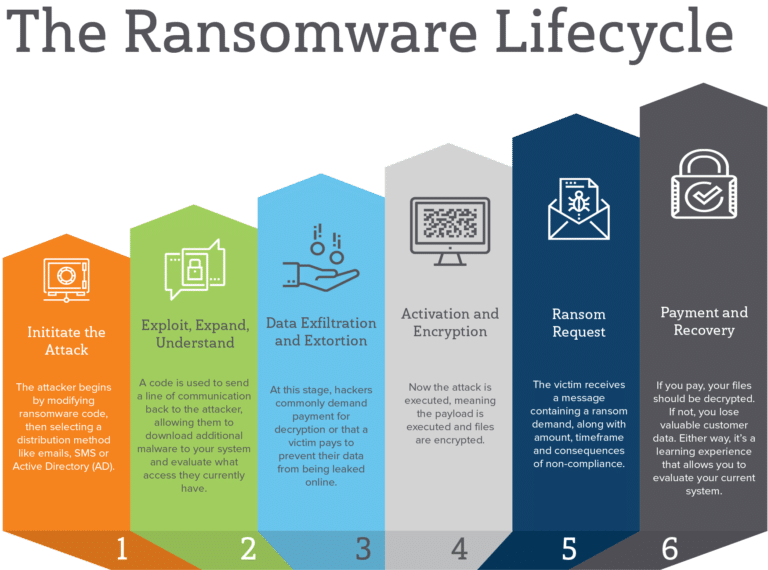
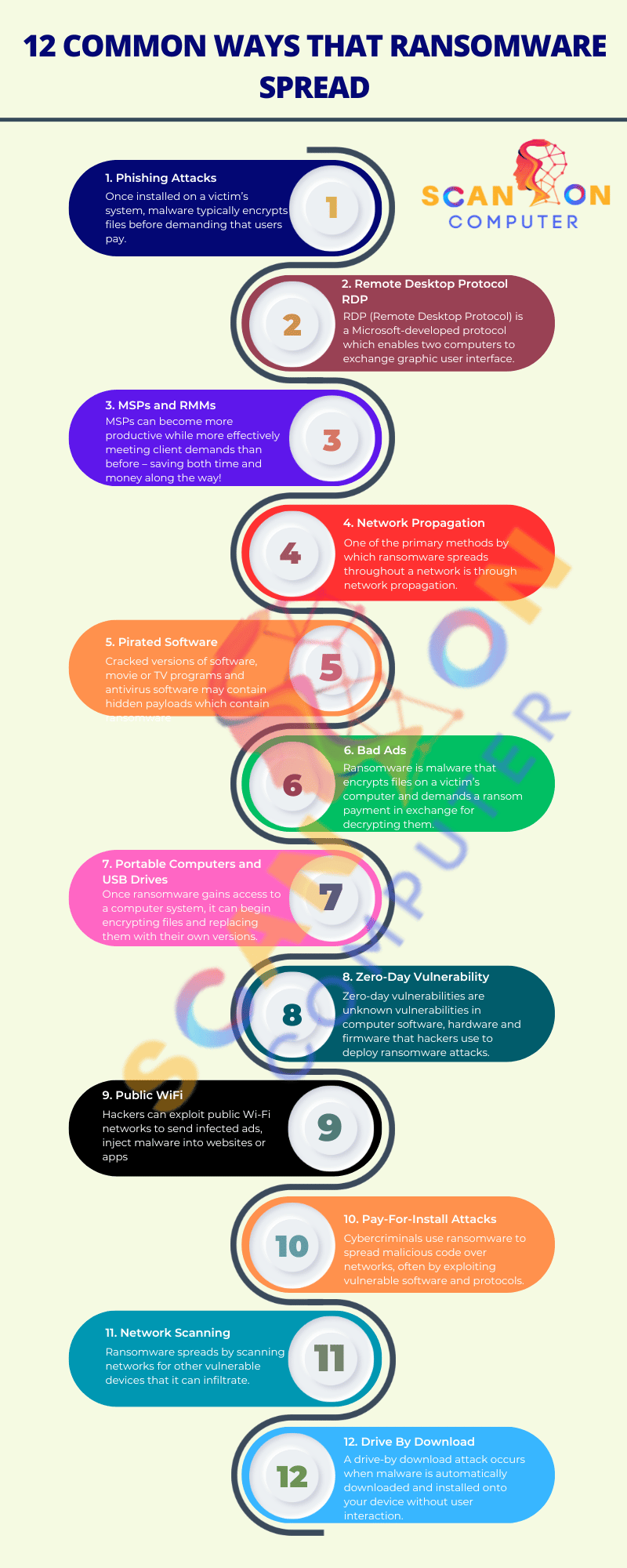
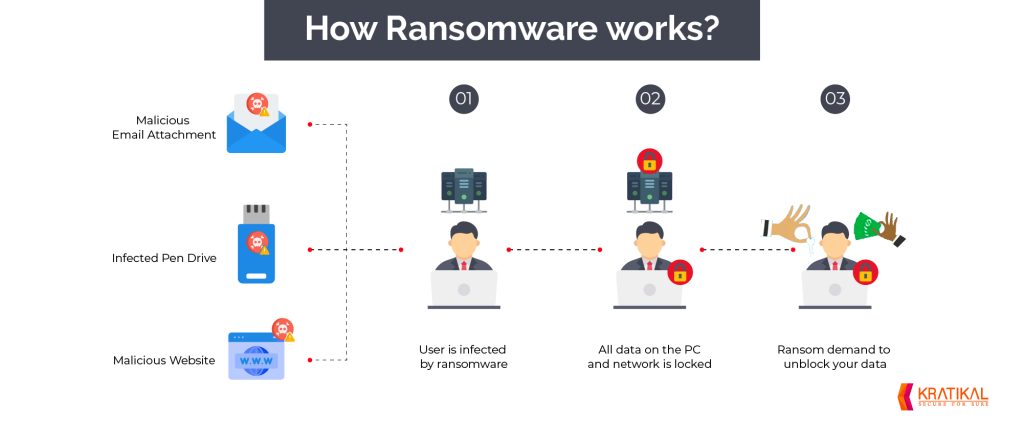
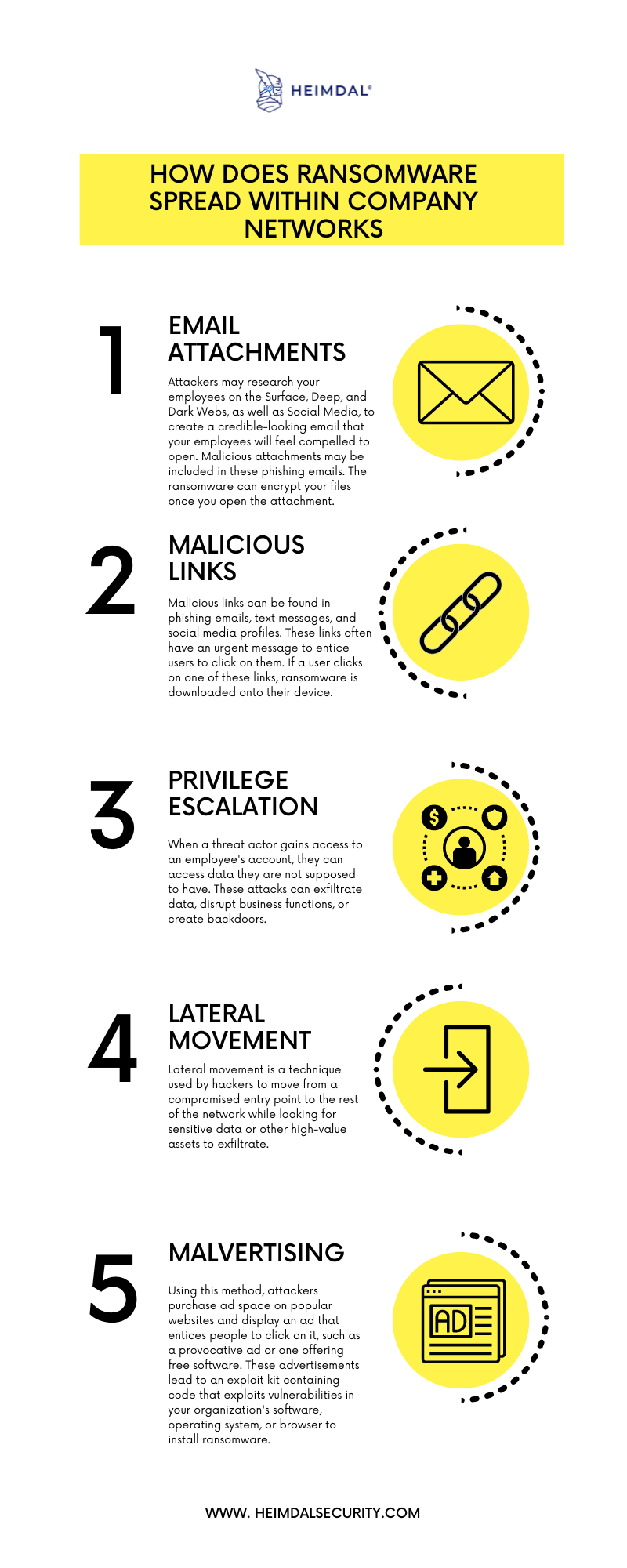
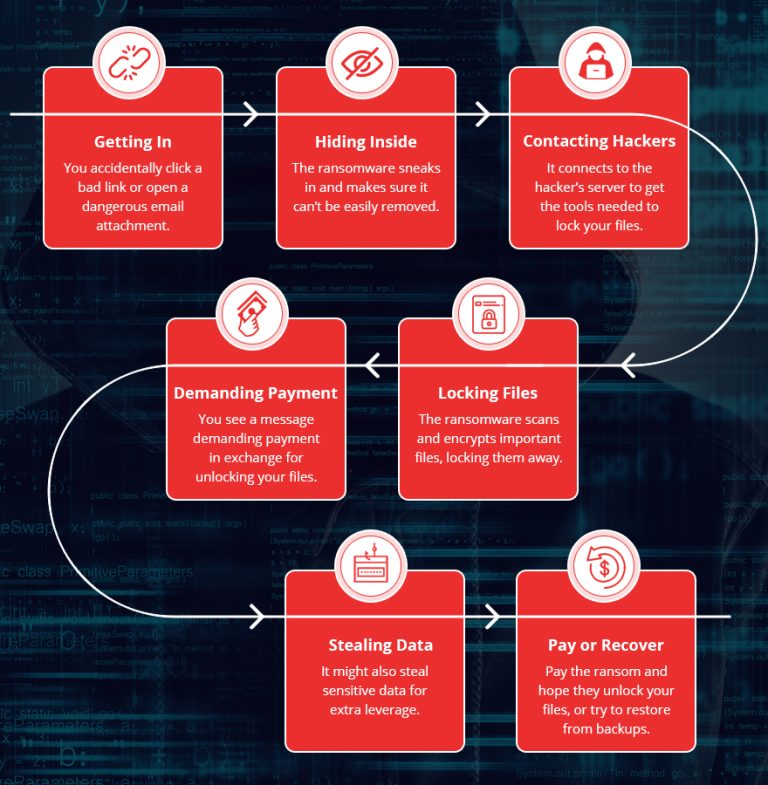
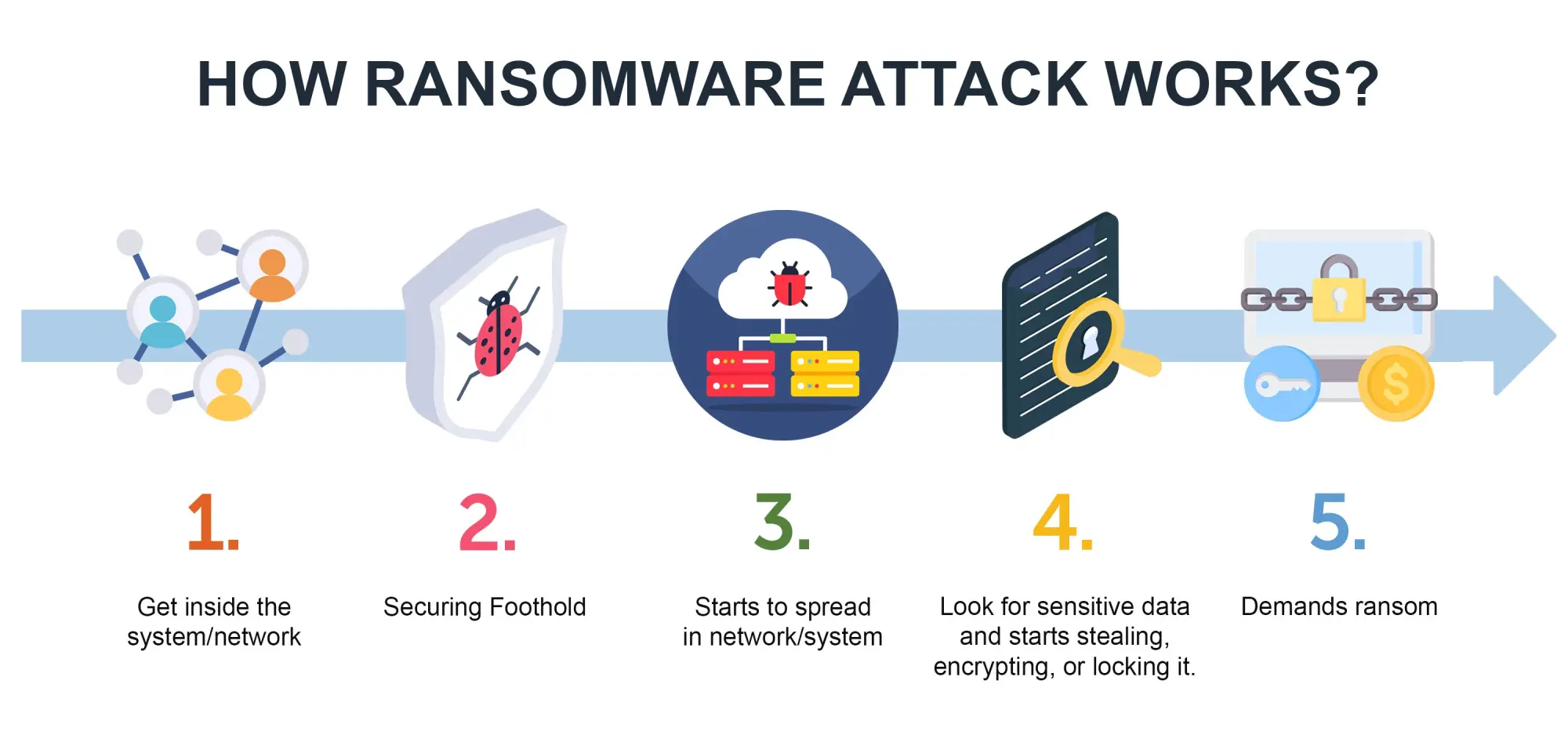
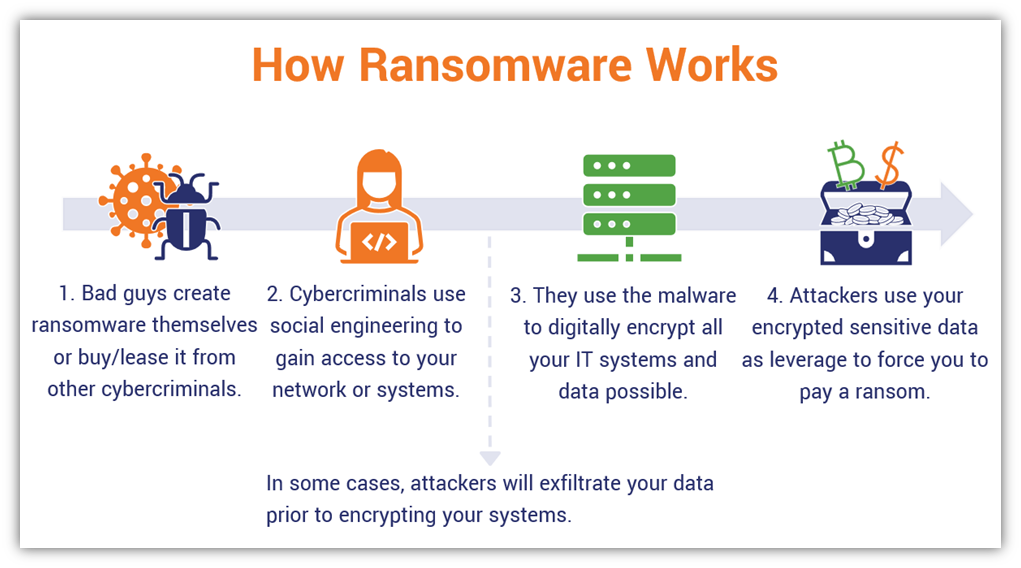
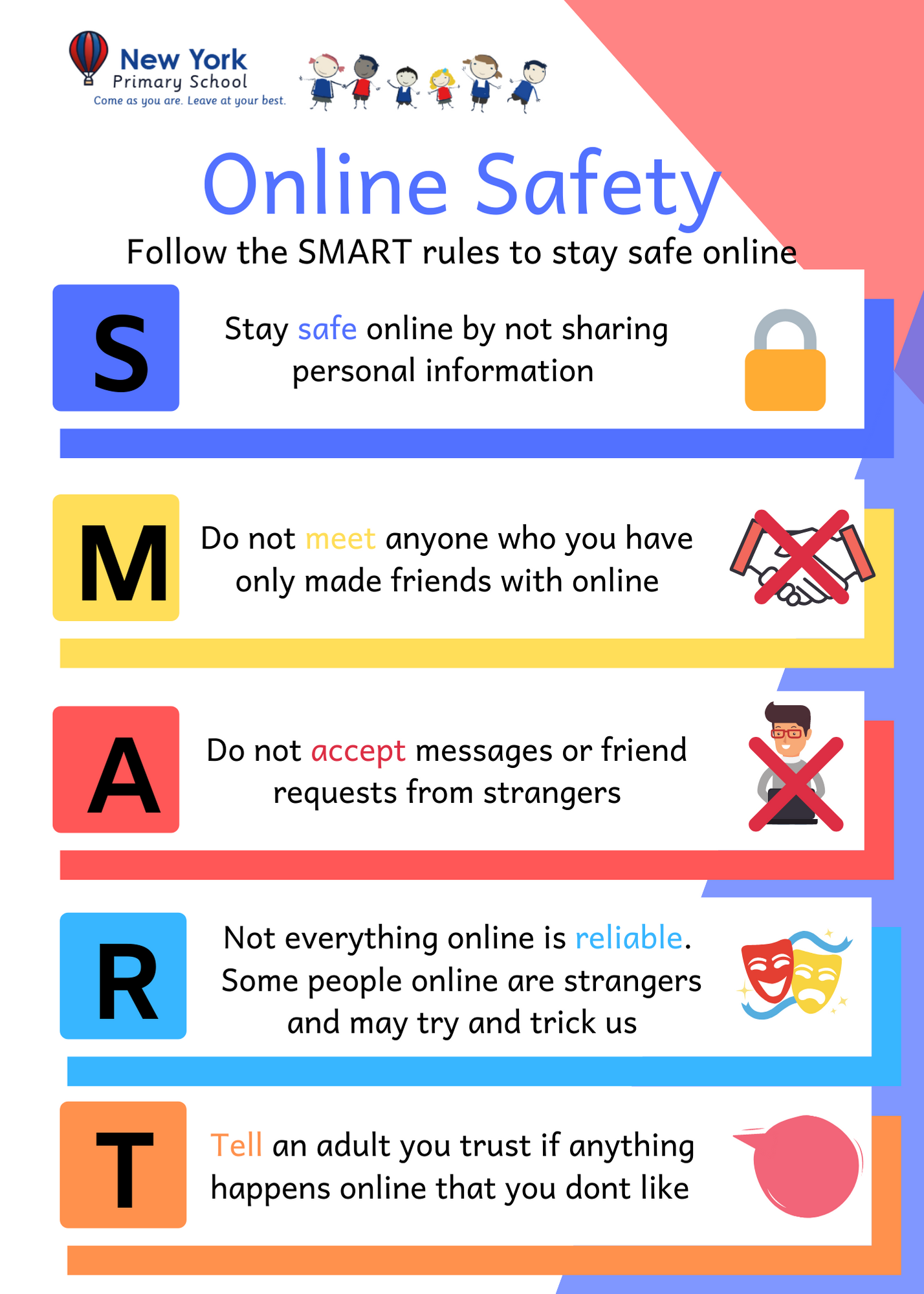
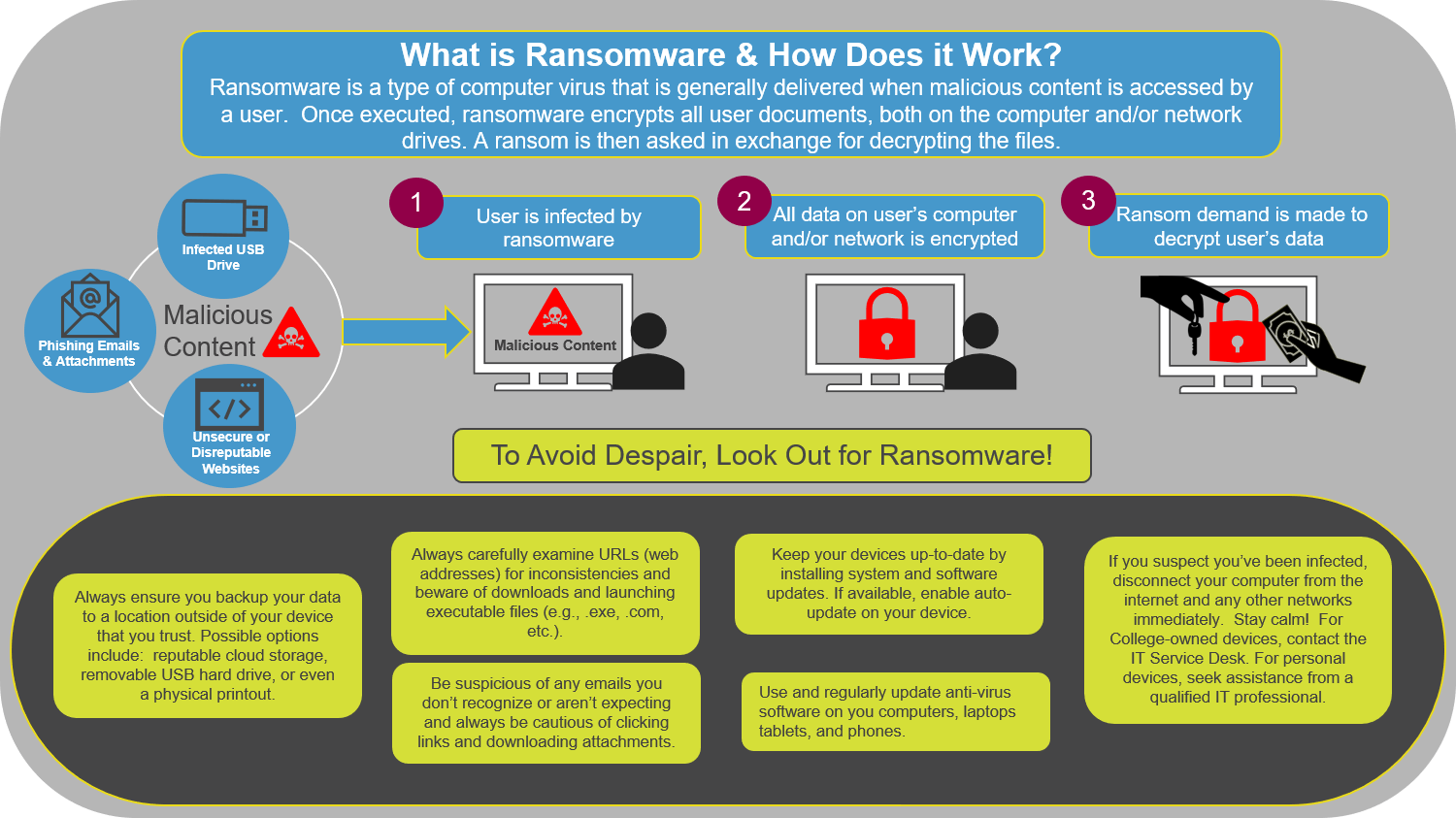
The free printable focuses on helping learners understand the mechanics of digital extortion and malicious software through age-appropriate explanations. Rather than relying on fear tactics, the resource breaks down how malicious code travels across networks and infects personal devices. Concepts like clicking unverified links, downloading unauthorized game modifications, and ignoring software updates receive clear, visual breakdowns. Children frequently cross paths with these vulnerabilities while exploring popular video platforms or engaging in in-game chat features with strangers. Grounding the lesson in familiar scenarios empowers youth to recognize potential digital traps before clicking buttons blindly. The layout encourages critical thinking, prompting learners to pause and evaluate the safety of online interactions. Related guide: 5 Cyber Safety Tips Symbols That Can Be Read By The Grede 7 Students.
Key Learning Outcomes
Working through this guided activity strengthens specific cognitive and behavioral skills essential for modern digital citizenship. Participants learn to identify red flags associated with deceptive attachments and unexpected system lockouts. The material reinforces the absolute importance of keeping software updated and utilizing strong, unique passwords across every platform. Furthermore, the exercise emphasizes open communication by reminding students that reporting a strange computer behavior never results in punishment. Young learners walk away understanding that asking a trusted adult for help remains the strongest defense against malicious digital behavior.
How to Use This Printable
Educators and caregivers can seamlessly integrate this activity into existing lesson plans or family media planning sessions. It sounds simple, and that is the point: sitting side-by-side with a child while reviewing the prompts opens the door for authentic dialogue. Adults should read through the scenarios aloud, inviting the child to share what they would do if faced with a suspicious download prompt. Here’s what makes this resource different: it shifts the dynamic from a stern lecture to a collaborative problem-solving exercise. Teachers find success utilizing the printable during computer lab transitions, while parents appreciate having a structured conversation starter for weekend screen time.
Practical Tips for Parents and Teachers
Maximizing the educational impact of any safety resource requires establishing a calm, judgment-free environment from the very beginning. Adults should normalize the reality that even tech-savvy kids occasionally stumble upon confusing or deceptive online content. Bookmark reliable safety hubs like Internet and Digital Safety to find supplementary discussion guides for future lessons. Reinforce the golden rule of digital life repeatedly: whenever something feels weird, scary, or too good to be true on a screen, stop immediately and find an adult. Praise children whenever they demonstrate caution, reinforcing that smart digital choices deserve positive recognition and encouragement.
Age-Appropriate Recommendations
Translating adult-level cybersecurity topics for children requires careful alignment with developmental milestones and established educational frameworks. Grounded in the Common Sense Education Digital Citizenship Curriculum, this resource respects the cognitive limits of middle-grade learners while challenging them to think critically about digital footprints. According to the Federal Trade Commission, children and teens frequently encounter sophisticated online scams through social media advertisements and peer recommendations. Educators must calibrate their guidance so that nine-year-olds grasp basic caution, while older students explore the broader implications of network security. No printable serves as a substitute for active adult supervision and ongoing guidance throughout these formative digital years.
According to the Federal Trade Commission, youth face unique digital vulnerabilities through gaming platforms and social media channels where malicious links circulate freely. — FTC Report on Youth Online Exposure
Frequently Asked Questions
Addressing common inquiries helps adults implement safety tools with absolute confidence and clarity. The following answers provide quick guidance regarding format, learning objectives, and institutional research supporting digital literacy initiatives.
Explore More Free Kids Online Safety Printables
Expanding a digital citizenship curriculum requires a diverse toolkit of engaging, hands-on materials for every grade level. Browse through additional resources including creative Coloring Pages designed to reinforce foundational device rules for younger learners. Explore comprehensive Worksheets that challenge preteens to analyze real-world scenarios involving online privacy and secure communication. For broader strategy development, visit the main library for Online and Digital Safety tools tailored to modern families and classrooms.
Developmental Milestone & Activity Table
| Development Stage | Recommended Daily Duration | Primary Learning Objective |
|---|---|---|
| Preschool & Pre-K | 10 – 15 Minutes | Pencil grip development & basic pre-stroke lines |
| Kindergarten | 15 – 20 Minutes | Letter/number formation & spatial line awareness |
| Early Elementary (Grade 1–2) | 20 – 30 Minutes | Fluency, sentence construction & neatness |
Images References