Introduction
Young children step into digital spaces long before they learn to type proficiently. Shared household tablets, school-issued laptops, and interactive video game consoles create an environment where children interact with technology daily. Navigating these platforms requires concrete guidance rather than fear-based warnings. Adults often struggle to explain abstract concepts like online permanence to elementary school students. A well-designed educational tool bridges this gap by turning invisible concepts into visible lessons. That is why introducing foundational internet concepts early sets the stage for lifelong healthy habits. Exploring resources found within Internet and Digital Safety materials helps adults establish these vital routines without adding anxiety to the home or classroom.
💡 Educational Key Takeaways:
- Core Skill: Structured What Is A Digital Footprint For Kids Simple Definition focused on developing pencil grip, stroke control, and early literacy/math confidence.
- Target Scope: Suited for homeschoolers, preschool, kindergarten, and elementary learners.
- Best Recommendation: Practice 10–15 minutes daily with ergonomic writing tools to reinforce muscle memory without hand fatigue.
What This Printable Covers
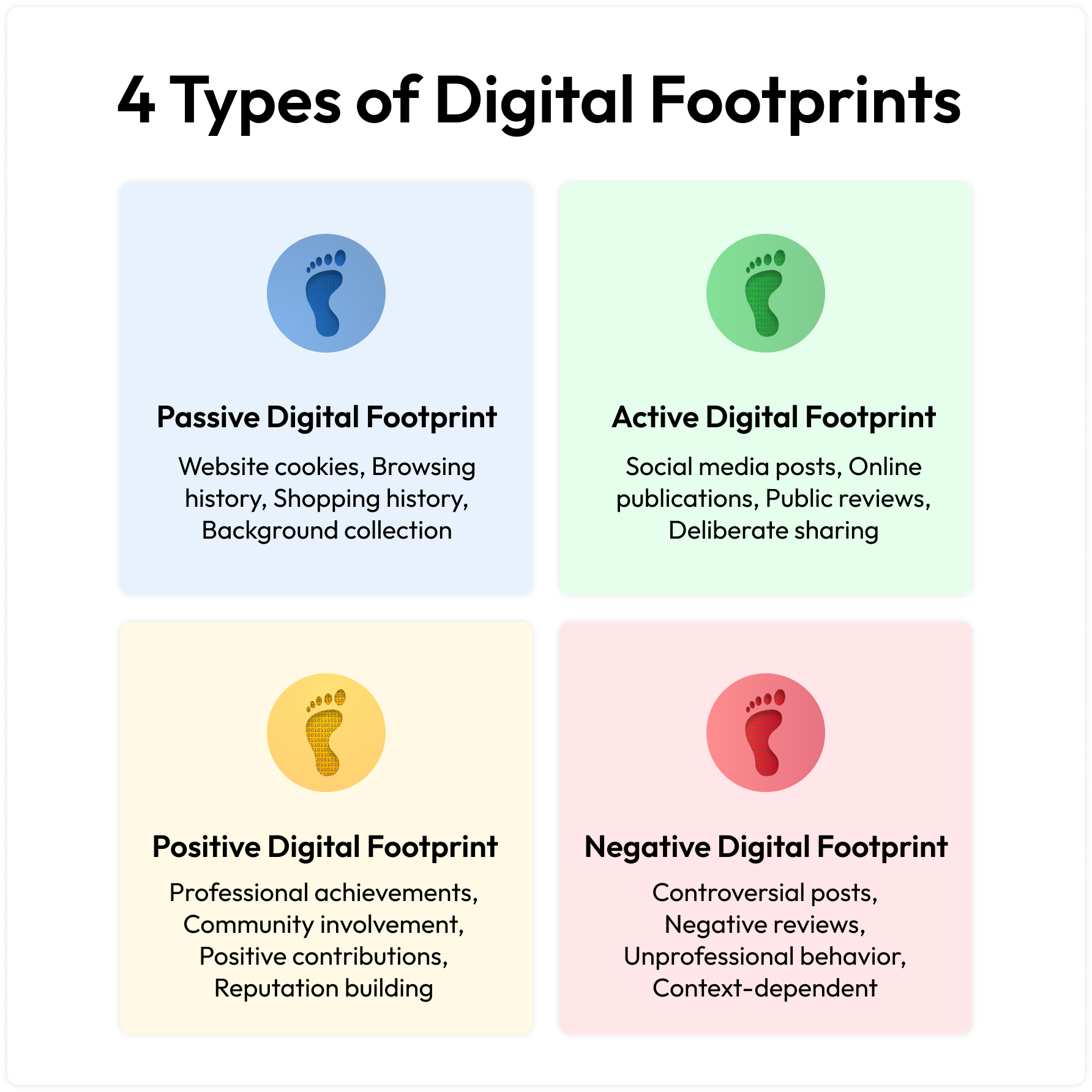
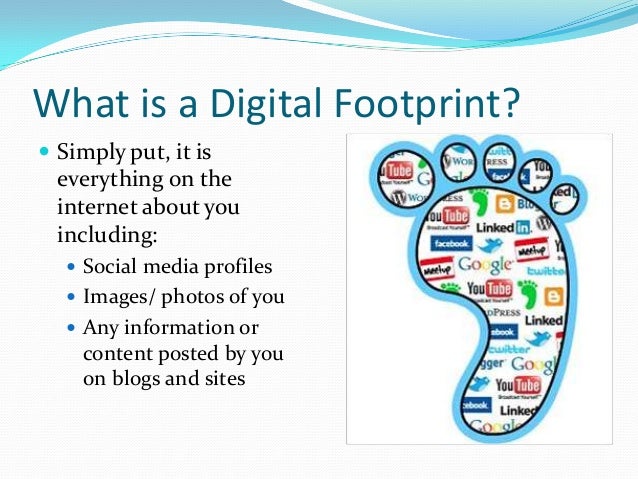
The free printable focuses on foundational awareness. It introduces the metaphor of footprints left in wet sand to explain how digital actions persist. Children discover that comments, shared photos, and game scores leave permanent traces online. The layout uses relatable imagery and straightforward language designed for early readers and upper elementary students alike. Every section encourages young learners to visualize their online activity as something real and enduring. It sounds simple, and that’s the point. Clear, tangible analogies work best when teaching complex digital citizenship topics to developing minds. Related guide: Teachers Of Grades 9–12 Should Expand Internet Safety Instruction To Include Which Of The Following Topics?.
Key Learning Outcomes
Students using this activity develop a clearer understanding of permanence and privacy. Recognizing that online actions remain visible long after a device is turned off changes how youngsters approach shared devices and in-game chat features. The lesson emphasizes keeping personal information private, such as full names, locations, and school names. Furthermore, children learn the value of thinking before sharing content with peers or wider audiences. Establishing these protective habits early empowers youth to make thoughtful choices independently. Additional skill-building exercises are available through structured Worksheets designed for classroom discussions.
How to Use This Printable
Implementation requires an open, conversational approach rather than a formal lecture. Adults can introduce the sheet during morning meetings, technology lab sessions, or quiet time at home. Coloring and completing the activity pages provides a tactile, low-stress environment where children feel safe asking questions. It is vital to reinforce that children are never in trouble for reporting something uncomfortable they encountered online. This reassurance builds trust and encourages transparent communication if a child stumbles upon inappropriate content or confusing messages on video platforms. Here’s what makes this resource different: it transforms abstract rules into an engaging, collaborative art and discussion project.
Practical Tips for Parents and Teachers
Facilitators should anchor the conversation in real-world scenarios that children encounter daily. Asking open-ended questions about favorite games or messaging apps helps ground the lesson in daily experience. Adults can establish strong password habits alongside the activity, turning security measures into a fun challenge rather than a chore. Keeping discussions light-hearted ensures that safety remains a skill to build, never a threat to dread. Adults looking for creative ways to reinforce these concepts can integrate artistic activities like Coloring Pages to keep engagement high.
Age-Appropriate Recommendations
Tailoring the delivery of digital safety depends heavily on developmental stages. Kindergarteners and first graders benefit from focusing on basic sharing rules, such as asking permission before clicking links or showing photos. Upper elementary students can explore deeper concepts like the permanence of search histories and the importance of digital empathy. Grounding these lessons in established frameworks, such as the Common Sense Education Digital Citizenship Curriculum, ensures age-appropriate pacing. Educators and parents can scaffold learning so that expectations grow alongside the child’s independence and tech usage.
According to Common Sense Media, children as young as age five regularly use shared household tablets and interactive platforms, making early digital citizenship education essential for establishing healthy online habits. — Common Sense Media
Frequently Asked Questions
Understanding how to access and utilize educational printables ensures a smooth experience for busy educators and caregivers. Clear answers regarding downloads, learning objectives, and expert recommendations help adults implement these tools effectively. Reviewing these common inquiries provides quick guidance for both home and school environments.
Explore More Free Kids Online Safety Printables
Expanding a child’s digital citizenship education requires a continuous supply of fresh, engaging materials. Educators and families can access a wide variety of supplemental resources by visiting Online and Digital Safety archives. Consistent reinforcement across different formats solidifies these protective habits. Combining printed activities with regular check-ins ensures children navigate digital landscapes with confidence and resilience.
Developmental Milestone & Activity Table
| Development Stage | Recommended Daily Duration | Primary Learning Objective |
|---|---|---|
| Preschool & Pre-K | 10 – 15 Minutes | Pencil grip development & basic pre-stroke lines |
| Kindergarten | 15 – 20 Minutes | Letter/number formation & spatial line awareness |
| Early Elementary (Grade 1–2) | 20 – 30 Minutes | Fluency, sentence construction & neatness |
Images References