Introduction
Navigating the digital landscape often begins unexpectedly in a living room or a classroom. Children frequently stumble into online spaces through shared family tablets, multiplayer game chat boxes, or casual video platform scrolling long before adults realize full profiles have been created. Building healthy digital habits requires proactive guidance rather than reactive panic. Educators and caregivers need accessible tools that transform abstract concepts into tangible lessons. Grounding internet literacy in daily routines helps young learners recognize boundaries, understand empathy behind screens, and remember that safety is a continuous skill to develop rather than a rigid set of fears. Providing reliable cyber bullying facts for kids through targeted printables gives adults an immediate opening for essential conversations without overwhelming developing minds.
💡 Educational Key Takeaways:
- Core Skill: Structured Cyber Bullying Facts For Kids focused on developing pencil grip, stroke control, and early literacy/math confidence.
- Target Scope: Suited for homeschoolers, preschool, kindergarten, and elementary learners.
- Best Recommendation: Practice 10–15 minutes daily with ergonomic writing tools to reinforce muscle memory without hand fatigue.
What This Printable Covers
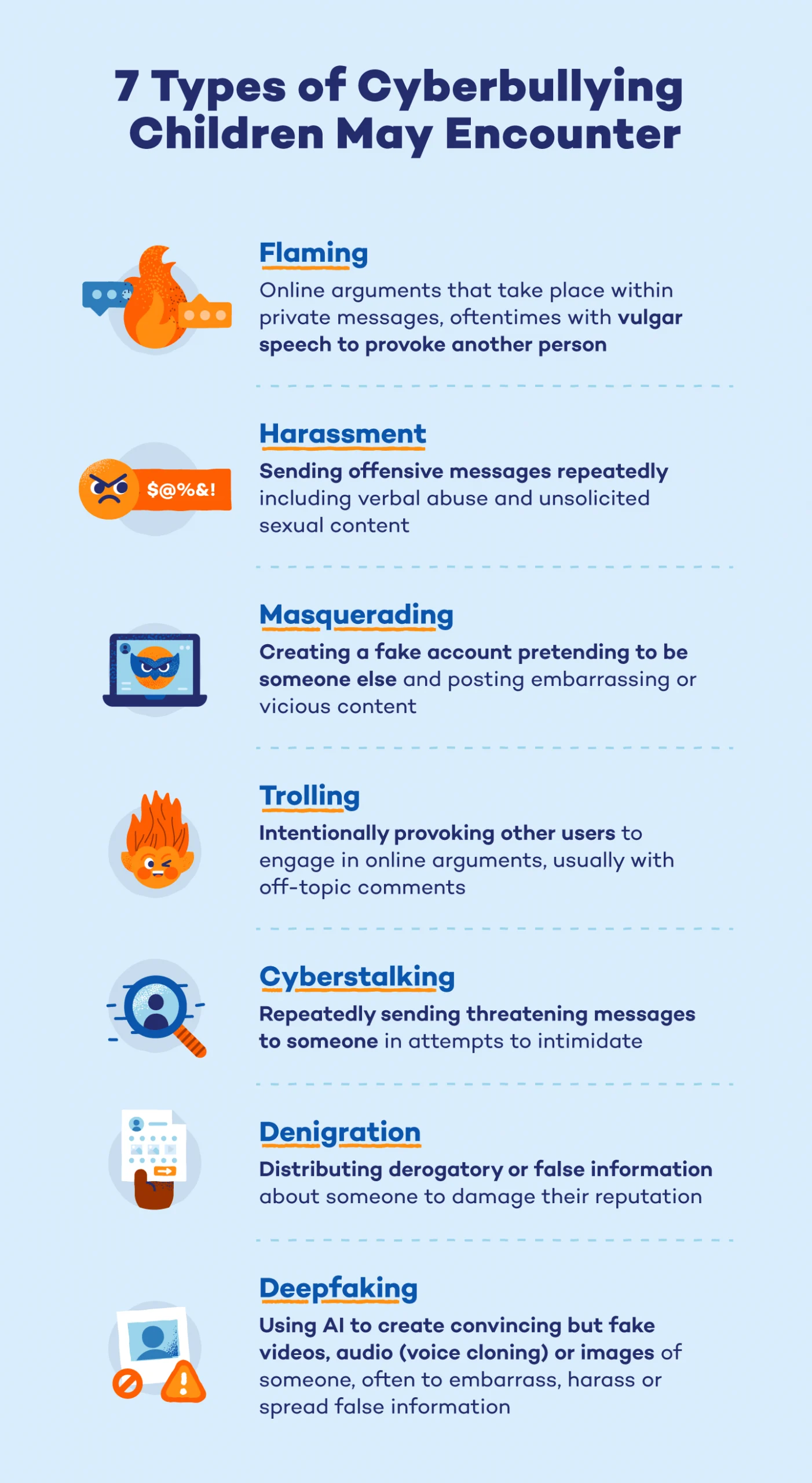
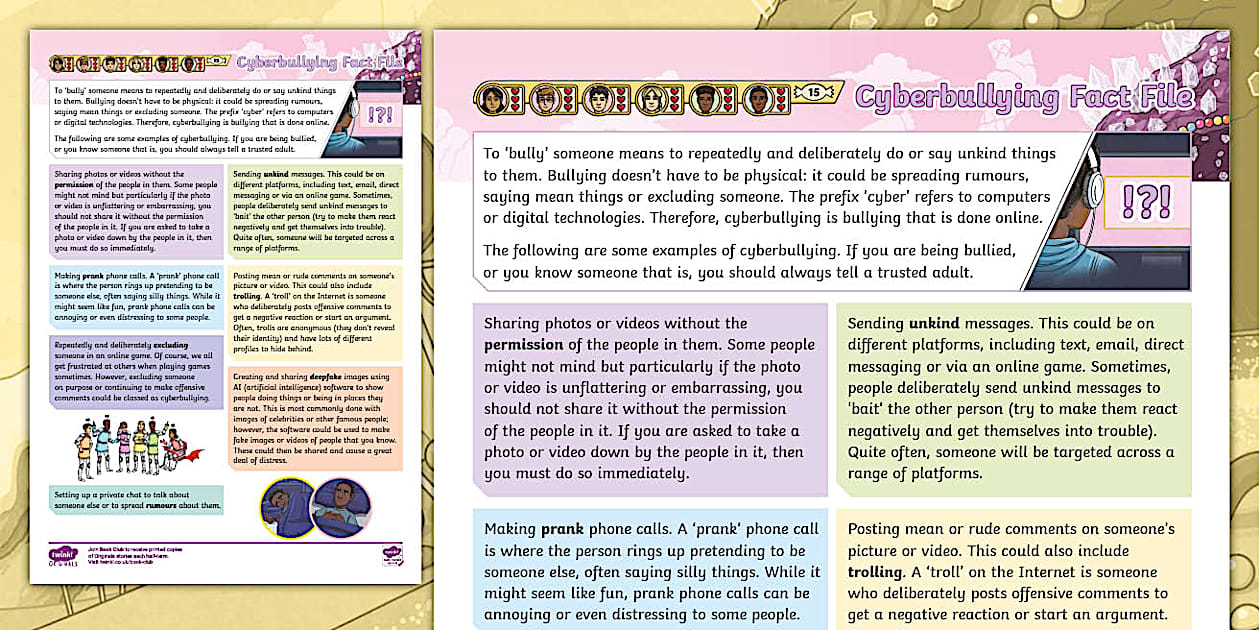
Structured informational sheets break down complex social dynamics into digestible pieces for elementary-aged learners. The material outlines fundamental definitions of respectful communication, highlights the importance of keeping personal information private, and teaches simple steps for identifying hurtful online interactions. It sounds simple, and that’s the point. When children understand what respectful digital citizenship looks like, they can spot the opposite. The layout also emphasizes foundational protective habits, such as utilizing strong passwords, thinking before sharing a comment or photo, and recognizing that seeking help is always the right choice. Crucially, the resource reinforces a reassuring baseline message: children are never in trouble for reporting something uncomfortable to a trusted adult. Related guide: 3Rd Grade Lesson About Inappropriate Photos Online.
Key Learning Outcomes
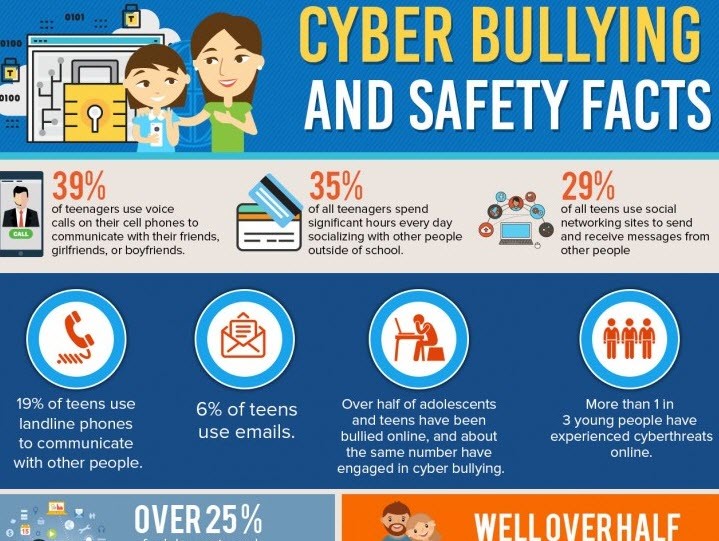
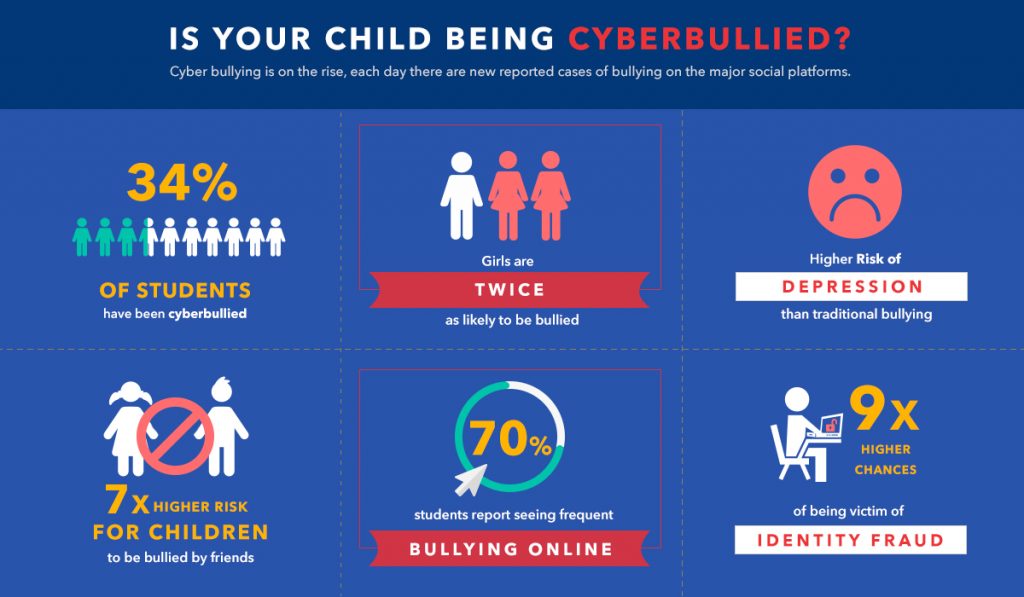
Working through these concepts helps children connect offline empathy with online behavior. According to Common Sense Media, a significant percentage of young people experience some form of digital drama or exclusion during their early elementary years, making early social-emotional learning vital. Learners begin to identify how words look on a screen versus spoken aloud, recognizing that tone is easily lost in text messages and game chats. Another critical takeaway is learning to pause before clicking or posting. This intentional pause builds self-regulation, turning impulsive reactions into thoughtful choices. Children also learn the exact phrases to use when stepping away from an uncomfortable digital interaction, empowering them to protect their emotional well-being independently.
How to Use This Printable
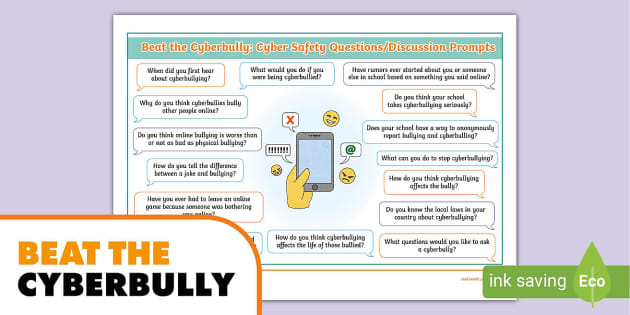
Classrooms and homes thrive when learning tools are flexible and engaging. Educators can integrate these materials into morning meetings, counseling sessions, or library media blocks, while families can review them during weekend quiet time. Coloring reinforces safety messages and opens conversation organically. While pencils move across the page, children feel relaxed enough to share experiences about what happens during after-school video games or shared device time. Adults can ask gentle, open-ended questions about the scenarios depicted on the sheet, guiding learners to discover solutions independently. This collaborative approach ensures that the printable acts as a bridge for communication rather than a test to pass.
Practical Tips for Parents and Teachers
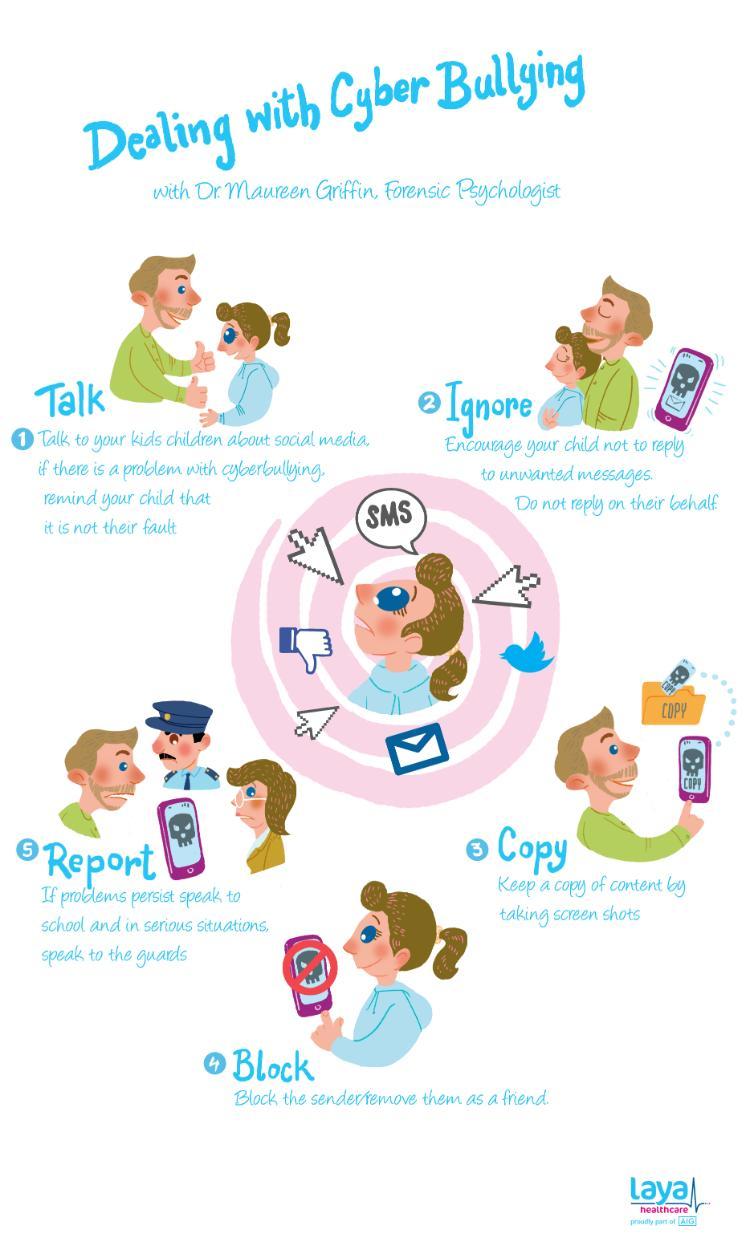
Maximizing the impact of any educational handout involves mindful pacing and positive reinforcement. Avoid lecturing; instead, let the child lead the discussion by asking what surprised them most about the information presented. Educators looking to expand this lesson can browse structured Worksheets designed to reinforce digital citizenship. Keep sessions brief, positive, and focused on growth. If a child mentions an upsetting online incident during the activity, respond with immediate calm praise for their honesty. Acknowledging their courage to speak up strengthens trust and ensures they will return for guidance the next time an issue arises on the screen.
Age-Appropriate Recommendations
Tailoring digital safety conversations to a child’s developmental stage prevents confusion and anxiety. For younger children ages five to eight, focus on basic rules like keeping passwords secret and asking an adult before downloading anything. Children ages nine to twelve can tackle deeper concepts involving digital footprints, peer pressure in game chats, and the emotional impact of exclusion. Aligning these lessons with the Common Sense Education Digital Citizenship Curriculum provides a cohesive framework that bridges school expectations with home routines. Every milestone reached builds greater confidence in managing everyday online environments safely.
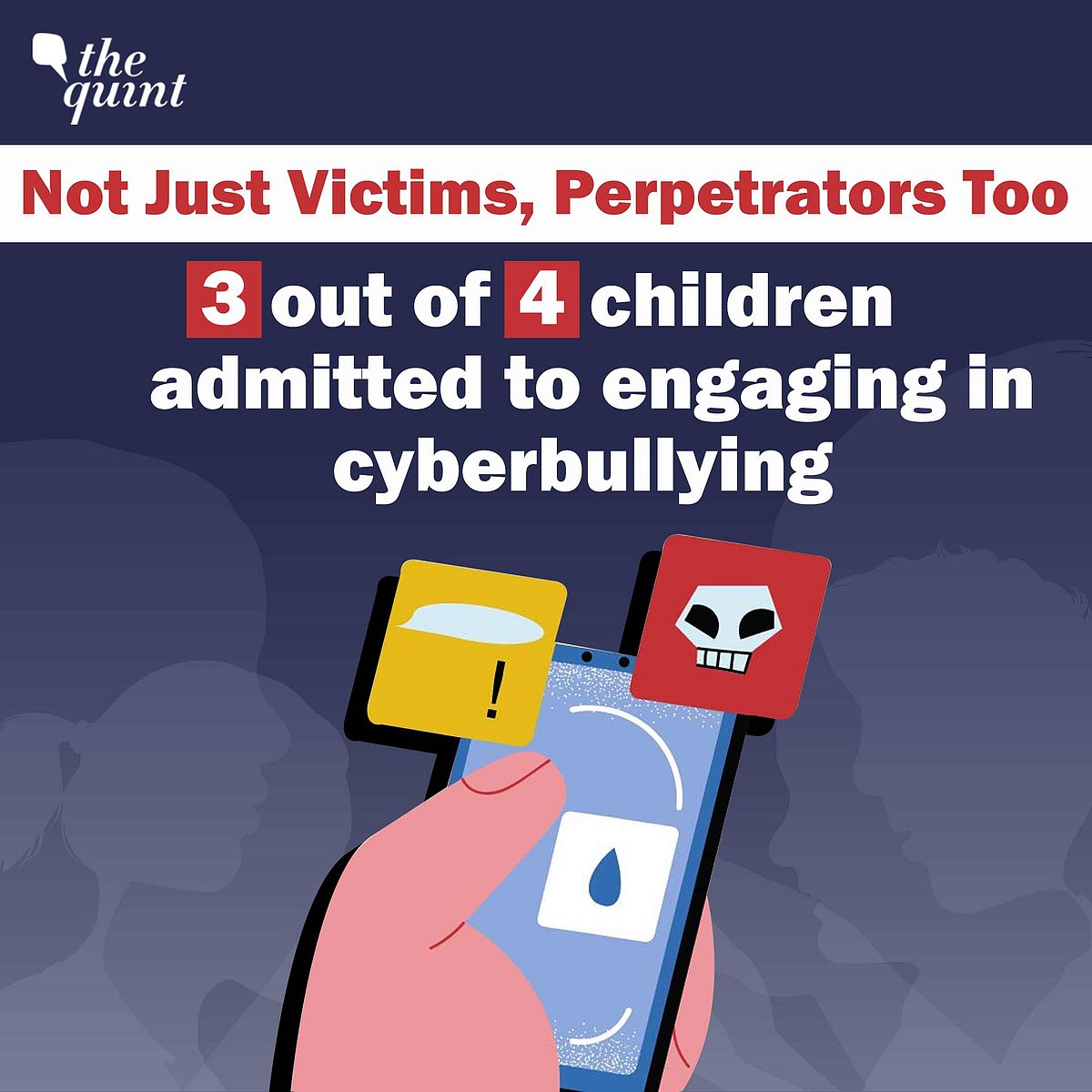
According to research from the Pew Research Center, a majority of teens and pre-teens encounter some form of harassment or mean behavior in digital spaces, highlighting the urgent need for early resilience training. — Pew Research Center
Frequently Asked Questions
Answers to common inquiries help adults implement digital safety resources smoothly across diverse learning environments. Reviewing these details ensures clarity regarding file formats, pedagogical approaches, and institutional standards for online safety education.
Explore More Free Kids Online Safety Printables
Expanding a digital citizenship library ensures children receive consistent reminders about safe online habits throughout the school year. Educators can discover vibrant visual aids by exploring creative Coloring Pages that make discussing digital boundaries engaging and fun. Families wanting a broader perspective on device management can also browse essential guides found within Internet and Digital Safety collections. For comprehensive daily routines, check out the resources available under Online and Digital Safety to keep young learners protected across every platform they encounter.
Developmental Milestone & Activity Table
| Development Stage | Recommended Daily Duration | Primary Learning Objective |
|---|---|---|
| Preschool & Pre-K | 10 – 15 Minutes | Pencil grip development & basic pre-stroke lines |
| Kindergarten | 15 – 20 Minutes | Letter/number formation & spatial line awareness |
| Early Elementary (Grade 1–2) | 20 – 30 Minutes | Fluency, sentence construction & neatness |
Images References