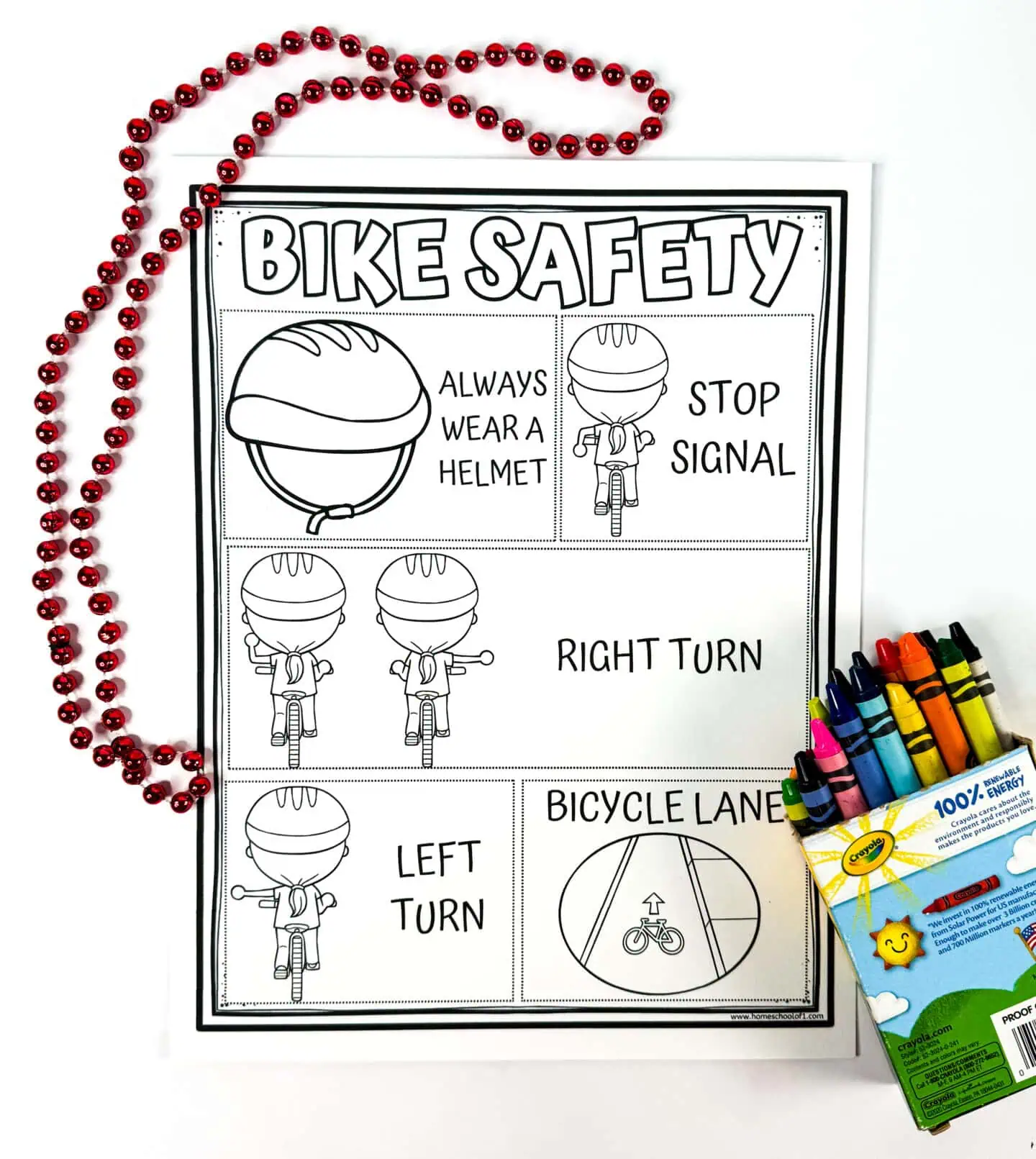
Blending Physical Health and Digital Citizenship Through Bicycle Safety Worksheets
Integrating physical well-being into digital citizenship is essential for modern K-12 education. When teachers and parents introduce bicycle safety worksheets, students often access these educational printables or interactive modules through school-issued tablets, home laptops, or shared community networks. According to youth privacy guidance from organizations like ConnectSafely and the FTC, fostering safe exploration—whether navigating neighborhood streets on a bike or browsing online educational tools—requires a balanced approach that pairs clear digital boundaries with real-world preparedness. By utilizing age-appropriate digital materials, educators can teach students how to identify reliable resources, protect their personal information on interactive educational platforms, and connect offline wellness to safe online behaviors.
💡 Educational Key Takeaways:
- Core Skill: Structured Bicycle Safety Worksheets focused on developing pencil grip, stroke control, and early literacy/math confidence.
- Target Scope: Suited for homeschoolers, preschool, kindergarten, and elementary learners.
- Best Recommendation: Practice 10–15 minutes daily with ergonomic writing tools to reinforce muscle memory without hand fatigue.
Spotting Vulnerabilities Across School and Home Device Environments
When students complete interactive or downloadable activities, they frequently transition between tightly managed school networks and less restrictive home Wi-Fi connections. Adults must recognize how data privacy, ad trackers on third-party learning sites, and unsecured file downloads can expose young users to risks. Reviewing the breakdown table below helps parents and school staff implement concrete safeguards across different device contexts.
| Setting / Context | Common Vulnerability | Practical Safeguard |
|---|---|---|
| Home Devices | Popup ads, unwanted software bundles, or insecure third-party PDF download sites. | Install reputable ad blockers, restrict browser download permissions, and use family-friendly DNS filtering. |
| School Chromebooks/Tablets | Accidental navigation to unvetted external sites via embedded hyperlinks in student worksheets. | Rely on institutional web filters aligned with CISA security frameworks and report broken links to IT staff. |
| Social and Chat Habits | Oversharing location details or personal photos while discussing outdoor activities online. | Establish clear household rules regarding geolocation settings and communication with unknown peers. |
Actionable Protocols and Practical Routines for Families and Classrooms
Effective digital safety extends beyond software filters; it requires consistent routines and open communication. Whether children are printing out bicycle safety worksheets for a school project or exploring companion digital resources, adults should establish clear expectations. Create centralized charging stations in common household areas to discourage late-night device use and encourage transparent online habits. In the classroom, teachers should establish straightforward communication policies regarding acceptable research websites, ensuring students know how to seek help without fear of punishment if they encounter an unexpected pop-up or suspicious link. Educators can also supplement these lessons by integrating curated worksheets that reinforce safe search habits alongside physical street safety rules.
Overcoming Pushback and Addressing Student Digital Workarounds
Children and teens are resourceful, and overly restrictive device bans often backfire by driving online behavior underground or prompting students to seek out risky workarounds. If a student attempts to bypass web filters to download favorite activity files or games, reacting with immediate punitive measures can erode trust. Instead, adults should use these moments as teachable opportunities to discuss why certain security controls exist. Pairing technical restrictions with calm, non-judgmental conversations helps students understand the value of data privacy and safe browsing. For further guidance on maintaining a secure digital environment, explore resources on Internet and Digital Safety to keep young learners protected.
Frequently Asked Questions From Educators and Parents
How can I ensure third-party educational websites are safe for young children?
Always verify that educational platforms comply with privacy standards like COPPA and do not require unnecessary personal information. Utilizing trusted school-vetted portals or curated collections from Online and Digital Safety directories minimizes exposure to data tracking.
What should a student do if they accidentally click a malicious pop-up link?
Teach children to immediately close the browser tab, disconnect from the internet if necessary, and notify an adult right away without fear of getting in trouble. Creating a blame-free reporting culture ensures minor mistakes are handled swiftly before they escalate.
Are printable activities safer than interactive digital games?
Printable materials reduce screen time and eliminate risks associated with online tracking, chat features, and malicious web pop-ups. However, digital tools remain valuable when properly configured with age-appropriate device controls and parental supervision.
Explore More Digital Citizenship Resources
Empowering children to navigate both physical streets and digital landscapes safely requires ongoing collaboration between educators and families. Visit SafeWiredSchools.org to discover additional guides, classroom policies, and safety strategies tailored to your community.
Worksheet Previews & Reference Materials