
Introduction
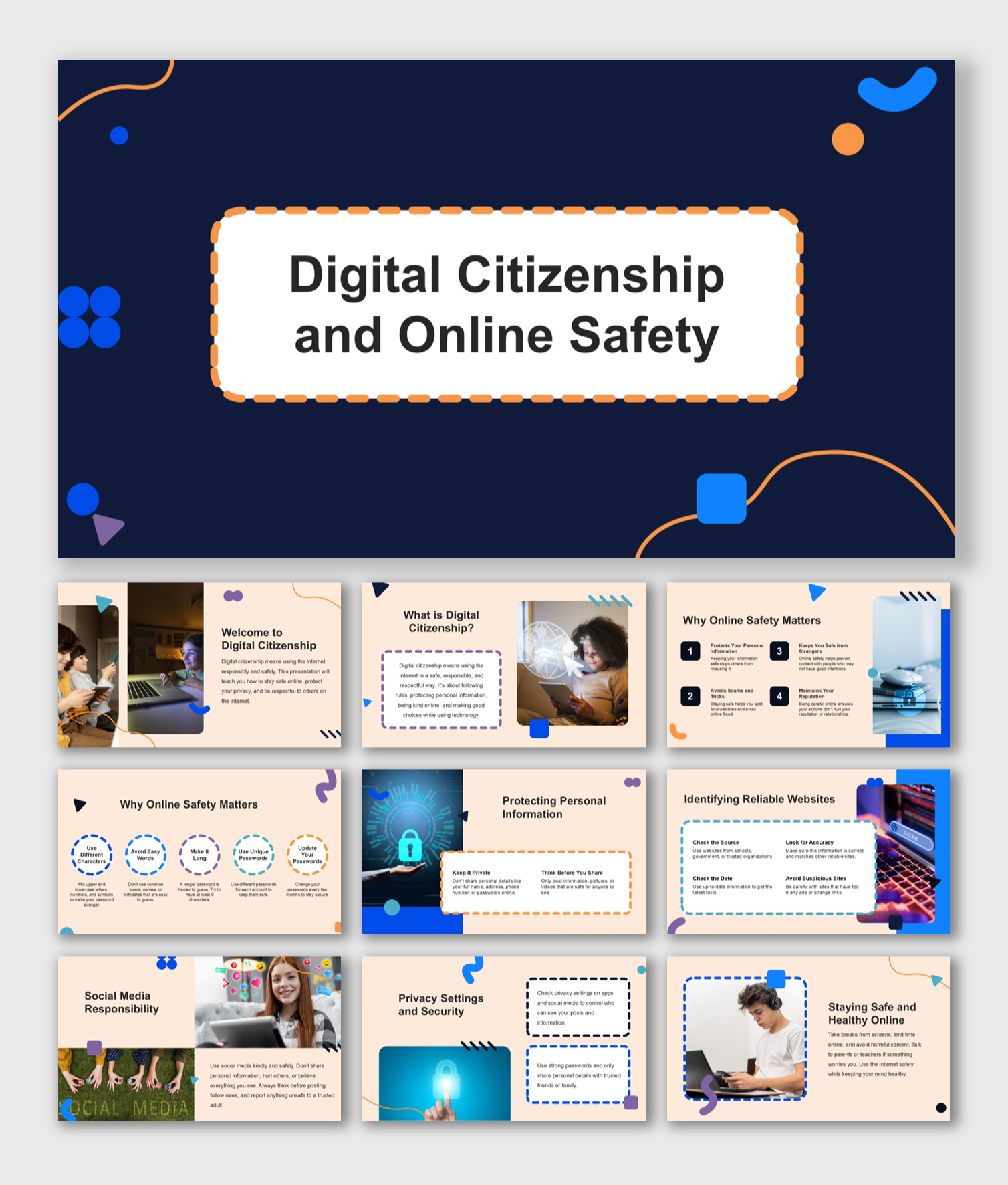
An online safety and digital citizenship ppt functions as a structured presentation tool designed to instruct middle school students, teachers, and parents on responsible technology use, secure browsing habits, and respectful online communication. According to ConnectSafely, digital safety education requires ongoing, proactive instruction to help adolescents navigate complex online environments safely and ethically. Educational stakeholders utilize presentation slide decks to standardize curriculum delivery across classrooms, covering essential topics such as digital footprints, password management, and anti-bullying protocols. Integrating a comprehensive slide deck into school assemblies or homeroom periods fosters a unified institutional approach to cyber hygiene. Educational leaders seeking supplementary materials can explore foundational Internet and Digital Safety modules to reinforce presentation concepts.
Digital Safety Snapshot:
- Core Focus: Standardized visual slide presentations delivering essential internet safety and digital ethics education.
- Target Scope: Middle school classrooms, faculty professional development sessions, and parent-teacher association workshops.
- Key Recommendation: Pair slide presentations with interactive scenario-based discussions and downloadable student exercises.
Core Principles and Detailed Overview
Effective presentation slide decks establish foundational expectations regarding internet safety, data privacy, and peer interaction in modern educational ecosystems. A robust presentation balances technical defense mechanisms, such as secure device hygiene and multi-factor authentication, with interpersonal guidelines regarding cyberbullying prevention and empathy. Schools must address digital permanence explicitly, teaching students that online activities create an indelible digital footprint affecting future academic and professional opportunities. Furthermore, structured lessons on classroom screen balance ensure that adolescents develop healthy offline habits alongside their digital competencies. To support diverse learning styles, educators frequently complement visual presentations with interactive Worksheets that encourage critical thinking about online risks.
Key Specifications and Breakdown
| Safety Pillar | Digital Risk Factor | Actionable Protective Habit |
|---|---|---|
| Digital Footprint | Permanent archiving of personal data | Review privacy settings regularly and pause before posting content. |
| Cyberbullying Prevention | Anonymous harassment and social exclusion | Document abusive messages immediately and report incidents to trusted adults. |
| Device Hygiene | Malware infection and unauthorized access | Log out of shared terminals and update operating systems consistently. |
Proactive digital citizenship education significantly reduces negative online behaviors by teaching adolescents empathy, critical media literacy, and accountable technology use before critical incidents occur. — Cybersecurity & Infrastructure Security Agency (CISA)
Step-by-Step Practical Application and Guidelines
Implementing presentation media successfully requires careful curation, interactive student participation, and consistent reinforcement across all academic disciplines. Educators should begin by reviewing existing presentation templates to ensure alignment with district internet safety policies and age-appropriate developmental milestones. During delivery, instructors must integrate real-world scenarios that prompt middle school students to evaluate complex ethical dilemmas, such as sharing peer photographs or responding to inflammatory online comments. Following the presentation session, teachers should distribute creative reinforcement tasks, such as designing informative Online and Digital Safety posters to display throughout school hallways, cementing key safety rules in daily school life.
Common Challenges and How to Avoid Them
Overly technical jargon, text-heavy slides, and passive lecturing represent primary obstacles that diminish the educational impact of digital citizenship presentations. Presenters often make the mistake of overwhelming middle school audiences with excessive cybersecurity regulations while neglecting practical behavioral guidance regarding online kindness and reputation management. Mitigating these issues involves incorporating multimedia elements, short video vignettes, and guided peer discussions that transform passive listeners into active participants. Educational institutions also prevent comprehension gaps by conducting pre-assessment and post-assessment checks, ensuring that students retain fundamental lessons concerning password security, scam recognition, and respectful communication.
💬 Frequently Asked Questions
Explore More Kids Safety and Digital Citizenship Guides on SafeWiredSchools
Empowering students, educators, and families with authoritative digital citizenship resources creates a secure, respectful, and resilient online learning community. Comprehensive guidance, interactive tools, and curriculum supports remain continuously available through the expansive digital library maintained at Safe Wired Schools.
Visual Reference Gallery





