Introduction
Preteens navigate digital spaces with impressive independence, often encountering clever digital trickery disguised as friendly chat messages or exciting gaming prizes. Modern classrooms and households increasingly rely on structured tools to help older children recognize these deceptive tactics. It sounds simple, and that’s the point. Clear educational resources bridge the gap between abstract internet warnings and tangible daily habits. Building digital resilience requires consistent practice, thoughtful dialogue, and age-appropriate materials that respect a preteen’s growing capacity for critical thinking. Exploring topics like phishing no longer needs to feel intimidating when paired with practical Internet and Digital Safety strategies designed specifically for upper elementary and middle school minds.
💡 Educational Key Takeaways:
- Core Skill: Structured List 3 Ways You Can Prevent Being A Phishing Victim Explain For 12 Year Old focused on developing pencil grip, stroke control, and early literacy/math confidence.
- Target Scope: Suited for homeschoolers, preschool, kindergarten, and elementary learners.
- Best Recommendation: Practice 10–15 minutes daily with ergonomic writing tools to reinforce muscle memory without hand fatigue.
What This Printable Covers
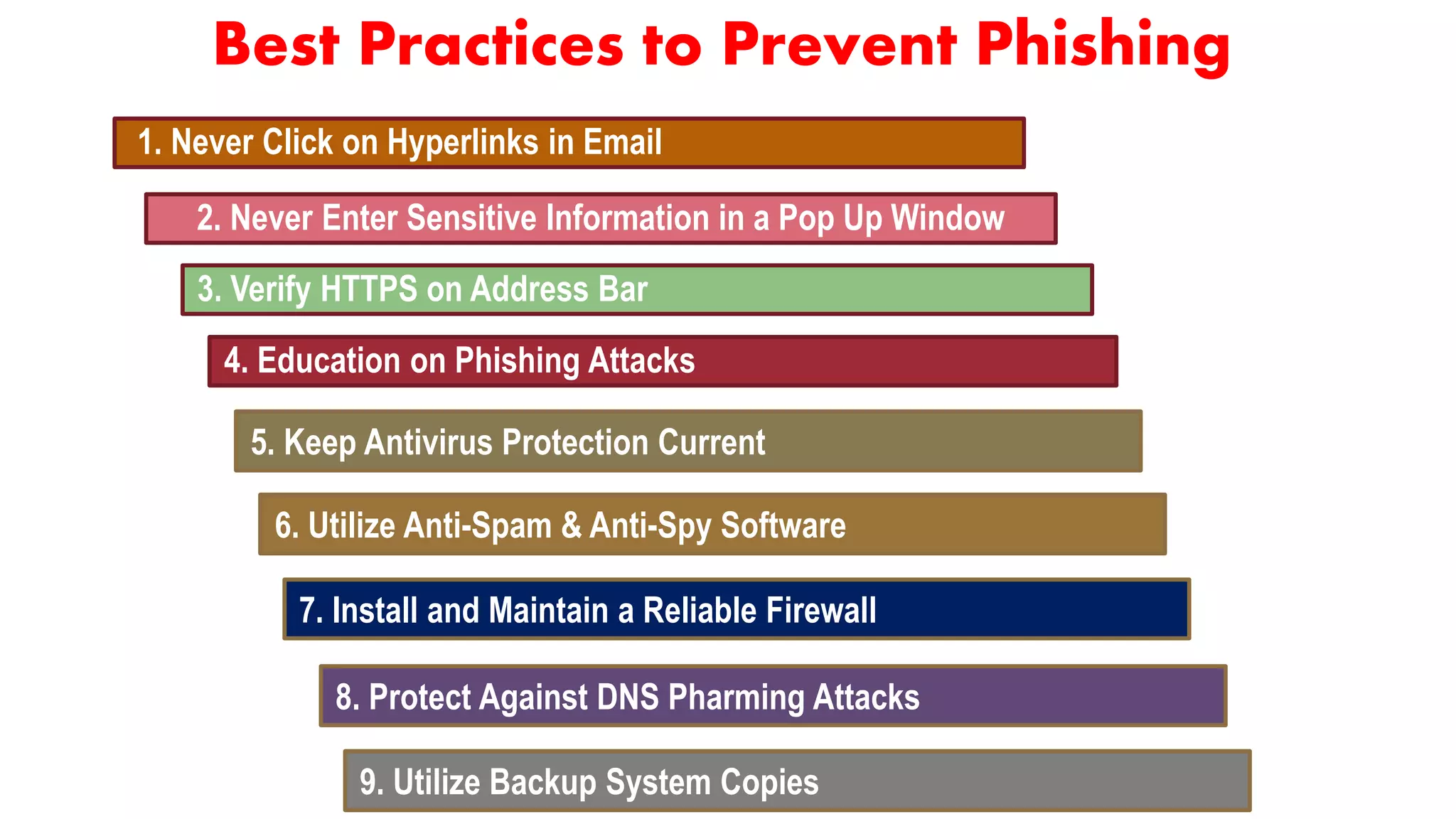
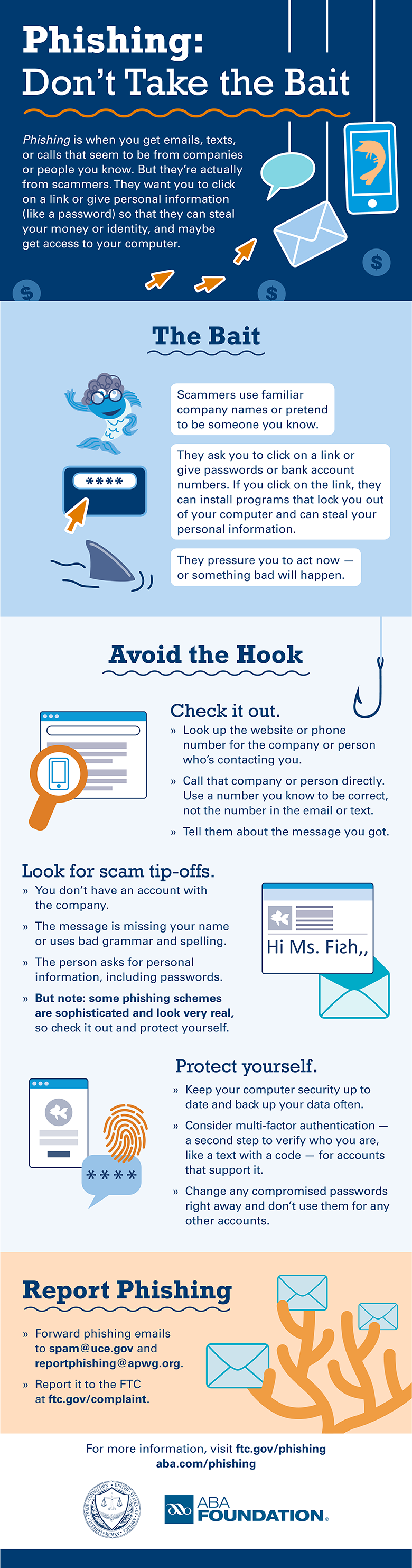
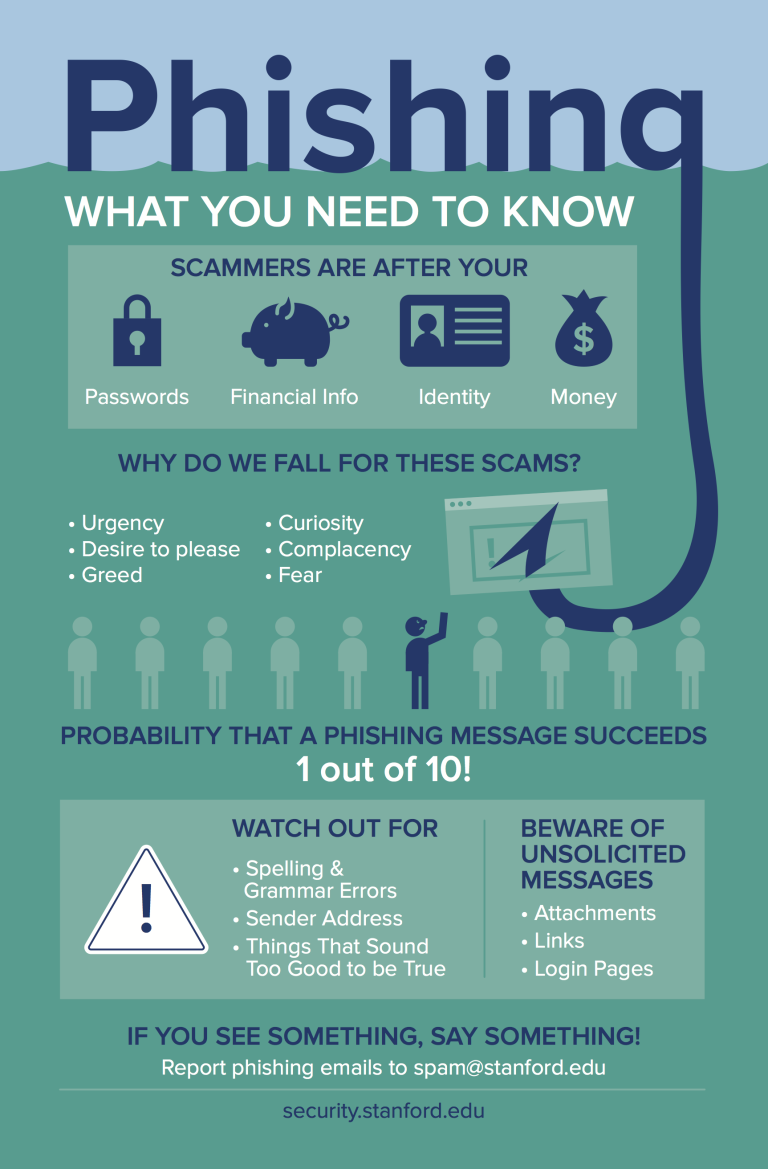
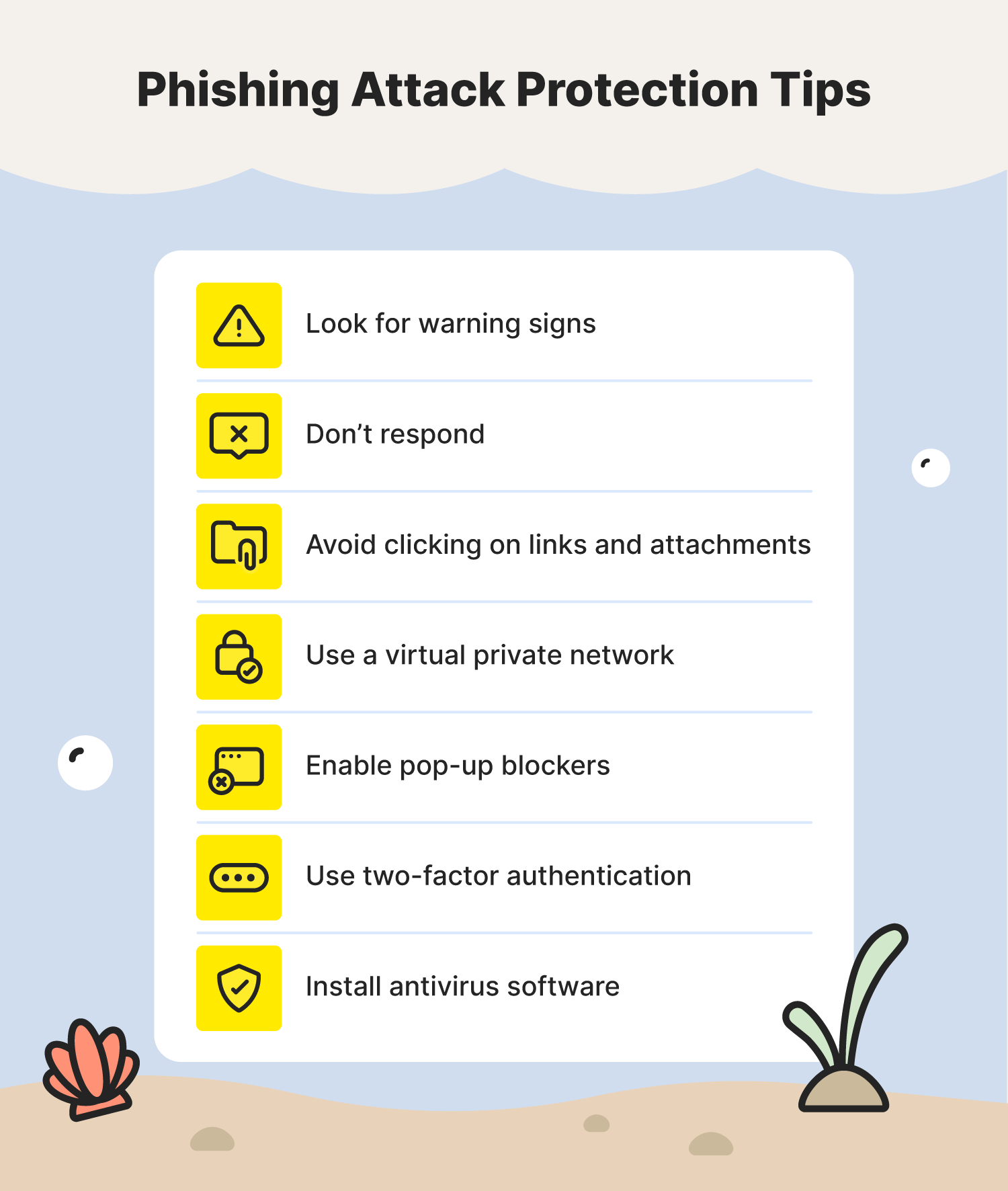
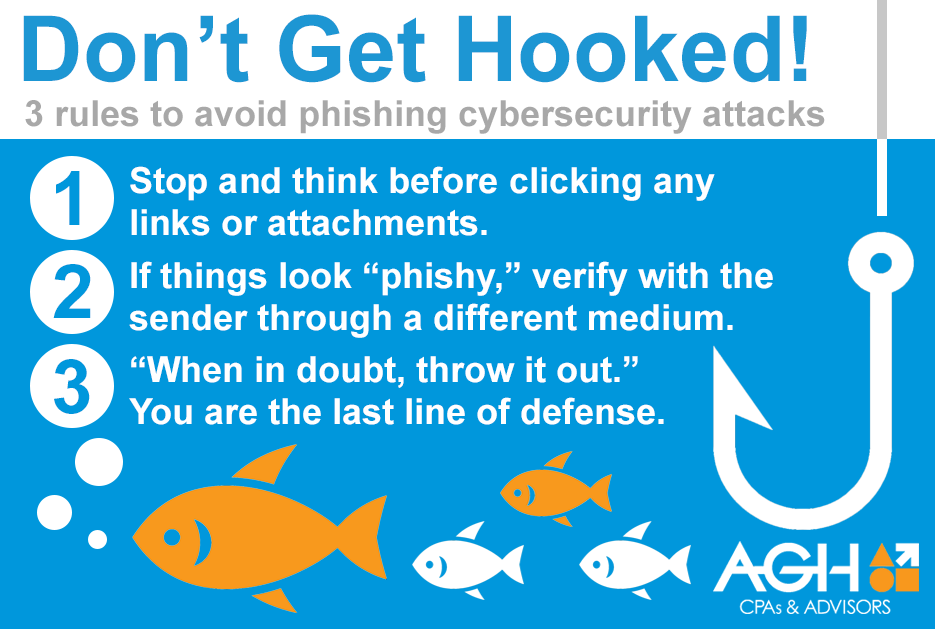
The free printable “list 3 ways you can prevent being a phishing victim explain for 12 year old” focuses on core protective behaviors rather than technical jargon. Twelve-year-olds often encounter online risks through shared family tablets, in-game chat features within multiplayer titles, and direct messages on video-sharing platforms. This worksheet guides learners to articulate three distinct defensive actions, such as verifying sender identities, avoiding suspicious links, and consulting a trusted adult before clicking. Deceptive messages frequently target enthusiasm or urgency, making reflective pause a vital skill. By writing down concrete prevention steps, students internalize the process of pausing to evaluate digital communications instead of reacting on impulse.
Key Learning Outcomes
Working through this guided activity helps preteens identify the psychological pressure tactics often embedded in fraudulent messages. Children learn that legitimate organizations never demand immediate password disclosures or personal details through casual pop-up windows. Furthermore, the exercise reinforces the vital rule that reporting an uncomfortable digital encounter never results in punishment or device restriction. Transforming complex security concepts into three manageable steps empowers young users to take active charge of their personal privacy. Educators can pair these insights with relevant Worksheets to reinforce critical analysis during computer lab sessions or homework time.
How to Use This Printable
Effective implementation turns a standard pen-and-paper task into an engaging discussion about everyday digital choices. Adults can introduce the resource by sharing a realistic, non-threatening scenario common to multiplayer gaming or messaging apps. Students then complete the three-point list independently or in small collaborative groups, followed by a classroom or kitchen-table conversation comparing answers. Here’s what makes this resource different: it encourages learners to explain concepts in their own words rather than simply memorizing definitions. This active formulation solidifies memory retention and prepares preteens to spot suspicious prompts in the wild.
Practical Tips for Parents and Teachers
Consistency between home environments and school settings amplifies the impact of any digital citizenship lesson. Adults should avoid panic-inducing warnings, focusing instead on digital hygiene as a routine wellness practice similar to locking a front door. Setting up regular check-ins about favorite online games and video platforms helps normalize conversations regarding strange direct messages. Keeping instructions straightforward ensures that children view safety rules as empowering tools rather than restrictive barriers. Additional guidance is available across comprehensive Online and Digital Safety archives to support ongoing family discussions.
Age-Appropriate Recommendations
Twelve-year-olds possess the cognitive readiness to understand basic social engineering concepts without experiencing undue anxiety. Aligning instructional design with the Common Sense Education Digital Citizenship Curriculum ensures that activities match developmental milestones for upper elementary and middle school learners. At this stage, children transition from simple rule-following to deeper evaluation of digital intent and source credibility. Keeping tasks concise prevents cognitive overload while fostering analytical habits that serve preteens well into their teen years.
According to Common Sense Media, a significant percentage of preteens and teenagers encounter digital advertising tricks, scams, or misleading links while browsing or gaming on shared devices. — Common Sense Media
Frequently Asked Questions
Navigating online safety education raises common questions among educators and families seeking practical resources. Clear answers help streamline the process of integrating digital citizenship tools into daily routines.
According to the Federal Trade Commission (FTC), teaching children to recognize phishing attempts early is a foundational step in preventing identity theft and online fraud. — Federal Trade Commission
Explore More Free Kids Online Safety Printables
Expanding a digital citizenship curriculum is easy with supplementary resources tailored for diverse learning styles. Creative learners often benefit from tactile activities found within specialized Coloring Pages collections that introduce foundational concepts to younger siblings. Combining multiple format types ensures that every child develops robust, lifelong internet safety habits in a supportive environment.
Developmental Milestone & Activity Table
| Development Stage | Recommended Daily Duration | Primary Learning Objective |
|---|---|---|
| Preschool & Pre-K | 10 – 15 Minutes | Pencil grip development & basic pre-stroke lines |
| Kindergarten | 15 – 20 Minutes | Letter/number formation & spatial line awareness |
| Early Elementary (Grade 1–2) | 20 – 30 Minutes | Fluency, sentence construction & neatness |
Images References