Introduction
Digital spaces function as modern playgrounds, classrooms, and neighborhoods for children between the ages of five and twelve. Young minds navigate shared family tablets, text features hidden inside video game lobbies, and algorithmic video platforms long before adolescence begins. These virtual environments offer boundless opportunities for creativity and connection, yet navigating them requires deliberate guidance. Adults often search for effective ways to establish digital boundaries without instilling fear. Establishing clear guidelines transforms unpredictable online encounters into manageable learning moments. The free printable “how to choose internet safety rules for” on {site_name} provides a structured foundation for building these essential habits. Framing digital safety as a life skill rather than a restrictive rulebook empowers young users to make thoughtful choices when independent decisions arise. Related guide: 5 Cyber Safety Tips Symbols That Can Be Read By The Grede 7 Students.
💡 Educational Key Takeaways:
- Core Skill: Structured How To Choose Internet Safety Rules For focused on developing pencil grip, stroke control, and early literacy/math confidence.
- Target Scope: Suited for homeschoolers, preschool, kindergarten, and elementary learners.
- Best Recommendation: Practice 10–15 minutes daily with ergonomic writing tools to reinforce muscle memory without hand fatigue.
What This Printable Covers
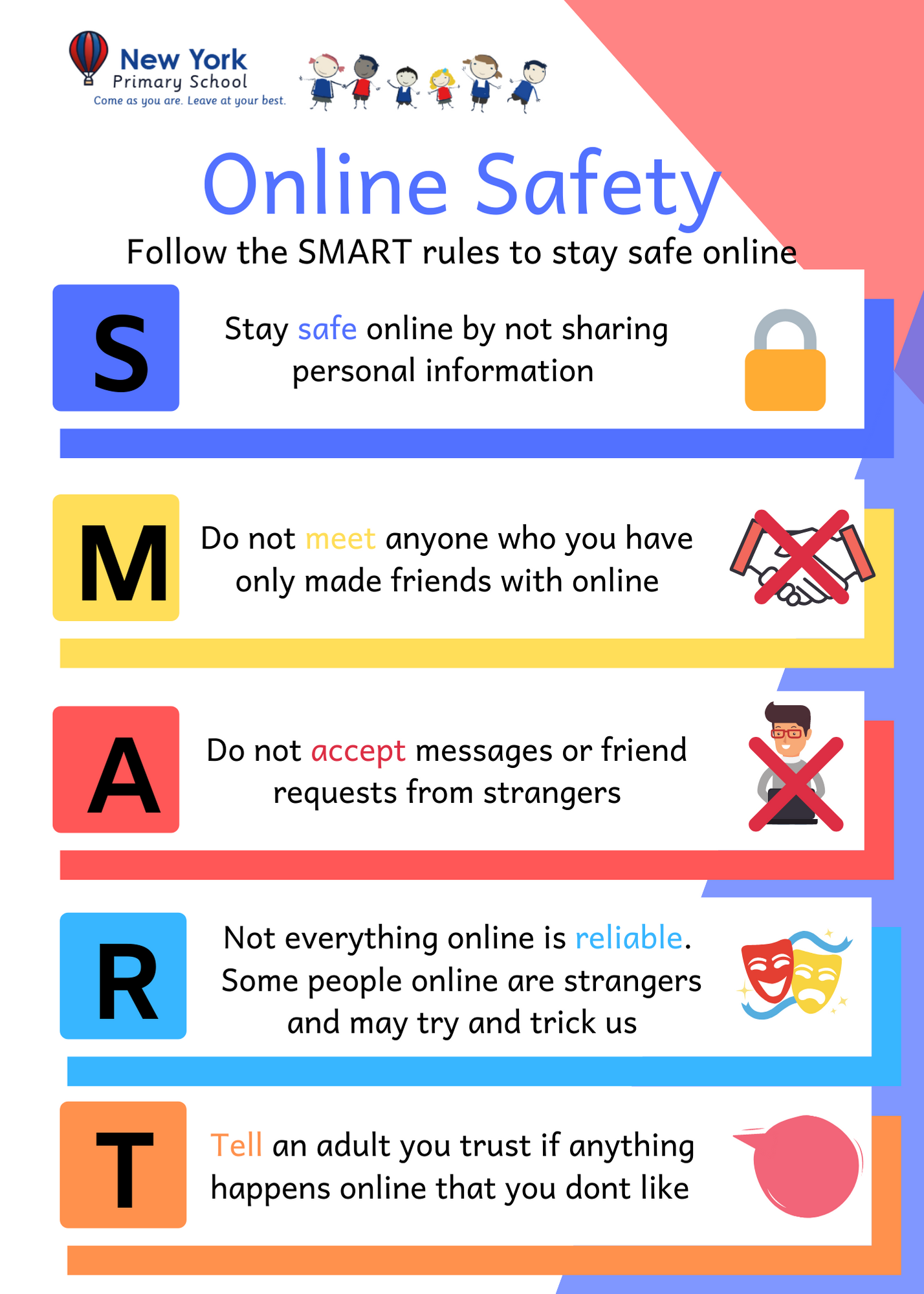
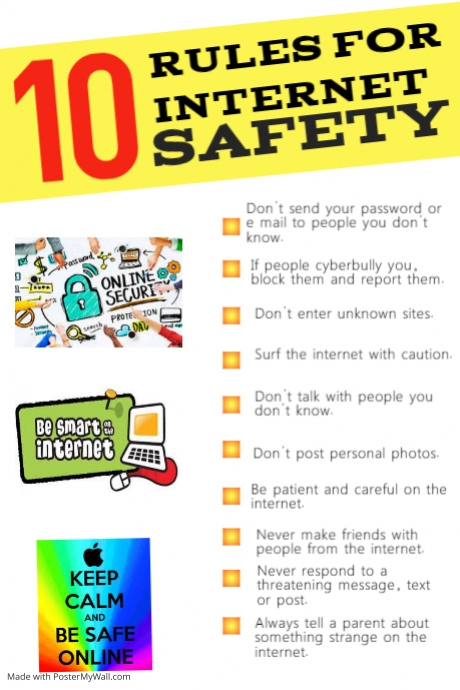
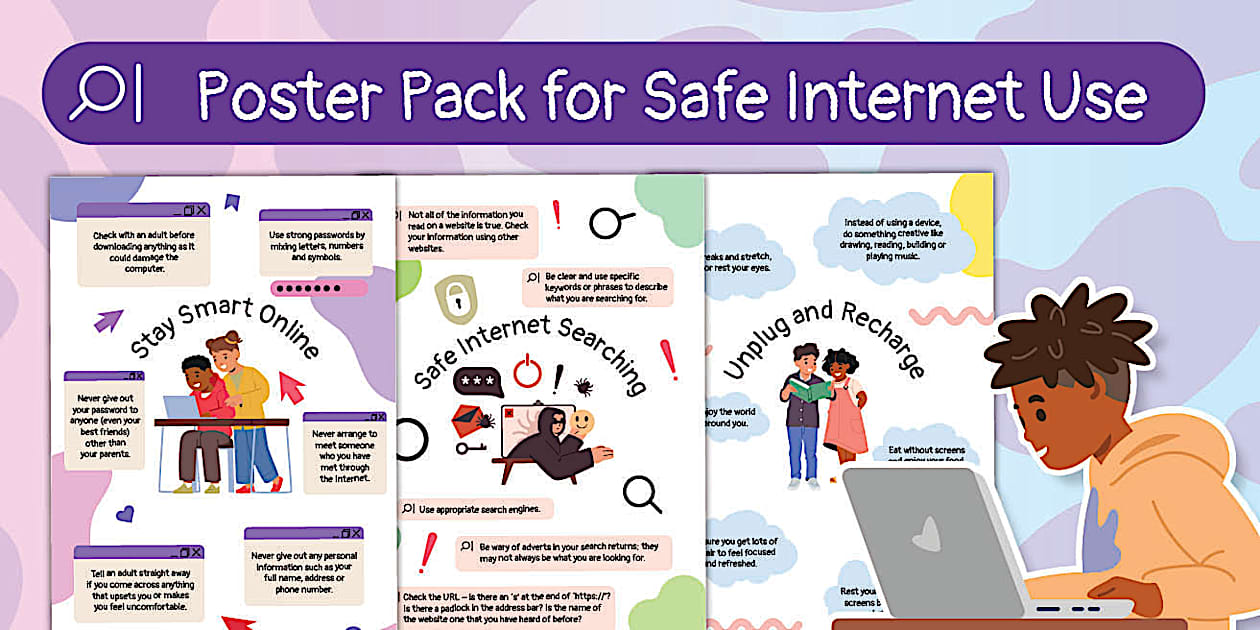
Clear boundaries serve as the cornerstone of healthy device usage, whether in a bustling elementary classroom or a quiet living room. This guide and checklist resource outlines practical steps for households and educators to collaboratively establish meaningful digital agreements. Rather than imposing arbitrary restrictions, the material encourages children to participate in shaping their own boundaries. It focuses heavily on foundational protective habits, including keeping personal information private, creating strong passwords, and pausing before sharing content. Furthermore, the framework reinforces a vital reassurance: children are never in trouble for reporting an uncomfortable message, image, or interaction. This supportive approach removes the fear of punishment that often keeps young users silent when encountering trouble online. Educators and families find that transparent guidelines reduce digital anxiety while strengthening mutual trust across generations.
Key Learning Outcomes
Working through these structured checklists helps students internalize specific digital citizenship competencies. Learners begin to recognize what constitutes private information, such as home addresses, full names, and school locations. They also practice identifying trusted adults to approach whenever a digital situation feels confusing, mean, or unsafe. Here’s what makes this resource different: it turns abstract concepts like privacy into concrete, actionable steps that young learners can visualize and remember. Children explore how their digital actions impact others, fostering empathy across screens. Repeated engagement with these concepts builds procedural memory, ensuring that protective habits activate naturally during independent device time.
How to Use This Printable
Implementing this guide successfully requires a collaborative mindset that treats technology as a shared responsibility. Adults can introduce the checklist during a calm family meeting or a dedicated classroom morning meeting. Reading through the prompts together allows children to voice questions about their favorite apps and games. It sounds simple, and that’s the point. Consistent, low-pressure conversations yield better retention than sporadic lectures driven by panic or reactive discipline. Displaying the finalized agreements near household charging stations or classroom computer carts keeps digital safety top of mind throughout the week. Educators can integrate these principles into broader lessons found within Internet and Digital Safety modules.
Practical Tips for Parents and Teachers
Consistency remains the most powerful tool in shaping positive digital habits among elementary-aged students. Adults should revisit the agreed-upon rules regularly, especially when children gain access to new devices or multiplayer platforms. Role-playing hypothetical scenarios, such as receiving a strange direct message or navigating an unfriendly in-game chat, prepares children for real-world encounters. According to the Pew Research Center, a significant majority of parents worry about their children’s digital lives, making structured communication tools essential for easing household tension. Affirming a child’s honesty when they report a mistake reinforces safe behavior more effectively than scolding. Adults must also model healthy screen habits, demonstrating that balance and mindfulness apply to all ages.
Age-Appropriate Recommendations
Developmental stages dictate how children process rules and understand online risks. Five-year-olds need simple, concrete boundaries like keeping screens in common areas and asking an adult before downloading new content. Pre-teens approaching middle school require nuanced discussions regarding digital footprints, peer pressure, and respectful communication in group chats. Aligning these lessons with the Common Sense Education Digital Citizenship Curriculum provides a structured progression that grows alongside the child. Educators can expand these lessons further by pairing the main checklist with additional resources from Worksheets to reinforce critical thinking skills. Tailoring expectations to developmental readiness ensures that children feel supported rather than overwhelmed at every age.
According to the Federal Trade Commission, children frequently encounter digital marketing, data collection, and unintended peer contact through mobile applications, highlighting the need for proactive family guidelines. — Federal Trade Commission
Frequently Asked Questions
Navigating digital citizenship questions helps educators and families maintain a unified approach to online safety. The answers below address common inquiries regarding resource implementation, digital literacy goals, and institutional research findings. Understanding these details maximizes the educational value of every printable activity utilized in homes and schools.
According to the National Center for Missing & Exploited Children, teaching children open communication channels with trusted adults is one of the most effective ways to mitigate digital risks. — National Center for Missing & Exploited Children
Explore More Free Kids Online Safety Printables
Expanding a digital citizenship curriculum requires a diverse array of supplemental materials that engage different learning styles. Educators often combine checklists with creative exercises found in Coloring Pages to make safety concepts accessible for younger elementary students. Exploring topics related to Online and Digital Safety ensures that lesson plans remain comprehensive throughout the school year. Consistent reinforcement across multiple formats transforms digital citizenship from a classroom lesson into a lifelong habit.
Developmental Milestone & Activity Table
| Development Stage | Recommended Daily Duration | Primary Learning Objective |
|---|---|---|
| Preschool & Pre-K | 10 – 15 Minutes | Pencil grip development & basic pre-stroke lines |
| Kindergarten | 15 – 20 Minutes | Letter/number formation & spatial line awareness |
| Early Elementary (Grade 1–2) | 20 – 30 Minutes | Fluency, sentence construction & neatness |
Images References