Protecting Digital Explorers: Why Consistent Internet Safety Guidelines For Kids Matter Everywhere
As children navigate virtual classrooms, gaming lobbies, and social platforms, safeguarding their digital journey requires a united front between home and school. Official guidance from organizations like CISA and ConnectSafely emphasizes that technical filters alone are never enough to protect developing minds. Establishing proactive internet safety guidelines for kids equips students with the critical thinking skills needed to recognize online risks, avoid dangerous pitfalls, and ask for help when they encounter uncomfortable content. By combining age-appropriate device controls with calm, open communication, parents and educators can build a resilient safety net for every student. Related guide: Digital Bullying Prevention Activities For Young Children.
💡 Educational Key Takeaways:
- Core Skill: Structured Internet Safety Guidelines For Kids focused on developing pencil grip, stroke control, and early literacy/math confidence.
- Target Scope: Suited for homeschoolers, preschool, kindergarten, and elementary learners.
- Best Recommendation: Practice 10–15 minutes daily with ergonomic writing tools to reinforce muscle memory without hand fatigue.
Spotting Vulnerabilities: A Practical Risk Matrix for Adults
Understanding where technical gaps and behavioral blind spots intersect allows adults to intercept trouble before it escalates. The following breakdown maps out common student vulnerabilities across different digital environments alongside actionable safeguards recommended for school and home networks.
| Setting / Context | Common Vulnerability | Practical Safeguard |
|---|---|---|
| Home Devices & Tablets | Unmonitored late-night browsing and access to adult search terms. | Enforce centralized charging stations outside bedrooms and enable strict safe-search locks. |
| School Chromebooks | Bypassing network extensions or sharing login credentials with peers. | Use active classroom management software paired with transparent Internet and Digital Safety policies. |
| Chat & Gaming Lobbies | Interacting with unverified strangers through in-game voice and text features. | Disable direct messaging on multiplayer platforms and restrict communication to approved friends. |
Actionable Guardrails and Daily Habits Families and Schools Can Apply
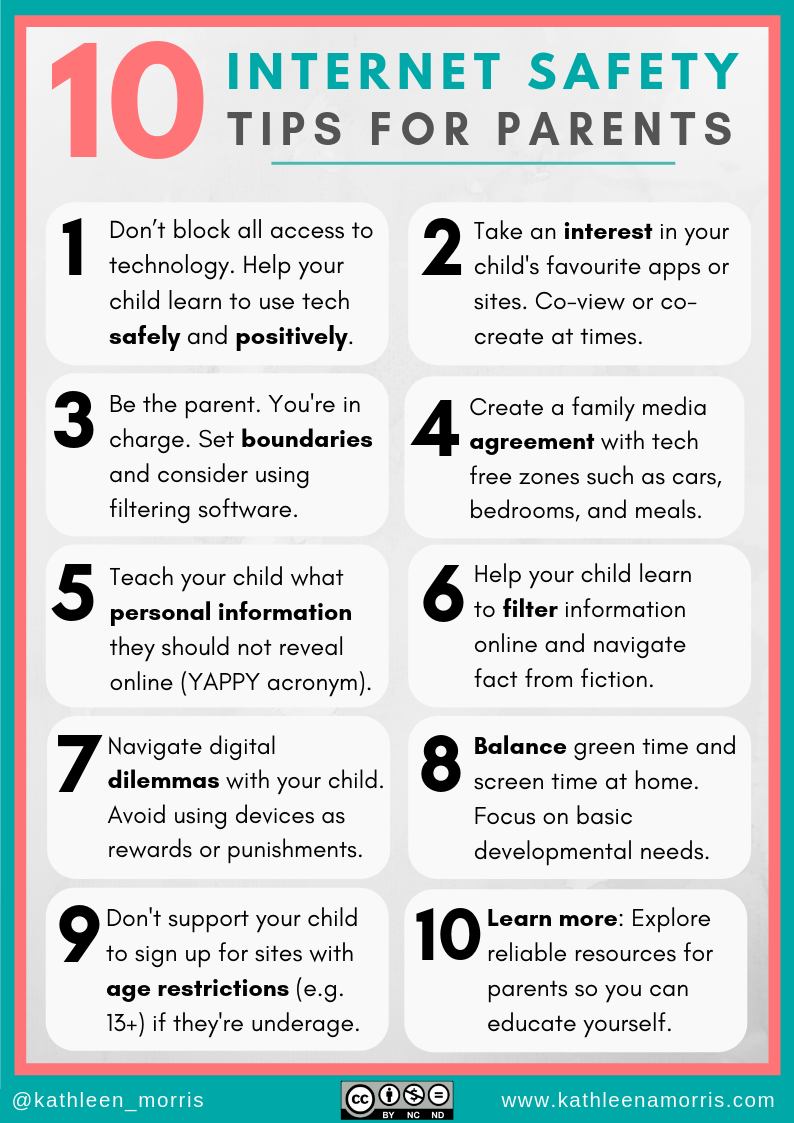
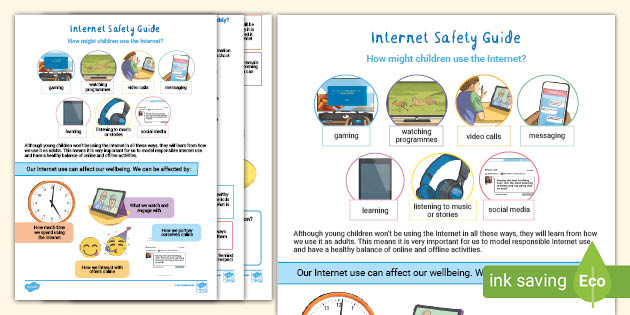
Consistency is the cornerstone of effective digital citizenship. Schools can reinforce acceptable use policies during morning meetings, while parents can establish predictable offline routines at home. Create a household technology agreement that clearly defines respectful communication, time limits, and the immediate rule that mistakes or accidental exposure to harmful content will never result in the loss of internet privileges as a punishment. Instead, frame reporting as a brave and responsible action. To make lessons stick for younger students, educators frequently integrate interactive Worksheets that prompt kids to identify secure websites, strong passwords, and private personal information.
When adults rely solely on draconian bans or heavy-handed monitoring software, children often find creative workarounds, such as using proxy sites, clearing browser histories, or hiding device usage entirely. Effective internet safety guidelines for kids acknowledge that children are naturally curious and will occasionally stumble across age-inappropriate material. Rather than reacting with panic or anger, adults should treat these moments as teachable opportunities. FOSI and other youth advocacy groups recommend maintaining a calm demeanor when a child reports a cyberbullying incident or a suspicious message, ensuring they feel secure enough to come forward again in the future.
Frequently Asked Questions for Parents and Educators
What is the best age to introduce internet safety guidelines to children?
Conversations about online safety should begin the moment a child interacts with any connected device, usually around preschool or early elementary school. Concepts like keeping personal information private can be taught through simple games long before children ever open a social media account.
How should teachers handle students accessing inappropriate content on school devices?
Educators should follow district protocol by documenting the incident, notifying IT administrators, and addressing the student privately without public shaming. Reinforcing positive digital habits through resources like Online and Digital Safety modules helps redirect the student toward constructive learning.
How can parents monitor online activity without destroying trust?
Transparency is key to maintaining a healthy relationship. Adults should co-view media together, explain why specific parental controls are active, and check in regularly about favorite online games and digital friendships.
Explore More Digital Citizenship Resources and Tools
Building a safer digital culture requires ongoing education, collaboration, and continuous support for both educators and families. Visit SafeWiredSchools.org to access comprehensive lesson plans, expert guides, and printable safety toolkits designed to empower the next generation of responsible digital citizens.
Visual Reference Gallery