Introduction
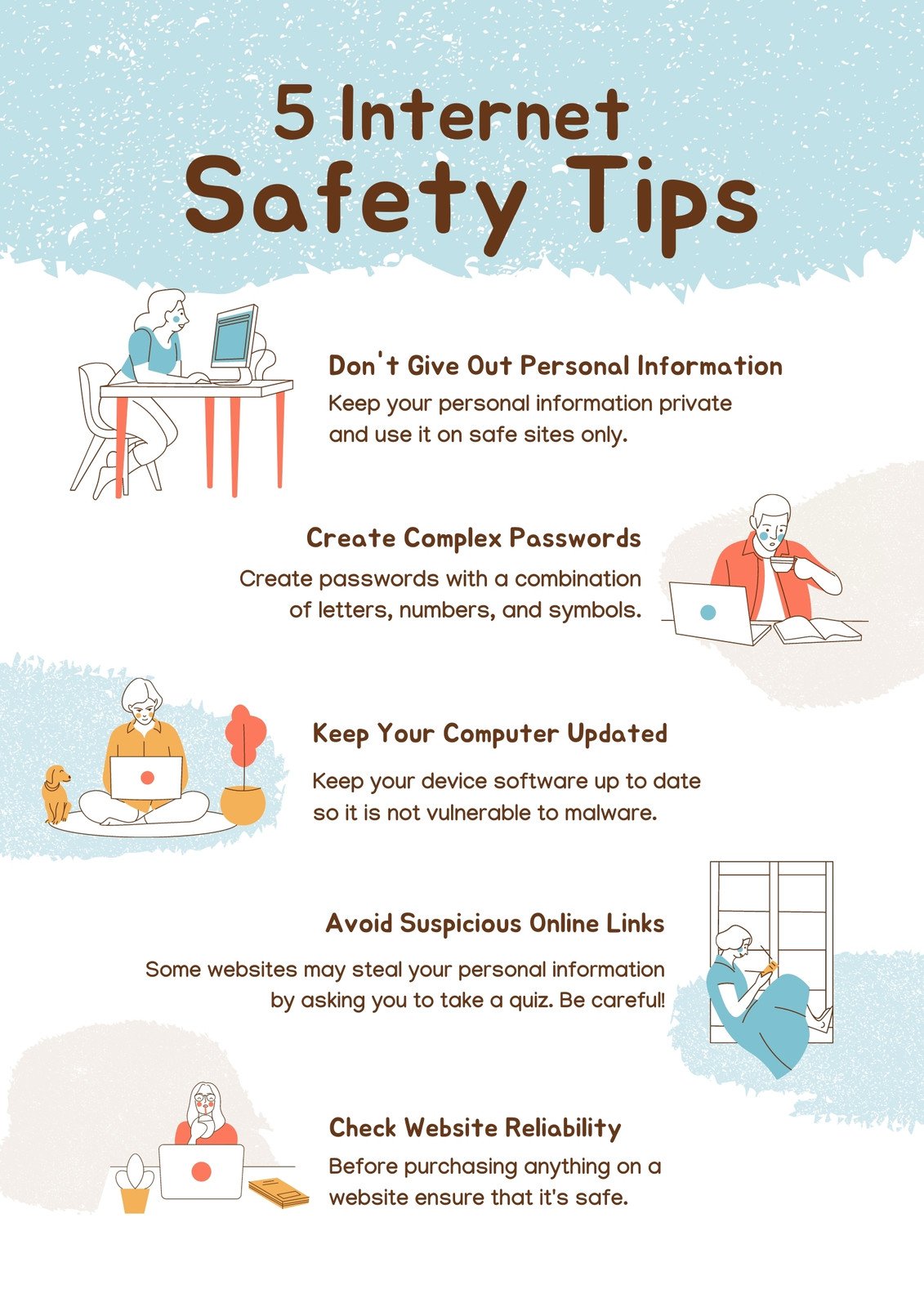
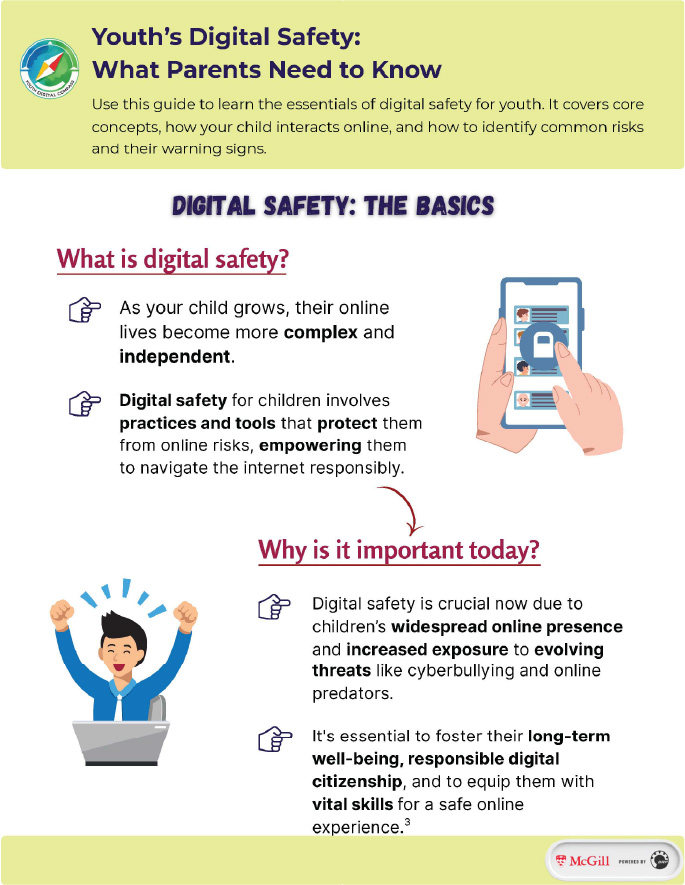
Children today navigate a vibrant digital landscape long before they reach middle school. Whether completing school assignments on shared household tablets or collaborating on building projects in multiplayer game lobbies, young learners encounter digital environments naturally. Adults often worry about keeping children safe in these spaces, yet traditional lectures rarely hold a child’s attention. Building healthy digital habits works best through active, visual engagement rather than strict warnings. The free printable digital safety awareness infographic available on {site_name} bridges the gap between adult expectations and child-friendly understanding. Clear visuals paired with actionable advice help transform abstract internet rules into concrete daily practices. By focusing on protective habits like privacy preservation and open communication, educators and families can guide children toward becoming responsible digital citizens without inducing fear. Related guide: 5 Cyber Safety Tips Symbols That Can Be Read By The Grede 7 Students.
💡 Educational Key Takeaways:
- Core Skill: Structured Digital Safety Awareness Infographic focused on developing pencil grip, stroke control, and early literacy/math confidence.
- Target Scope: Suited for homeschoolers, preschool, kindergarten, and elementary learners.
- Best Recommendation: Practice 10–15 minutes daily with ergonomic writing tools to reinforce muscle memory without hand fatigue.
What This Printable Covers
Complex cybersecurity concepts can overwhelm young minds when presented in dense paragraphs of text. This infographic distills essential internet safety guidelines into manageable, visually appealing chunks that resonate with elementary-aged learners. Children frequently stumble upon online risks in casual moments, such as typing a real name into an in-game chat box or clicking an enticing popup while streaming cartoon videos. The resource addresses these exact scenarios by outlining fundamental rules for protecting personal information, recognizing secure environments, and practicing kindness online. It emphasizes that children are never in trouble for reporting something uncomfortable, establishing a crucial foundation of trust. It sounds simple, and that’s the point: clarity reduces anxiety and empowers children to pause before clicking.
Key Learning Outcomes
Working through the infographic helps students identify what constitutes private data versus public information. Young learners practice recognizing the difference between safe sharing and oversharing, such as keeping home addresses, full names, and school names offline. Another vital outcome involves reinforcing the trusted adult rule, ensuring children know precisely who to turn to when something on a screen feels confusing or wrong. According to the Pew Research Center, a vast majority of parents express concern over their children’s screen time and online interactions, making structured foundational guidance more important than ever. The material also touches on digital empathy, reminding students that real people sit behind every avatar and username.
How to Use This Printable
Classrooms and homes function best when digital citizenship rules are visible and accessible. Educators can display the infographic on interactive whiteboards during morning meetings to spark whole-group discussions about online kindness and boundary setting. Parents can pin the sheet to a family bulletin board or refrigerator near the main family charging station as a friendly daily reminder. Exploring Internet and Digital Safety concepts through dedicated discussion prompts encourages children to voice their own experiences and questions. It acts as a conversation starter rather than a static rulebook, inviting kids to share what games they play and who they talk to online.
Practical Tips for Parents and Teachers
Adults should approach digital safety conversations with calm curiosity rather than interrogation. Asking open-ended questions about favorite apps allows children to explain their digital worlds comfortably. Pairing the infographic with hands-on practice, such as creating strong, memorable passwords using favorite book characters, solidifies the lesson. According to the Federal Trade Commission, equipping families with practical privacy tools helps mitigate digital risks before problems arise. Educators can incorporate these lessons seamlessly by browsing additional resources found under Worksheets for targeted skill practice. Consistency between home and school environments ensures children receive a unified message about navigating digital spaces wisely.
Age-Appropriate Recommendations
Tailoring digital safety discussions to a child’s developmental stage prevents confusion and keeps the learning engaging. Younger children in early elementary grades benefit from focusing on basic device boundaries and always asking an adult before downloading a new app or game. Upper elementary students are ready to explore nuanced concepts like digital footprints, respectful communication, and critical thinking regarding online sources. This approach aligns directly with the International Society for Technology in Education Standards for Students, which encourages digital citizenship development across all grade levels. As children mature, the conversations naturally shift from strict supervision to fostering independent, ethical decision-making online.
Studies show that early and open dialogue about internet use significantly improves children’s reporting habits when encountering uncomfortable online situations. — National Center for Missing & Exploited Children
Frequently Asked Questions
Navigating digital citizenship education brings up many practical questions for busy educators and caregivers. Clear answers help maximize the impact of every learning tool used at home or in the classroom. Reviewing these common inquiries ensures a smooth implementation process for all age groups.
Explore More Free Kids Online Safety Printables
Expanding a digital citizenship curriculum requires a variety of engaging materials to keep students interested. Educators can discover creative approaches by browsing through Online and Digital Safety articles and activity bundles. Children also respond enthusiastically to creative reinforcement tasks, making resources like Coloring Pages an excellent addition to any lesson plan. Combining visual art with foundational safety rules solidifies good habits for the long term.
Developmental Milestone & Activity Table
| Development Stage | Recommended Daily Duration | Primary Learning Objective |
|---|---|---|
| Preschool & Pre-K | 10 – 15 Minutes | Pencil grip development & basic pre-stroke lines |
| Kindergarten | 15 – 20 Minutes | Letter/number formation & spatial line awareness |
| Early Elementary (Grade 1–2) | 20 – 30 Minutes | Fluency, sentence construction & neatness |
Images References