Introduction
Digital citizenship begins long before children navigate the internet alone. Young learners often encounter digital environments through shared family tablets, streaming video platforms, and in-game chat features within popular multiplayer video games. These early touchpoints introduce complex concepts regarding personal boundaries and privacy. Equipping children with foundational safety habits requires tools that match their developmental stage. Using a coloring activity about private and personal information on {site_name} bridges the gap between abstract concepts and concrete understanding. It sounds simple, and that’s the point. Coloring engages fine motor skills while freeing the cognitive bandwidth necessary to process protective rules. Rather than instilling fear, this approach frames online safety as a practical life skill, much like looking both ways before crossing the street. Related guide: Please Provide Free 8.5″X11″ Digital Safety Coloring Pages For K-2 Grade.
💡 Activity Key Takeaways:
- Core Focus: Printable Coloring Activity About Private And Personal Information designed for creative expression and fine-motor coordination.
- Target Scope: Ideal for toddlers, preschool, kindergarten, and classroom art activities.
- Best Recommendation: Use standard heavy printer paper (24–28 lb) or cardstock for vibrant results with crayons, colored pencils, or washable markers.
What This Printable Covers
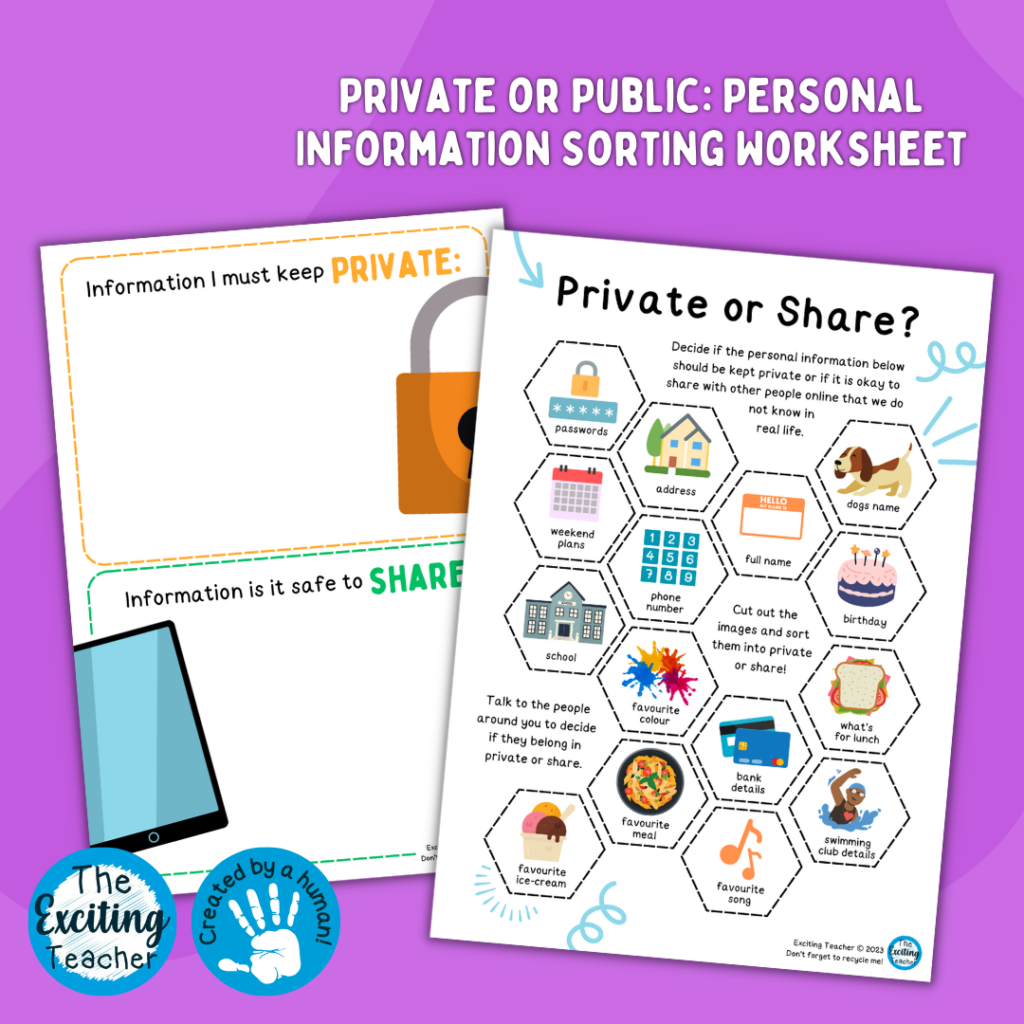
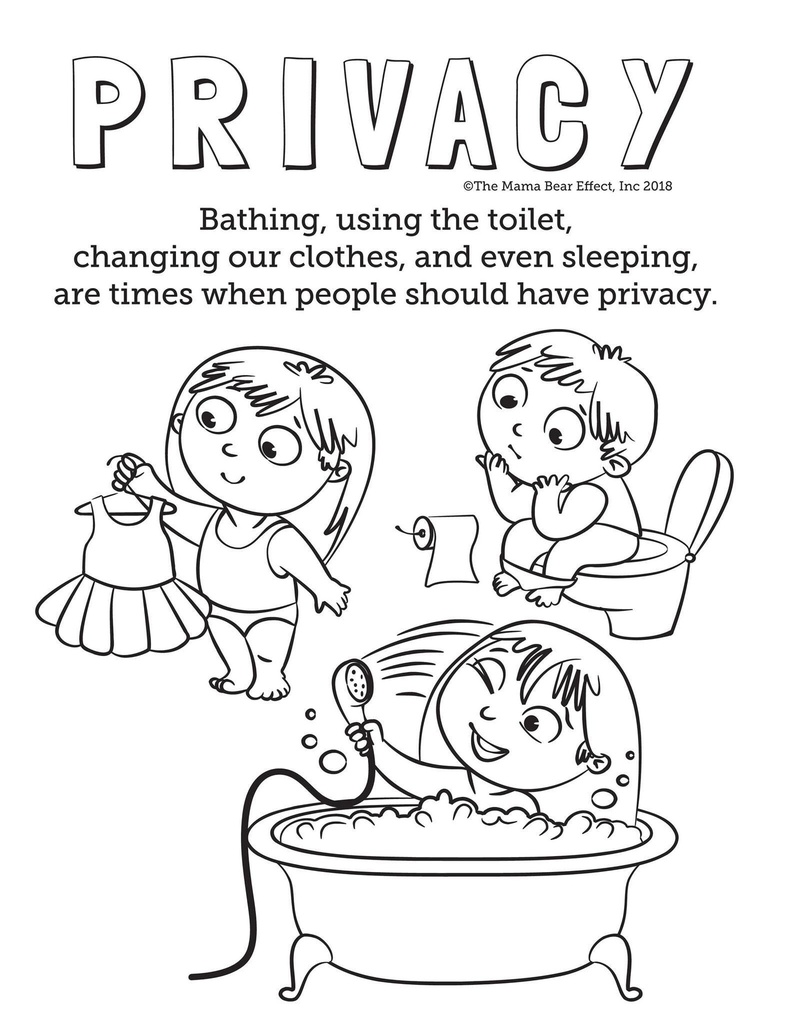
The free printable focuses on distinguishing between public knowledge and private data. Children learn to categorize details such as full names, home addresses, school names, and phone numbers as secure personal information that stays offline. The illustrations provide visual cues that resonate with elementary learners, making abstract digital boundaries feel tangible. According to Pew Research Center, a substantial majority of parents of young children report that their kids interact with digital devices regularly, highlighting the pressing need for early education on Internet and Digital Safety. The resource reinforces that sharing personal details online differs fundamentally from sharing stories in a physical classroom. Children color specific scenarios that depict safe choices, cementing these distinctions through creative expression and guided reflection.
Key Learning Outcomes
Processing safety messages visually helps children retain critical boundaries regarding their digital footprints. Learners identify which details belong exclusively to trusted family members rather than online acquaintances or gaming avatars. Furthermore, the activity emphasizes open communication by normalizing conversations about uncomfortable online interactions. Children internalize the vital rule that reporting a confusing or upsetting experience will never land them in trouble. This supportive framework transforms a passive coloring exercise into an active rehearsal for real-world digital dilemmas, preparing young minds to pause and reflect before clicking or typing anything.
How to Use This Printable
Integrating this resource into a daily routine requires minimal preparation and yields maximum engagement. Educators and caregivers can introduce the coloring sheet during a morning meeting, a calm-down corner session, or a dedicated family tech talk at the kitchen table. As crayons move across the paper, adults initiate low-pressure conversations by asking questions about the images. What makes this resource different is its dual capability: it serves as both an independent mindfulness task and a springboard for deeper discussions found within broader Worksheets collections. Children express their thoughts more freely while their hands remain busy coloring, reducing the intimidation factor often associated with digital safety lectures.
Practical Tips for Parents and Teachers
Creating a safe space for dialogue ensures that children feel comfortable sharing their digital experiences. Adults should avoid judgmental reactions if a child admits to making a mistake online, keeping the focus entirely on problem-solving and future choices. Displaying the completed artwork on a refrigerator or classroom bulletin board reinforces the lesson long after the crayons are put away. Exploring additional creative exercises through Coloring Pages offers continuous reinforcement of these protective habits. Consistency across home and school environments solidifies these lessons, turning digital citizenship into a shared community standard.
Age-Appropriate Recommendations
Kindergarteners and first graders benefit most from focusing on basic identifiers like their full names and favorite toys, while older elementary students can explore complex topics like location data and password security. Aligning these lessons with the Common Sense Education Digital Citizenship Curriculum ensures that teaching methods match cognitive milestones for ages five through twelve. Younger children need concrete examples, such as keeping a house key safe, whereas older children grasp the permanence of digital sharing. Framing safety as an evolving competence empowers children to take pride in managing their own digital well-being responsibly as they grow.
Young children frequently interact with digital devices via shared household tablets and video platforms, making early privacy education essential. — Pew Research Center
Frequently Asked Questions
Navigating digital citizenship resources is straightforward when educators and parents have clear guidance on implementation and access. The following frequently asked questions provide quick, actionable insights for utilizing these educational materials effectively in homes and classrooms.
According to the National Center for Missing & Exploited Children (NCMEC), proactive conversations about online boundaries significantly increase the likelihood that children will report uncomfortable digital encounters. — NCMEC
Explore More Free Kids Online Safety Printables
Building robust digital citizenship habits requires a diverse toolkit of engaging educational materials. Caregivers and educators can discover additional resources dedicated to fostering secure online behaviors by browsing the comprehensive Online and Digital Safety hub. Continuous reinforcement ensures children remain confident, cautious, and resilient digital learners.
Key Specifications & Age-Group Overview
| Age / Grade Group | Target Skill Focus | Recommended Medium |
|---|---|---|
| Toddlers (Ages 2–4) | Hand-eye coordination & broad motor grasp | Jumbo crayons & washable finger paints |
| Early Elementary (Ages 5–7) | Line boundaries & fine pencil control | Standard colored pencils & fine-tip markers |
| Intermediate (Ages 8+) | Color blending, shading & artistic patience | Watercolor pencils, gel pens & dual-brush markers |
Images References