Introduction
Children encounter digital environments long before they master formal keyboarding skills. Shared family tablets, in-game chat features within popular gaming platforms, and educational video portals become regular parts of daily routines for young learners. Naturally, navigating these virtual spaces requires deliberate instruction just like crossing a busy street or swimming in a pool. Adults often search for approachable methods to introduce screen safety without causing unnecessary anxiety or fear. Coloring provides a remarkably effective bridge for this instruction. By engaging tactile creativity, children process complex digital concepts through a familiar, low-stress medium that encourages open dialogue and positive habit building at home or in the classroom. Related guide: Two Factor Authentication Coloring Page Kids.
💡 Activity Key Takeaways:
- Core Focus: Printable Digital Citizenship Coloring Page For Kids designed for creative expression and fine-motor coordination.
- Target Scope: Ideal for toddlers, preschool, kindergarten, and classroom art activities.
- Best Recommendation: Use standard heavy printer paper (24–28 lb) or cardstock for vibrant results with crayons, colored pencils, or washable markers.
What This Printable Covers
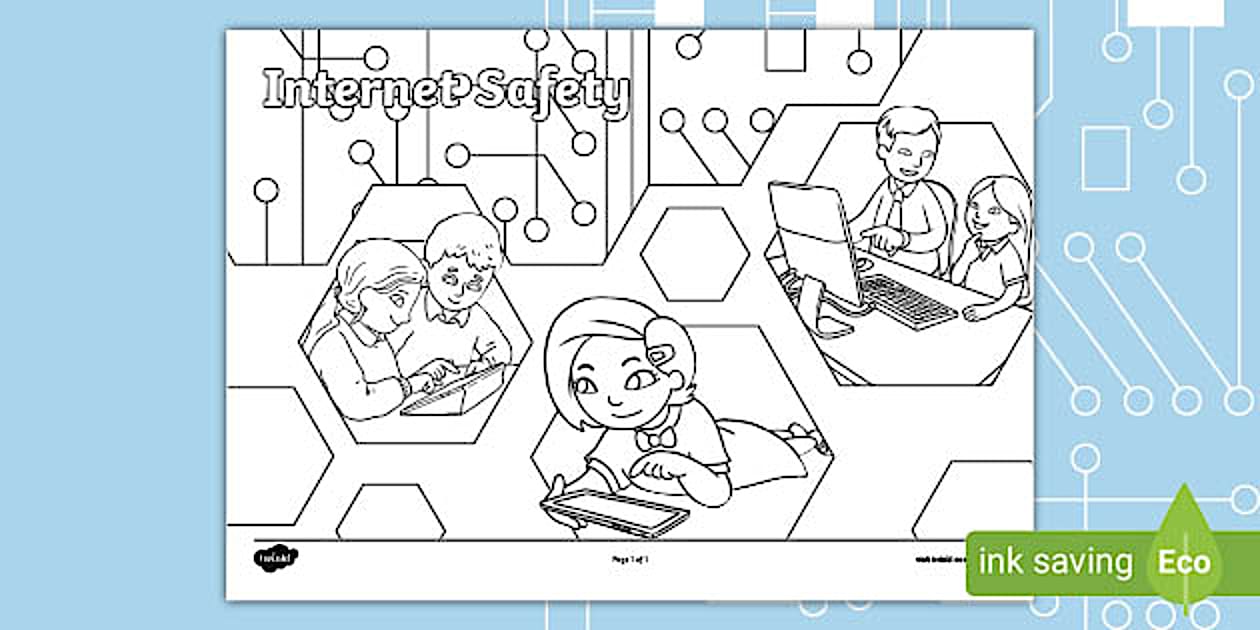
The free digital citizenship coloring page for kids focuses on foundational protective habits that keep young internet users secure. Rather than dwelling on abstract dangers, the artwork and accompanying prompts highlight everyday choices. Children explore themes such as keeping personal information private, recognizing strong passwords, and pausing before clicking or sharing content. The design deliberately avoids alarming imagery, opting instead for friendly characters modeling smart online behavior. It sounds simple, and that’s the point. Visual reinforcement helps young minds retain crucial boundaries regarding what stays private—like full names and home addresses—and what is safe to share publicly.
Key Learning Outcomes
Working through this creative activity reinforces specific competencies essential for modern digital citizenship. According to Common Sense Media research regarding media habits, young children absorb digital literacy concepts much faster when paired with hands-on, creative expression. Learners discover the importance of balancing screen time with offline play, treating peers with kindness in virtual spaces, and understanding that not everything seen online represents reality. Most importantly, the resource emphasizes a fundamental reporting rule: children are never in trouble for reporting something uncomfortable or confusing to a trusted adult. This reassurance transforms safety rules from restrictive barriers into supportive guardrails.
How to Use This Printable
Educators and caregivers can seamlessly integrate this resource into morning meetings, technology orientation units, or quiet afternoon routines. Setting the right tone matters immensely. Instead of treating the page as a graded test, adults should sit alongside the child with crayons or colored pencils to color together. This shared workspace invites natural conversation. As children shade in the illustrations, adults can ask open-ended questions like what kind of information should stay secret or who qualifies as a trusted helper when something goes wrong on a device. Exploring foundational topics becomes much easier when integrated into creative lessons found within dedicated Coloring Pages collections.
Practical Tips for Parents and Teachers
Maximizing the educational value of this printable involves consistency and gentle repetition. Displaying the finished artwork near household charging stations or computer labs serves as a daily visual reminder of smart choices. Here’s what makes this resource different: it relies on positive reinforcement rather than punitive warnings. Adults should praise children when they pause to ask permission before downloading a new app or joining a fresh virtual world. Integrating these lessons with broader Internet and Digital Safety strategies ensures that children view technology as a tool for creativity and learning rather than a minefield of hidden risks.
Age-Appropriate Recommendations
Tailoring digital citizenship instruction to developmental stages ensures maximum comprehension for children aged five through twelve. Younger elementary students thrive on concrete rules, such as asking an adult before clicking pop-ups or sharing a device. Upper elementary learners benefit from discussions regarding digital footprint, empathy in text-based communication, and recognizing trustworthy sources. Aligning these instructional goals with the Common Sense Education Digital Citizenship Curriculum provides a structured pathway for progressive skill development. Every developmental phase requires patience, active listening, and continuous dialogue rather than a one-time lecture.
Young children frequently encounter digital environments through shared household devices and in-game chat features, making early guidance essential — Pew Research Center
Frequently Asked Questions
Navigating digital citizenship education brings up practical questions for educators and families striving to protect young minds. Clear answers help streamline implementation across classrooms and living rooms alike. The following responses address common inquiries regarding access, educational value, and institutional guidelines surrounding digital safety resources.
Children who understand reporting protocols are significantly more likely to disclose uncomfortable online encounters immediately — National Center for Missing & Exploited Children
Explore More Free Kids Online Safety Printables
Expanding a child’s digital literacy toolkit requires a diverse variety of instructional materials beyond a single activity sheet. Adults can incorporate supplementary materials to reinforce crucial lessons on device etiquette and personal privacy. Discovering additional resources helps maintain engagement throughout the school year. Educators looking to diversify their instructional toolkit can explore structured Worksheets designed for classroom use. Families seeking comprehensive strategies for home technology management will find valuable resources within the broader Online and Digital Safety archives to keep young learners secure and empowered.
Key Specifications & Age-Group Overview
| Age / Grade Group | Target Skill Focus | Recommended Medium |
|---|---|---|
| Toddlers (Ages 2–4) | Hand-eye coordination & broad motor grasp | Jumbo crayons & washable finger paints |
| Early Elementary (Ages 5–7) | Line boundaries & fine pencil control | Standard colored pencils & fine-tip markers |
| Intermediate (Ages 8+) | Color blending, shading & artistic patience | Watercolor pencils, gel pens & dual-brush markers |
Images References