Why Visual Literacy Sparks Early Cyber Conversations
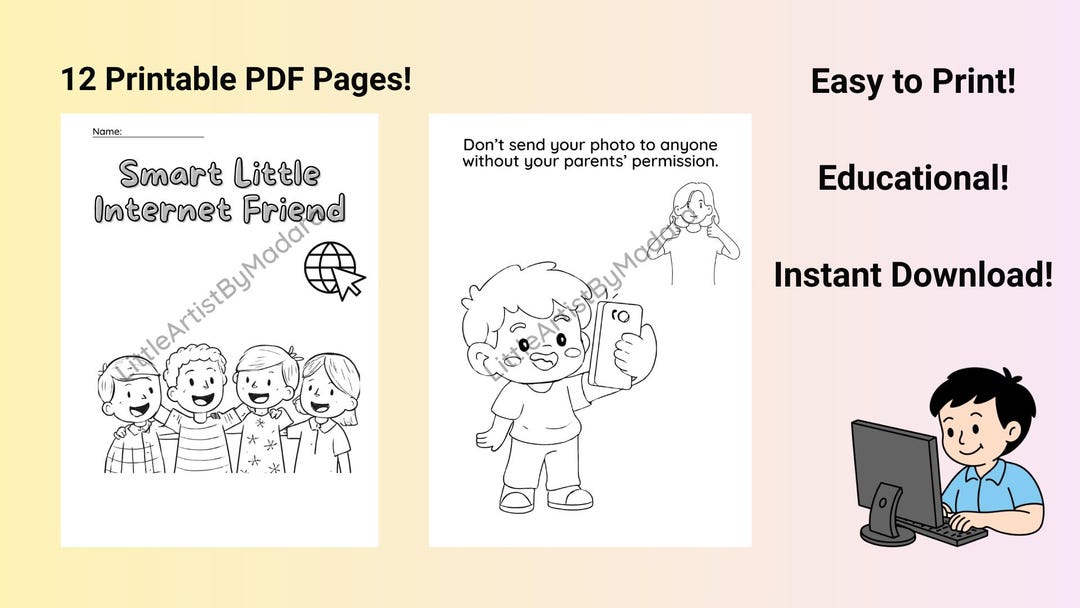
Introducing digital wellness concepts to young learners requires strategies that match their developmental stages. Long lectures about firewalls and data privacy rarely resonate with elementary students, but blending art with instruction bridges that comprehension gap. Utilizing a safe browsing coloring page kids resource allows educators and parents to introduce vital online concepts—like recognizing secure website padlocks or avoiding pop-up traps—through creative play. Organizations like ConnectSafely and the Family Online Safety Institute (FOSI) consistently emphasize that early, low-pressure digital citizenship education builds long-term resilience, ensuring children view technology tools with both confidence and caution. Explore more in our Coloring Pages category.
💡 Activity Key Takeaways:
- Core Focus: Printable Safe Browsing Coloring Page Kids designed for creative expression and fine-motor coordination.
- Target Scope: Ideal for toddlers, preschool, kindergarten, and classroom art activities.
- Best Recommendation: Use standard heavy printer paper (24–28 lb) or cardstock for vibrant results with crayons, colored pencils, or washable markers.
Mapping Digital Risks to Everyday Device Guardrails
Even with creative activities laying the groundwork, children encounter various digital vulnerabilities across home tablets, school Chromebooks, and family smartphones. To maintain a secure environment, adults must pair engaging lessons with robust technical safeguards. The breakdown below highlights common risk signals alongside concrete technical and behavioral solutions recommended by cybersecurity frameworks.
| Setting / Context | Common Vulnerability | Practical Safeguard |
|---|---|---|
| Home Devices & Tablets | Unfiltered search engine results exposing children to inappropriate imagery or malicious download links. | Enable strict safe search features, apply router-level content filtering, and establish centralized charging stations in common family areas. |
| School Chromebooks | Students clicking unauthorized browser extensions or visiting unvetted gaming sites during downtime. | Enforce district-wide extension whitelists, review regular browsing audit logs, and integrate structured Internet and Digital Safety lessons into classroom routines. |
| In-App Chat & Multiplayer Gaming | Direct messaging from unknown users sharing external links or requesting personal identifiers. | Disable public chat functionalities entirely for young accounts and utilize hands-on Online and Digital Safety modules to teach kids what information must remain private. |
Establishing Collaborative Classroom and Household Rules
Technical filters act as an essential first line of defense, but they cannot replace open communication. Educators and parents must establish predictable, positive routines that encourage children to speak up whenever something online feels uncomfortable. Start by turning a safe browsing coloring page kids session into a guided discussion where students explain what symbols like secure locks or stop signs mean in real life. Supplement these art-based sessions with complementary Worksheets that prompt kids to identify safe versus unsafe links. Create a no-shame reporting rule: if a child accidentally clicks a suspicious banner ad, they know they can immediately tell an adult without facing device confiscation or harsh punishment.
Overcoming Common Workarounds and Student Resistance
As children grow more tech-savvy, they quickly discover ways around basic parental controls, such as using incognito windows, browser proxies, or guest profiles. When adults react with anger or institute overly restrictive bans, children simply drive their digital explorations underground. Instead, embrace a posture of transparent guidance. Explain the reasons behind specific digital boundaries, noting that security settings protect their devices from malware and their personal information from trackers. Pair these conversations with periodic check-ins, reviewing browser history together as a normal part of digital stewardship rather than an invasive interrogation.
Frequently Asked Questions About Young Children and Digital Safety
What age is appropriate to start teaching kids about internet safety?
Basic digital citizenship concepts can be introduced as soon as children begin interacting with touchscreens, typically around preschool or kindergarten. Using visual tools like a safe browsing coloring page kids activity helps cement foundational rules before children ever gain unsupervised access to the web.
How can teachers integrate digital citizenship without adding to academic pressure?
Educators can seamlessly weave safety themes into standard art, language arts, or computer lab blocks. Creative offline activities allow students to process important concepts organically while taking a healthy break from screen time.
What should a child do immediately if they see something scary online?
Teach children the three-step rule: close the laptop lid or turn the screen face down, walk away immediately, and tell a trusted adult right away without fear of getting into trouble.
Discover More Digital Citizenship Resources
Empowering the next generation of digital citizens requires a collaborative effort between dedicated teachers, supportive parents, and school communities. Continue exploring practical tools, printable activities, and expert guidance by visiting SafeWiredSchools.org to keep every student safe, secure, and confident online.
Printable Coloring Page Previews