Introduction
Modern children navigate digital environments long before they reach secondary school. Classrooms utilize tablets for daily reading modules, living rooms host shared family gaming consoles, and bedrooms frequently echo with the audio of video streaming platforms. Children encounter digital concepts like secure connections and privacy tools in everyday media without fully grasping the mechanics behind them. Explaining technical privacy tools to elementary learners requires breaking down abstract software into concrete, visual metaphors. Adults often struggle to explain networking protocols to young minds. This free printable, titled “vpn explained simply for kids,” bridges that communication gap using engaging educational design crafted for {site_name}. Related guide: 5 Cyber Safety Tips Symbols That Can Be Read By The Grede 7 Students.
💡 Educational Key Takeaways:
- Core Skill: Structured Vpn Explained Simply For Kids focused on developing pencil grip, stroke control, and early literacy/math confidence.
- Target Scope: Suited for homeschoolers, preschool, kindergarten, and elementary learners.
- Best Recommendation: Practice 10–15 minutes daily with ergonomic writing tools to reinforce muscle memory without hand fatigue.
What This Printable Covers
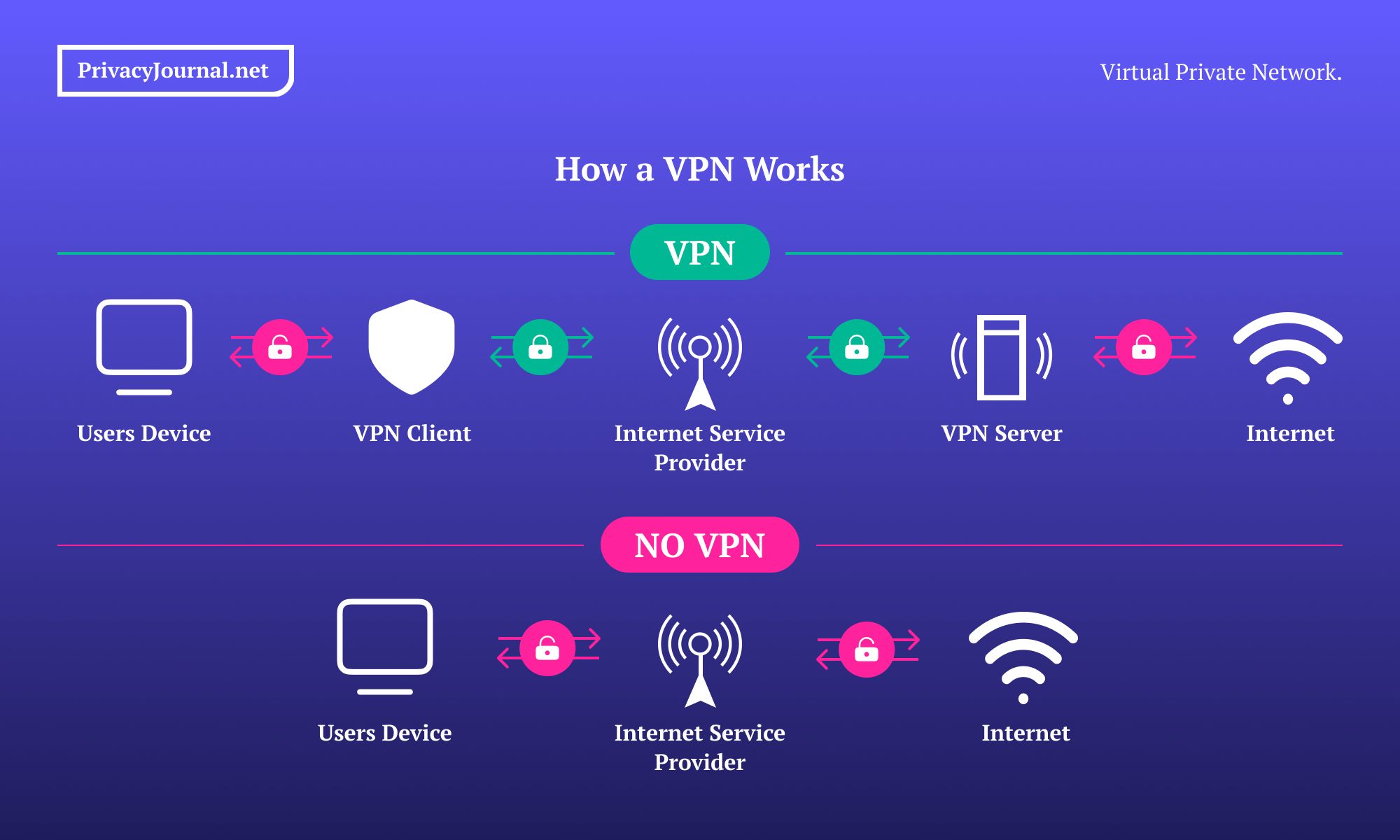
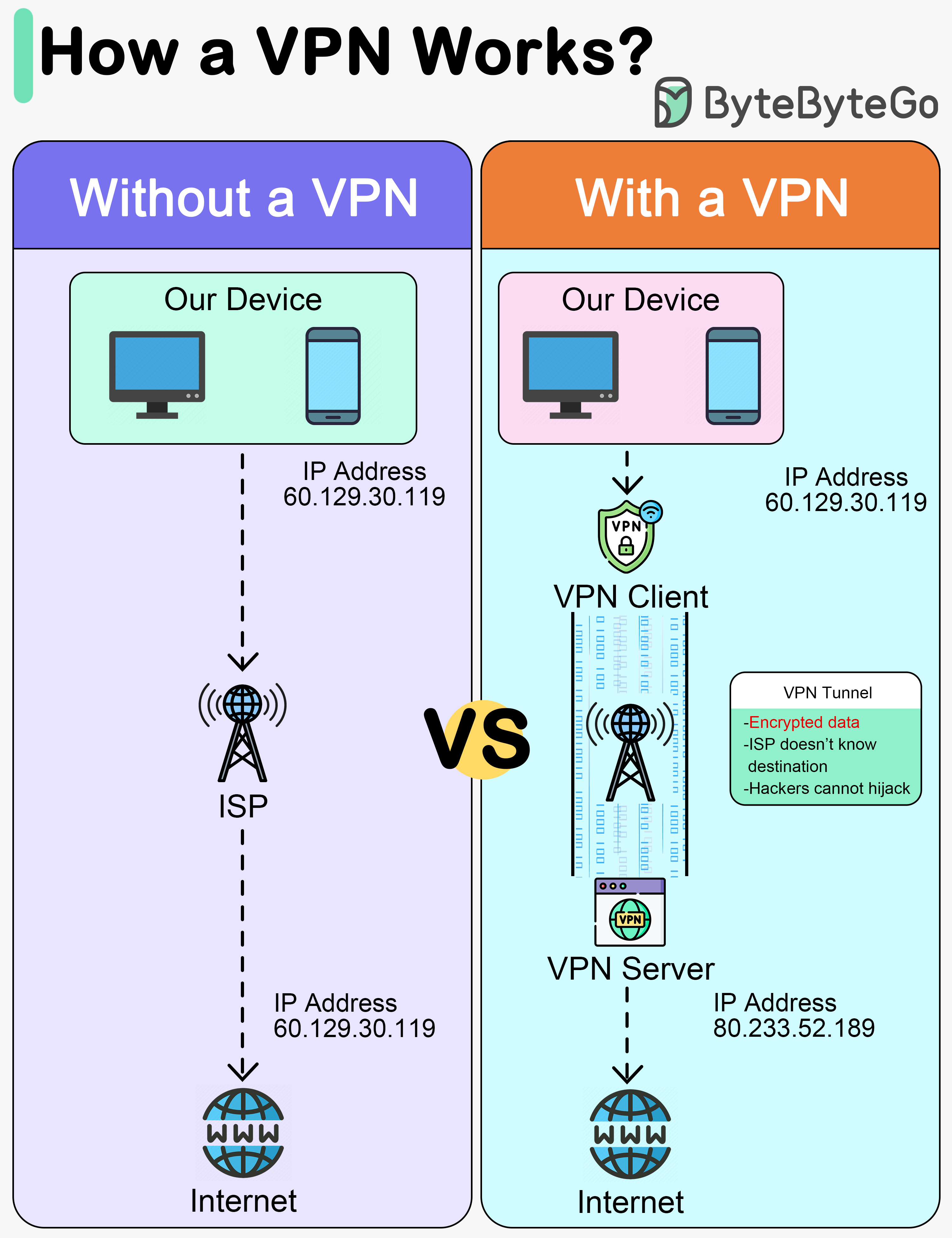
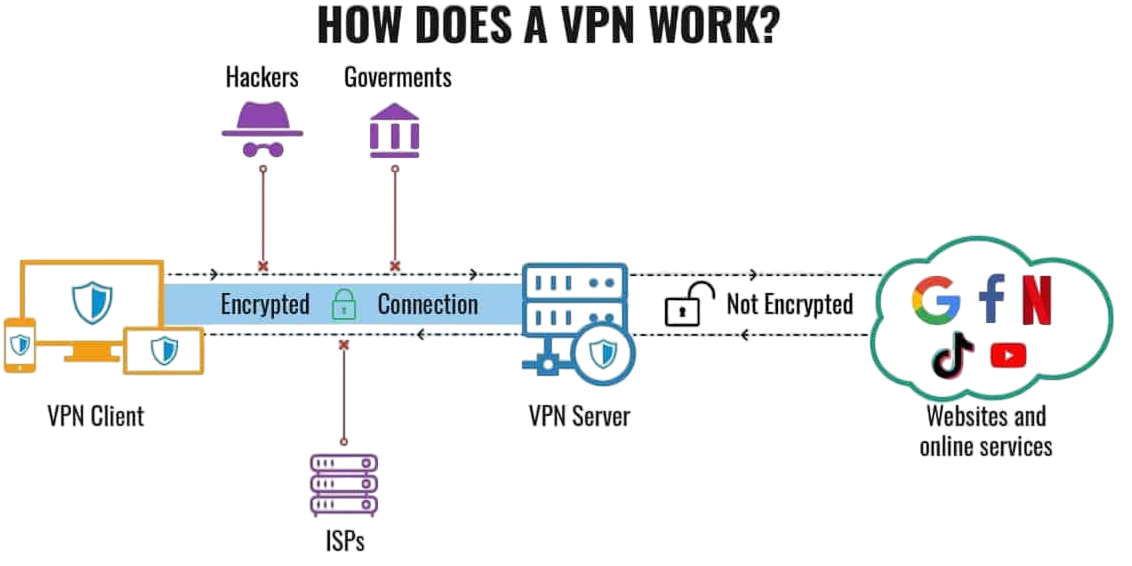
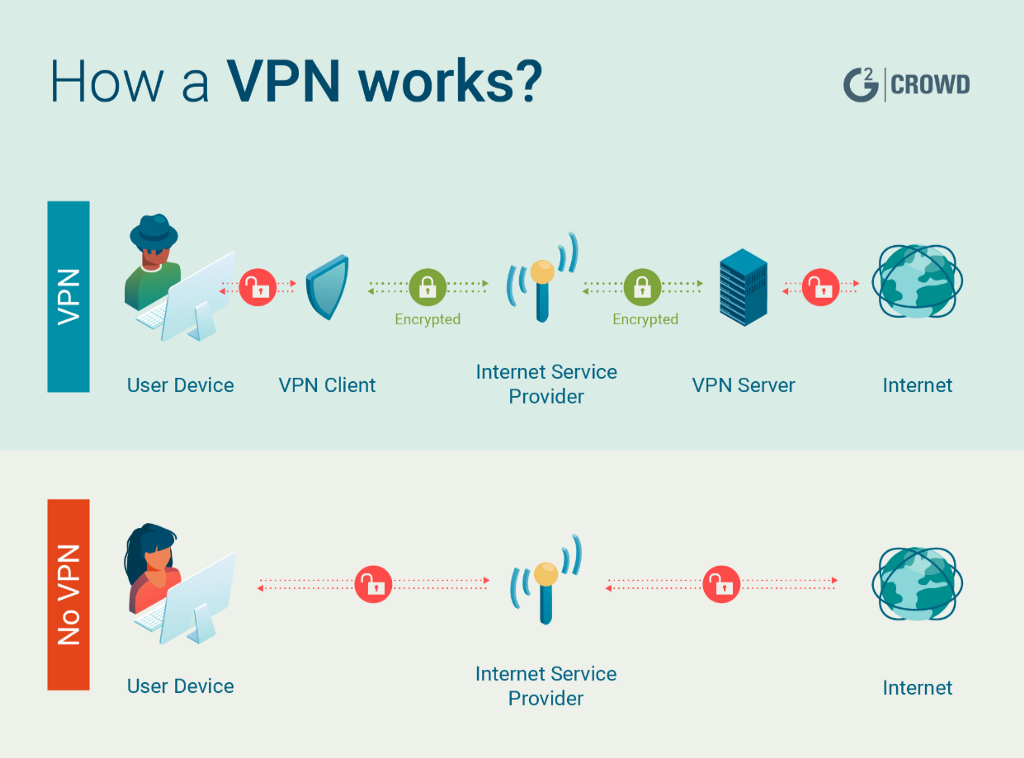
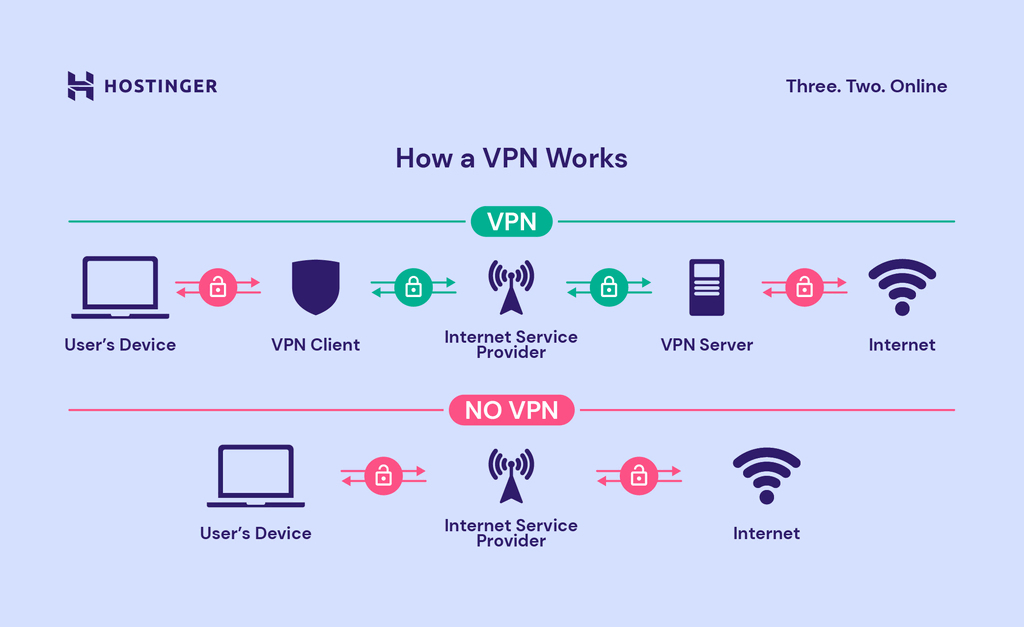
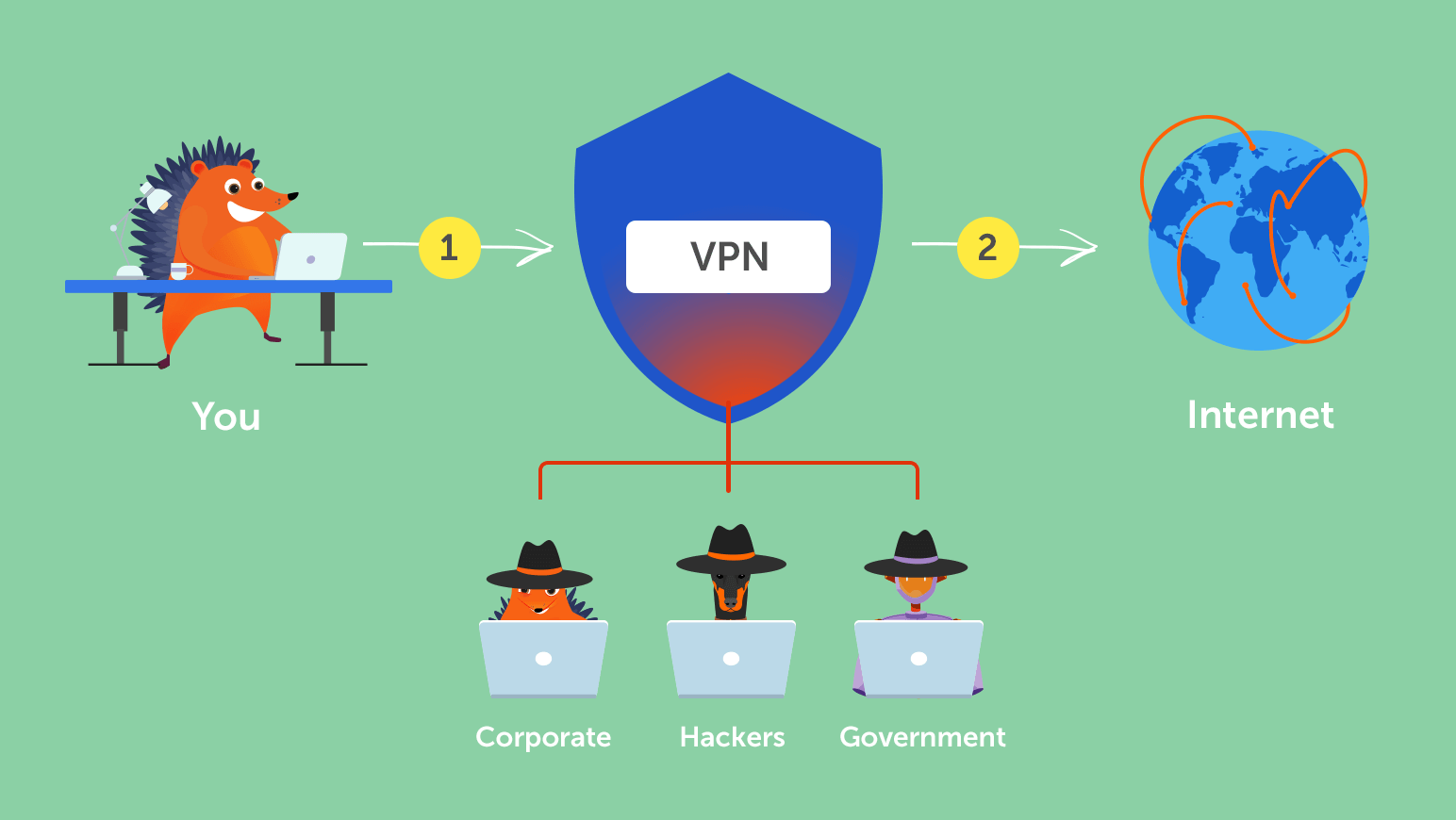
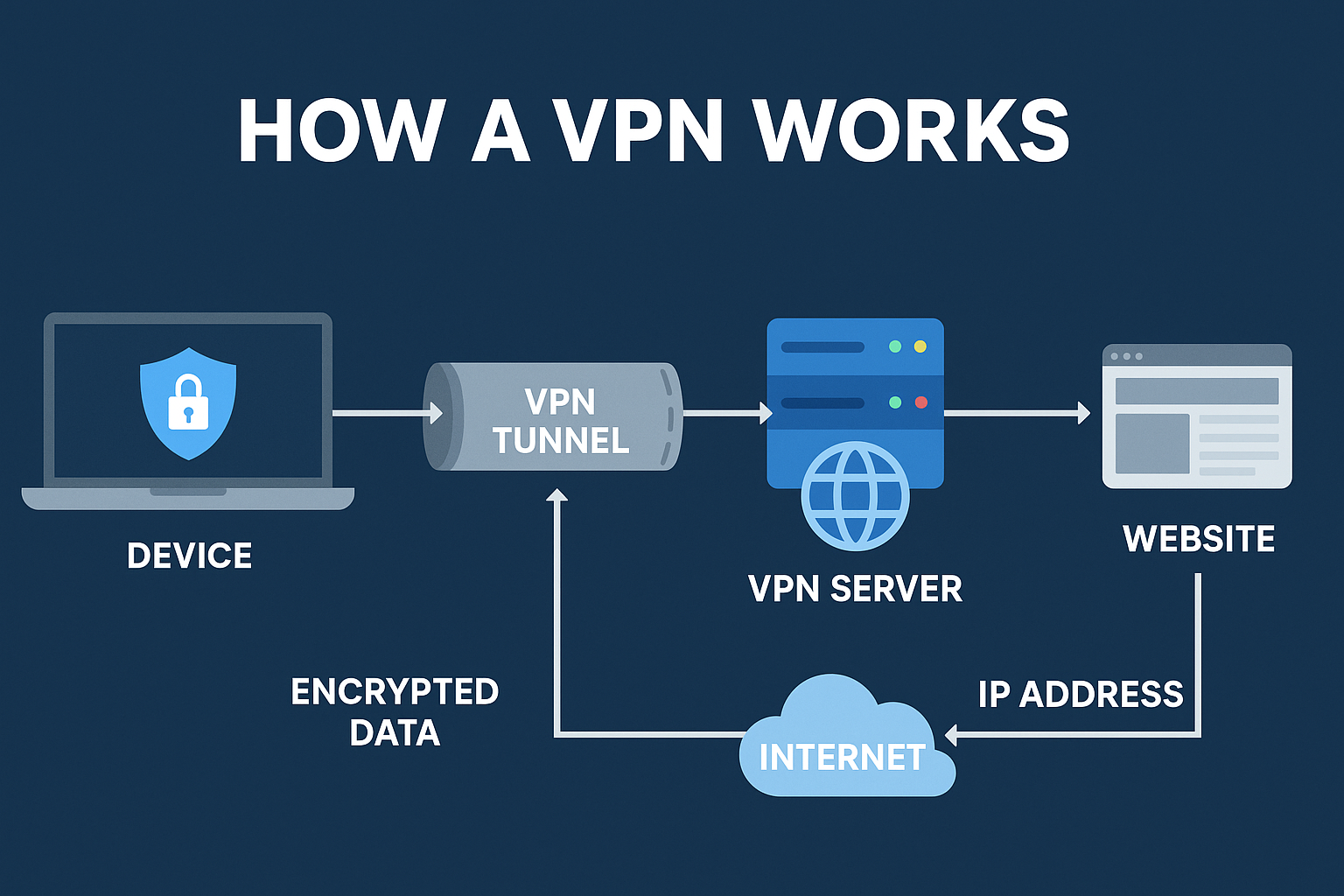
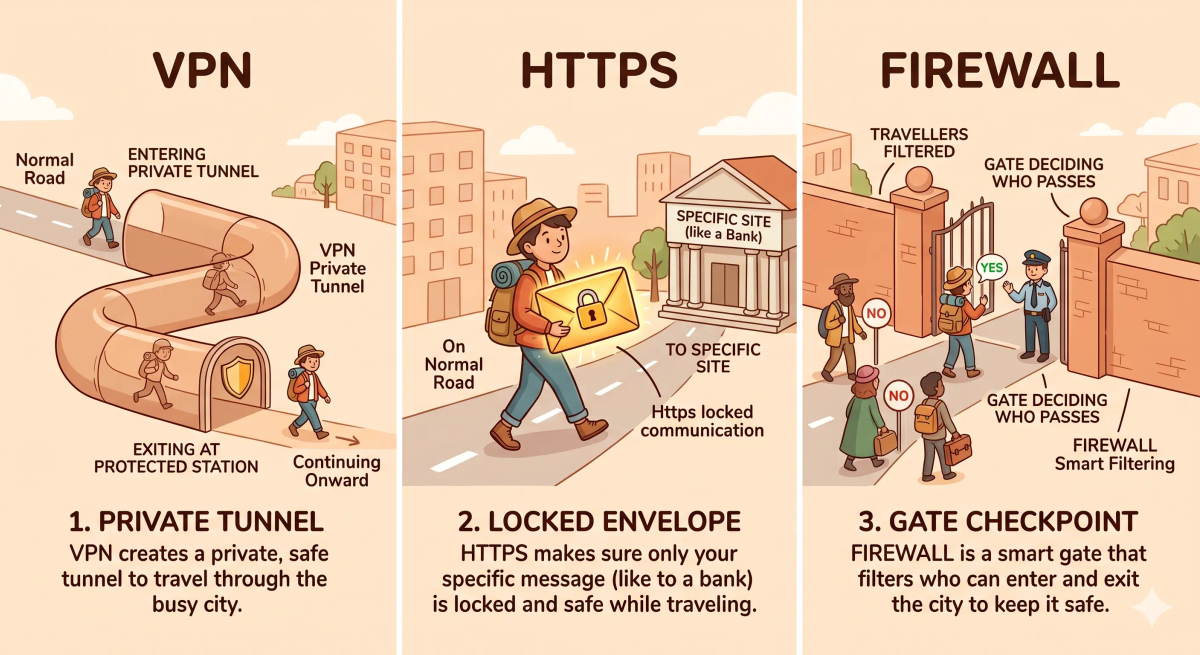
Virtual private networks sound like mysterious technology reserved for corporate headquarters or spy movies. The educational guide transforms these complex digital tunnels into fun, understandable concepts suitable for children aged five through twelve. Young learners discover how data travels across the internet using simple illustrations and clear analogies, such as mailing a letter inside a locked briefcase rather than an open postcard. The material gently introduces why keeping personal information private matters, how public Wi-Fi works at the local library or coffee shop, and the importance of checking in with trusted adults before downloading unfamiliar applications. It sounds simple, and that is the point. Building digital resilience begins with demystifying the tools that shape modern connectivity.
Key Learning Outcomes
Working through the pages empowers elementary students to build foundational digital habits. Children learn to recognize that online spaces are public environments requiring thoughtful behavior. The activity reinforces that asking questions about internet tools shows smart thinking rather than confusion. Furthermore, the material stresses a vital safety rule: children are never in trouble for reporting something uncomfortable or confusing they encounter online. Establishing this safe harbor encourages honest communication between children and their educators or family members. These worksheets support structured learning within broader Internet and Digital Safety curricula.
How to Use This Printable
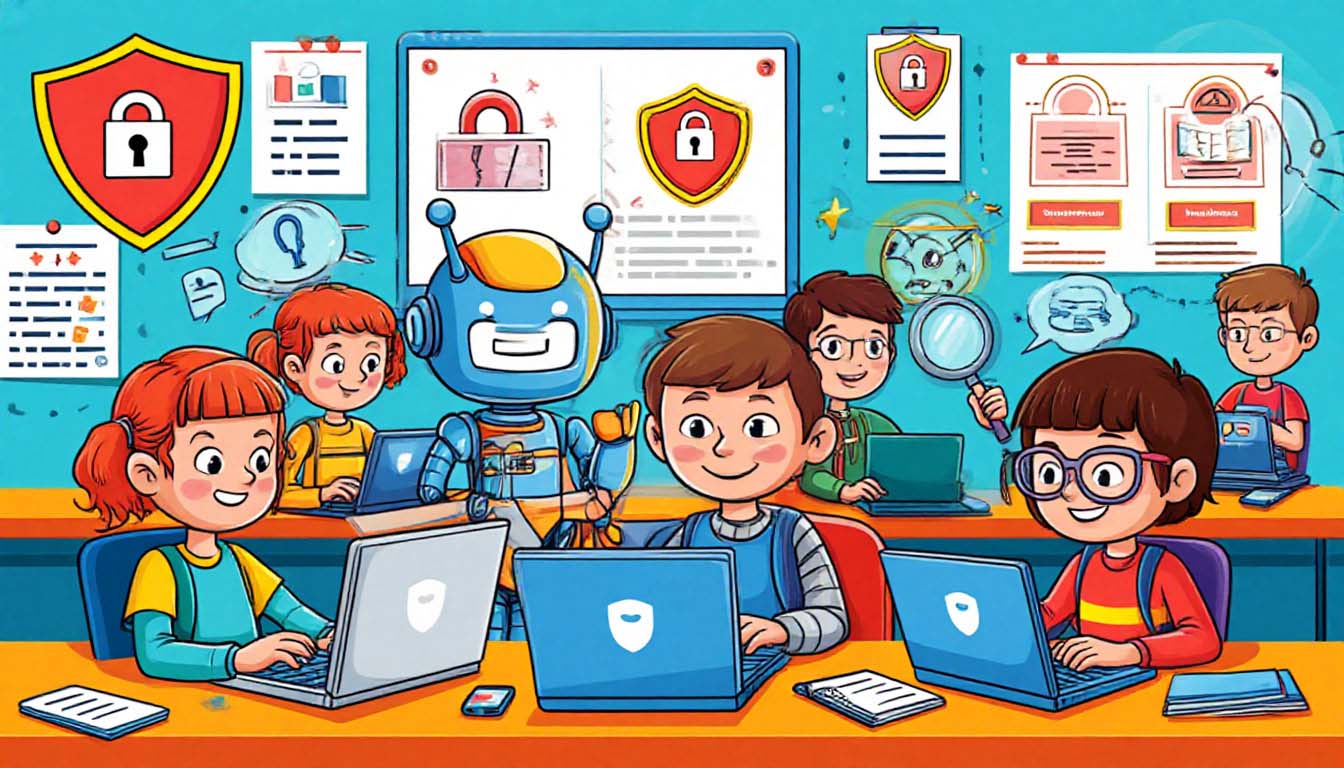
Classroom educators and homeschooling families can integrate the guide into morning meetings, technology lab introductions, or rainy-day advisory periods. Adults do not need a background in computer science to facilitate the conversation. Reading through the prompts together encourages children to voice their own experiences with shared devices and in-game chat platforms where digital boundaries often blur. Coloring and tracing elements help reinforce safety messages while keeping young hands engaged. Transforming technical definitions into relatable drawings prevents cognitive overload and keeps the tone encouraging rather than alarming.
Practical Tips for Parents and Teachers
Pacing the conversation ensures better comprehension and retention. Adults should focus on one concept per session, allowing children time to ask questions or share observations about how they use household tablets. According to Pew Research Center, a vast majority of children access digital devices regularly, making early habit-formation essential. Adults can pair the discussion with hands-on browsing sessions, modeling how to check for secure website indicators together. Educators looking to expand their toolkit can find additional resources by exploring various Worksheets designed for elementary learners.
Age-Appropriate Recommendations
Tailoring digital citizenship instruction to developmental stages prevents unnecessary anxiety. Kindergarteners and first graders benefit most from basic concepts regarding personal information, such as keeping full names and home addresses private. Upper elementary students can engage more deeply with how network connections function and why encryption matters. This approach aligns directly with the Common Sense Education Digital Citizenship Curriculum framework, which emphasizes age-graded competencies in privacy, security, and digital footprint management. Safety is a skill to build over time, never a threat to dread.
Pew Research Center reports that young children interact with connected devices daily, highlighting the need for early digital literacy. — Pew Research Center
Frequently Asked Questions
Navigating digital tools alongside children brings up many practical questions for adults. Finding reliable, clear answers helps maintain a calm and proactive environment at home and in the classroom. The following responses address common inquiries regarding downloading materials, educational implementation, and trusted organizational guidelines.
Explore More Free Kids Online Safety Printables
Reinforcing digital citizenship requires consistent reinforcement across multiple subjects and formats. Educators and parents can discover a wide variety of supplemental materials, including creative activities found within the Coloring Pages collection. Combining visual art with foundational tech rules helps solidify positive habits that children carry into middle school and beyond. For broader curriculum planning, browse additional topics under Online and Digital Safety to keep young learners secure, informed, and empowered.
Developmental Milestone & Activity Table
| Development Stage | Recommended Daily Duration | Primary Learning Objective |
|---|---|---|
| Preschool & Pre-K | 10 – 15 Minutes | Pencil grip development & basic pre-stroke lines |
| Kindergarten | 15 – 20 Minutes | Letter/number formation & spatial line awareness |
| Early Elementary (Grade 1–2) | 20 – 30 Minutes | Fluency, sentence construction & neatness |
Images References