Introduction
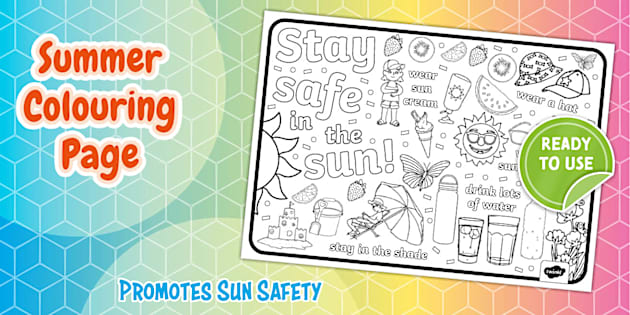
Protecting young learners online often feels like chasing a moving target. Technology evolves rapidly, bringing new apps, shared family tablets, and immersive video platforms into the daily lives of elementary students. Children frequently encounter digital spaces long before they fully grasp the abstract concepts of privacy and boundary setting. Educators and caregivers need approachable, low-stress tools to bridge this gap. That is precisely where creative, hands-on materials bridge the divide between complex digital rules and everyday childhood understanding. Exploring resources such as sun safety colouring pages offers a familiar, relaxing medium that helps translate broader protective habits into tangible concepts young minds can easily absorb and remember. Related guide: Two Factor Authentication Coloring Page Kids.
💡 Educational Key Takeaways:
- Core Skill: Structured Sun Safety Colouring focused on developing pencil grip, stroke control, and early literacy/math confidence.
- Target Scope: Suited for homeschoolers, preschool, kindergarten, and elementary learners.
- Best Recommendation: Practice 10–15 minutes daily with ergonomic writing tools to reinforce muscle memory without hand fatigue.
What This Printable Covers
This specific activity uses visual metaphors to connect physical well-being with digital wellness. Just as children learn to apply sunscreen, wear hats, and seek shade during outdoor play, they must learn to recognize digital sunburns—situations where personal information becomes exposed or uncomfortable interactions occur online. The artwork focuses on foundational protective habits, including keeping personal details private, creating strong passwords, pausing before sharing photos, and immediately turning to a trusted adult when something feels wrong. Coloring reinforces these safety messages by keeping hands busy while minds process verbal prompts. It transforms abstract cyber hygiene into a concrete, approachable art project that invites open conversation without inducing fear.
Key Learning Outcomes
Working through this design helps students internalize crucial behavioral boundaries for shared household devices and in-game chat features. Children learn to identify what constitutes private data versus public sharing. They discover the value of pausing before clicking buttons or responding to unexpected pop-ups. Most importantly, the activity reinforces the golden rule of digital citizenship: children are never in trouble for reporting something confusing, upsetting, or uncomfortable. Establishing this emotional safety net ensures that young users will seek guidance rather than hiding mistakes out of fear of punishment.
How to Use This Printable
Facilitating this lesson requires minimal preparation and maximal listening. Adults should distribute crayons or markers alongside the printouts, initiating a casual dialogue while the coloring begins. It sounds simple, and that is the exact point. Removing the pressure of a formal lecture allows children to express thoughts organically. Asking open-ended questions about the images prompts kids to connect the art to their own experiences on video platforms or multiplayer games. For more classroom exercises and thematic lessons, educators frequently explore dedicated collections of Worksheets designed to reinforce essential digital literacy skills.
Practical Tips for Parents and Teachers
Timing matters when introducing these concepts. Select a calm afternoon rather than a high-stress moment right before device time. As children color, ask them to explain why certain protective gear matters in the sun, and then gently pivot the conversation to how similar rules apply in digital environments. Keeping the tone light and empowering ensures safety remains a skill to build rather than a threat to dread. Additional guidance on managing device usage and setting family tech agreements can be found within comprehensive hubs dedicated to Internet and Digital Safety.
Age-Appropriate Recommendations
Tailoring the conversation to a child’s developmental stage is vital for genuine comprehension. For younger children aged five to eight, focus strictly on physical boundaries, keeping passwords secret, and identifying trusted helpers. Older elementary students aged nine to twelve can handle deeper discussions about digital footprints, respectful communication, and recognizing manipulation in online peer spaces. These instructional approaches align closely with the Common Sense Education Digital Citizenship Curriculum, which emphasizes empathy, critical thinking, and responsible media creation across all primary grade levels. Grounding these lessons in everyday practice helps young users navigate modern technology with confidence and resilience.
According to Common Sense Media, the vast majority of children have access to mobile devices before entering kindergarten, making early digital citizenship education essential for building healthy online habits.
Frequently Asked Questions
Answers to common inquiries regarding implementation and design specifics help caregivers maximize the value of these creative tools.
Research from the Pew Research Center indicates that parents frequently express concern over how much time young children spend interacting on shared screens and digital platforms.
Explore More Free Kids Online Safety Printables
Expanding a digital citizenship curriculum requires a diverse library of creative exercises. Educators and parents can discover additional materials by browsing specialized galleries featuring Coloring Pages that address various aspects of digital well-being. Combining these artistic tools with broader lessons found in Online and Digital Safety resources equips children with the lifelong critical thinking skills needed to thrive safely in an increasingly connected world.
Developmental Milestone & Activity Table
| Development Stage | Recommended Daily Duration | Primary Learning Objective |
|---|---|---|
| Preschool & Pre-K | 10 – 15 Minutes | Pencil grip development & basic pre-stroke lines |
| Kindergarten | 15 – 20 Minutes | Letter/number formation & spatial line awareness |
| Early Elementary (Grade 1–2) | 20 – 30 Minutes | Fluency, sentence construction & neatness |
Images References