Why Managing Unwanted Digital Junk and Spam Protection: Sum Of” Kidskind Matters for School & Home Safety
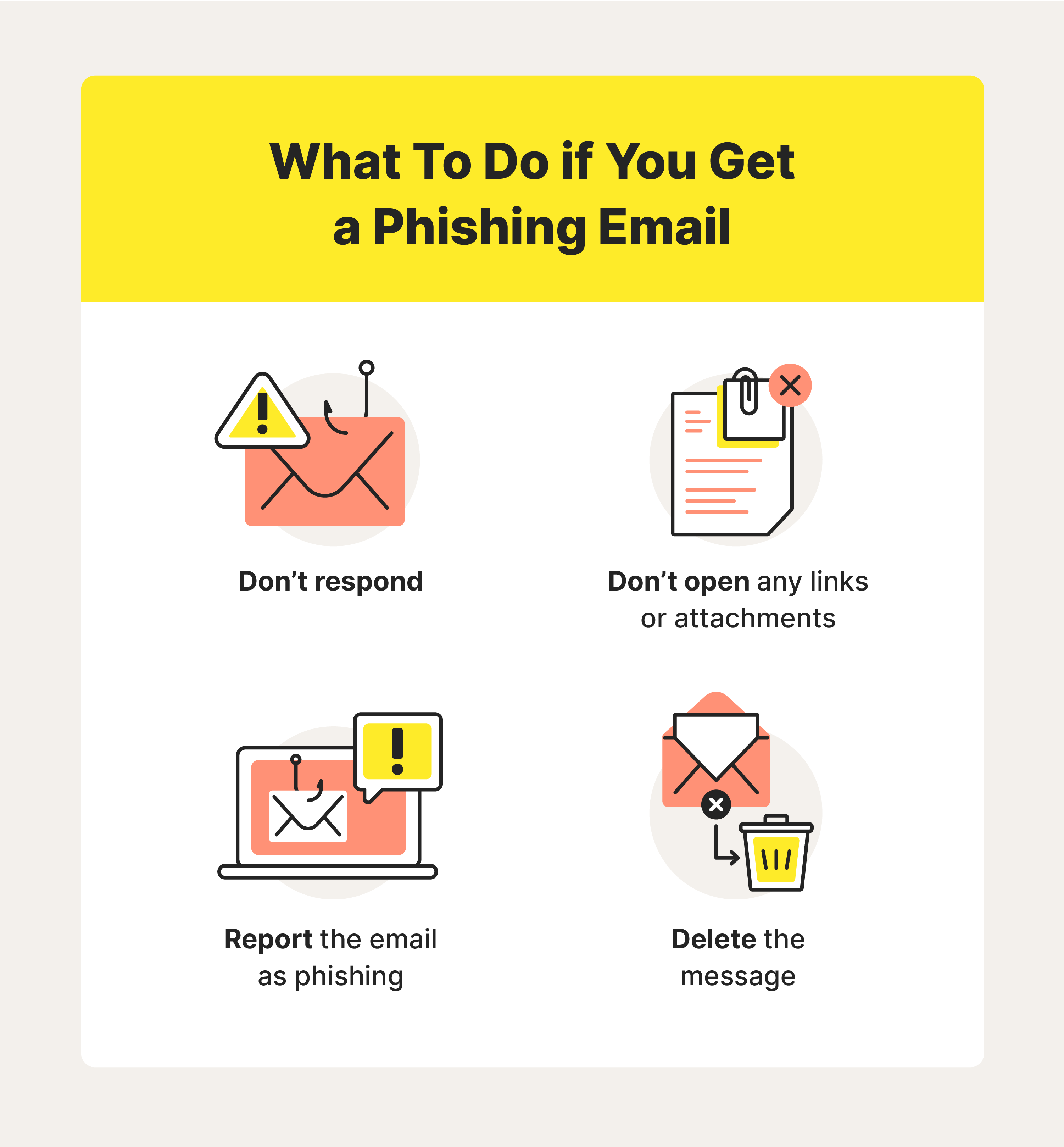
As K-12 students navigate an increasingly digital learning landscape, their inboxes, chat features, and gaming profiles are routinely targeted by unsolicited messages, phishing lures, and intrusive advertising. In alignment with guidance from agencies like the Federal Trade Commission and organizations like ConnectSafely, establishing robust proactive defenses is essential. Understanding the mechanics behind Spam Protection: Sum Of” Kidskind helps parents and educators shield young learners from scams, malicious links, and emotional manipulation disguised as harmless pop-ups or friendly chat requests. Related guide: Teachers Of Grades 9–12 Should Expand Internet Safety Instruction To Include Which Of The Following Topics?.
💡 Educational Key Takeaways:
- Core Skill: Structured Spam Protection: Sum Of” Kidskind focused on developing pencil grip, stroke control, and early literacy/math confidence.
- Target Scope: Suited for homeschoolers, preschool, kindergarten, and elementary learners.
- Best Recommendation: Practice 10–15 minutes daily with ergonomic writing tools to reinforce muscle memory without hand fatigue.
Decoding Risk Signals and Preventive Guardrails Across Devices
Spam and digital clutter do not just look annoying; they pose genuine security vulnerabilities. Whether a child is using a district-issued Chromebook, a personal tablet, or a shared home computer, recognizing early risk signals allows adults to intervene before a minor clicks a dangerous link. The breakdown below details how to identify vulnerabilities and apply immediate countermeasures across various digital environments.
| Setting / Context | Common Vulnerability | Practical Safeguard |
|---|---|---|
| School Chromebooks & Apps | Students clicking unauthorized extensions or pop-up game ads during study time. | Enforce strict domain-level browser extensions through the district IT admin console and review student activity logs. |
| Home Tablets & Smartphones | Free app downloads containing aggressive ad-ware, push notifications, and fake reward scams. | Disable notification permissions for untrusted apps, and utilize built-in parental controls to lock down app store purchases. |
| Multiplayer Chat & Social Feeds | Bots and malicious actors sending direct messages with phishing links or asking for personal details. | Restrict communication settings to “Friends Only” and teach kids how to block and report suspicious accounts instantly. |
Core Rules and Habits Families and Schools Can Apply Together
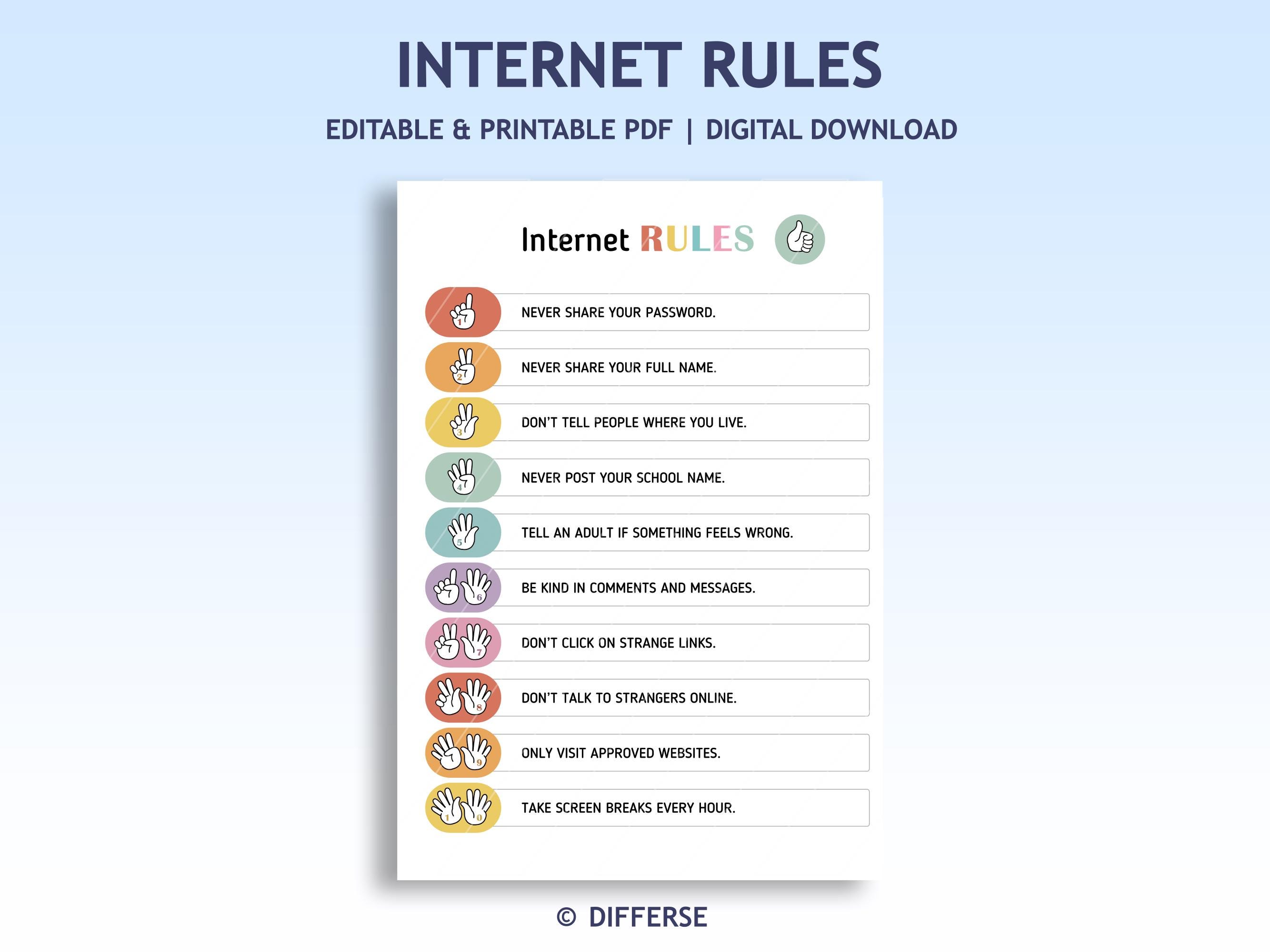
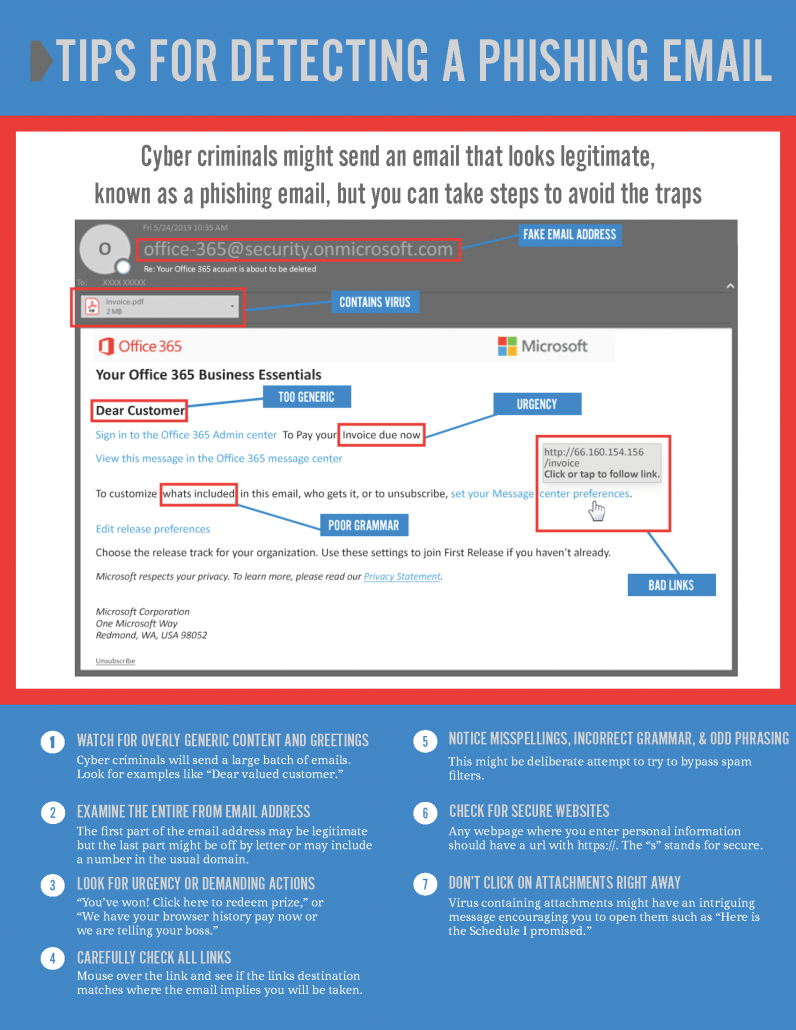
Technical filters alone cannot stop every piece of digital spam. A comprehensive strategy relies on open communication and consistent habits that bridge the gap between classroom guidelines and home device use. Educators can incorporate lessons from our Internet and Digital Safety modules to show students how to spot suspicious sender addresses. At home, families should establish a centralized charging station in a common area to eliminate unsupervised late-night device exposure. When implementing Spam Protection: Sum Of” Kidskind initiatives, emphasize that making a mistake—such as accidentally clicking a spam link—is an educational moment rather than an offense worthy of harsh punishment. Reinforce a culture of open reporting so children feel safe coming forward if something online looks suspicious or too good to be true.
Children and teens are notoriously resourceful when it comes to bypassing digital roadblocks. If a strict filter blocks a favorite educational tool or a harmless game, students may attempt to use alternate web browsers, proxy sites, or unapproved communication channels to avoid restrictions. Overly punitive bans often backfire by driving student behavior underground, making it harder for adults to provide guidance. Instead of reacting with frustration, listen to their perspective, explain the cybersecurity reasoning behind the blocks, and explore approved alternatives together. To reinforce these concepts during offline hours, teachers often utilize interactive activities from our Worksheets collection to spark engaging classroom discussions about digital boundaries.
Frequently Asked Questions About Modern Digital Junk Management
What should my child do if they accidentally click a spam link or pop-up?
Instruct them to close the browser tab immediately, disconnect from the internet if necessary, and notify an adult right away without fear of getting in trouble. Quick reporting allows parents or IT staff to run security checks before minor malware can take root.
How can teachers reduce the amount of spam students encounter on educational platforms?
Educators should rely strictly on vetted, district-approved learning management systems and disabled public commenting features on shared student documents. Keeping communication within walled educational gardens drastically minimizes exposure to external bad actors.
Are free ad-blockers safe for student devices?
Many free browser extensions collect and sell user data or inject their own advertisements. It is always safer to rely on official browser settings, school-managed content filters, and device-level parental controls rather than downloading unverified third-party ad-blockers.
Explore More Digital Citizenship Resources
Empowering children to become safe, confident digital citizens requires ongoing education, practical tools, and collaborative community efforts. Visit SafeWiredSchools.org to access our full library of expert-backed guides, lesson plans, and safety frameworks tailored for modern classrooms and households.
Visual Reference Gallery