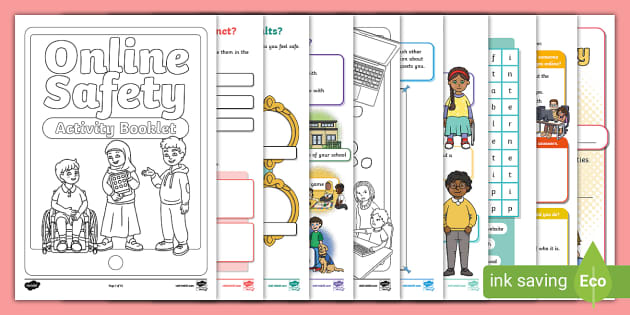
Why Social Media Safety Worksheet Activities Matter for School and Home Alignment
Navigating the digital landscape can feel overwhelming for students, but structured learning tools make online spaces far more manageable. A social media safety worksheet provides a tangible starting point for educators and parents working to align expectations across classrooms and living rooms. By combining guidance from safety authorities like ConnectSafely and the Cybersecurity and Infrastructure Security Agency, adults can transform abstract warnings about privacy into concrete digital habits. When kids actively fill out these exercises, they move from passive scrollers to critical thinkers who understand how algorithms, location sharing, and peer pressure operate online.
💡 Educational Key Takeaways:
- Core Skill: Structured Social Media Safety Worksheet focused on developing pencil grip, stroke control, and early literacy/math confidence.
- Target Scope: Suited for homeschoolers, preschool, kindergarten, and elementary learners.
- Best Recommendation: Practice 10–15 minutes daily with ergonomic writing tools to reinforce muscle memory without hand fatigue.
Mapping Digital Risk Signals and Preventive Guardrails
Protecting youth online requires a clear understanding of where technical vulnerabilities intersect with everyday behavior. Whether students are browsing on personal smartphones or school-issued Chromebooks, specific digital settings demand active monitoring. The breakdown below highlights common vulnerabilities across different environments and outlines the practical safeguards adults can implement immediately. Related guide: Credible Sources For Kids.
| Setting / Context | Common Vulnerability | Practical Safeguard |
|---|---|---|
| Home Smartphones & Tablets | Default public privacy settings exposing personal location and photos to strangers. | Lock down accounts to private mode, disable geotagging, and review Internet and Digital Safety settings together. |
| School Chromebooks & Tablets | Bypassing network filters or logging into unverified third-party apps using school credentials. | Enforce strict single-sign-on policies and utilize classroom management tools to monitor active browser tabs. |
| Social Apps & Direct Messaging | Disappearing messages and encrypted chats hiding peer harassment or grooming attempts. | Establish a policy of open access, encourage regular check-ins, and explore Worksheets designed to facilitate calm conversations. |
Establishing Consistent Rules and Healthy Daily Habits
Consistency is the cornerstone of effective digital citizenship. Schools and families achieve the best results when they establish clear, predictable routines that remove guesswork from device usage. Start by implementing a shared evening charging station in a common household area, which naturally curbs late-night scrolling and sleep disruption. Pair this physical boundary with technical safeguards, such as enabling two-factor authentication on all major social platforms to prevent unauthorized account takeovers. When educators introduce these topics in class, they should pair lessons with printable safety checklists that students can take home, reinforcing the bridge between school policy and domestic internet rules.
Overcoming Student Pushback and Common Technical Workarounds
Children and teens are remarkably resourceful when it comes to bypassing digital restrictions, from using secondary unlisted profiles to downloading hidden vault applications. When adults rely solely on aggressive surveillance or total bans, youth often respond by hiding their online activity entirely. A more sustainable approach pairs age-appropriate device controls with transparent discussions about why these guardrails exist. According to youth privacy guidance from organizations like the Family Online Safety Institute, building digital resilience requires coaching students on how to handle uncomfortable online encounters rather than cutting them off from technology altogether. When a student encounters cyberbullying or inappropriate content, the immediate response must be supportive and free of shame to ensure they continue coming to trusted adults for help.
Frequently Asked Questions About Digital Safety Exercises
Children can engage with foundational concepts as early as late elementary school before they create their first accounts. Younger students benefit from simplified activities found in our Online and Digital Safety hub, while older teens benefit from analytical exercises focused on data privacy and digital footprints.
How can teachers integrate these activities into tight instructional schedules?
Educators do not need a standalone technology class to teach these skills. Digital safety modules fit seamlessly into advisory periods, media literacy units, or digital citizenship weeks by using short, focused discussion prompts and collaborative group tasks.
What is the best way to handle a student who refuses to complete safety assignments?
Resistance often stems from embarrassment or a fear that their online mistakes will be punished. Frame the exercise around broader societal trends, such as data tracking and marketing algorithms, rather than policing their individual behavior.
Explore More Digital Citizenship Resources
Empowering the next generation of digital citizens requires ongoing education, practical tools, and strong collaboration between teachers and parents. Visit SafeWiredSchools.org to discover our complete library of classroom guides, interactive tools, and expert-backed safety resources designed to keep students secure online.
Worksheet Previews & Reference Materials