Why Guarding Against Deceptive Online Traps Matters for School and Home Safety
Modern students encounter sophisticated online trickery far earlier than previous generations. Whether through a fake gaming currency giveaway or an urgent notification disguised as a school portal alert, malicious actors regularly target K-12 students. Building strong habits around Phishing Scam Patental Tips Kids helps children develop critical thinking before they click. According to youth safety insights from ConnectSafely and guidance from the Cybersecurity and Infrastructure Security Agency, teaching kids to pause and verify digital messages is just as vital as physical stranger danger education. Related guide: 5 Cyber Safety Tips Symbols That Can Be Read By The Grede 7 Students.
💡 Educational Key Takeaways:
- Core Skill: Structured Phishing Scam Patental Tips Kids focused on developing pencil grip, stroke control, and early literacy/math confidence.
- Target Scope: Suited for homeschoolers, preschool, kindergarten, and elementary learners.
- Best Recommendation: Practice 10–15 minutes daily with ergonomic writing tools to reinforce muscle memory without hand fatigue.
Spotting Vulnerability Signals Across School and Home Environments
Children navigate diverse digital spaces, shifting from school-issued Chromebooks to personal smartphones and home gaming consoles. Each environment presents distinct exposure risks that require tailored technical adjustments and behavioral awareness.
| Setting / Context | Common Vulnerability | Practical Safeguard |
|---|---|---|
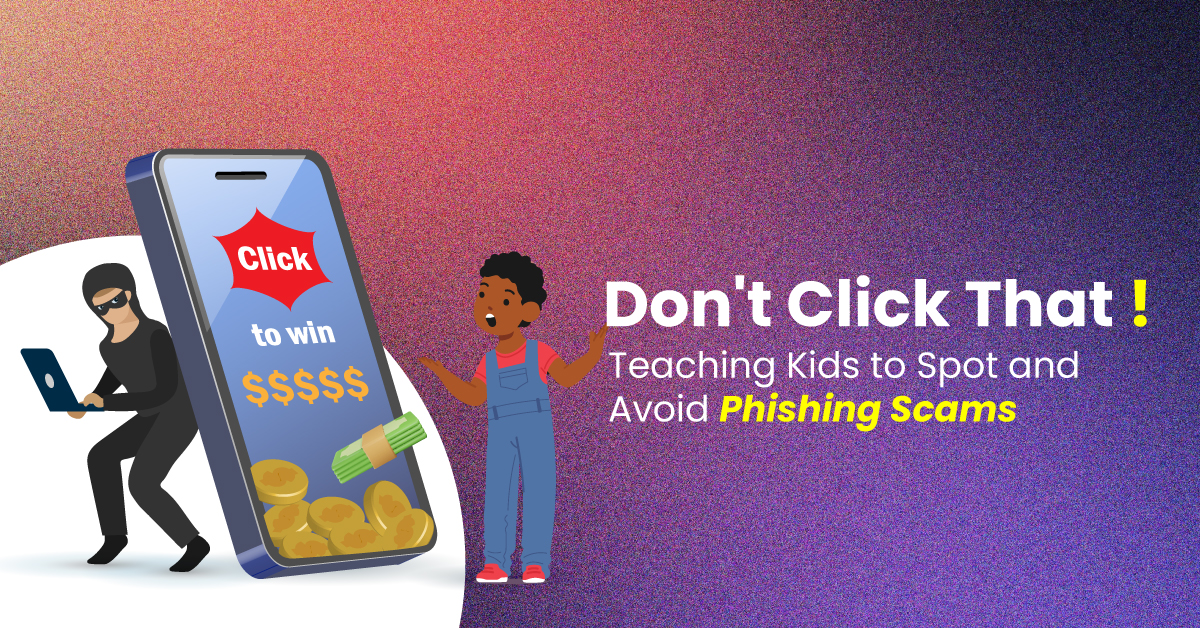
| Home Devices & Tablets | Fake pop-up ads offering free in-game currency or premium app features | Install reputable browser extensions and review app store download permissions together. |
| School Chromebooks | Simulated administrative login prompts requesting password confirmation | Reinforce school policies that IT staff never ask for passwords via email or pop-ups. |
| Social Media & Chat Apps | Direct messages from compromised peer accounts sharing malicious links | Establish a verification rule to text or call friends before opening shared links. |
Actionable Protocols Families and Classrooms Can Apply Together
Consistency between school policies and home routines is essential for effective digital citizenship. Educators and parents can streamline protection by implementing age-appropriate device controls, such as turning on two-factor authentication on personal accounts and setting up shared evening charging stations outside of bedrooms. When addressing Phishing Scam Patental Tips Kids, adults should establish a transparent reporting workflow that avoids punitive measures. If a student accidentally clicks a suspicious link or shares information, they need to feel safe telling an adult immediately. Educators can reinforce these lessons by integrating concepts from Internet and Digital Safety into routine classroom discussions.
Overcoming Student Workarounds and Handling Digital Resistance
Overly restrictive content filters often backfire, driving tech-savvy students to seek out unauthorized workarounds or peer-to-peer hotspots. Instead of relying solely on heavy-handed blocks, pair technical safeguards with open, non-judgmental check-ins. When kids understand the logic behind security warnings—such as how scammers mimic trusted brands to steal personal data—they are far more likely to cooperate. Educators utilizing resources found in Online and Digital Safety can help students dissect real-world examples of online manipulation in a safe classroom environment.
Frequently Asked Questions About Student Phishing Defense
What is the earliest age to introduce phishing concepts to children?
Basic concepts can start as early as kindergarten by teaching kids not to share personal information or click unexpected pop-ups. By upper elementary school, students are ready to learn about fake sender addresses and manipulative urgency tactics.
How should teachers handle a student who falls for a simulated phishing test?
Treat the moment as a teachable milestone rather than a disciplinary infraction. Guide the student through the specific red flags they missed, reinforcing that even adults occasionally stumble on sophisticated scams.
What are the absolute top red flags children should memorize?
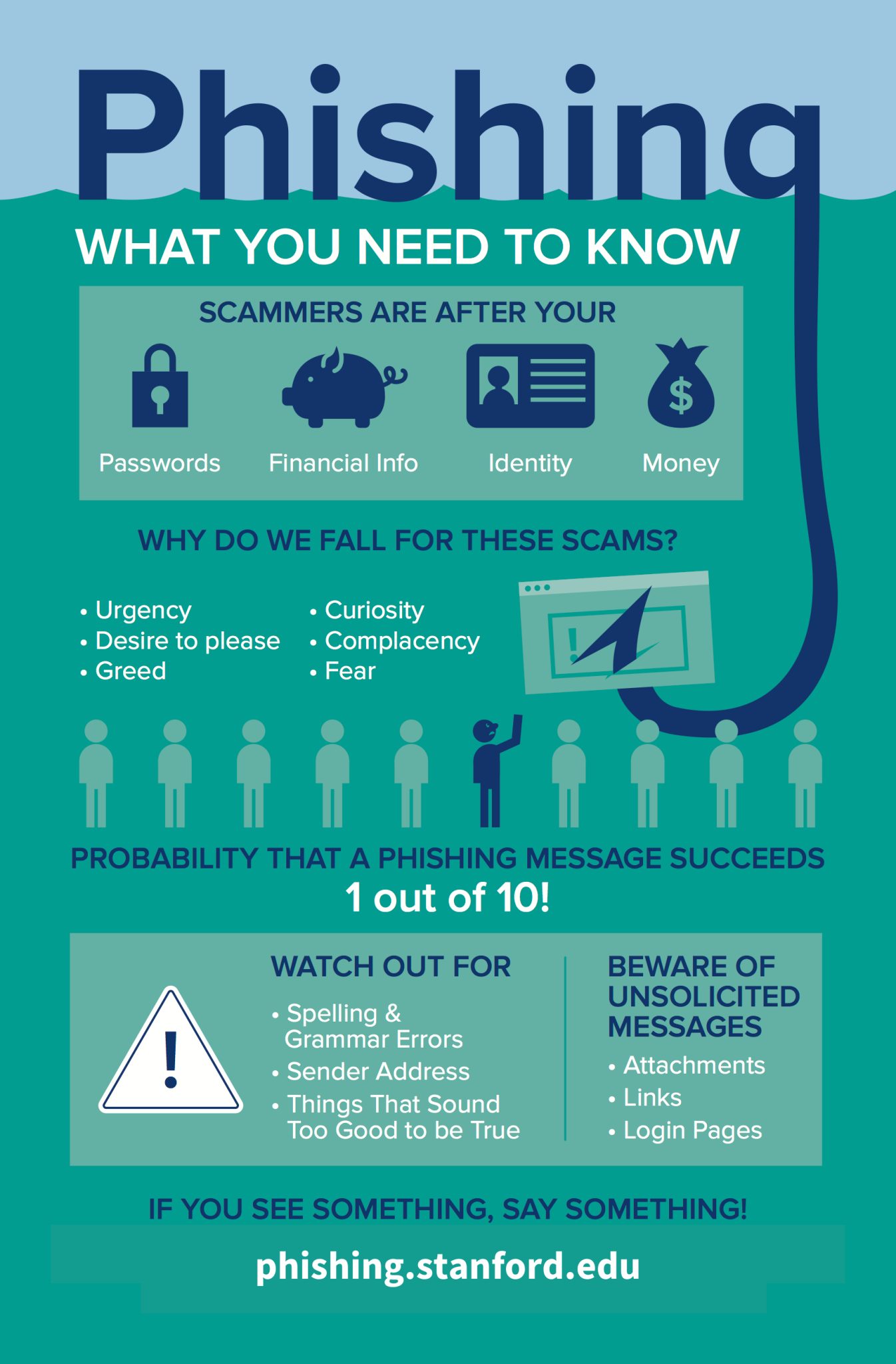
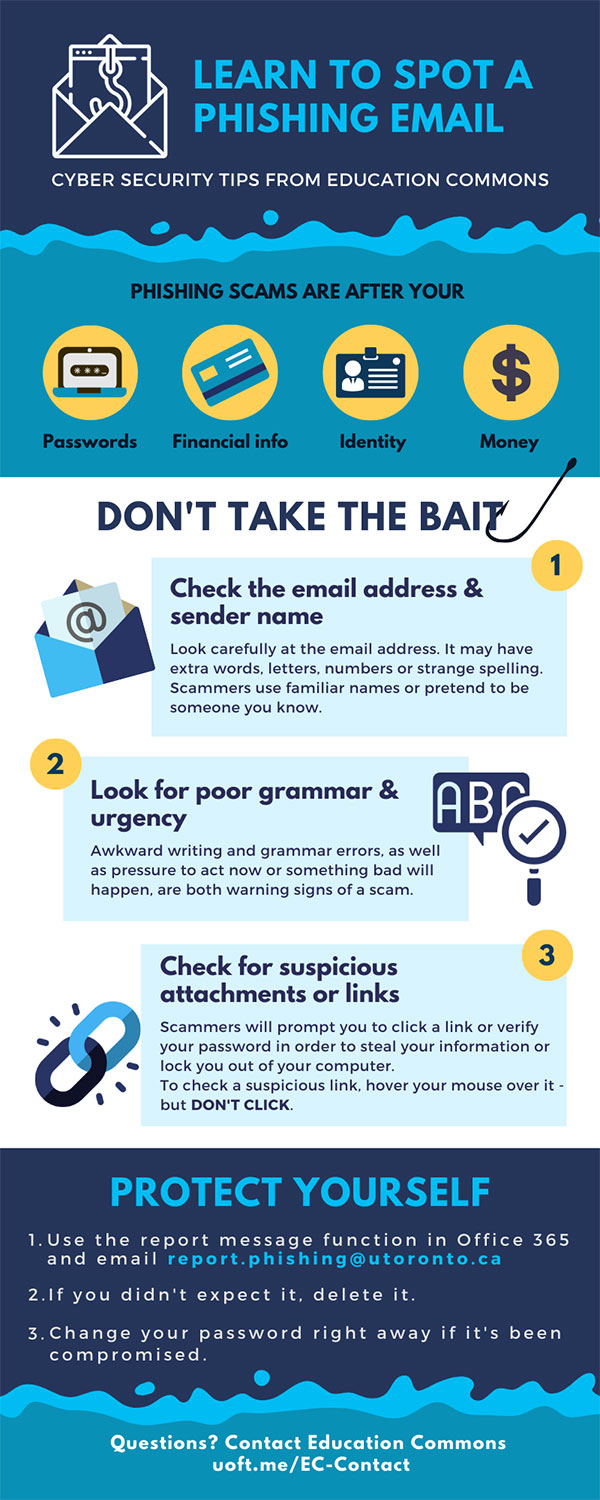
Teach kids to watch for urgent threats of account closure, requests for immediate password confirmation, spelling errors in official communications, and offers that seem far too good to be true.
Explore More Digital Citizenship Resources
Keeping young minds safe in an interconnected world requires ongoing education, practical tools, and collaborative community standards. To discover additional lesson plans, printable activities, and expert guidance for your classroom or living room, visit SafeWiredSchools.org today.
Visual Reference Gallery