Why Hands-On Digital Citizenship Exercises Change Student Habits
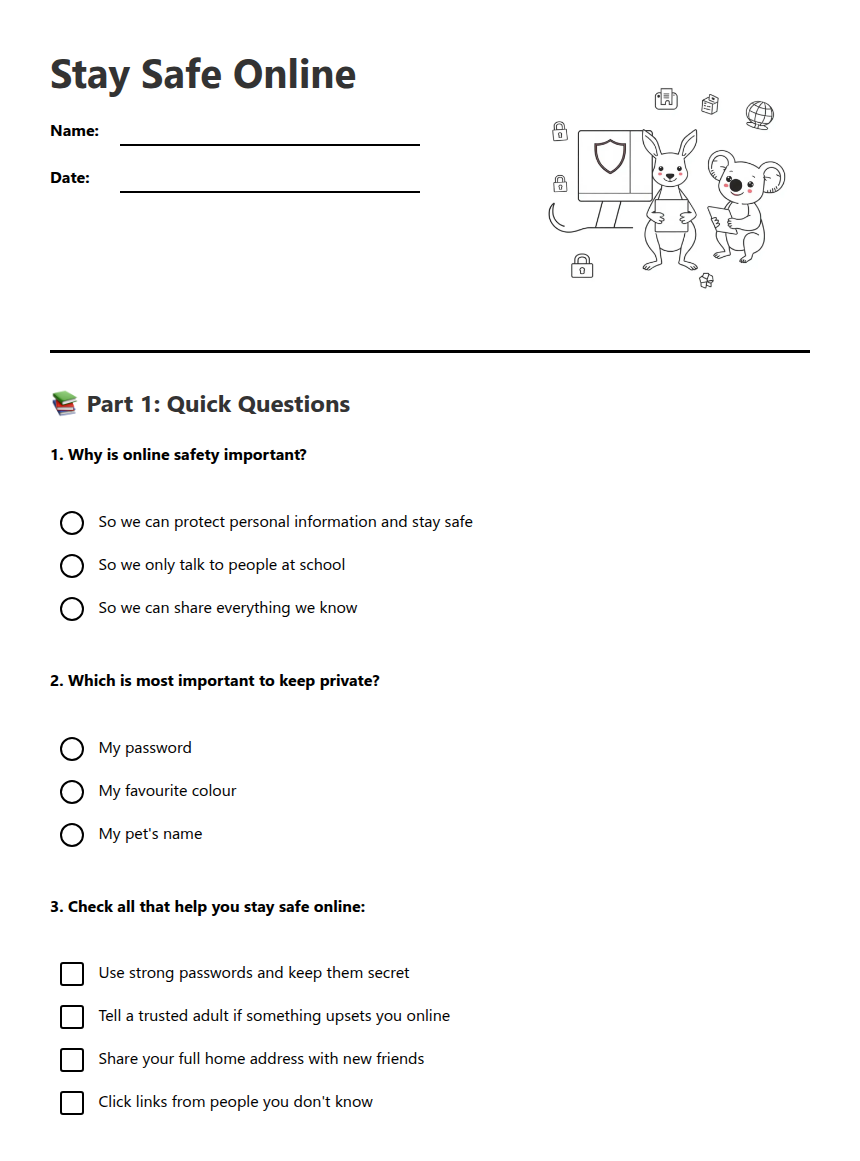
Teaching kids how to navigate the internet safely requires more than a passing warning before handing over a school tablet or smartphone. At SafeWiredSchools.org, we find that passive lectures often fail to stick when children face real-world online dilemmas. Integrating online safety printable worksheets free into daily lessons and family routines provides an interactive way for students to process complex concepts like privacy, digital footprints, and respectful communication. Aligning with guidance from organizations like ConnectSafely and the Federal Trade Commission, blending visual activities with guided conversations helps bridge the gap between abstract tech rules and daily student habits.
💡 Educational Key Takeaways:
- Core Skill: Structured Online Safety Printable Worksheets Free focused on developing pencil grip, stroke control, and early literacy/math confidence.
- Target Scope: Suited for homeschoolers, preschool, kindergarten, and elementary learners.
- Best Recommendation: Practice 10–15 minutes daily with ergonomic writing tools to reinforce muscle memory without hand fatigue.
Identifying Technical Risks and Behavioral Warning Signs
Adults often struggle to keep pace with the apps, multiplayer chat rooms, and sharing features students use daily. Knowing where vulnerabilities hide allows parents and educators to apply the right guardrails before a minor security issue turns into a major crisis. Reviewing the table below highlights key risk signals across different environments alongside practical, age-appropriate safeguards. Related guide: Online Safety And Netiquette Lesson Plan Grade 4.
| Setting / Context | Common Vulnerability | Practical Safeguard |
|---|---|---|
| Home Devices | Unmonitored app downloads and disabled parental controls on personal tablets. | Enable password-required app store purchases and use router-level content filtering. |
| School Chromebooks | Bypassing web filters using proxy extensions or unauthorized browser modes. | Enforce strict enterprise device policies and incorporate Internet and Digital Safety lessons into computer lab time. |
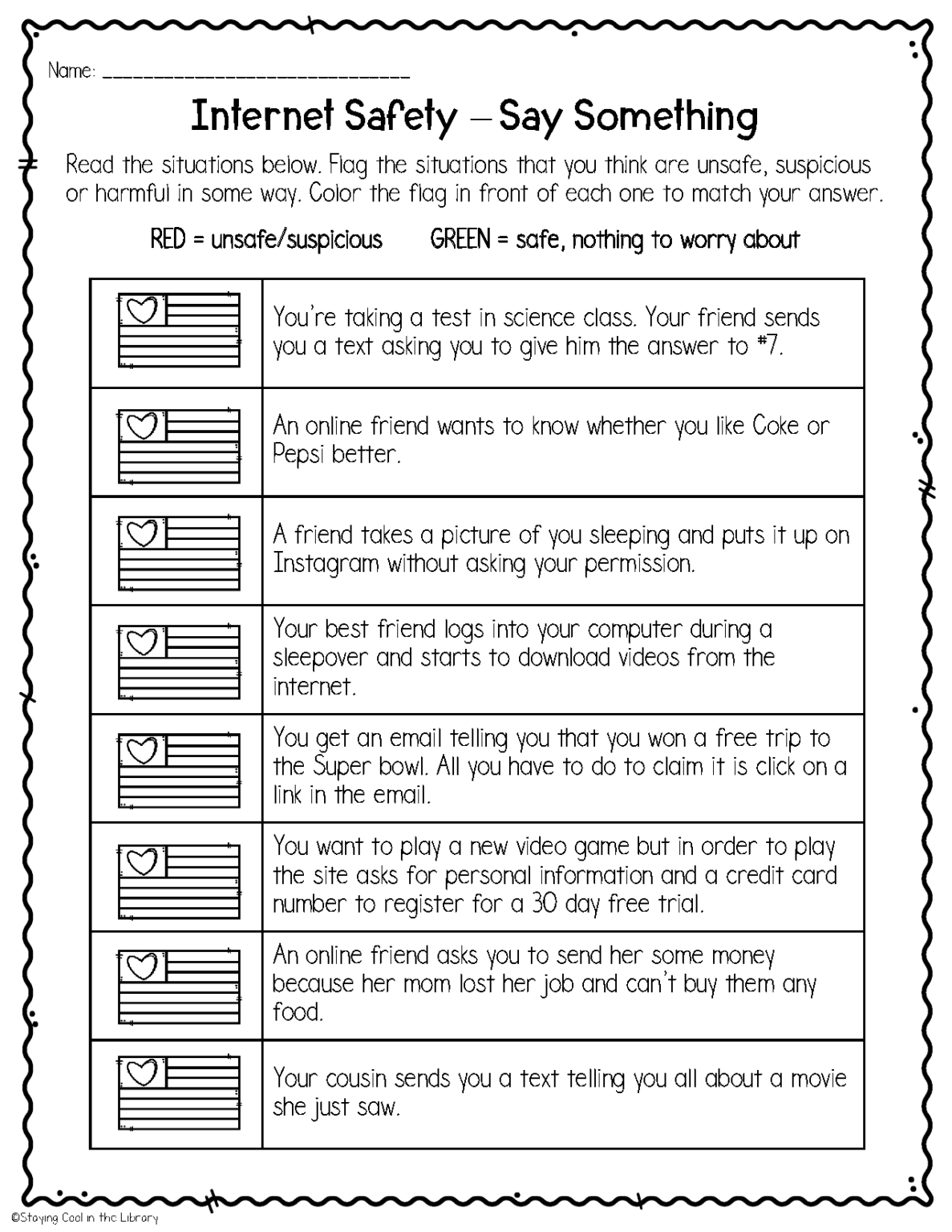
| Social and Chat Apps | Over-sharing personal details or accepting direct messages from unknown users. | Use printable activity sheets to practice evaluating stranger profiles and setting strict account privacy toggles. |
Establishing Consistent Home and Classroom Rules
Consistency between school policies and home expectations is critical for long-term digital wellbeing. Start by designating screen-free zones and shared charging areas in the house, which naturally limits late-night device use and reduces exposure to risky online spaces. Educators can reinforce these routines by distributing take-home exercises found in our Worksheets archive. When children complete these puzzles and reflection prompts alongside an adult, it opens the door to calm, shame-free discussions about what to do if they encounter cyberbullying or accidental exposure to inappropriate content.
Overcoming Student Workarounds and Pushback
Overly restrictive internet bans rarely stop determined students; instead, they often drive tech use underground. When children discover workarounds to bypass parental controls or school firewalls, reacting with immediate anger typically destroys trust and makes them hesitant to report genuine online threats. A more effective strategy combines reliable technical filters with transparent dialogue. Pair device restrictions with educational activities that explain *why* these safety measures exist, transforming a frustrating restriction into a meaningful lesson on digital self-defense and personal responsibility.
Frequently Asked Questions About Interactive Safety Materials
What age is appropriate to start using online safety printable worksheets free?
Children as young as kindergarten can benefit from foundational activities covering personal information basics and screen time balance. As students progress into middle and high school, worksheets can transition toward more complex topics like phishing, digital footprints, and copyright awareness.
How can teachers integrate these printables without cutting into core academic time?
Many educators successfully embed these exercises into homeroom advisory periods, technology lab rotations, or language arts reading comprehension assignments. This approach reinforces digital citizenship standards without sacrificing instructional minutes for math, science, or history.
Are offline paper activities truly effective for teaching digital skills?
Yes, because stepping away from the screen allows students to reflect on their online behavior without the distraction of notifications or gameplay. Writing out scenarios and talking through responses helps cognitive processing and memory retention.
Explore More Digital Citizenship Resources
Building a safer digital culture for children takes a collaborative community effort between teachers, school administrators, and families. To discover more printable activities, lesson plans, and guidance for guiding youth safely through the digital world, visit SafeWiredSchools.org today.
Worksheet Previews & Reference Materials