Introduction
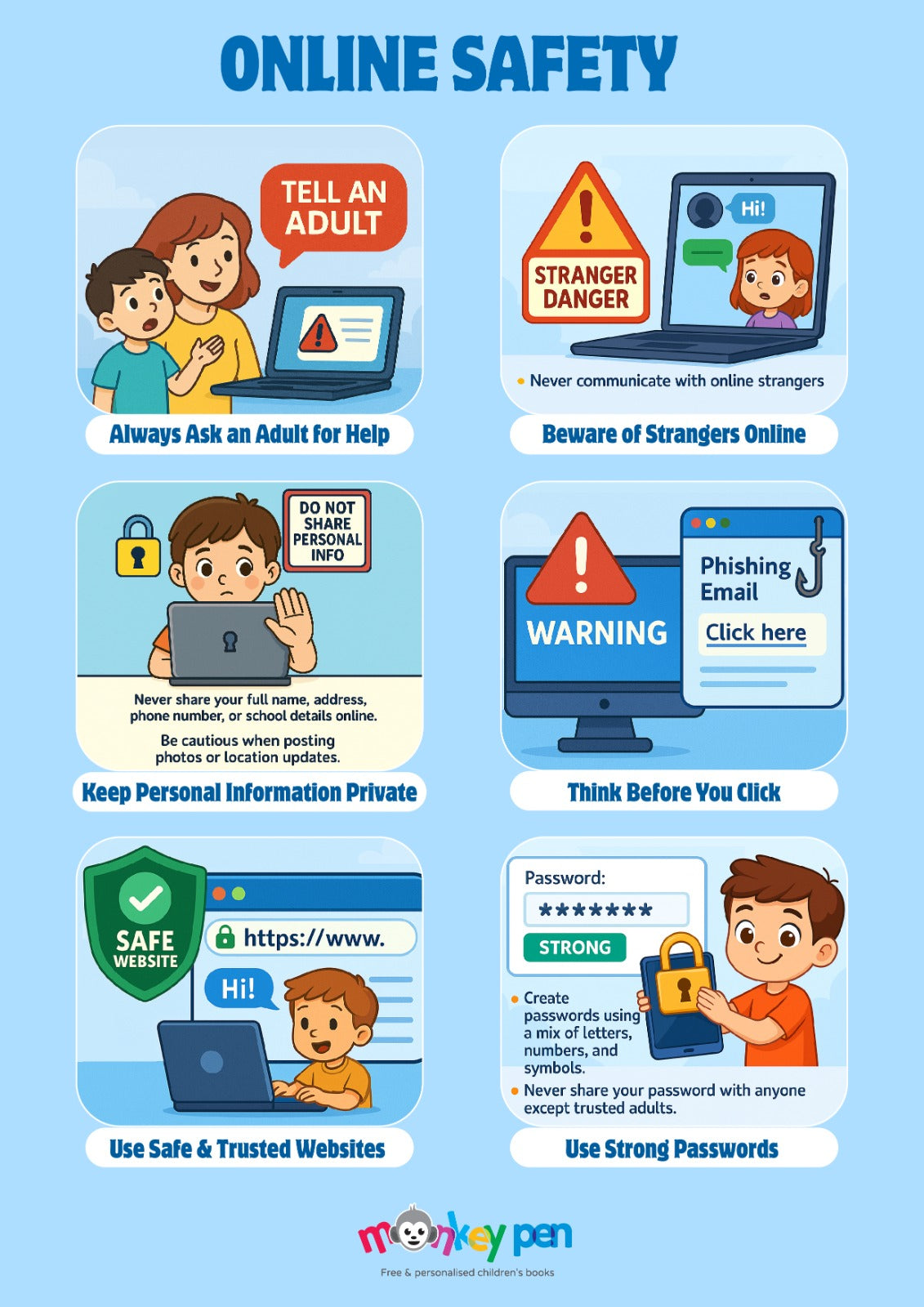
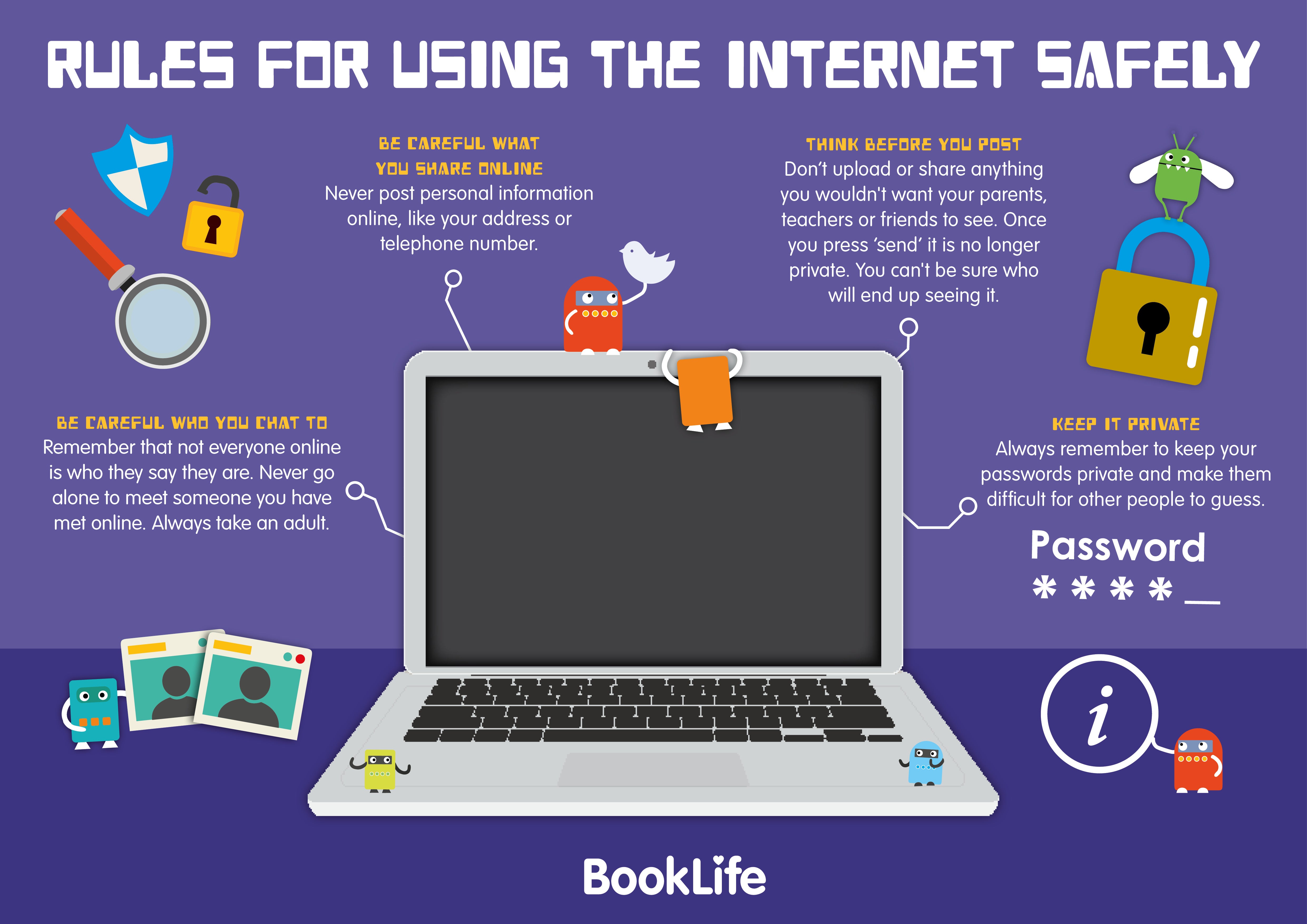
An internet and online safety diagram serves as a crucial visual framework that maps out cyber threats, digital footprints, and protective boundaries for students, educators, and administrators navigating modern connected classrooms. According to Family Online Safety Institute (FOSI), equipping educational communities with clear, structured risk-awareness models significantly improves student resilience and digital decision-making. Visual mapping simplifies complex cybersecurity concepts into digestible layers, bridging the gap between abstract policy and daily digital habits. Educators utilize these flowcharts and concentric circle models to explain data privacy, device hygiene, and classroom screen balance without overwhelming learners. As digital integration deepens across middle schools, establishing a standardized visual reference helps reinforce consistent protocols across computer labs, libraries, and home environments.
Digital Safety Snapshot:
- Core Focus: Visual mapping of digital threats, data privacy, and safe device usage.
- Target Scope: Middle school classrooms, administrative policy enforcement, and home-school alignment.
- Key Recommendation: Implement standard safety diagrams during orientation to establish baseline digital hygiene rules.
Core Principles and Detailed Overview
An internet and online safety diagram categorizes multidimensional digital vulnerabilities into structured quadrants covering cyberbullying prevention, personal data exposure, and hardware maintenance. Direct visualization allows students to trace how a single unverified download or thoughtless comment ripples across permanent digital footprints. Within school environments, these diagrams typically organize protocols by trust tiers, distinguishing between public browsing, authenticated educational portals, and restricted personal social channels. Administrators rely on these structural schematics to audit network security policies and ensure that student devices remain configured for optimal learning. Furthermore, structured layout models help teachers facilitate discussions regarding screen balance, reminding participants that offline engagement is equally critical for developmental well-being.
Key Specifications and Breakdown
| Safety Pillar | Digital Risk Factor | Actionable Protective Habit |
|---|---|---|
| Digital Footprint | Permanent archiving of inappropriate remarks or media | Audit social profiles and practice pause-before-posting habits. |
| Cyberbullying Defense | Harassment via messaging apps or anonymous platforms | Document hostile communications and utilize blocking tools immediately. |
| Device Hygiene | Malware infection through unverified links or downloads | Apply system updates promptly and avoid unauthorized software installation. |
Visualizing online risks through structured flowcharts significantly enhances retention of digital citizenship rules among middle school students by transforming abstract threats into concrete defensive workflows. — ConnectSafely Research
Step-by-Step Practical Application and Guidelines
Implementing an internet and online safety diagram effectively requires a phased approach that begins with introductory orientation sessions and extends into ongoing classroom reinforcement. Educators should introduce the schematic during the first week of term, breaking down each security layer into manageable discussion points for middle school students. Schools must integrate these visual guides into computer lab signage, student handbooks, and learning management systems to ensure constant reinforcement of Internet and Digital Safety protocols. Teachers can pair these structural diagrams with interactive exercises found within Worksheets to test student comprehension of secure password creation and privacy settings. Regular reviews of the safety map ensure that emerging digital threats, such as sophisticated phishing tactics or shifting social application landscapes, are addressed proactively before incidents occur in school environments.
Common Challenges and How to Avoid Them
Overcoming student disengagement with safety materials requires replacing text-heavy lectures with dynamic visual flowcharts that make digital citizenship concepts immediately actionable. A frequent mistake in educational settings involves treating safety diagrams as static wall posters rather than interactive tools for conflict resolution and policy discussion. Administrators can prevent this disconnect by embedding safety schematic reviews into routine digital citizenship modules and pairing visual models with creative activities available in Coloring Pages for younger cohorts. Maintaining consistency between home and school guidelines prevents mixed messaging regarding screen time balance and acceptable online conduct. By ensuring that every stakeholder understands their specific designated zone within the safety diagram, educational institutions foster a secure, collaborative online culture.
💬 Frequently Asked Questions
Explore More Kids Safety and Digital Citizenship Guides on SafeWiredSchools
Establishing a robust digital safety culture requires comprehensive resources, ongoing teacher training, and active parental involvement across every connected classroom environment. Educators, administrators, and families can access a vast library of expert-reviewed tools, lesson plans, and actionable frameworks by visiting Safe Wired Schools to discover more strategies for protecting students online, exploring Online and Digital Safety, and fostering healthy, balanced digital habits.
Wiring Diagram Schematics & Details