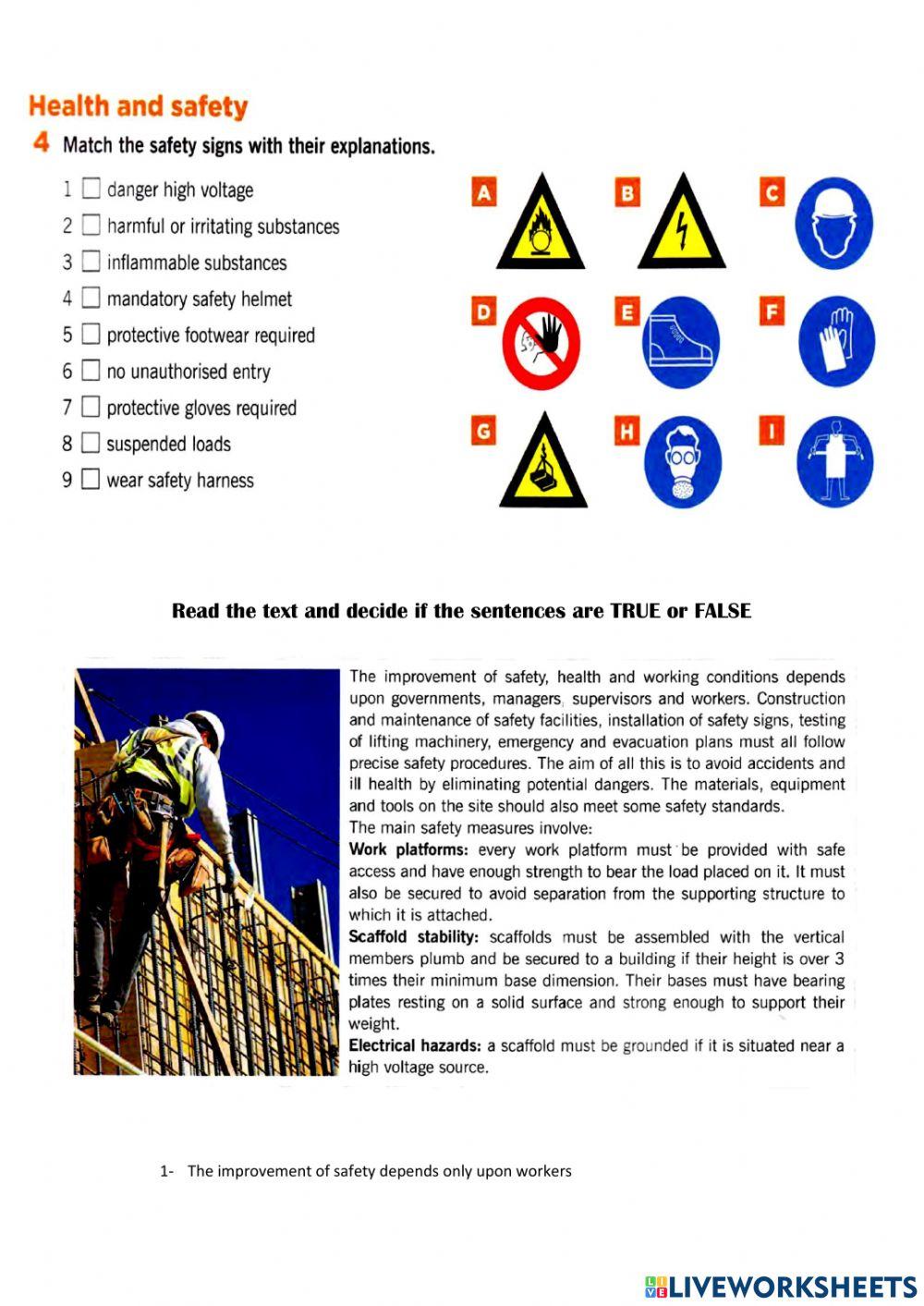
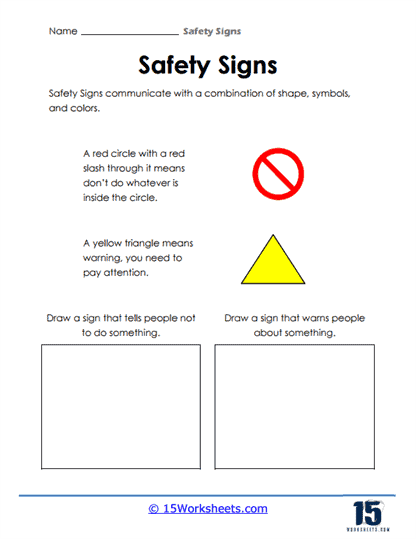
Why Visual Health And Safety Signs And Symbols Worksheets Matter for Modern Digital Environments
In today’s interconnected learning spaces, students encounter information far beyond traditional textbooks. When educators integrate health and safety signs and symbols worksheets into daily instruction, they bridge essential physical safety concepts with modern digital literacy. Organizations like ConnectSafely and the Cybersecurity and Infrastructure Security Agency emphasize that digital citizenship requires comprehensive awareness, teaching students to recognize vital hazard cues both online and offline. By blending printable exercises with digital device usage, adults can help children identify reliable web content, interpret online warnings, and navigate connected platforms with confidence and caution.
💡 Educational Key Takeaways:
- Core Skill: Structured Health And Safety Signs And Symbols Worksheets focused on developing pencil grip, stroke control, and early literacy/math confidence.
- Target Scope: Suited for homeschoolers, preschool, kindergarten, and elementary learners.
- Best Recommendation: Practice 10–15 minutes daily with ergonomic writing tools to reinforce muscle memory without hand fatigue.
Children frequently encounter misleading safety alerts, unverified download prompts, and deceptive pop-ups disguised as critical warnings while completing digital tasks. Monitoring these digital touchpoints requires a proactive balance of device controls, classroom policies, and open dialogue. To help parents and school staff identify and mitigate these risks, the breakdown below outlines common vulnerabilities across different environments along with actionable safeguards. Related guide: Worksheet For Safety Rules.
| Setting / Context | Common Vulnerability | Practical Safeguard |
|---|---|---|
| Home Devices | Accidental clicks on deceptive banner ads or fake system warning symbols. | Install reputable browser extensions and restrict downloads to approved educational portals. |
| School Chromebooks and Tablets | Bypassing network filters to access unverified or dangerous external media. | Enforce strict district-wide DNS filtering and audit active Internet and Digital Safety policies regularly. |
| Social and Chat Habits | Misinterpreting emotional cues or falling for harmful viral challenges masked as symbols. | Establish clear parameters for digital communication and integrate targeted Online and Digital Safety lessons into daily routines. |
Core Rules and Habits Families and Schools Can Apply Together
Establishing consistency between school policies and home routines is vital for reinforcing safe digital behavior. Educators and parents should implement predictable, low-stress workflows that encourage children to ask questions when they encounter unfamiliar icons, security warnings, or strange pop-ups. Practical steps include designating central, open charging zones at home, configuring strict privacy settings on shared tablets, and maintaining a non-punitive reporting system where students can notify adults of digital errors without fear. When children know they can report a suspicious link or misunderstood safety symbol without facing immediate device confiscation, they are far more likely to seek help early.
Overcoming Student Workarounds and Managing Device Pushback
Overly restrictive internet bans or heavy-handed filtering often backfire, driving tech-savvy students to seek clever workarounds or hide their online activity. Instead of relying solely on technical roadblocks, educators and parents should pair device filters with transparent conversations about why specific security signs and digital boundaries exist. If a student attempts to bypass a filter or ignores a warning symbol, use the moment as a teachable exchange rather than an immediate disciplinary crisis. Explaining the real-world implications of malware, phishing scams, and fraudulent symbols helps students internalize the value of digital caution.
Frequently Asked Questions About Integrating Safety Symbols
How can I use health and safety signs and symbols worksheets to teach digital awareness?
You can connect traditional safety symbols—like electrical warnings or biohazard alerts—to digital equivalents, such as secure connection padlocks, spam indicators, and privacy icons. This cross-disciplinary approach helps students apply critical thinking to both physical environments and online spaces.
What age is appropriate to start discussing online warnings and safety symbols?
Basic digital awareness can begin as early as kindergarten, using simple printable resources found in dedicated Worksheets collections. As children grow older, these lessons can evolve to cover complex data privacy markers and phishing indicators.
How do we handle a child who clicks on a suspicious warning icon by accident?
Stay calm and praise the child for coming forward immediately. Teach them to disconnect from the network if necessary, run a diagnostic scan, and review safe browsing habits together to prevent future confusion.
Explore More Digital Citizenship Resources
Empowering students to navigate the digital world safely requires ongoing education, collaborative communication, and reliable tools. Visit us at SafeWiredSchools.org to discover additional guides, lesson plans, and interactive activities designed for modern classrooms and families.
Worksheet Previews & Reference Materials