Introduction
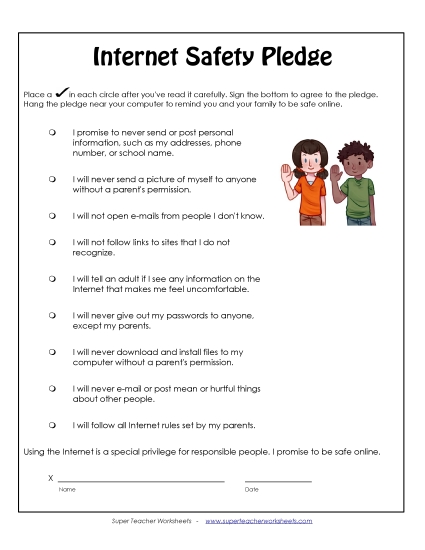
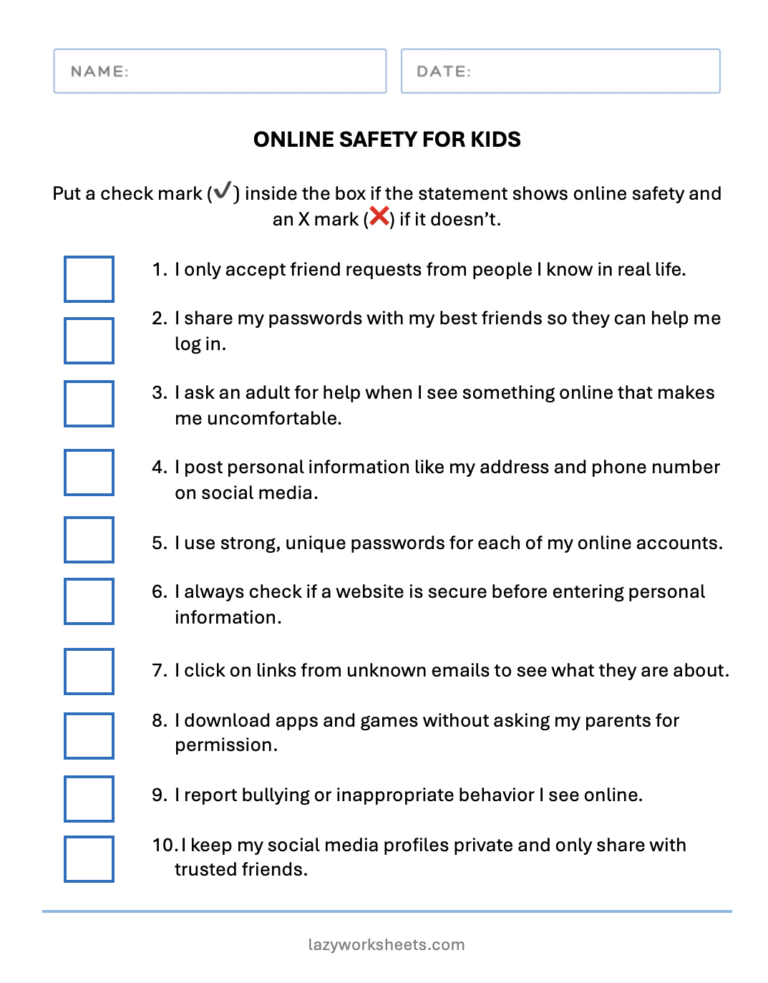
Fourth-grade students navigate digital spaces with increasing independence, moving between school-issued laptops, shared family tablets, and multiplayer gaming consoles almost daily. Real-world observations show that ten-year-olds rarely encounter online risks through cinematic movie tropes; instead, accidental oversharing happens inside casual in-game chat boxes, through shared video platform comment sections, or on school assignment documents left publicly accessible. Preparing students for these environments requires proactive habit-building rather than fear-based lectures. The free printable grade 4 activity about internet safety.doc provides educators, school counselors, and parents with a structured bridge into meaningful conversations regarding digital footprints, strong passwords, and personal boundaries. It sounds simple, and that’s the point: physical worksheets slow down fast-paced digital habits, giving children time to process core concepts before encountering tricky situations online. Materials like these support structured lessons found across various educational learning sheets designed for elementary settings, turning abstract digital rules into concrete, memorable skills.
💡 Educational Key Takeaways:
- Core Skill: Structured Grade 4 Activity About Internet Safety.Doc focused on developing pencil grip, stroke control, and early literacy/math confidence.
- Target Scope: Suited for homeschoolers, preschool, kindergarten, and elementary learners.
- Best Recommendation: Practice 10–15 minutes daily with ergonomic writing tools to reinforce muscle memory without hand fatigue.
What This Printable Covers
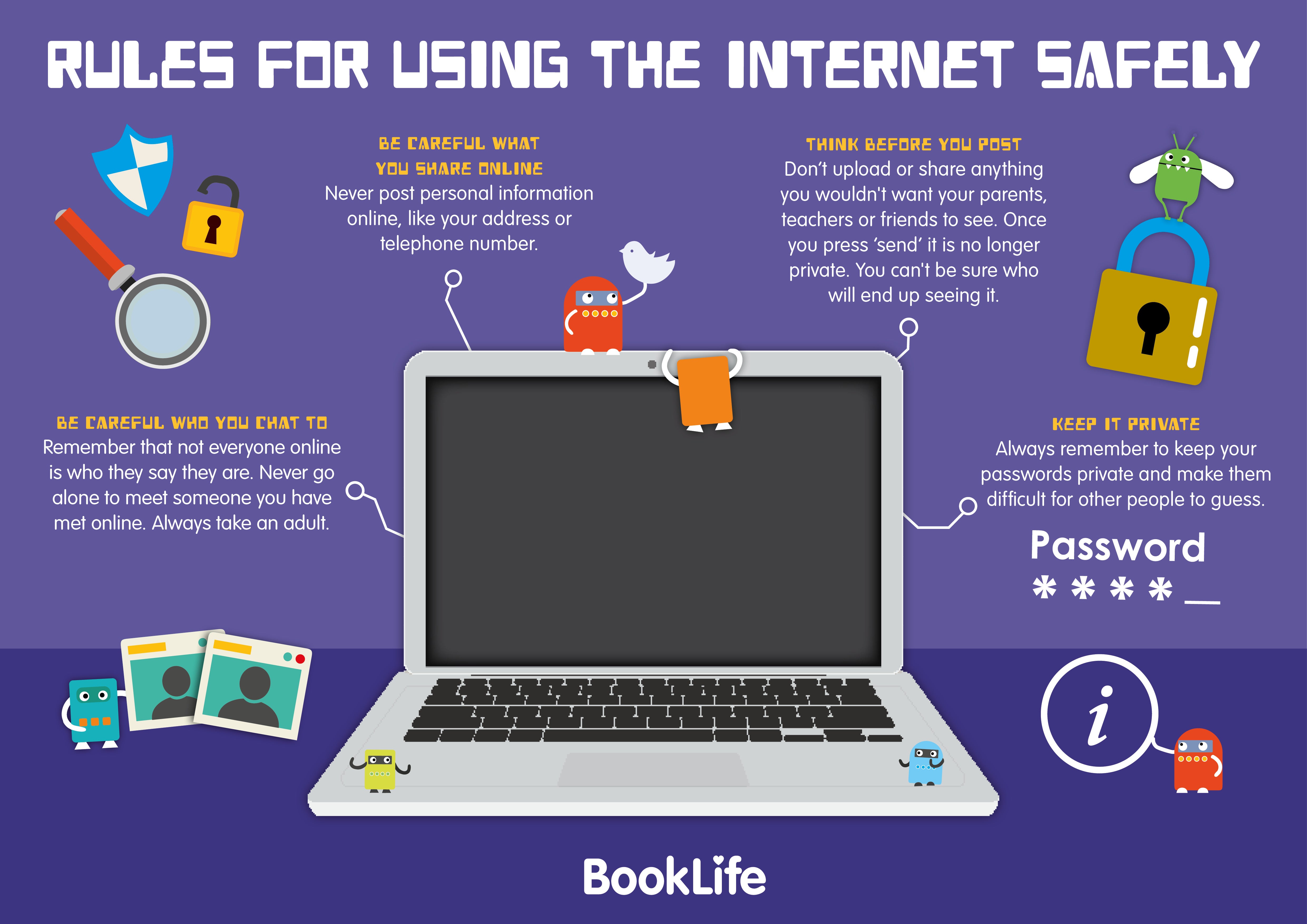
This specific activity document addresses the everyday choices children face when interacting with internet-connected devices. Rather than focusing on scary extremes, the content emphasizes foundational protective habits: keeping personal identifiers private, evaluating whether an online interaction feels safe, and understanding the importance of thinking before sharing images or text. According to Pew Research Center, a substantial majority of parents report that their young children use or interact with digital screens regularly, making early digital literacy an essential life skill. Fourth graders are at an ideal developmental stage to analyze these scenarios critically because they possess the reading comprehension to unpack hypothetical dilemmas. The worksheet guides learners through recognizing red flags, such as requests for home addresses or school names, and reinforces the fundamental truth that children are never in trouble for reporting something uncomfortable to a trusted adult.
Key Learning Outcomes
Working through the activity helps students articulate why certain information belongs strictly offline, protecting their physical and digital safety simultaneously. Here’s what makes this resource different: it shifts the focus from passive rule-memorization to active decision-making through scenario-based prompts. Learners practice identifying secure password practices, distinguishing between public knowledge and private data, and mapping out a network of trusted adults at home and school. Educators can seamlessly integrate these exercises into broader lessons focusing on core digital safety concepts, ensuring children absorb the mechanics of responsible technology use. Mastery of these concepts empowers students to pause when an online prompt feels confusing, transforming potential panic into an opportunity for proactive reporting.
How to Use This Printable
Flexibility defines effective instructional design, and this document adapts easily to both traditional classrooms and kitchen table homeschool environments. Adults can distribute the printable as an independent warm-up exercise, followed by a collaborative group discussion where students debate different hypothetical choices. Children learn best when they can voice their reasoning aloud, so pairing independent completion with a partner talk elevates the learning experience far beyond a simple pen-and-paper task. School counselors often utilize similar printable modules during small group sessions to help students who may be testing digital boundaries for the first time. For more creative approaches to building safe digital habits, educators frequently pair text-heavy worksheets with companion resources like visual safety coloring sheets to engage younger learners or tactile thinkers during introductory lessons.
Practical Tips for Parents and Teachers
Establishing a calm, non-judgmental tone before handing out the activity ensures children feel safe sharing their actual digital experiences rather than just writing what adults want to hear. Adults should avoid hovering over shoulders with a correcting pen; instead, ask open-ended questions like, “What would you do if a game character asked for your pet’s name?” This conversational framing normalizes talking about online friction. According to Common Sense Media, children who frequently discuss digital dilemmas with caring adults develop significantly stronger self-regulation skills online. Keeping the conversation light, empowering, and centered on problem-solving guarantees that students view internet safety as a toolkit for independence rather than a list of restrictive punishments.
Age-Appropriate Recommendations
Aligning digital citizenship instruction with recognized developmental milestones ensures the material resonates properly with nine- and ten-year-olds. This resource directly supports the ISTE Standards for Students by encouraging learners to cultivate and manage their digital identities responsibly and ethically. Fourth graders possess the cognitive capacity to understand that online actions have long-term repercussions, making it the perfect time to introduce the concept of a digital footprint. However, they still require concrete examples and visual scaffolding to grasp abstract concepts like data privacy or server security. Adults must remember that printables and lesson plans do not protect or guarantee safety on their own; rather, they serve as foundational scaffolding designed to build critical thinking and open ongoing dialogue between children and their caregivers.
Substantial increases in screen independence occur by age ten, making structured fourth-grade digital citizenship guidance critical for safe navigation — Common Sense Media
Frequently Asked Questions
Clear answers help educators and parents implement digital safety lessons with absolute confidence, ensuring every child receives consistent guidance across home and school environments. For deeper dives into safeguarding youth online, explore additional guides found under comprehensive online safety resources.
Explore More Free Kids Online Safety Printables
Building robust digital citizenship is an ongoing journey that requires fresh materials, varied discussions, and continuous reinforcement throughout the elementary school years. Educators and parents can expand their instructional toolkits by downloading supplementary guides, visual posters, and interactive activities tailored for growing minds. Maintaining an open, supportive dialogue about technology ensures that children remain confident, curious, and well-protected digital citizens.
Developmental Milestone & Activity Table
| Development Stage | Recommended Daily Duration | Primary Learning Objective |
|---|---|---|
| Preschool & Pre-K | 10 – 15 Minutes | Pencil grip development & basic pre-stroke lines |
| Kindergarten | 15 – 20 Minutes | Letter/number formation & spatial line awareness |
| Early Elementary (Grade 1–2) | 20 – 30 Minutes | Fluency, sentence construction & neatness |
Images References