Introduction
The development of responsible digital habits begins with awareness and consistent practice. A valuable resource for fostering these essential skills is the “free printable screen time tracker for families,” primarily designed for Elementary grades (1-5) through Middle and High School grades (6-12), with adaptability for younger learners through parental guidance. This hands-on tool reinforces crucial internet safety concepts by enabling individuals and families to visualize their technology use. Printable worksheets have long been trusted by educators and parents as foundational learning instruments. They offer a tangible, low-tech approach to complex digital topics, allowing for focused engagement away from screens. The act of physically recording and reviewing screen time encourages thoughtful reflection and cultivates responsible online behavior. This method establishes a concrete connection between daily actions and broader digital citizenship principles, building a solid framework for navigating the digital world safely and wisely.
💡 Educational Key Takeaways:
- Core Skill: Structured Free Printable Screen Time Tracker For Families focused on developing pencil grip, stroke control, and early literacy/math confidence.
- Target Scope: Suited for homeschoolers, preschool, kindergarten, and elementary learners.
- Best Recommendation: Practice 10–15 minutes daily with ergonomic writing tools to reinforce muscle memory without hand fatigue.
What This Worksheet Covers
This “free printable screen time tracker for families” specifically addresses the vital internet safety topic of digital well-being and responsible technology use. The resource guides users through monitoring their daily and weekly engagement with various digital devices, including phones, tablets, computers, and gaming consoles. It helps individuals understand their usage patterns, identify periods of high and low screen engagement, and recognize the types of activities consuming their digital time. The tracker facilitates the setting of personal and family screen time goals, encouraging self-regulation and intentional choices regarding online activities. Its content connects directly to recognized digital citizenship standards focusing on healthy habits, balanced lifestyles, and the impact of technology on overall well-being. By providing a clear record, the worksheet empowers families to have informed discussions about digital boundaries and the importance of balancing online interaction with offline pursuits. This structured approach fosters a proactive stance toward managing screen time effectively and mindfully.
Key Learning Outcomes
Completing the “free printable screen time tracker for families” helps develop several crucial skills and knowledge areas:
- Develops self-awareness regarding personal digital habits and technology consumption patterns.
- Establishes the ability to set and monitor achievable screen time goals, promoting self-regulation.
- Fosters critical thinking about the balance between online and offline activities for overall well-being.
- Improves communication within families about technology use, rules, and expectations.
- Encourages intentional engagement with digital devices, moving beyond passive consumption.
How to Use This Worksheet
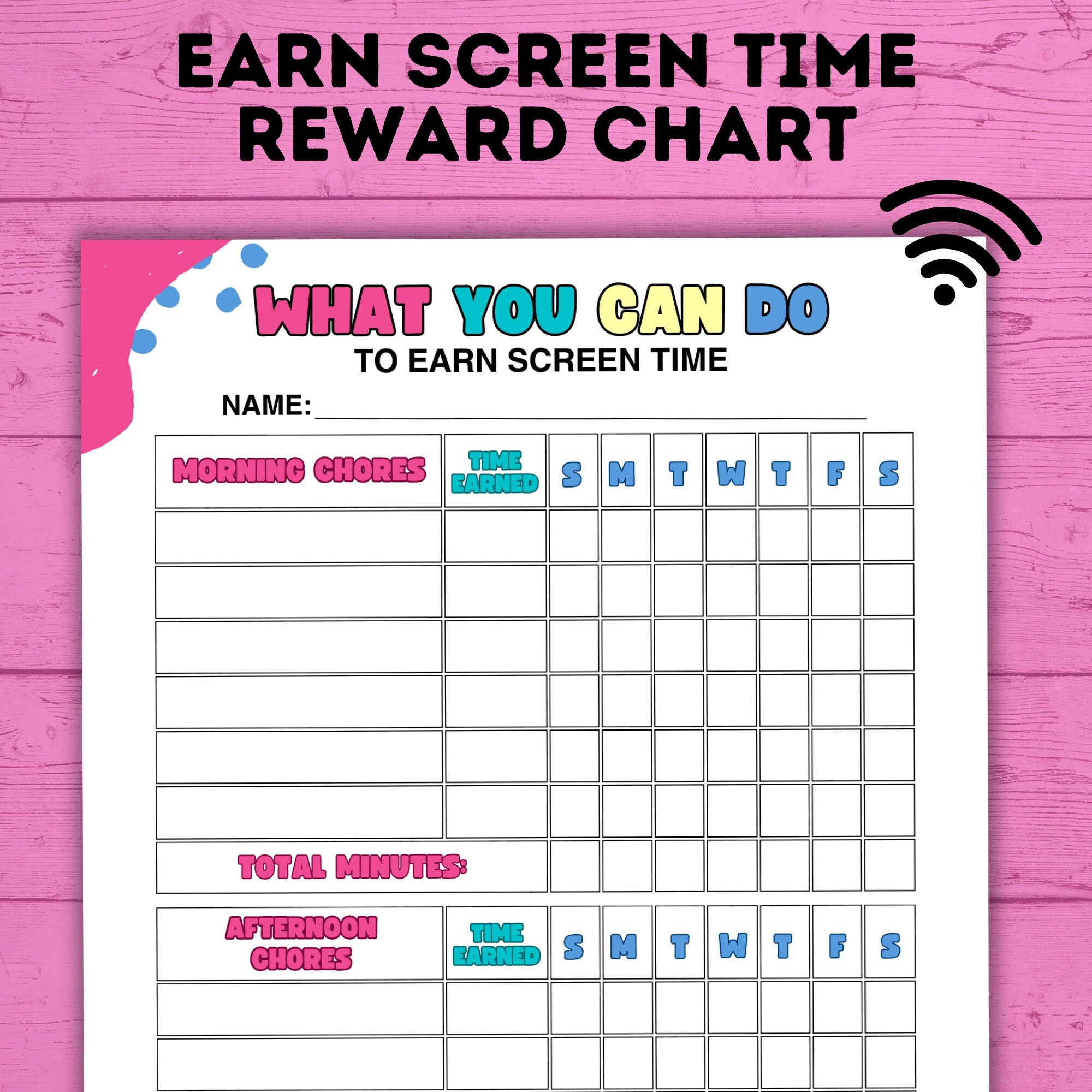
The “free printable screen time tracker for families” is a versatile resource for both classroom and home environments. Its format typically includes a grid or table for daily logging of screen time across different device types or activities. Instructions are straightforward, guiding users to record start and end times or total minutes spent on screens each day. The difficulty level is accessible, making it suitable for a range of ages with appropriate supervision. The worksheet can serve as a standalone weekly activity, promoting consistent monitoring over time. In a classroom setting, it can be integrated into a digital citizenship lesson, followed by group discussions on healthy technology use. For home use, it becomes a practical tool for family meetings, allowing parents and children to collaboratively set and review screen time limits. The progressive scaffolding of learning occurs as users consistently track their habits, reflect on their data, and adjust their behavior accordingly, building a habit of self-assessment and responsible digital living. Browse more guides on Safe Wired Schools.
Practical Tips for Parents and Teachers
- Preparation and Introduction: Explain the purpose of tracking screen timenot for punishment, but for awareness and healthy balance. Discuss what constitutes “screen time” for the family or class, ensuring clarity before beginning.
- Collaborative Tracking: For younger children, track screen time together, making it a shared activity. This models responsible behavior and opens lines of communication. For older learners, encourage independent tracking with periodic check-ins.
- Scheduled Review Sessions: Designate a specific time each week to review the completed tracker. Discuss patterns, celebrate adherence to goals, and collaboratively adjust limits or goals as needed.
- Connect to Offline Activities: Encourage users to brainstorm alternative offline activities when reviewing their screen time. This reinforces the idea of a balanced lifestyle and provides actionable alternatives.
- Positive Reinforcement: Focus on progress and positive changes, rather than dwelling on unmet goals. Acknowledge efforts to manage screen time responsibly, fostering a supportive environment for habit formation.
Age-Appropriate Recommendations
The “free printable screen time tracker for families” offers adaptability across various age groups, requiring different levels of involvement and focus.
Ages 5-8 (Early Elementary)
For this age group, the tracker functions best as a collaborative tool. Parents should complete the tracker alongside their children, helping them understand what “screen time” means and how to mark it. Vocabulary support should be explicit, using simple terms like “TV time,” “tablet time,” or “game time.” Activity pacing should be brief, perhaps reviewing daily entries for just a few minutes. The emphasis should be on visual recognition and developing an early awareness of time spent on devices. Discussion should center on balancing screen time with play, reading, and outdoor activities, with parental involvement being highly hands-on and guiding.
Ages 9-13 (Late Elementary to Middle School)
Children in this age range can begin to take more ownership of their tracking. They can independently fill out the tracker, with parents or teachers reviewing it periodically. Discussions can delve deeper into the types of content consumed and the feelings associated with excessive screen use. Vocabulary can include terms like “digital footprint,” “online interaction,” and “digital wellness.” Activity pacing can involve a weekly review session, focusing on setting personal goals for the upcoming week. Teacher or parental involvement shifts from direct supervision to mentorship, encouraging self-reflection and decision-making.
Ages 14-18 (High School)
For older learners, the screen time tracker serves as a powerful self-assessment tool. Individuals should be encouraged to track their usage independently, reflecting on the impact of screen time on sleep, academic performance, and social interactions. Vocabulary can encompass more nuanced concepts like “digital detox,” “mindful use,” and “productivity tools.” Activity pacing might involve tracking for a few weeks to identify long-term patterns, followed by a personal action plan. Parental or teacher involvement focuses on facilitating discussions about digital independence, responsible online citizenship, and the potential for technology to both enhance and detract from well-being.
Frequently Asked Questions
Q: What is a free printable screen time tracker for families?
A: It is a downloadable, paper-based resource designed to help individuals and families monitor and manage their daily and weekly use of digital devices. It promotes awareness of screen habits and encourages balanced technology engagement. This tool supports healthy digital living.
Q: How does tracking screen time contribute to internet safety?
A: Monitoring screen time helps establish healthy boundaries and prevents excessive device use, which is crucial for overall digital well-being. It fosters self-regulation and encourages a balanced lifestyle, reducing risks associated with prolonged online exposure. Awareness of usage patterns is a first step towards safer online practices.
Q: Where can the free printable screen time tracker for families be accessed?
A: The “free printable screen time tracker for families” is available for immediate download directly from SafeWiredSchools.org. Simply navigate to the worksheets section to locate and print the resource at no cost. It is ready for use in any home or classroom.
Explore More Free Printable Worksheets
While the “free printable screen time tracker for families” provides a robust foundation for digital well-being, consistent learning often benefits from a comprehensive approach. A single worksheet works best as part of a broader collection of printable resources. Educators and parents are invited to explore a full collection of free printable internet safety worksheets, activity sheets, checklists, quizzes, and more at SafeWiredSchools.org Worksheets. These resources cover every internet safety topic imaginable and are specifically designed for every grade level and learning environment, ensuring a continuous and engaging digital safety education journey for all learners.
Developmental Milestone & Activity Table
| Development Stage | Recommended Daily Duration | Primary Learning Objective |
|---|---|---|
| Preschool & Pre-K | 10 – 15 Minutes | Pencil grip development & basic pre-stroke lines |
| Kindergarten | 15 – 20 Minutes | Letter/number formation & spatial line awareness |
| Early Elementary (Grade 1–2) | 20 – 30 Minutes | Fluency, sentence construction & neatness |