Why Creative Activities Like Digital Safety Coloring Pages Printable Build Better Online Habits
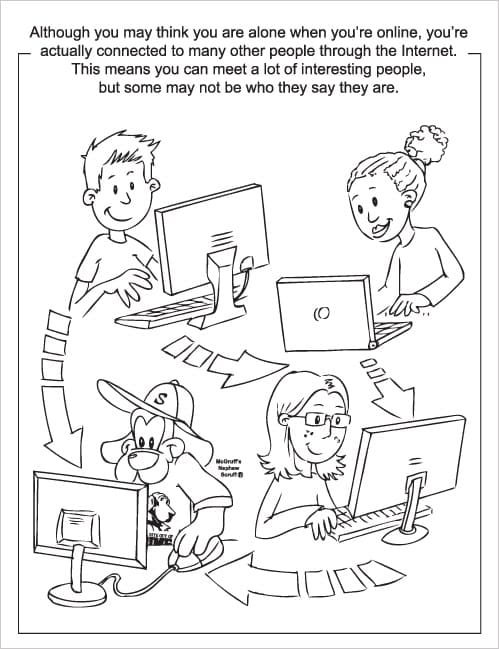
In the fast-paced world of K-12 education, abstract concepts like privacy, cyberbullying, and password security can be difficult for younger students to grasp. As an educator at SafeWiredSchools.org, I have found that tactile learning tools are essential for bridging the gap between digital theory and real-world practice. Using Coloring Pages allows children to slow down and process critical internet safety messages through visual association. According to guidance from ConnectSafely, early exposure to these concepts in a low-pressure environment helps normalize safe behaviors. By integrating these printable resources into your curriculum or home routine, you provide a non-threatening entry point for students to discuss complex topics like screen time management and stranger danger.
💡 Activity Key Takeaways:
- Core Focus: Printable Digital Safety Coloring Pages Printable designed for creative expression and fine-motor coordination.
- Target Scope: Ideal for toddlers, preschool, kindergarten, and classroom art activities.
- Best Recommendation: Use standard heavy printer paper (24–28 lb) or cardstock for vibrant results with crayons, colored pencils, or washable markers.
Technical controls are only one layer of a comprehensive safety strategy. While software filters and device management are vital, they must be paired with behavioral awareness. The following table highlights common vulnerabilities and the practical safeguards adults can implement to support students. Related guide: Please Provide Free 8.5″X11″ Digital Safety Coloring Pages For K-2 Grade.
| Setting / Context | Common Vulnerability | Practical Safeguard |
|---|---|---|
| Home Devices | Unmonitored app downloads | Enable parental controls and require approval for all new software installations. |
| School Chromebooks | Accessing non-educational sites | Use CISA-recommended monitoring software and clear classroom usage policies. |
| Social/Chat Habits | Over-sharing personal details | Practice identifying private information using safety-themed Worksheets. |
Building Sustainable Routines for Families and Classrooms
Consistency is the cornerstone of digital citizenship. Whether at home or in the classroom, setting clear expectations helps children feel secure rather than restricted. One highly effective routine is the implementation of a “tech-free zone” or a shared charging station where devices are kept overnight. This prevents late-night browsing and promotes healthier sleep patterns. Furthermore, schools should establish a “no-shame” reporting workflow. If a student encounters something inappropriate, they must know that reporting it to an adult will not result in the confiscation of their device, but rather a supportive conversation. Supplementing these policies with printable safety checklists allows students to self-monitor their progress, turning passive compliance into active, mindful digital usage.
Addressing Student Workarounds and Digital Pushback
It is common for students to seek workarounds to strict filters, such as using private browsing modes or unauthorized VPNs. When adults rely solely on technical blocks, they often find themselves in an endless cycle of “cat and mouse.” Instead, we recommend a balanced approach: maintain technical filters as a baseline, but focus your energy on the conversation. If a child attempts to bypass a setting, use it as a teaching moment to explain the logic behind the safety measure—not just the prohibition. As noted by FOSI (Family Online Safety Institute), transparency about why certain boundaries exist is far more effective than draconian bans that only encourage secrecy.
Common Questions About Digital Safety Coloring Pages Printable
At what age should I introduce these safety concepts?
You can begin introducing basic concepts like “private vs. public information” as early as kindergarten. Using visual resources makes these lessons age-appropriate and keeps the tone positive rather than alarmist.
How do I make these resources part of a larger lesson?
Pair a coloring activity with a short group discussion about a specific scenario, such as what to do if a stranger messages you in a game. This turns a creative exercise into a practical Online and Digital Safety lesson.
Are these printables suitable for older elementary students?
Absolutely. While younger students enjoy the coloring aspect, older students can use the same pages as prompts for creative writing or as a starting point for designing their own “Digital Safety Poster” projects to hang in the hallway.
Explore More Digital Citizenship Resources
Empowering students to navigate the web safely requires a combination of robust technical settings, consistent adult guidance, and engaging educational materials. By utilizing creative tools, you foster a culture of open communication that will serve students throughout their academic careers. For more tips, guides, and downloadable resources to protect your learners, visit our home page at SafeWiredSchools.org.
Printable Coloring Page Previews